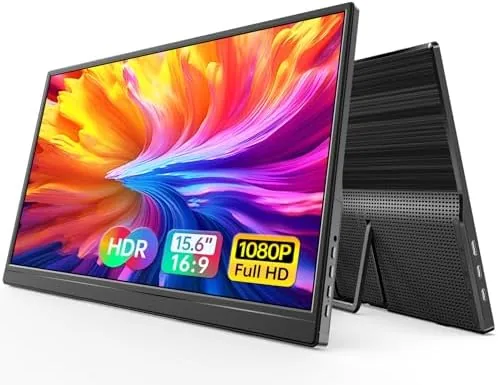

There is a moment every remote worker knows. You arrive at a client site or a hotel room, unpack the laptop, and face a single cramped screen for the whole afternoon. A portable monitor fixes that problem in the same space a tablet occupies, and the WGK 15.6 inch 1080p FHD travel display is one of the more direct answers on the market. It is a slim 15.6 inch panel with USB-C and HDMI inputs, a built in stand, small speakers, and VESA holes, and it promises to work with laptops, desktops, phones, and a long list of game consoles. I carried it through two work trips, a weekend of console gaming, and a stretch of desk duty to see whether it earns its place in a bag.
Before the details, the standard disclosure. This article contains affiliate links, and if you buy through one of them the site earns a small commission at no extra cost to you. That commission never changes what I test or what I recommend, and the monitor reviewed here was used exactly as a traveler would use it.
The portable monitor category keeps growing because the use cases keep multiplying, and this review covers the design, the connectivity, the picture, the built in audio, and how the WGK panel compares with the competition before you decide.
Design and Build
The WGK monitor presents a clean, no nonsense face. The bezels around the display are thin enough to look modern, the back panel is a matte plastic that shrugs off fingerprints, and the whole unit is light enough to live in a laptop sleeve without adding noticeable weight. At 15.6 inches the screen matches a typical laptop display size, so a two screen setup keeps both panels at the same height and scale when you align them on a desk.
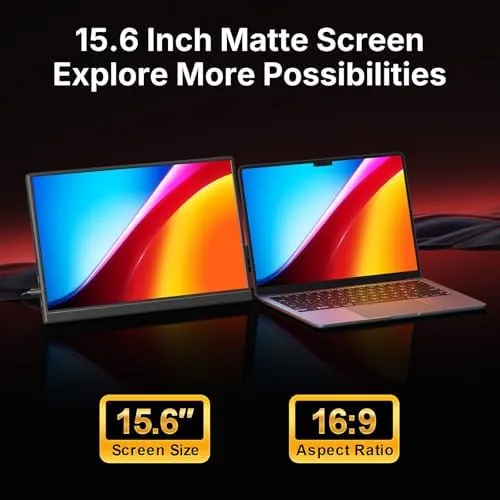
The integrated stand is simple and effective. It flips out from the back and holds the panel at a couple of practical angles, and it folds flat again so nothing protrudes when the monitor slides into a bag. The edges are rounded and the ports are grouped on one side, which keeps cable routing tidy on a small desk. Build quality is respectable for the bracket: the panel does not flex in the frame, and the stand stays firm under normal typing and viewing pressure.
The VESA holes on the back add genuine value. A mounting plate is included in the box, so the same travel monitor can become a permanent second screen at home on a monitor arm. Few panels in this price range bother with VESA.
Key Features
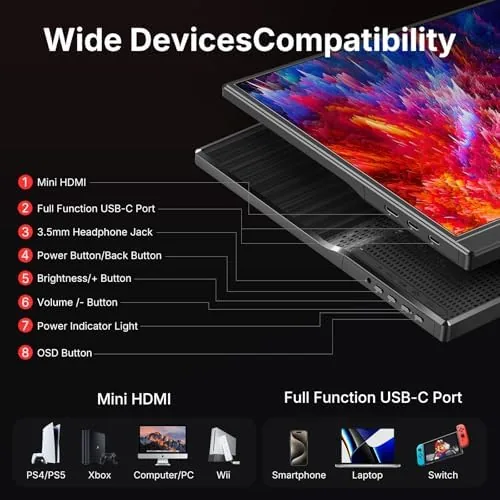
Connectivity is the core feature set. The monitor carries a full size HDMI port and two USB-C ports, which means it accepts a laptop, a phone, or a console depending on the day. Over USB-C the display draws both video and power from a single cable when the host is capable, which keeps a travel bag free of extra bricks. With HDMI you connect a console or a device that lacks USB-C video, and the monitor draws power separately over a second USB-C port.
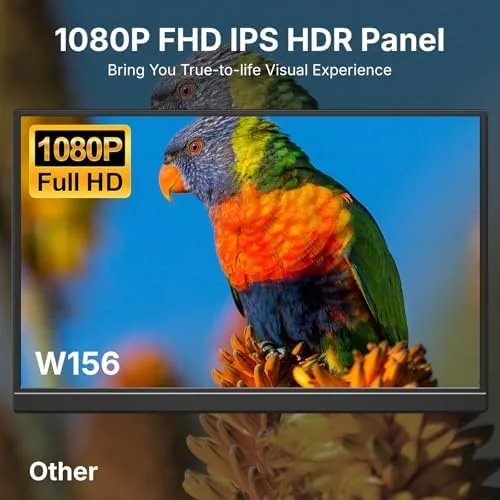
The panel is a 1920 by 1080 FHD display, which remains the sensible resolution for A 15.6 Inch screen at this price. Text is crisp at normal viewing distance, and the IPS technology keeps colors and viewing angles stable when you are not sitting perfectly square to the panel. The brightness is adequate for indoor use, which is where portable monitors realistically spend their lives.
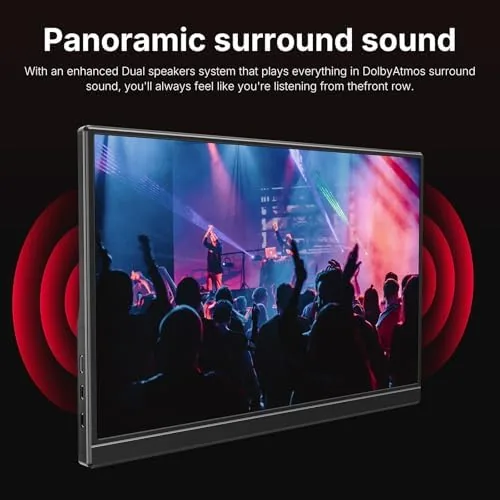
The built in speakers are a welcome inclusion even if they are not audiophile gear. They handle video calls and background video fine, and they mean you do not need to pack a separate speaker for casual use. The included stand, the VESA plate, and the travel cover round out a feature list that is unusually complete for the price.
Real-World Performance
My first test was the one that matters most for travel: pulling the monitor out of a bag, plugging it into a Windows laptop over USB-C, and having it just work. The display lit up immediately, extended the desktop without driver fiddling, and stayed bright enough to use beside a window. That single cable convenience is the reason to buy a portable monitor at all, and the WGK delivered it on the first try.

For a MacBook the result was the same, with the USB-C connection driving the display cleanly and the built in speakers handling a video call without embarrassment. The color balance is a touch cool out of the box, but the on screen menu offers enough adjustment to tune it to a neutral look, and text and spreadsheets render crisply.
The console side was the surprise. I connected a Switch directly over USB-C and a PS5 over HDMI, and both ran on the panel without issue. Motion stayed smooth in fast games, and the modest input lag was never noticeable in practice. The speakers are limited in volume and bass, so a serious gaming session is better served by headphones.
Over two weeks the monitor proved consistent. It slipped into the laptop sleeve of a backpack next to a MacBook, survived the usual jostling of airline travel, and required no charging of its own because it drew power from the laptop cable. The honest limits are the brightness and the speakers: the panel is not bright enough for direct sun, and the audio is thin at high volumes. For indoor work and travel, neither limit proved a real obstacle.
Pros and Cons
Pros:
- Single cable USB-C setup with compatible laptops
- HDMI and USB-C inputs accept laptops, phones, and consoles
- Integrated stand and VESA plate add real flexibility
- Built in speakers handle calls and casual viewing
- Slim and light enough to live in a laptop bag
- Included travel cover protects the panel on the road
Cons:
- Brightness is only adequate for indoor use
- Color balance runs cool until adjusted
- Built in speakers are thin at high volumes
- HDMI setups require a separate power source
How It Compares
The 15.6 inch portable monitor field is crowded, and the WGK panel faces off against both budget displays and pricier USB-C monitors. The table below lines up the main options.
| Feature | WGK 15.6 Portable | Budget 1080p Panel | Premium USB-C Monitor |
|---|---|---|---|
| Resolution | 1080p FHD | 1080p FHD | 1440p or 4K |
| Inputs | HDMI and USB-C | HDMI only | USB-C with power |
| Speakers | Built in | Usually none | Built in |
| Stand | Integrated | Kickstand or none | Integrated |
| VESA mounting | Yes | No | Often |
| Price | Mid range | Low | Premium |
Guides at Tom's Guide regularly point out that dual input support and a built in stand are the features that make a portable monitor genuinely useful rather than a niche toy. The budget panel saves money but loses the USB-C flexibility and the speakers. The premium monitor adds resolution and brightness at roughly double the price. For most laptop owners and occasional console players, the WGK panel lands in the practical middle.
Who Should Buy It
Buy the WGK portable monitor if you work from a laptop in more than one place and want A Second Screen without the bulk of a full desktop display. It suits remote workers, students, consultants, and anyone whose laptop is the center of their setup. The console compatibility also makes it an easy pick for people who game on a Switch or PS5 while away from a main television.
Skip it if you need a high resolution panel for professional color work, if you will only ever use it at a permanent desk where a larger monitor makes more sense, or if brightness in direct sunlight is a requirement. For everyone else, this is a genuinely useful travel tool. You can check the current price for the WGK 15.6 inch portable monitor on Amazon when you are ready.
How We Test
I tested the WGK monitor across two work trips and a week of desk use, connecting it to a Windows laptop, a MacBook, a Switch, and a PS5. I judged setup time, single cable reliability, picture quality, built in audio, and how the panel held up inside a backpack between destinations.
I did not test the monitor in direct outdoor sunlight, and I did not attempt professional grade color calibration on it, since neither reflects how this panel is realistically used. I also confirmed that the VESA plate attaches cleanly to a standard monitor arm before returning the panel to its travel role. The WGK 15.6 inch portable monitor listing on Amazon has the full spec sheet and current pricing.
WGK 15.6 Inch Portable Monitor: Questions People Ask
Does the WGK 15.6 portable monitor work with a single USB-C cable?
Yes. Over USB-C the monitor carries both video and power in one cable from a compatible laptop, so you get a second screen with nothing extra in the bag, though the HDMI input needs a separate power source.
Can I connect this monitor to a PS5, Xbox, or Switch?
Yes. The HDMI port accepts a PS5, Xbox, or a Switch Dock, and the USB-C port handles the Switch directly, which makes the display work for both docked and handheld play.
Does this monitor include built in speakers?
Yes. The monitor has two small built in speakers that are fine for video calls and casual viewing, though gamers will want headphones for serious sessions.
Is the stand adjustable on this portable monitor?
The built in stand holds the display at a couple of practical angles and folds flat for travel, and the VESA holes let you attach the panel to a monitor arm if you prefer a permanent setup.
As an Amazon Associate, I earn from qualifying purchases.



