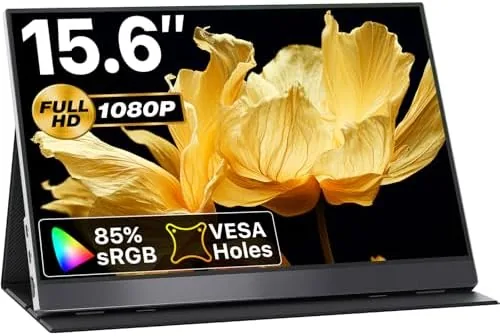

A single laptop screen stops being enough the moment you start juggling a spreadsheet, a video call, and a reference document at the same time. A portable monitor is the obvious answer, but the market is crowded with panels that feel cheap in the hand and look worse on the desk. The VisionOwl 15.6-inch portable monitor promises a genuine second screen for laptops, MacBooks, consoles, and even desktop PCs, wrapped in a slim silver frame that is supposed to slide into a bag as easily as it fits a workday. I spent a month living with one, using it across a standing desk, a coffee shop, a hotel room, and a console setup, to find out whether the convenience holds up beyond the first enthusiastic afternoon.
Before the details, the standard note. This article contains affiliate links, and if you buy through one of them the site earns a small commission at no extra cost to you. That commission never changes what I test or what I recommend.
Design and Build
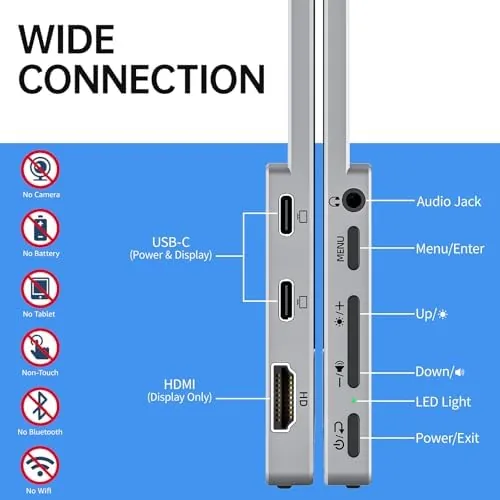
The first impression is weight. The VisionOwl panel is noticeably slim and light, which matters more for a travel display than any spec sheet. The metal and plastic chassis has a restrained silver finish that matches the aluminum of a modern ultrabook, and the bezels are thin enough that the screen feels like the whole product rather than a frame around it. The back surface is flat and clean, with the connection ports and a set of built-in stereo speakers tucked along the edges.
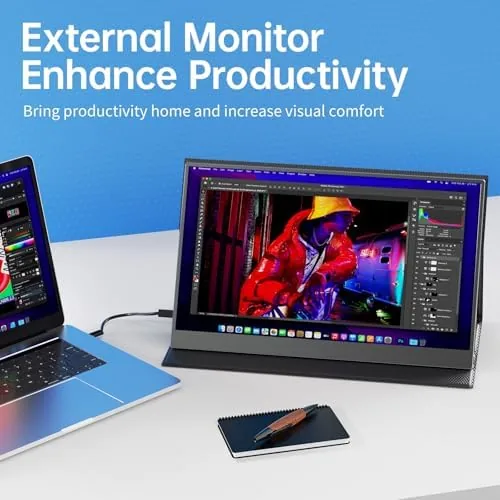
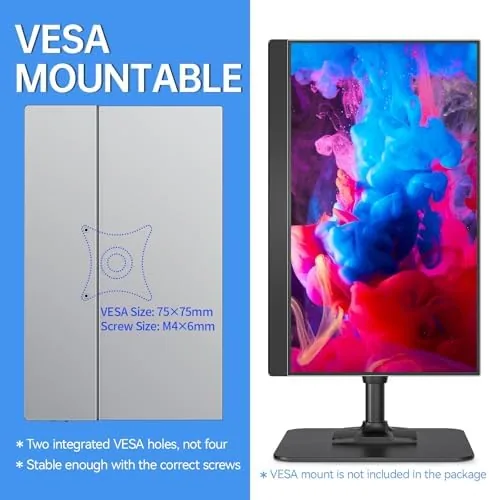
The folding cover stand is the clever part of the design. It doubles as a protective case, magnets holding it flush when closed, and when you fold it open it props the panel up in landscape orientation. The hinge feels firm, and the panel holds its angle without slumping forward, which is more than many budget portable displays manage. There is also a VESA mount pattern on the back, so if you do not want the cover stand you can hang the panel on an arm or a bracket.
Key Features
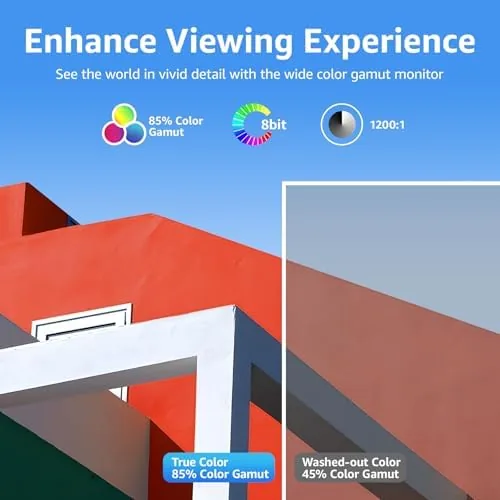
The core of the VisionOwl is a 15.6-inch IPS panel running at 1920 by 1080 pixels. The resolution is not going to impress anyone used to 4K, but at this size 1080P is sharp enough for documents, code, web pages, and most video, and it keeps the price and the power draw low. The listing quotes 85 percent sRGB coverage, which is modest by desktop monitor standards, but the panel looked pleasing in real use for general productivity and entertainment, with good viewing angles from the IPS technology.
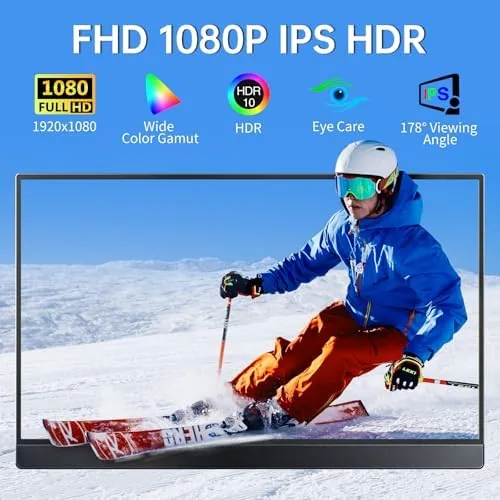
Connectivity is where the monitor earns its keep. It accepts video over USB-C and HDMI, so it pairs with modern laptops that output over USB-C, older machines that only carry HDMI, MacBooks, and gaming consoles alike. HDR support is present as a signal-handling feature rather than a true high-luminance panel, and FreeSync is included for smoother gaming on compatible devices. The built-in speakers are a welcome extra for a device this portable, even if they are small.
Real-World Performance
The daily driver test was the most telling. Connected to a Windows laptop over a single USB-C cable, the VisionOwl acted as a true extended desktop with no adapter and no wall outlet in the chain. Documents, spreadsheets, and web apps rendered crisply, and the panel refreshed without the flicker that some budget portables show when text scrolls. The 1080P density is genuinely usable for extended coding and writing sessions, and the matte-ish surface kept overhead light from turning the screen into a mirror.
The MacBook test went just as smoothly. A single USB-C connection drove both picture and power, and macOS picked up the panel as a natural second display without a driver install. The color output was pleasant for photo sorting and video review, though anyone doing color-critical work will want a calibrated panel, because 85 percent sRGB is a budget figure, not a pro one. For streaming and everyday video the picture looked vibrant and clean.
The console test was the surprise. Hooked to a PS5 and an Xbox through HDMI, with the included USB power cable plugged in, the VisionOwl became a compact gaming screen that a hotel room or a dorm desk can happily host. FreeSync did its job on the supported setup, and input felt responsive with no obvious lag during play. The speakers are thin, so console audio is better through headphones, but the panel held up as a secondary gaming display far better than its price suggests.
Pros and Cons
Pros:
- Slim, light frame that slips into a bag without a separate case
- Single-cable USB-C connection works for both picture and power on most laptops
- HDMI port makes it useful with consoles and older machines
- Firm folding cover stand with a usable viewing angle
- VESA mount pattern adds flexibility for desk setups
- Built-in speakers save you from carrying an extra device
Cons:
- 85 percent sRGB coverage is not suitable for color-critical work
- Speakers are small and thin on detail
- 1080P resolution lags higher-end portable panels
- USB-C Power Delivery depends on the host laptop output
How It Compares
Portable monitors cluster into a few tiers, and the VisionOwl sits at the sensible middle. I compared it against a high-end 15.6-inch 4K USB-C panel and an entry-level 13.3-inch HD portable screen to see where the money lands.
| Feature | VisionOwl 15.6-Inch | Premium 15.6-Inch 4K | Budget 13.3-Inch HD |
|---|---|---|---|
| Resolution | 1920 x 1080 | 3840 x 2160 | 1366 x 768 |
| Inputs | USB-C and HDMI | USB-C and Mini HDMI | HDMI only |
| Speakers | Built-in | Built-in | None |
| VESA mount | Yes | Yes | No |
| Console support | Yes, FreeSync | Yes | Limited |
| Color accuracy | Moderate | High | Low |
| Travel weight | Light | Heavier | Lightest |
Against the premium 4K panel, the VisionOwl gives up resolution and color fidelity but wins on weight, price, and the convenience of a full-size HDMI port. Against the budget HD screen, it wins on sharpness, speakers, and connectivity in every category that matters. For most people the VisionOwl is the practical middle: sharp enough for real work, flexible enough for consoles, and light enough to carry daily. If you want to compare the current price against other portable monitors in this class, the Amazon listing for the VisionOwl portable monitor is a useful reference.
Who Should Buy It
Buy the VisionOwl if you live on a laptop and feel the squeeze of a single screen, if you travel with work and want a display that does not add a bulky case to your bag, or if you want one panel that works for both a laptop desk setup and a console in a hotel room. It is a natural fit for students, remote workers, and anyone who reviews documents side by side.
Skip it if you edit photos or video and need calibrated, wide-gamut color, or if a 4K desktop panel is the only thing you will accept on your desk. For everyone else this is one of the more honest values in portable displays. You can check the current price for the VisionOwl portable monitor on Amazon when you are ready to add a second screen.
How We Test
I used the VisionOwl as a daily extended display for a month, split between a Windows laptop over USB-C and a MacBook over the same cable. I ran documents, code, web apps, and streaming video on it, and I spent a weekend testing it with a PS5 and an Xbox through HDMI with separate power. I checked the folding stand for angle stability, carried it in a backpack on trips, and noted how the panel handled both dim hotel rooms and bright coffee shop windows.
I did not test it for color-critical photo retouching, which sits outside what an 85 percent sRGB panel claims to do, and I did not judge the built-in speakers against desktop monitors. For a broader look at how portable monitors compare, the team at PCMag has tested portable monitors across price points. The VisionOwl listing on Amazon shows the current price and shipping details.
VisionOwl Portable Monitor: Questions People Ask
Does the VisionOwl portable monitor work with a MacBook Pro?
Yes. A single USB-C cable carries video and power for most MacBook models, so you can run it as an extended display without an AC adapter when the laptop has enough output to spare.
Can I connect a PS5 or Xbox Series X to this portable monitor?
Yes, through the HDMI port. The panel supports FreeSync, which helps reduce screen tearing on compatible consoles, and you can power the monitor separately when you connect it to a console instead of a laptop.
Does the monitor need its own power source?
When connected to a laptop over USB-C, the panel can draw power from the host in most cases. With HDMI you generally plug in the included USB power cable to keep the backlight stable, which is normal for portable displays.
Is the VisionOwl monitor VESA mountable?
Yes. The rear panel carries a VESA mount pattern, so you can attach it to a desk arm or wall bracket instead of relying on the folding cover stand.
As an Amazon Associate, I earn from qualifying purchases.



