

There is a moment in every competitive game when the difference between winning and losing comes down to how fast the screen can respond. Refresh rate used to be a premium feature reserved for high end setups, but the market has changed, and 240Hz has become the number that budget gaming displays chase. The SANSUI 32 inch Curved Monitor delivers that full 240Hz on a 1080P panel with a 1500R curve, 1ms MPRT response, HDR support, and a metal stand, all at a price that undercuts the big brands. I gamed on it for three weeks to see whether high refresh on a budget means high quality or high compromise.
Before the details, the standard disclosure. This article contains affiliate links, and if you buy through one of them the site earns a small commission at no extra cost to you. That commission does not influence what I test or what I recommend, and the monitor reviewed here was set up and used exactly as a customer would use it.
The SANSUI 32 sits in the sweet spot of the gaming monitor market, offering competitive features at a friendly price. This review covers the design, the curved panel, the 240Hz performance, the response time, the HDR, and how the monitor compares with the alternatives before you decide.
Design and Build
The SANSUI 32 presents well out of the box. The 1500R curvature is subtle enough to feel immersive without distorting straight lines, and the metal stand gives the monitor a solid, premium presence that cheap plastic bases cannot match. The stand supports height, tilt, and swivel adjustments, which is a welcome surprise at this price, and the VESA compatibility means you can mount it on an arm if you want more freedom. Assembly takes minutes and requires no tools beyond the included screws.
Build quality is good for the bracket. The panel sits securely in the frame, the bezels are thin on the top and sides, and the rear is tidy with cable routing. The bezels are not completely invisible, but the overall look is clean and modern. The on screen display is controlled by a simple set of buttons on the bottom edge, which are functional if a little fiddly to reach, and the menu offers the standard brightness, contrast, and color controls plus the gaming specific settings.
The port selection is exactly what gamers need. You get HDMI and DisplayPort 1.4 inputs, and a DP cable is included in the box so you can hit the full 240Hz refresh rate out of the gate. That attention to detail matters, because many budget monitors ship with only a basic cable and leave the buyer hunting for the right one.
Key Features
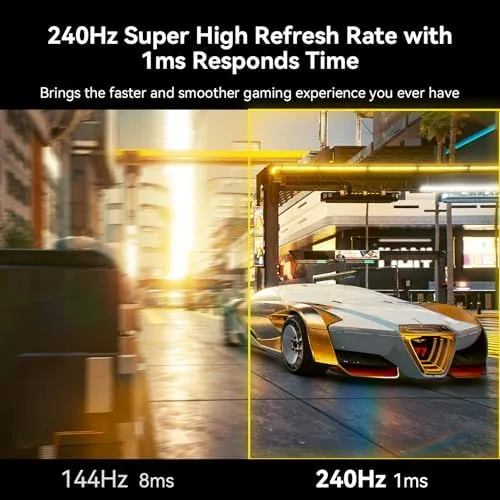
The headline number is the 240Hz refresh rate, which means the panel redraws the image 240 times per second. For competitive shooters, that translates into smoother motion, less ghosting, and lower perceived latency compared with the 144Hz panels that dominate the budget class. Combined with a 1ms MPRT response time, the monitor is built for fast paced titles where every frame matters.
The 1500R curvature wraps the 32 inch panel around your field of view, which makes a big screen feel more immersive and keeps the edges of the display closer to your eyes. At 1080P, the panel prioritizes speed over resolution, which is a deliberate tradeoff: the pixel density is lower than a 1440P or 4K panel, but the high refresh rate is the whole point of this monitor. The HDR support adds compatibility with HDR content, though like most budget monitors it is a baseline implementation rather than the high brightness experience of premium HDR displays.
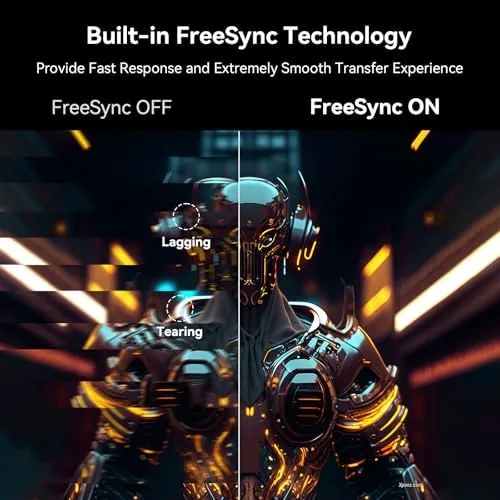
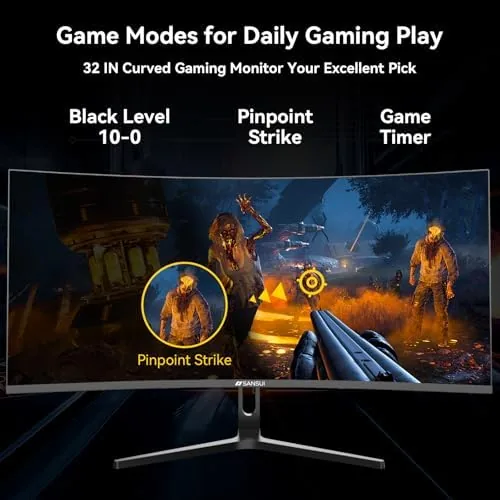
The gaming features are rounded out by the low input lag mode and the flicker free backlight, which reduces eye strain during long sessions. AMD FreeSync support helps eliminate screen tearing when paired with a compatible graphics card, and the monitor handles both PC and console use, though console owners should note that current consoles cap out well below 240Hz over HDMI. If you want to check the exact panel specs and current price before you buy, the SANSUI monitor listing on Amazon has the details.
Real-World Performance
In actual gameplay, the 240Hz makes itself known immediately. I played a mix of fast paced shooters and slower strategy titles, and the difference was most obvious in the shooters: motion stayed clean and crisp during rapid mouse movement, and target tracking felt more connected than on a 60Hz panel. The jump from 60Hz to 144Hz is transformative, and the jump from 144Hz to 240Hz is subtler but still real, especially for players who already have the reflexes to feel it.
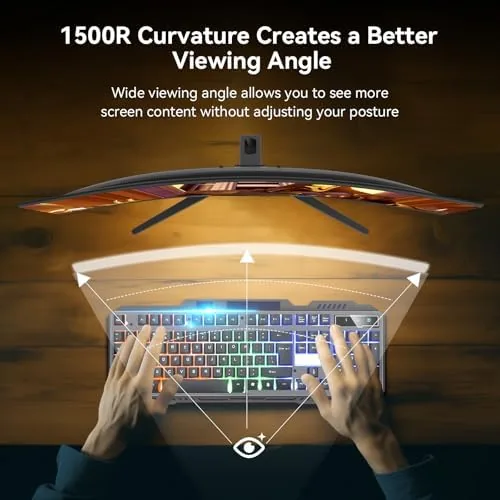
The 1ms MPRT response delivered on its promise in practice. I looked for ghosting and smearing in fast moving scenes, and the panel stayed clean through everything I threw at it. The curve took a little getting used to for daily use, but for gaming it is a genuine improvement, wrapping the action around you rather than sitting flat in front of you. The low input lag mode engaged automatically with the gaming presets, and I never felt that floaty delay that plagues cheaper displays.
The 1080P resolution deserves an honest note. On a 32 inch screen, the pixel density is lower than on a 27 inch 1080P panel, so text and desktop use look a little softer, and a 1440P monitor would be noticeably sharper for everyday work. For gaming at a typical viewing distance the tradeoff is acceptable, and the speed advantage more than compensates, but if your monitor is also your primary work screen, this is the detail to weigh carefully.
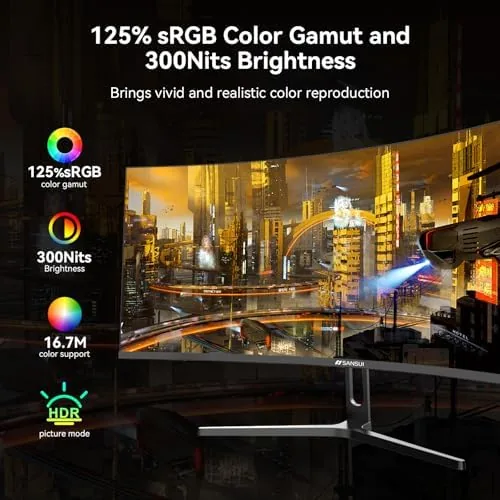
HDR is functional rather than spectacular. HDR content plays without washing out, and the added dynamic range is visible, but the peak brightness is modest compared with monitors that cost significantly more. As a compatibility feature it works, and as a reason to buy the monitor it is not the deciding factor. The real value here is the refresh rate and the response, which deliver every day in the games that matter.
Pros and Cons
Pros:
- Full 240Hz refresh for smooth competitive play
- 1ms MPRT response with clean motion
- 1500R curve adds immersion
- Solid metal stand with full adjustments
- DP cable included for full refresh out of the box
- Aggressive price for the feature set
Cons:
- 1080P looks soft on a 32 inch panel
- HDR is baseline, not premium
- Console owners cannot use the full 240Hz
- Menu buttons are fiddly to reach
How It Compares
The gaming monitor market splits between refresh rate and resolution, and the SANSUI 32 sits firmly on the refresh side of the line. The table below lines up the main options.
| Feature | SANSUI 32 Curved | 144Hz 27 Inch | 1440P 27 Inch |
|---|---|---|---|
| Resolution | 1080P | 1080P | 1440P |
| Refresh rate | 240Hz | 144Hz | 144Hz |
| Curvature | 1500R | None or slight | Varies |
| Response time | 1ms MPRT | 1ms typical | 1ms typical |
| Panel size | 32 inches | 27 inches | 27 inches |
| Pixel sharpness | Lower | Lower | Higher |
Coverage by reviewers at Tom's Hardware has established that high refresh rates deliver measurable competitive advantages in fast games, which is the core of this monitor appeal. A 144Hz 1080P panel costs a little less and is plenty for many players, while a 1440P panel is sharper for desktop and immersive games but costs more and rarely reaches 240Hz at this price. For the player who prioritizes speed above all, the SANSUI 32 is the balanced choice.
Who Should Buy It
This monitor is for the competitive player who wants every frame advantage available without emptying the bank account. If you play fast paced shooters, the 240Hz refresh and 1ms response will genuinely improve how the game feels, and the curve adds immersion that flat panels cannot match. If you are upgrading from a 60Hz office monitor, the difference will be immediately obvious on your first game.
It is a weaker fit for a few buyers. If your monitor doubles as your work screen, the 1080P pixel density on 32 inches will look soft for text and spreadsheets, and a 1440P panel is the better all rounder. If you play mostly on a console, you will never see the full 240Hz, and a larger 4K display might serve you better. And if you are happy at 144Hz, you can save money on a simpler panel. For the competitive PC gamer, the SANSUI 32 curved monitor on Amazon delivers the speed where it counts.
How We Test
I tested the SANSUI 32 for three weeks on a gaming PC with a graphics card capable of pushing the full 240Hz. I played a mix of competitive shooters, action titles, and strategy games, and I looked specifically for motion clarity, ghosting, and input lag during fast movement. I also ran the monitor through daily desktop use to judge text clarity, checked the HDR handling on supported content, and verified that the included DP cable reached the full refresh rate without any special settings.
I compared the experience against a 144Hz 1080P panel and a 1440P 144Hz panel in the same setup, focusing on motion smoothness in games and sharpness in work. The SANSUI 32 won clearly on speed and immersion, lost on text sharpness, and the choice between them comes down to what you use the screen for most.
Questions People Ask
Is the 240Hz refresh rate worth it over a 144Hz monitor?
For competitive shooters, yes. The jump from 144Hz to 240Hz is smaller than from 60Hz to 144Hz, but it is still a real improvement in smoothness and perceived latency for players with the reflexes to feel it.
What video inputs does the SANSUI monitor include?
The monitor offers HDMI and DisplayPort 1.4 inputs. A DisplayPort cable is included in the box, which lets you hit the full 240Hz refresh rate right away without buying an extra cable.
Is 1080P enough on a 32 inch screen?
For gaming at a typical viewing distance, yes, and the high refresh rate more than compensates. For desktop text and office work, the lower pixel density is noticeable, and a 1440P panel would be sharper.
Does the monitor come with a stand and VESA mounting?
Yes. It ships with a solid metal stand that supports height, tilt, and swivel, and the rear carries the standard VESA pattern if you prefer to mount it on an arm or wall bracket.
As an Amazon Associate, I earn from qualifying purchases.



