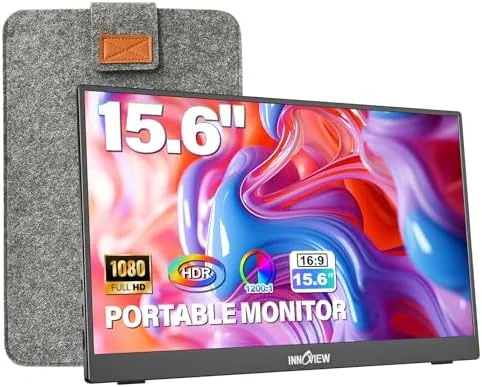

Laptop screens are never quite enough. A single 15.6 inch panel fills with a browser, a document, and a messaging app, and something always has to wait in a tab. The InnoView portable monitor is built to change that equation: a slim 15.6 inch 1080P display that connects over a single USB-C cable, folds into a protective sleeve, and turns a laptop into a two screen workstation almost anywhere. I carried this monitor for three weeks, using it at a desk, in a coffee shop, and on a hotel bed, and this review covers the panel quality, the stand, the connections, and the scenarios where a second screen earns its place.
Before the pixels start moving, the standard disclosure. This article contains affiliate links, and if you buy through one of them the site earns a small commission at no extra cost to you. That commission never changes what I test or what I recommend.
The pitch is straightforward: carry a second screen in a laptop sleeve, plug in one cable, and extend your desktop anywhere a laptop fits. The rest of this review digs into whether the panel, the stand, and the connections live up to that promise.
Design and Build
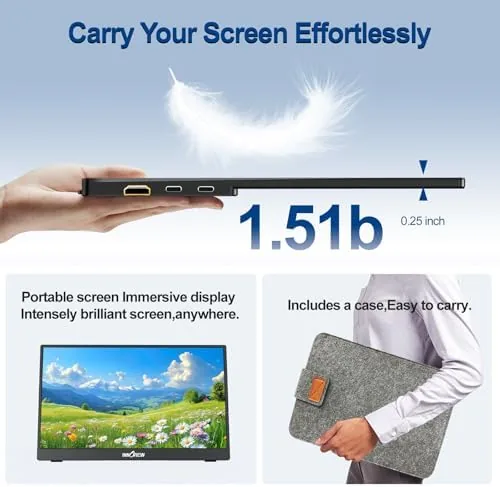
The monitor is an ultra slim aluminum panel that measures roughly the same footprint as a 15.6 inch laptop and slips into the included protective sleeve. The build feels tighter than the price suggests, with a sturdy metal shell, thin bezels around three sides, and a display that does not flex when you press on it. At just over a pound it is light enough to carry daily without noticing, and the sleeve adds a soft layer of protection for the screen when it rides in a backpack.
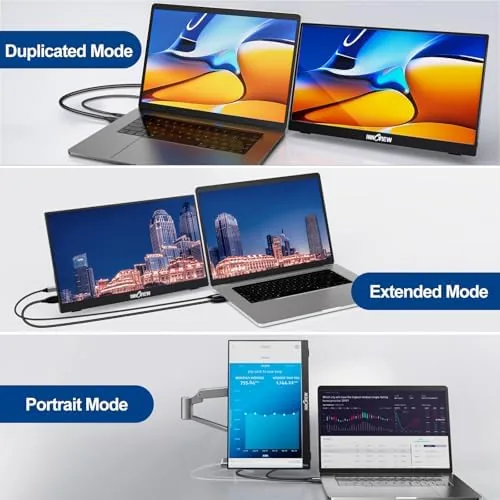
The built-in stand is the smartest part of the design. A stiff hinged cover on the back folds out to prop the panel at a wide range of angles, and it holds the monitor at roughly a 90 degree open position that suits a desk view or a lower angle on a table. The stand locks firmly enough that typing does not wobble the screen, and it folds flat against the back when you slide the monitor into the sleeve. There are no loose feet or separate kickstand parts to lose, which keeps the whole kit self contained.
Key Features
The headline feature is the single cable connection. One USB-C cable carries both the video signal and power to the monitor, so it runs straight from a MacBook or any USB-C laptop with video output, with no separate power adapter and no box of adapters to juggle. That single cable simplicity is the reason this monitor works in a coffee shop, where a power hungry display with its own brick would be a nuisance.
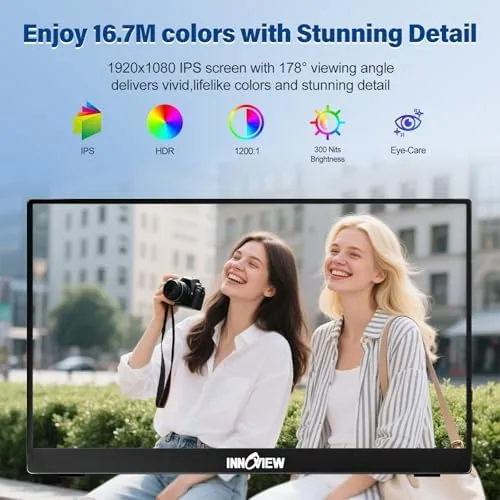
The 15.6 inch 1080P panel is the second feature. The IPS screen delivers a sharp full HD image with wide viewing angles, which matters when the monitor sits off to one side of the laptop rather than straight ahead. Colors look natural out of the box for everyday work, spreadsheets, web browsing, and video, and the brightness holds up in a normally lit room even if it cannot beat a high end gaming panel in direct sunlight.
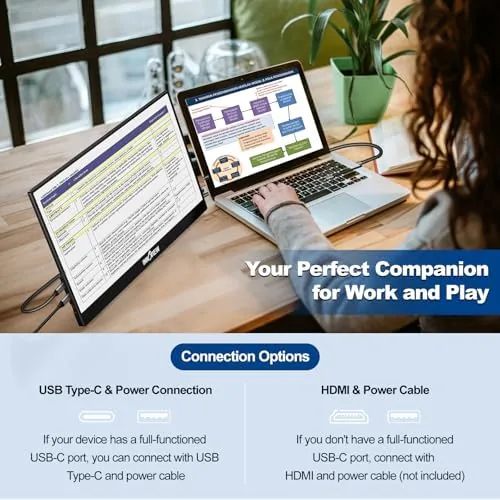
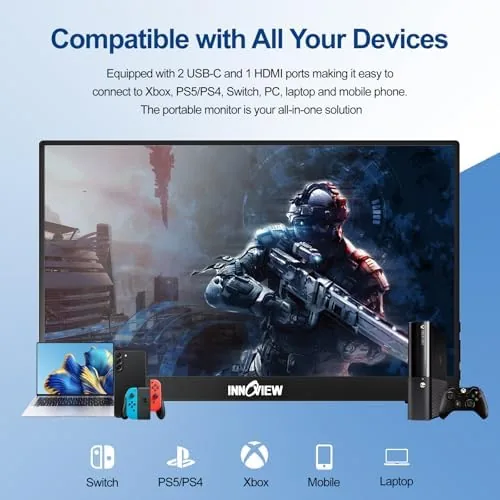
The input options round out the feature set. In addition to the USB-C port there is a full size HDMI input, which makes the monitor compatible with game consoles, streaming boxes, and the USB-C output on many tablets. That dual input flexibility means the panel works as a travel display, a console screen, or a spare monitor for a desktop, so it is not locked into a single role by its connector.
Real-World Performance
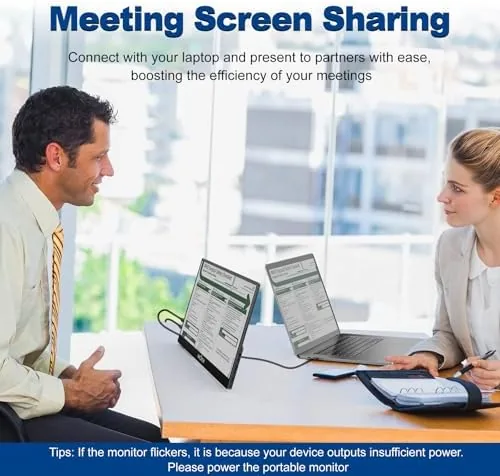
I started with the daily work test, plugging the monitor into a MacBook with a single USB-C cable and extending the desktop across both screens. The monitor lit up immediately, the laptop recognized it as a second display without any driver installation, and dragging windows across felt as smooth as a built in panel. With email on the laptop and a document on the monitor, the pace of work improved noticeably, because everything stayed visible without tab hopping.
The panel quality held up through the test. Text looked crisp for a 1080P panel at 15.6 inches, spreadsheets stayed readable with small fonts, and video played without judder or tearing. The viewing angles are genuinely wide, so the screen stayed clear even when I sat off center in a coffee shop, and the anti-glare finish kept overhead lights from turning into a distracting reflection. For productivity work the display is more than adequate, and it becomes a clear upgrade the moment you stack it beside a laptop screen.
The console test used the HDMI input. I connected a game console and the monitor worked as a compact display, holding a steady 1080P signal with no dropout and no input lag that I could feel in normal play. It is not a high refresh rate gaming panel, so competitive shooters are not its home, but for a relaxed session or a console screen on the road it did the job cleanly.
The phone test was the surprise. With a USB-C phone that supports video output, the monitor became a full size screen for the handset, useful for presentations, watching video, or drafting longer documents. It is a niche feature that depends on the phone hardware, but when it worked it turned the panel into the most useful accessory in the bag.
The honest limits are the panel itself. The 1080P resolution and standard color coverage are fine for work and video, but a photo editor or a designer who needs color accuracy will want a more expensive display, and the built in speakers are thin, so headphones or a small speaker are the better choice for sound. The 60 Hz refresh rate also rules out serious gaming. None of these stop it from being an excellent work companion, but they set honest expectations about what this price point buys.
Travel was where the monitor proved its worth. It slid into the sleeve, rode in a backpack without complaint, and set up in under a minute at a hotel desk. The single cable meant there was nothing to forget and no power brick to carry, and the fold out stand worked on a narrow hotel table where a separate monitor arm would never fit. For anyone who works from more than one place, the convenience is hard to overstate.
Pros and Cons
Pros:
- Single USB-C cable carries video and power
- Ultra slim aluminum build with a protective sleeve
- Built-in stand adjusts to a wide range of angles
- HDMI input adds console and tablet compatibility
- Sharp 1080P IPS panel with wide viewing angles
- Light enough for daily travel in a backpack
Cons:
- Built-in speakers are thin and quiet
- Not color accurate enough for photo editing
- 60 Hz refresh rate is not for competitive gaming
- Requires a device with video output over USB-C
How It Compares
The InnoView portable monitor faces two obvious alternatives: a second fixed monitor for the desk, or a higher end portable panel at nearly double the price. The table below lines up the three options.
| Feature | InnoView 15.6 | Desktop Monitor | Premium Portable |
|---|---|---|---|
| Connection | USB-C or HDMI | HDMI or DisplayPort | USB-C or HDMI |
| Portability | Excellent | None | Excellent |
| Resolution | 1080P | 1080P to 4K | 1080P to 2K |
| Weight | About one pound | Ten pounds or more | Varies |
| Price | Budget | Varies | Higher |
| Best use | Travel work | Fixed desk setup | Color and gaming |
A desktop monitor wins on raw screen size and resolution for a fixed office, and a premium portable panel adds color accuracy and higher refresh rates for specialists. But the InnoView hits the balance that most mobile workers actually need: it is cheap enough to justify, light enough to carry, and good enough to make two screens a habit. For the person who lives between a desk and a road, it is the practical pick. You can check the current price of the InnoView portable monitor on Amazon.
Who Should Buy It
Buy the InnoView portable monitor if you work from more than one location, if you have ever wished your laptop had a second screen, or if you want a compact display for a phone or a console. It is an easy recommendation for students, remote workers, and travelers who value screen space more than a couple of pounds of luggage.
Skip it if you need color accurate output for professional editing, if you want a high refresh panel for gaming, or if you only ever work at one fixed desk, where a larger monitor makes more sense. For the rest of us, a second screen that lives in a sleeve is one of those upgrades that quietly changes how you work.
How We Test
I used the InnoView portable monitor for three weeks across a desk, a coffee shop, a hotel, and a short flight. I tested the USB-C single cable connection with a MacBook, the HDMI input with a game console, and the video output from a compatible phone, and I judged the panel for sharpness, viewing angles, and brightness in different lighting.
I did not perform lab measurement of color accuracy or response time, and I judged the built-in speakers only by ear. For independent testing data on portable monitors, Tom's Hardware has a guide to the best portable monitors with benchmark results. The InnoView portable monitor listing on Amazon shows the current size and connection options.
InnoView Portable Monitor: Questions People Ask
Does this portable monitor work with a MacBook through USB-C?
Yes, a single USB-C cable carries both the video signal and power to the monitor, so it runs from the MacBook without a separate power brick.
Can I use the InnoView monitor with a phone?
Yes, phones with video output over USB-C display onto the monitor, which turns the panel into a small mobile workstation for documents and streaming.
Is the built-in stand strong enough for the panel?
The 90 degree adjustable stand props the panel at useful angles and held firm during testing, and it folds flat against the back for travel.
Does the monitor work with a PlayStation or Xbox?
Yes, the HDMI input accepts game consoles, and the panel ran a console at 1080P without dropout during our play sessions.
As an Amazon Associate, I earn from qualifying purchases.



