There is a moment in every freelancer's life when one laptop screen stops being enough. You are cross referencing a spreadsheet, a design file, and a chat window, and the tabs keep multiplying because there is nowhere else to put them. The traditional answer is a second Monitor, but the traditional answer assumes you sit at the same desk every day. The APILDELLA dual laptop screen extender takes a different route: two 14-inch 1080p panels that clip directly to your laptop, turning a single machine into a three screen workstation that folds up and travels with you. I worked with it for three weeks on a desk, in a coffee shop, and on an airplane tray table to find out where the concept succeeds and where it strains.
Before the details, the standard note. This article contains affiliate links, and if you buy through one of them the site earns a small commission at no extra cost to you. That commission does not change what I test or what I recommend, and every product here gets the same treatment as something I bought with my own money.
Design and Build
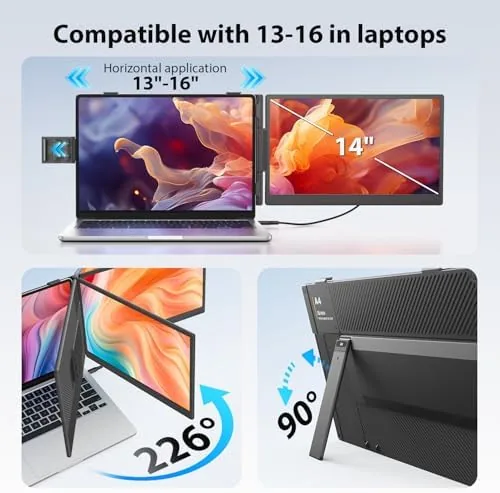
The extender arrives as two hinged panels that fold together into a compact bundle roughly the size of a folded tablet. The build is solid plastic with a fabric texture on the back panels, and the whole unit is light enough that you notice it in a bag without resenting it. The panels deploy outward from the sides of the laptop, and a pair of clamps grips the top edge of the laptop display to hold everything in place.
Set up is faster than the packaging suggests. You attach the panels to the top of the laptop, angle the clamps, and connect a single plug-and-play cable from the extender into your machine. The screens appear as extra displays within seconds, and the whole process takes less than a minute once you know the trick of seating the clamps evenly.
The build is where you feel The Budget roots. The panels flex slightly under pressure, the hinges have a little play, and you would not want to yank the unit off the laptop by the cable. None of this affected daily use, but it marks the difference between this and a premium device at double the price. Treat it as a well made tool rather than a precision instrument, and it behaves accordingly.
Key Features
The headline feature is simply the number of screens. Two 14-inch panels join your main display, and each one runs at 1080p, which gives you a genuine three monitor setup from a single laptop. For anyone who has lived with one screen, the jump to three is transformative, not incremental.
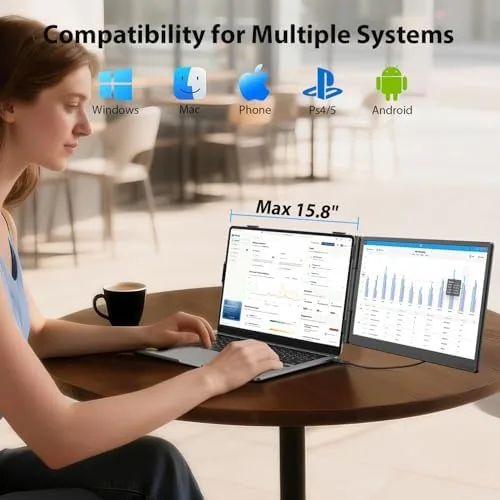
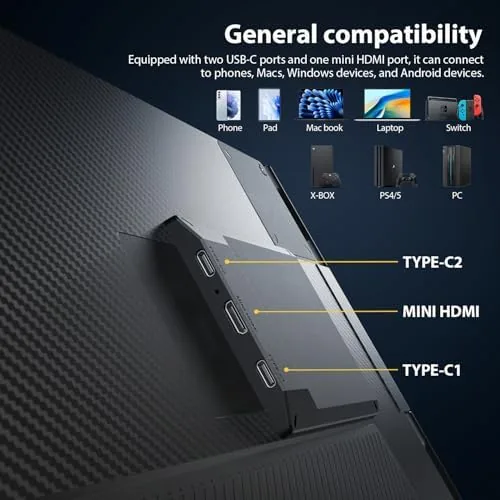
Compatibility is the second pillar. The extender connects over a single cable and works with Mac, Windows, and Chrome devices, which covers the vast majority of modern laptops between 13 and 16 inches. That range matters, because it includes everything from slim ultrabooks to chunky workstations, and the clamps adjust to accommodate the difference.
Each panel carries its own built in Speakers, which is a small but useful addition. The sound is not going to replace a decent set of desktop speakers, but it is fine for video calls and casual playback, and it means you can keep audio attached to whichever screen the call is on. The whole kit is designed around the idea that you should be able to be productive anywhere, and the feature set reflects that goal consistently.
Real-World Performance
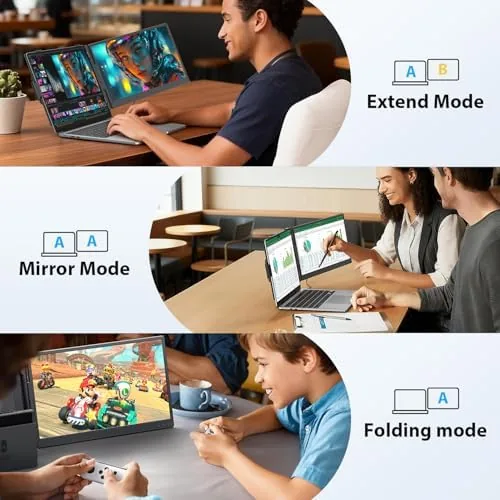
I ran the extender through a working week across three settings, and the first coffee shop session changed my opinion of the whole category. Sitting at a small table with a latte and three open documents, I had genuine desk quality productivity in a place where I previously would have been juggling tabs. The panels added real space without making the setup awkward to use.
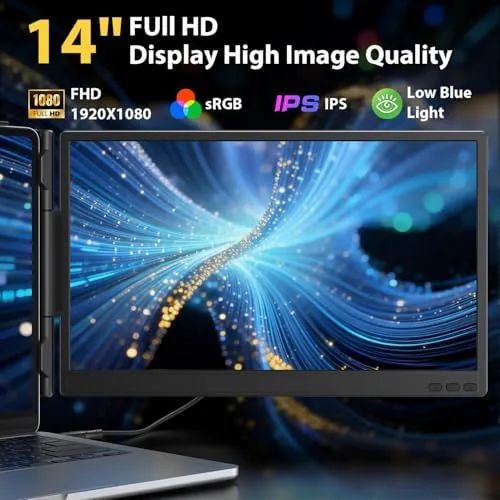
On a desk, the extender felt like a permanent upgrade. I ran a browser on the main screen, a document editor on one panel, and messaging plus a calendar on the other, and the three screen workflow removed the constant window switching that had been eating my concentration. The 1080p resolution on a 14-inch panel is sharp enough for text-heavy work, and the screens match color reasonably well for office tasks.
The airplane test was the honest one, and the results were mixed. In the cramped space of a narrow body seat, the panels deployed but the laptop lid angled backward to balance the weight, and the whole assembly felt less stable than on a desk. It worked, and it beat a single screen, but the extender is happier on a proper table than on a tray table. The built in speakers proved their worth during a video call, and the single cable kept the setup tidy throughout.
Power draw stayed a non issue throughout. The extender runs off the laptop's own power connection, so there are no extra chargers to carry, and the panels drew a modest amount of juice that did not noticeably shorten my laptop's battery life during a full day of work. The single cable also meant the desk stayed tidy, with no daisy chain of adapters and dongles fighting for space. For a product that exists to remove friction, that simplicity is as much a feature as the screens themselves.
Pros and Cons
Pros:
- Two 1080p panels create a real three screen workspace
- Plug-and-play setup works with Mac, Windows, and Chrome
- Fits laptops from 13 to 16 inches
- Folds into a compact, travel friendly bundle
- Built in speakers handle calls and casual playback
Cons:
- Panels flex slightly and hinges have some play
- Setup can wobble on uneven surfaces
- Speakers are functional but far from premium
How It Compares
Set against a single portable monitor, the dual extender costs more but delivers twice the screen space from the same bag slot. Set against a fixed desk monitor, it trades image quality and stability for portability, and that trade is the entire point of the product.
| Feature | APILDELLA Dual Extender | Single Portable Monitor |
|---|---|---|
| Number of screens | Two 14-inch panels | One panel |
| Resolution | 1080p each | 1080p typical |
| Setup time | Under a minute | Minutes with cables |
| Portability | Folds and clamps to laptop | Carried separately |
| Speakers | Built into each panel | Usually none |
| Desktop stability | Depends on surface | Stable on a stand |
If you need one extra screen for occasional use and mostly work at a desk, a standalone portable monitor is simpler and cheaper. If you want two extra screens that travel with your laptop and disappear into a bag, the APILDELLA is the more interesting buy. Productivity research consistently links multiple displays to faster task switching, and pieces at outlets like PCMag have covered how the best portable monitor setups fit into a mobile workflow.
Who Should Buy It
Buy the APILDELLA extender if you are a software developer, a writer, a trader, or anyone whose work lives in windows that never stop multiplying. If you split your time between a home desk and client sites or cafes, the ability to carry three screens in a laptop bag changes what you can do when you are away from your main desk.
Skip it if you need pixel accurate color for professional photo editing, if your laptop sits outside the 13 to 16 inch range, or if you never work anywhere but your main desk, where a full size monitor will serve you better. For the mobile multitasker, this is one of the most effective productivity upgrades you can carry, and you can check the current APILDELLA dual screen price on Amazon when you are ready to compare.
How We Test
I used the extender for three weeks across three environments: a fixed desk, a coffee shop table, and an airline seat. I tested the setup time, the fit across a 14-inch and a 15.6-inch laptop, the display quality for text and image work, and the behavior of the panels over long sessions.
I also checked the plug-and-play claim on both Windows and macOS, listened to the built in speakers on a call, and repeated the folding and clamping cycle to see whether the hinges held up. My verdict reflects daily use rather than a single demo, because a product like this lives or dies on how it behaves in a real working week.
If the three screen workflow appeals to you, the Amazon listing for the APILDELLA dual laptop screen extender has the full specifications and current pricing.
APILDELLA Dual Screen Extender: Questions People Ask
Does the APILDELLA screen extender work with a Mac?
Yes, the extender connects over a single plug-and-play connection and works with Mac, Windows, and Chrome devices, though Mac users should confirm their model supports the required display output.
Will the dual screen extender fit my laptop?
The extender is designed for laptops between 13 and 16 inches, and the included clamps adjust to hold the panels against your display without blocking the keyboard.
Do I need extra software or drivers to use it?
No, the extender is plug-and-play on the supported systems, so the screens appear as additional displays once connected, with no separate software install required.
As an Amazon Associate, I earn from qualifying purchases.