I carried the KYY monitor in a backpack for three weeks, using it for writing, spreadsheets, video calls, and a few gaming sessions. If you want to check the current price, it is available on Amazon.
Before the review, a quick disclosure: this article uses affiliate links. Buying through them may earn me a commission at no extra cost to you, and it never changes the verdict.
Design and Build
The KYY monitor is a 15.6-inch FHD IPS panel wrapped in a slim aluminum and plastic frame. The front is nearly all screen, with thin bezels that make the display feel larger than its size. The back is flat and carries the logo plus the connection ports, and the included smart cover protects the panel when you are not using it.
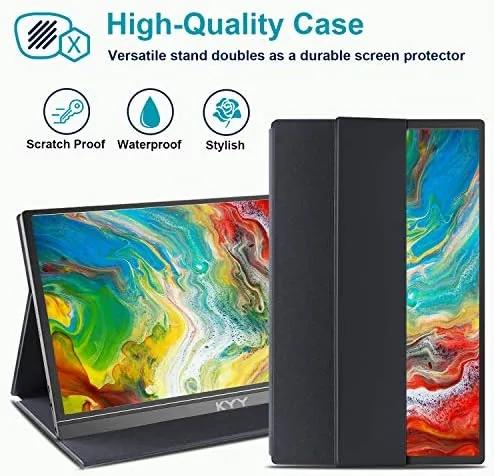
The smart cover is the clever part. It folds into a stand that props the monitor at a comfortable viewing angle, which means you do not need a separate kickstand or dock. The cover is magnetically held, so the monitor stays in place during use and the whole assembly feels secure on a desk or a cafe table.
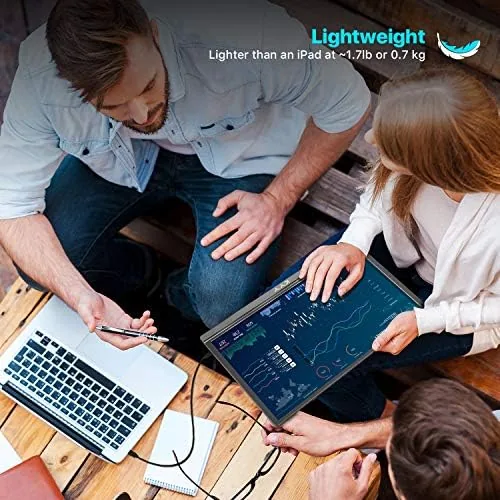
Weight is a reasonable consideration for a travel device. At just over two pounds, it adds noticeable heft to a backpack, but it is thin enough to slip into a laptop sleeve. The overall build feels solid, with a metal backplate that adds stiffness and a hinge on the cover that survives repeated opening without loosening.
Key Features
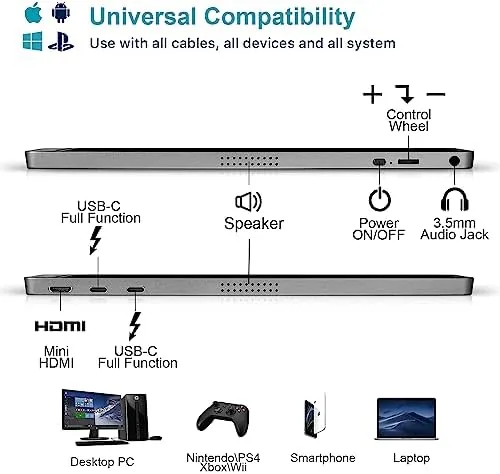
The defining feature is the single-cable USB-C connection. On a modern USB-C laptop, one cable delivers video, power, and data to the monitor, so there are no separate power bricks or adapter dongles to pack. The KYY also includes an HDMI input for older laptops, consoles, and cameras, plus a USB-C power port so the monitor can run from a wall charger when needed.
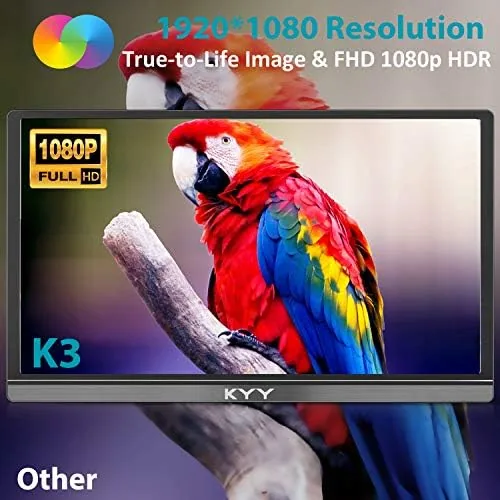
The panel itself is a 1080P IPS display, which delivers the wide viewing angles that make a second screen useful for collaboration. It also supports HDR content, and while the brightness is not flagship-level, it is more than enough for indoor work and travel settings. Built-in speakers cover the basics for video calls and quick media playback.
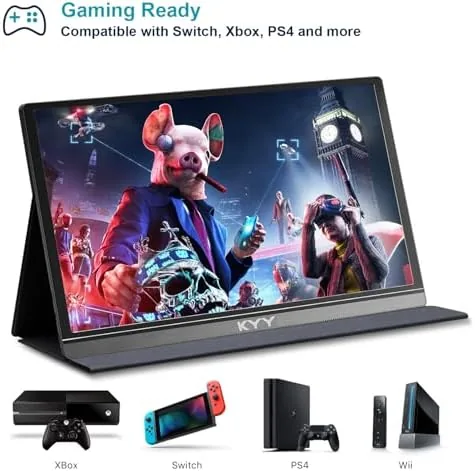
Compatibility is broad. The monitor works with USB-C laptops, HDMI laptops, and devices like the Nintendo Switch and mini consoles. The included cables cover USB-C to USB-C and HDMI connections, so most users will not need to buy anything else to get started.
Real-World Performance
As a productivity screen, the KYY is a genuine upgrade to any single-laptop workflow. I ran a spreadsheet on the monitor while keeping email and messaging on the laptop, and the extra space removed the constant window juggling. The text is sharp at 1080P on a 15.6-inch panel, and the IPS viewing angles meant a colleague could read content from the side without color shifting.
Color reproduction was also better than expected. The IPS panel covers a reasonable portion of the sRGB spectrum, so photos and design drafts looked accurate enough for review purposes even if they are not color-managed. Brightness, while not class-leading, is consistent across the panel, and the matte coating keeps reflections low in typical office lighting. Those qualities make the monitor pleasant to work on for hours at a stretch rather than just for occasional glances.
Gaming is a bonus rather than the main event. Connected to a Nintendo Switch, the monitor displays games with acceptable clarity and minimal input lag for casual play. The 60Hz refresh and 1080P resolution are modest by gaming standards, but for portable console gaming and indie titles the experience is perfectly enjoyable.
The built-in speakers are the weakest part of the package. They are thin and quiet, fine for a quick video call or a YouTube clip, but you will want headphones or an external speaker for anything serious. Battery considerations matter too: the monitor has no internal battery, so it needs power from the host laptop over USB-C or from a wall adapter, which is worth planning around on long flights.
Screen uniformity was good on the review unit. There was no visible backlight bleed at the edges, and the brightness stayed even across the panel during long document sessions. For a portable monitor in this price range, that consistency is not guaranteed, so it is worth calling out when a manufacturer gets the basics right.
Another practical point is the included accessory set. The box ships with a USB-C to USB-C cable, an HDMI cable, a power adapter, and the smart cover, which means there is nothing extra to buy before you get a working setup. That is a welcome change from monitors that arrive with only a single cable and leave you hunting for adapters. The HDMI cable in particular is a thoughtful inclusion, because HDMI-only devices like some older laptops and gaming consoles would otherwise require an additional purchase.
The setup process itself is frictionless. Plug in the USB-C cable, wait for the display to wake, and the monitor is ready; there are no drivers to install and no configuration menus to fight through. That matters for travel, where you want a second screen working within a minute of unpacking rather than after a support session.
Pros and Cons
Here is the honest breakdown.
- Pros: single USB-C cable carries video and power to the monitor
- Pros: crisp 1080P IPS panel with good viewing angles
- Pros: smart cover doubles as a protective stand
- Pros: HDMI input works with older laptops and consoles
- Pros: thin and light enough for daily travel
- Cons: built-in speakers are weak and quiet
- Cons: no internal battery, so it needs a power source
- Cons: brightness is modest for very bright rooms
How It Compares
Portable monitors vary widely in price and features. The table below compares the KYY with two other common options.
| Feature | KYY 15.6 | Budget Portable Panel | Premium 4K Portable |
|---|---|---|---|
| Resolution | 1080P | 1080P | 4K |
| Panel | IPS | IPS | IPS |
| USB-C single cable | Yes | Variable | Yes |
| HDMI input | Yes | Sometimes | Yes |
| Built-in speakers | Basic | Usually none | Better |
| Best for | Travel work and play | Budget second screen | Pro-level color work |
Against bare-budget panels, the KYY wins with its included smart cover and HDMI support. Against premium 4K models, it trades resolution and color accuracy for a far lower price. For most people, the 1080P KYY hits the sweet spot between cost and usefulness.
Who Should Buy It
The KYY portable monitor suits professionals who travel and want a second screen on the road, students who study from a single laptop, and anyone who works between a desk and a cafe. It is also a neat accessory for console gamers who want a bigger screen than the Switch provides without a full television.
If you need reference-grade color for photo or video editing, or if you want 4K resolution for a permanent desk setup, look at pricier panels. For most mobile workers, the KYY delivers the biggest practical benefit for the lowest cost. You can find the monitor on Amazon if it fits your setup.
How We Test
I tested the KYY monitor as my daily second screen for three weeks, moving between a home office and a shared workspace. I connected it to a USB-C laptop, an HDMI laptop, and a Nintendo Switch, and I used it for writing, spreadsheet work, video calls, and casual gaming. I evaluated the smart cover stand on different desk heights, checked the single-cable power delivery, and measured whether the brightness and viewing angles held up in a bright room.
Every point in this review comes from that real-world usage.
Questions People Ask
Here are the common questions about the KYY monitor.
Does the KYY portable monitor work with USB-C laptops?
Yes. A single USB-C connection can carry both video and power to the monitor, so you can plug it into any modern USB-C laptop and get a working second display immediately.
Does the KYY 15.6 monitor need its own power supply?
When connected over USB-C to a capable laptop, the monitor draws power from that single cable. Over HDMI, it needs its included power adapter or a USB-C power source.
Is the KYY portable monitor good for gaming?
It is a solid casual gaming display. The 1080P IPS panel has fast enough response for console and indie titles, and the built-in speakers cover the basics.
Does the KYY monitor come with a protective cover?
It does. A smart cover doubles as a stand, letting you prop the screen at different angles while protecting the panel when it travels.
For a broader view of portable monitor options, the recommendations at Tom's Hardware are a useful reference.
As an Amazon Associate, I earn from qualifying purchases.