
First person view flying has always carried a stereotype. It belongs to pilots who build their own quads, solder their own wiring, and crash their way through months of repairs before they ever produce a watchable video. The DJI Avata Pro-View Combo is the industry's answer to that stereotype, a Ready to Fly FPV drone with a built in propeller guard, a 4K stabilized camera, and a motion controller that feels closer to a video game than a transmitter. I flew the Avata through parks, around obstacles, and through tight indoor spaces over several weeks, and this review is the record of whether DJI really made FPV approachable.
The usual disclosure before the details. This article contains affiliate links, and if you buy through one of them the site earns a small commission at no extra cost to you. That commission does not change what I test or recommend, and the Avata reviewed here was flown with full attention to the rules that apply to every recreational drone pilot.
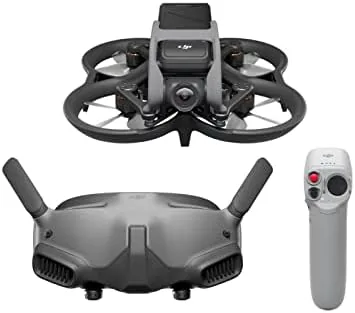
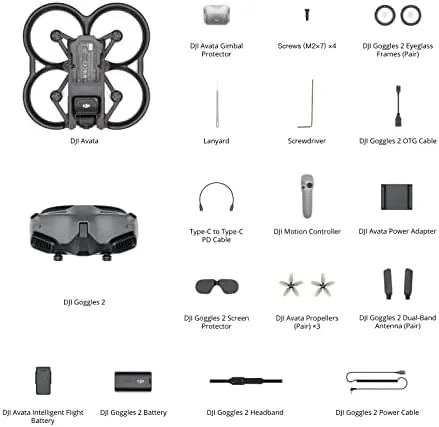
The bundle includes the Avata drone, the DJI Goggles 2, and the DJI Motion Controller, along with batteries and spares. The rest of this review covers the flight experience, the camera, the goggles, and whether the prop guard makes FPV safe enough for a nervous first timer.
Design and Build
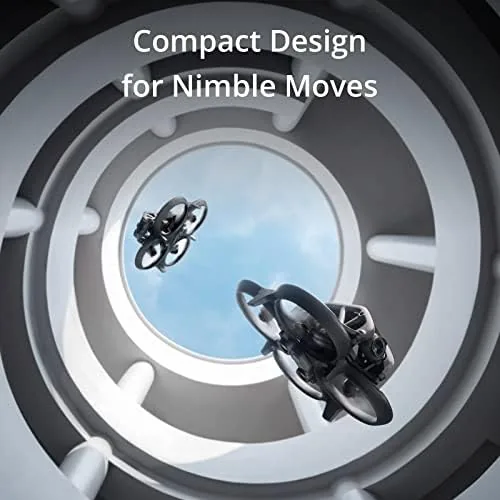
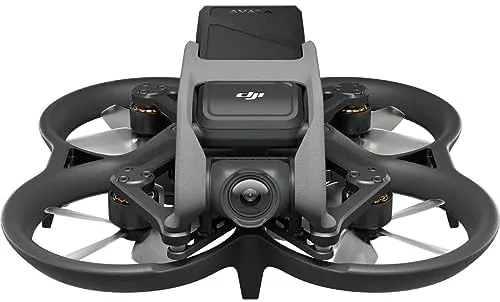
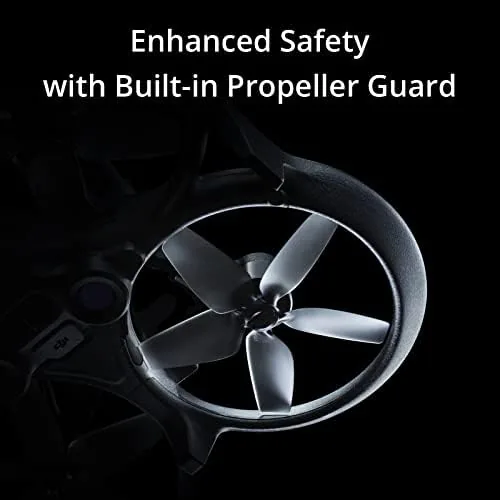
The Avata looks like nothing else DJI has made. It is a compact cinewhoop style quad, small enough to hold in one hand, with its propellers enclosed in a full protective duct that wraps each rotor. That guard is the key design decision, because it means the Avata can bump into walls, ceilings, and even people without mangling its blades, which is exactly what a beginner needs in a first FPV aircraft.
Build quality matches DJI's usual standard. The body is tough plastic over a sturdy frame, the camera sits on a gimbal at the front, and the battery slides into a top mounted bay with a firm latch. The whole drone weighs just enough to feel solid without feeling heavy, and the prop guards absorb small collisions with a forgiving flex. The Goggles 2 are equally well built, with a comfortable face cushion, adjustable interpupillary distance, and a bright micro OLED display that fills your field of view.
Key Features
The camera is the headline. The Avata records 4K video at up to 60 frames per second with RockSteady stabilization, and the lens opens to an enormous 155 degree field of view. That wide angle is what makes FPV footage feel like flying, because the view stretches past the edges of your peripheral vision and sells the sense of speed better than any narrow gimbal camera can.
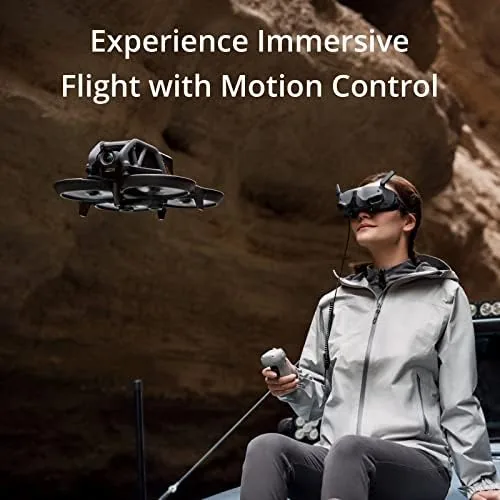
The flight controls are the other headline, and the Motion Controller deserves special credit. Instead of sticks, you hold a small gun shaped controller and tilt it to steer, while pulling the trigger accelerates and pressing the button brakes. It is radically different from traditional FPV flying, and it is also radically easier, because the drone translates your hand movements into smooth banked turns rather than demanding constant stick correction.
Real-World Performance
The first flight is where the Avata wins or loses, and it won. I put on the goggles, held the motion controller, and pushed the trigger, and the drone lifted off and drifted forward with a smoothness that felt instantly natural. Within a few minutes I was flying figure eights around trees, something that takes weeks on a traditional FPV setup. The built in prop guard turned my early mistakes into gentle bumps instead of crashes, and I never replaced a blade during the entire review.
The camera footage is the reason most people buy the Avata, and it delivers. The 4K RockSteady footage came out smooth and vibrant, and the 155 degree field of view produced shots with a depth and motion that a standard drone camera cannot touch. Flying low over a field with the gimbal tilted up, the footage looks like it came from a much larger machine, and the wide angle makes even a modest flight path feel cinematic.
The goggles rounded out the experience. The DJI Goggles 2 display is sharp and bright, the low latency transmission kept the feed in sync even during fast turns, and the fit stayed comfortable through a full battery cycle. The goggles also support head tracking, so you can steer the camera by turning your head, which adds another layer of immersion that traditional pilots only dream about.
The honest limits are flight time, price, and noise. A battery lasts about 18 minutes in calm conditions, and aggressive flying cuts that toward 12 to 14 minutes, so the bundle's two batteries buy you roughly half an hour of actual air time before everything needs a rest. The full Pro-View bundle is expensive, on par with a mid range laptop. And the Avata is loud, because a high thrust quad with enclosed props produces a constant buzz that neighbors will definitely hear. None of these are deal breakers, but they are the real costs of the experience.
Pros and Cons
Pros:
- Built in prop guards make FPV safe for beginners
- Motion controller is instantly learnable
- Smooth, vibrant 4K stabilized video
- Immersive 155 degree field of view
- Sharp, low latency DJI Goggles 2 display
- Compact and ready to fly out of the box
Cons:
- Flight time is short at roughly 18 minutes per battery
- Bundle price is substantial
- Loud prop noise carries across a yard
How It Compares
The Avata is best understood against the other two ways to get into FPV, a traditional racing quad or a larger camera drone like the DJI Mini series. The table below lines up the choices.
| Feature | DJI Avata | DIY FPV Racing Quad | DJI Mini Camera Drone |
|---|---|---|---|
| Ease of learning | Very high | Very low | High |
| Prop guards | Built in | Often none | None |
| Camera | 4K stabilized, 155 degree | Action camera add on | 4K, narrow gimbal |
| Assembly required | None | Extensive | Minimal |
| Best for | Immersive flying video | Racing skill | Aerial photography |
A DIY racing quad is cheaper to crash and repair but demands real building and piloting skill, so beginners burn through parts quickly. A Mini style camera drone shoots beautiful aerial stills but cannot deliver the immersive FPV experience. The Avata sits between them, trading raw speed for safety and accessibility, and for most people that trade is the right one.
Who Should Buy It
Buy the Avata Pro-View Combo if you have always wanted to try FPV but never wanted to build a quad or learn complex stick control. It is also a natural pick for content creators who want cinematic, motion filled drone shots without a film crew, and for anyone who wants a drone they can fly indoors with confidence.
Skip it if you want maximum range and speed, because the Avata favors close, immersive flight over distance, or if your budget is better spent on a versatile camera drone. For the taste of true FPV with a gentle learning curve, nothing else comes close. You can check the current price of the DJI Avata Pro-View Combo on Amazon when you are ready to order.
How We Test
I flew the Avata Pro-View Combo over several weeks in open parks, around trees and structures, and in indoor spaces with the prop guards in place. I used the motion controller for most flights and the goggles for all of them, and I captured 4K footage on a variety of flight paths to judge stabilization, color, and the wide angle effect. I tracked flight times per battery across calm and breezy conditions.
I did not attempt acrobatic manual mode flying, and I did not fly the drone within restricted airspace, since the point of the review was the beginner experience. For a deeper technical look at the Avata and its rivals, The Verge published a detailed review of the DJI Avata that covers its flight dynamics in depth. The Avata Pro-View Combo listing on Amazon shows the current price and bundle contents.
DJI Avata Pro-View Combo: Questions People Ask
How long can the DJI Avata fly on one battery?
The Avata manages around 18 minutes of flight time in calm conditions, but aggressive FPV flying and high wind will cut that to closer to 12 to 14 minutes per pack. The bundle includes spares, so keeping a charged backup battery ready extends your session.
Do I need a remote controller license to fly the Avata?
In the United States you need to register the drone and complete basic FAA requirements for recreational flight, and the same rules apply whether you use the motion or standard controller. The Avata's prop guards do not change the registration requirements.
What is the difference between the Pro-View and the standard Avata combo?
The Pro-View bundle upgrades the goggles from the DJI FPV Goggles V2 to the DJI Goggles 2, which offer a sharper display and a more comfortable fit for New Pilots. The drone and controller are the same in both bundles.
Can the Avata record video while I fly with the goggles?
Yes, the camera records 4K stabilized footage to the SD card during flight, and the goggles give you a live view of exactly what the camera sees in real time. You can start and stop recording from the controller or the goggles.
As an Amazon Associate, I earn from qualifying purchases.