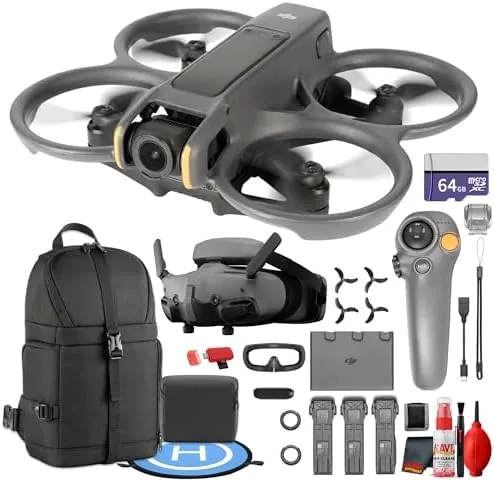

Most camera drones hover politely and record a scene from a safe distance. The DJI Avata 2 does something different. It flies low, banks through gaps, and puts the pilot inside the motion with a pair of video goggles that replace the phone screen entirely. That is the appeal of an FPV drone, and the Avata 2 is DJI's most accessible version of it yet. I spent several weeks flying this bundle across open fields, a wooded trail, and around a small pond, and this review covers the camera, the goggles, the flight feel, and whether the extra accessories in this 22 piece combo are worth carrying.
Before the flying begins, the disclosure. This article contains affiliate links, and if you make a purchase through one of them the site earns a small commission at no extra cost to you. That commission never changes what I test or recommend. The unit reviewed here was flown by a pilot with an active recreational registration, and all flights followed local airspace rules.
The Avata 2 is a bundle product, and the box packs a lot of hardware. This review works through the drone itself, the Goggles 3, the motion controller, the three battery Fly More setup, and the bonus items in this particular listing, including the 64GB card and sling backpack.
Design and Build
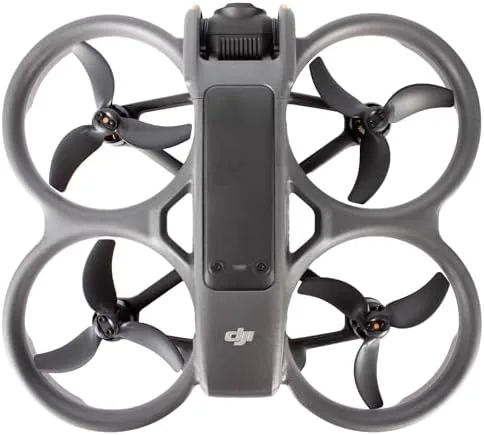
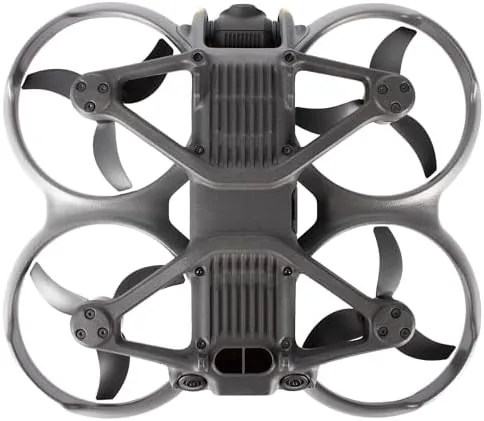
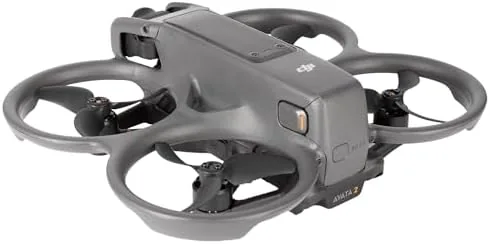
The Avata 2 keeps the compact, propeller guarded shape of its predecessor. The body is small enough to fit in a palm, and the prop guards are fixed into the frame rather than added on, which means the drone can tumble against grass, gravel, and low branches without scattering parts. The frame is built to be crashed and repaired, and the hatch over the camera and the access points for the props make field maintenance straightforward.
The finish is classic DJI: matte plastics, clean lines, and a deliberate arrangement of vents and sensors. The forward and downward vision sensors sit flush with the shell, and the battery slides in from the rear with a firm click. At roughly 377 grams, the drone sits at the edge of the most permissive weight class, so regulations matter before you fly. The build quality feels robust, and after a few low speed knocks against grass the frame showed only scuffs.
Key Features
The headline feature is the 155 degree ultra wide field of view. The 1/1.3 inch sensor records 4K video at up to 60 frames per second, and the wide angle lens delivers the dramatic, low to the ground perspective that defines FPV footage. RockSteady 3.0 electronic stabilization smooths the horizon, and the results look far more composed than the shaking preview feed suggests.
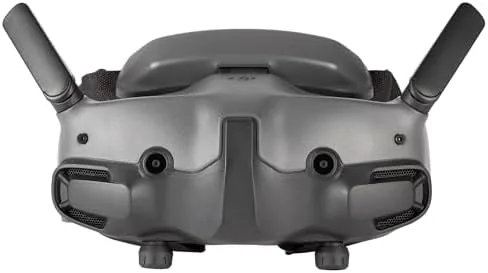
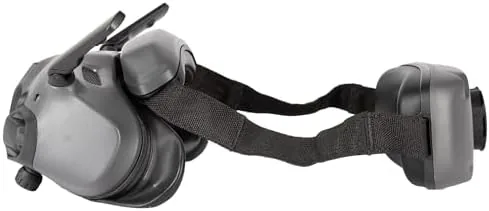
The Goggles 3 are the second defining feature. Two micro OLED panels deliver a crisp 1080p image to each eye, and the overall sensation is genuinely immersive. The goggles also add a useful capability: real time video can be shared to a phone or even to a second set of goggles, so a friend can watch the flight live without buying a controller.
The bundled Motion Controller 3 is the third pillar. It looks like a pistol grip, and you steer by tilting your wrist and pulling the trigger for throttle. It takes about ten minutes to feel natural, and it makes the Avata 2 remarkably approachable for pilots who have never flown FPV before. A conventional remote controller is available for those who want manual acrobatics, but the motion controller is the star of the beginner experience.
Real-World Performance
Flight performance is where the Avata 2 Earns Its Price. Takeoff is instant, and the drone hovers with the confidence of a much larger aircraft. In normal mode the flight is smooth and predictable, which is the right setting for a first FPV session. In manual mode the same airframe becomes aggressive, banked turns come quickly, and the whole machine responds to stick input with the immediacy that FPV pilots chase. I do not recommend manual mode without practice, but the capability is there for when your skill grows.
The camera is genuinely good for a drone in this class. Daytime footage is sharp, colors are punchy without being exaggerated, and the 4K 60 frame per second mode handles fast motion well. The ultra wide lens gives action shots a sense of speed that a normal wide angle cannot match, and RockSteady 3.0 cleans up most of the shake that comes from flying low through moving air. The biggest practical issue is exposure: the fixed style of FPV flying means you often point the camera at bright sky or dark trees, and the automatic exposure takes a moment to settle in those transitions.
Battery life is the honest weakness. Each battery delivers roughly 20 minutes of mixed flying, and a full charge cycle takes over an hour. The three battery Fly More setup keeps you airborne for an afternoon, but you need to plan landings and hot swaps carefully. The included charging hub is a genuine convenience, and the third battery in this bundle makes long sessions practical.
Range and connectivity held up well in the open. The O4 video transmission system kept a clear, low latency feed even when I flew around the far side of a line of trees, and the goggles never dropped the video to a snowy mess at the distances most hobbyists will fly. The motion controller feels slightly imprecise compared with a traditional gimbal stick for fine adjustments, but as a tool for relaxed cinematic flying it is excellent.
Pros and Cons
Pros:
- Excellent 4K 60 video with a wide 155 degree field of view
- RockSteady 3.0 stabilization produces smooth, cinematic footage
- Goggles 3 deliver a genuinely immersive FPV experience
- Motion Controller 3 makes FPV approachable for beginners
- Rugged, guarded design handles minor crashes gracefully
- Three battery bundle covers a full afternoon of flying
Cons:
- Manual acrobatic flying requires a separate traditional controller
- Battery charging is slow relative to flight time
- Motion controller lacks fine precision for close maneuvers
- Regulations and registration complicate beginner use
How It Compares
The Avata 2 sits between two very different DJI products. The table below lines it up against the original Avata and the more conventional Mini 4 Pro, which are the two main alternatives a buyer might consider.
| Feature | Avata 2 | Original Avata | Mini 4 Pro |
|---|---|---|---|
| Camera sensor | 1/1.3 inch, 4K 60 | 1/1.7 inch, 4K 60 | 1/1.3 inch, 4K 100 |
| Field of view | 155 degree ultra wide | 155 degree ultra wide | 82 degree standard |
| Goggles experience | Yes, Goggles 3 | Yes, Goggles 2 | No, phone screen |
| Flight style | FPV immersive | FPV immersive | Traditional aerial |
| Flight time | About 20 minutes | About 18 minutes | About 34 minutes |
| Beginner friendliness | High with motion controller | Medium | High with obstacle avoidance |
If you want the cinematic FPV look, the Avata 2 is the modern pick, with a better sensor and sharper goggles than the original. If you want a quiet, efficient drone that holds position and avoids obstacles automatically, the Mini 4 Pro is the more traditional choice. The two serve different creators, and the Avata 2 is clearly the FPV option.
Who Should Buy It
Buy the Avata 2 bundle if you want to make immersive FPV content without spending months learning to fly manually. Travel vloggers, outdoor content creators, and weekend hobbyists will all find the motion controller route rewarding, and the goggles make every flight feel like a small event. The three battery setup is worth it for anyone who films regularly, because a single battery ends a session too quickly.
Skip it if you need a quiet, long endurance drone for mapping, inspection, or relaxed aerial photography where hovering stability matters more than speed. For that work a conventional drone is better. If the immersive flying style appeals to you, you can check the current price of the DJI Avata 2 bundle on Amazon before you commit.
How We Test
I flew the Avata 2 across six sessions over three weeks, mixing beginner mode, sport mode, and brief manual flights over open ground. I captured footage at 4K 60, tested the motion controller and the traditional remote, and ran each of the three batteries through a full discharge cycle while timing flight time. I also tested the goggles with and without the real time video share feature.
I did not fly in rain, and I kept manual acrobatics to safe open areas. For a broader understanding of FPV drones and their safety rules, The Verge has a detailed review of the original DJI Avata that explains the FPV category well. The DJI Avata 2 listing on Amazon shows the current bundle contents and price.
DJI Avata 2 FPV Drone: Questions People Ask
How long does the DJI Avata 2 fly on one battery?
The Avata 2 manages around 23 minutes of gentle cruising on a single battery, with more aggressive FPV flying cutting that figure to roughly 18 minutes.
Is the Goggles 3 experience worth the extra cost?
The 1080p micro OLED screens create a genuinely immersive view, and the real time video feed feels far more immediate than watching a tablet on a standard controller.
Can beginners fly the DJI Avata 2 safely?
Yes, the beginner mode limits speed and altitude while the motion controller lets a novice steer by wrist movement alone, which flattens the early learning curve.
What makes the Avata 2 better than a regular drone for video?
The 155 degree ultra wide lens and RockSteady 3.0 stabilization deliver the fast, cinematic FPV shots that a standard camera drone cannot produce.
As an Amazon Associate, I earn from qualifying purchases.