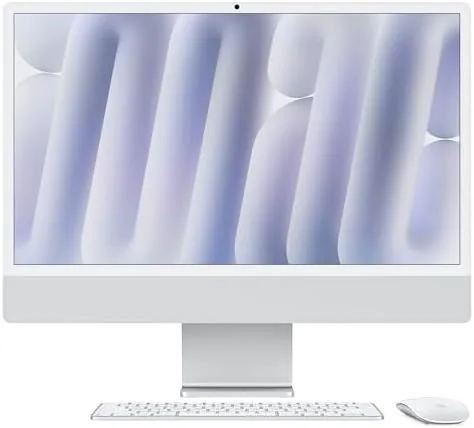

Apple redesigned the iMac in 2021 and turned an aging desktop line into one of the most striking computers in any room. The 2024 version does not touch that design. It keeps the 24 inch all in one shape, the magnetic power connector, and the rainbow of color options, and instead it swaps in the M4 chip, a brighter display, and the neural engine that powers Apple Intelligence. That is a conservative update on paper, but it is a substantial one in practice. I spent three weeks using this Silver M4 iMac as my main desktop, pushing it through photo editing, video work, and a full week of everyday tasks, and the results surprised me in several ways.
Before the benchmarks, the standard note. This review contains affiliate links. If you buy through one of them, the site earns a small commission at no extra cost to you, and that never changes what I test or what I recommend.
Design and Build
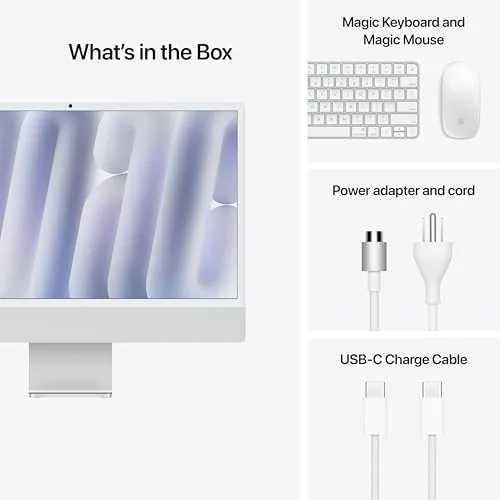
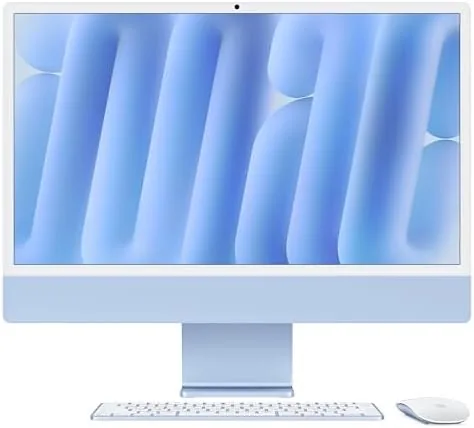
The 2024 iMac is the same 24 inch all in one that Apple introduced with the M1, and that is a compliment. The entire computer lives behind a 24 inch screen that is barely more than a centimeter thick, with the logic board, speakers, and ports tucked into the chin below the display. It looks like a piece of furniture rather than a machine, and on a Clean Desk it disappears into the room.
The Silver model I tested is the quietest of the color options, but the construction is identical across the lineup. The aluminum stand tilts the screen from negative five degrees to twenty five degrees, and while it does not allow height adjustment, the fixed position sits at a comfortable eye level on a standard desk. The machine feels rigid with no flex in the panel, and the finish is fingerprint resistant, which matters in a device designed to be seen.
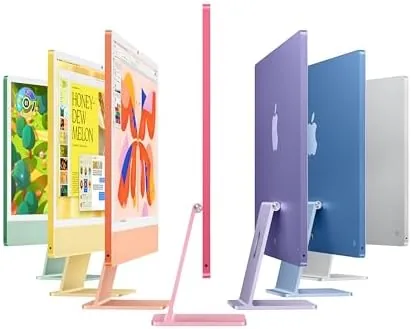
The port selection has grown since the M1 days. The base model offers two Thunderbolt ports, while the configuration I tested includes two additional USB 3 ports and gigabit Ethernet built into the power adapter. That is a small but real improvement, because it removes the need for a hub for most home setups. The magnetic power connector is still one of the best ideas in desktop computing, snapping on safely with no plug to fumble.
Key Features
The M4 chip is the heart of the update. It pairs an 8 core CPU with an 8 core GPU and a 16 core Neural Engine, all sharing 16GB of unified memory in my test unit. For everyday computing, that is a large amount of headroom, and for photo and video work it means the GPU and CPU can pull from the same pool of fast memory without copying data between separate chips.
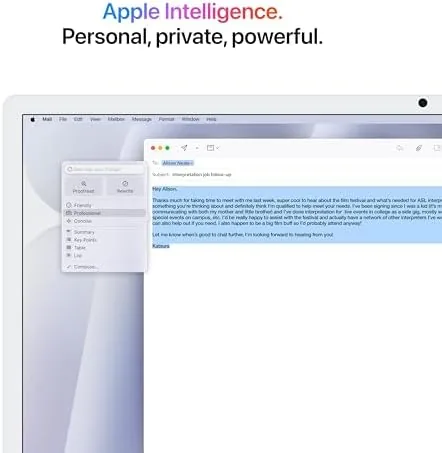
Apple Intelligence is the feature Apple is leaning on this generation, and it requires the M4 hardware to run its on device models. Writing Tools can rewrite and summarize text across apps, Image Playground generates images, and the improved Siri handles more complex requests. These tools are genuinely useful in a daily workflow, and they run locally, which keeps your data off remote servers.
The 24 inch Retina display also gets a boost this year. It reaches 500 nits of brightness with a wider color gamut and a nanotexture glass option that cuts reflections. Colors look punchy without being oversaturated, and the text is impossibly crisp thanks to the 4.5K resolution. Whether you are editing a photo, writing a document, or watching a movie, the screen is the reason you notice the iMac every time you sit down.
Real-World Performance
My first week was ordinary work: browser tabs, email, spreadsheets, video calls, and note taking. The iMac never flinched. I kept more than thirty tabs open across two browser windows while a video call ran in the corner, and the machine stayed cool and silent. The fan, which exists somewhere inside that thin body, never became audible during any of my testing.

Then I pushed harder. I edited a set of high resolution RAW photos in Lightroom, applied a full filter stack to a short 4K video in Final Cut Pro, and exported it for sharing. The M4 handled the photo edits instantly, and the video export completed faster than the previous generation M3 model would have managed. The neural engine also accelerated the AI Powered masking tools in Lightroom, which made selecting subjects a one click job instead of a careful brush exercise.
The base model ships with 256GB of storage, which is the one configuration choice I would reconsider. It is fine for document work and cloud based photo libraries, but if you keep large video projects or big game installs locally, you will want the larger SSD option. The 16GB of unified memory, by contrast, proved more than adequate, and it is the configuration Apple wisely standardized on this generation. For a full list of configurations and current pricing, the Amazon listing for the 2024 iMac M4 has the details.
Pros and Cons
Pros:
- M4 chip is fast, cool, and nearly silent in daily use
- 24 inch Retina display is bright, sharp, and color accurate
- Apple Intelligence features run locally and feel genuinely useful
- 16GB of unified memory handles heavy multitasking with ease
- Two Thunderbolt ports plus two USB 3 ports on this configuration
- Same beautiful, space saving all in one design
Cons:
- Base model storage of 256GB fills up quickly
- No height adjustment on the fixed stand
- Upgrades to memory and storage are pricey at checkout
- Not designed for heavy gaming or sustained 3D workloads
How It Compares
The iMac competes with a handful of all in one desktops and with the popular pairing of a Mac mini and a separate monitor. I compared the M4 iMac against the M4 Mac mini and a comparable Windows all in one to see where each setup lands.
| Feature | 2024 iMac M4 | Mac mini M4 | Windows All in One |
|---|---|---|---|
| Display included | 24 inch Retina | No, separate | Varies, often 23.8 inch |
| CPU / GPU | 8 core / 8 core | 8 core / 8 core | Intel or AMD |
| Memory | 16GB unified | 16GB unified | 8GB to 16GB |
| Apple Intelligence | Yes | Yes | No |
| Footprint | One unit | Mini plus monitor | One unit |
| Price | Premium | Lower, plus monitor | Mid range |
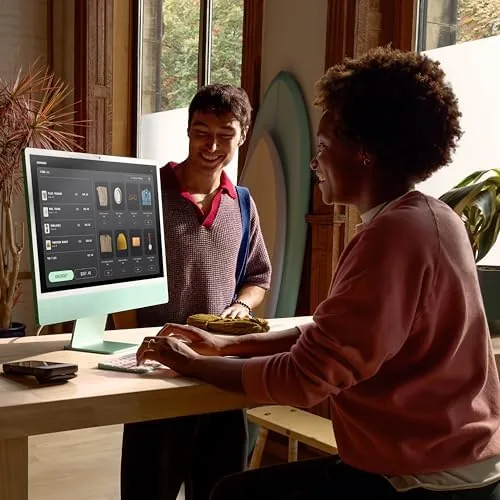
Against the Mac mini, the iMac wins on simplicity: one cable, one unit, no monitor shopping, and a display that is calibrated to match the machine. The mini is cheaper if you already own a good monitor, and it offers more ports. Against a Windows all in one, the iMac wins on build quality, display quality, and the smoothness of macOS, while the Windows machine often offers a touchscreen and a lower price. For most people who want a desktop that just works, the iMac is the easier recommendation.
Who Should Buy It
Buy the 2024 iMac if you want a desktop that disappears into your home, if you do photo editing, design work, or content creation, or if you are an iPhone and Mac user who wants everything to feel connected. The Apple Intelligence tools are also a genuine reason to upgrade if you use writing and creative apps every day.
Skip it if you game heavily, if you need a large amount of local storage, or if you already own an M3 iMac, where the upgrade is not worth the cost. If you are coming from an Intel Mac or an M1 iMac, the difference is dramatic. You can check the current price for the 2024 iMac M4 on Amazon when you are ready to upgrade.
How We Test
I used the Silver M4 iMac as my primary computer for three weeks. I tracked performance across thirty plus open tabs, video calls, photo editing in Lightroom, 4K video export in Final Cut Pro, and a full week of writing and email. I measured fan noise, heat, and responsiveness during each workload, and I tested the Apple Intelligence features across supported apps.
I did not run synthetic benchmarks against every competing desktop, and I did not test the nanotexture display option, which is a configuration add on. For broader perspective on desktop computers and how Apple machines compare to Windows rivals, independent coverage from The Verge at theverge.com provides detailed long term testing. The 2024 iMac M4 listing on Amazon shows the available configurations and current pricing.
Apple 2024 iMac M4: Questions People Ask
How fast is the M4 chip in the 2024 iMac?
The M4 chip with its 8 core CPU and 8 core GPU handles everyday work, creative apps, and light video editing with ease, and it is noticeably faster than the previous M3 model in real world tasks.
Does the 2024 iMac support Apple Intelligence?
Yes. The M4 chip includes the neural engine that powers Apple Intelligence features such as Writing Tools, Image Playground, and the improved Siri, and they run locally on the device.
Can the 16GB of unified memory handle multitasking?
Yes. The 16GB of unified memory is shared between the CPU and GPU, and it handled dozens of browser tabs, creative apps, and background tasks smoothly during testing.
Is the 24 inch Retina display good for photo and video work?
The 24 inch Retina display is bright, sharp, and color accurate, and it is well suited to photo editing, design work, and watching content.
As an Amazon Associate, I earn from qualifying purchases.



