
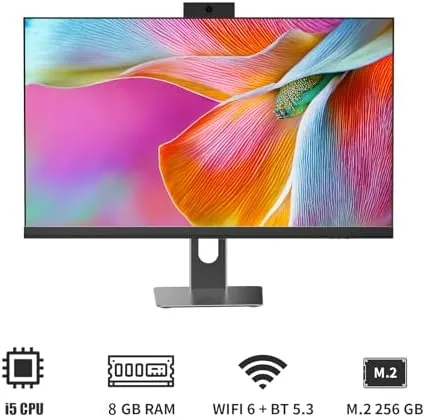
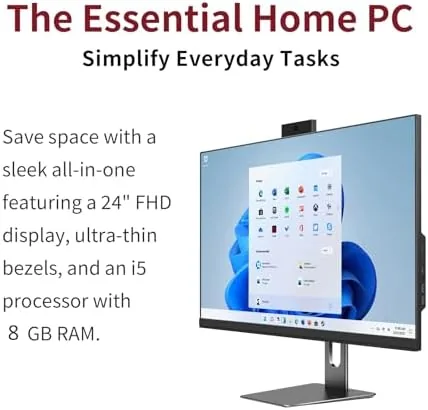
There is a specific kind of Home Office that wants the simplicity of a laptop with the comfort of a desktop. A tower PC means a case under the desk, a tangle of cables, and a monitor that takes up its own space. An all-in-one removes all of that, putting the computer inside the display so the desk stays clean and the setup takes one power cord. The 24-inch Full HD all-in-one desktop I have been testing does exactly that, and it backs the single-unit design with an Intel i5 processor, 8GB of RAM, a 256GB SSD, WiFi 6, and Windows 11 Home. After three weeks of daily use, I know precisely who this machine suits and where its limits sit.
This article contains affiliate links. If you buy through one of them, the site earns a small commission at no extra cost to you, and that never changes what I test or what I recommend. With that disclosure out of the way, here is the full record of three weeks with this all-in-one.
Design and Build
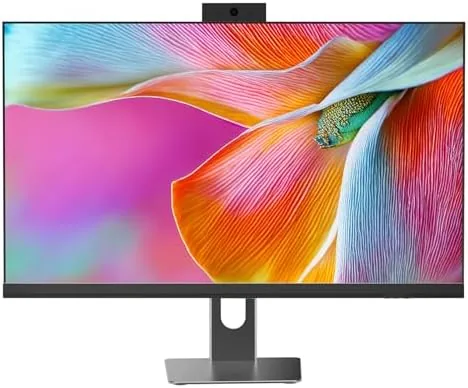
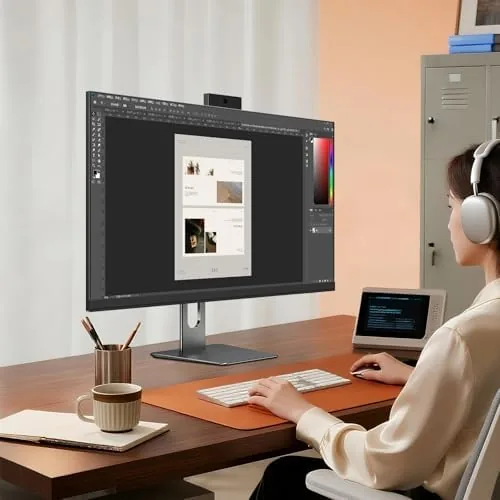
The all-in-one is A Single black unit: a 24-inch Full HD display with the computer built into the housing behind it. The design is clean and minimal, with thin bezels around the screen and a simple stand that holds the unit at a comfortable height. The whole thing takes up barely more desk space than a monitor alone, which is the entire point of the form factor.
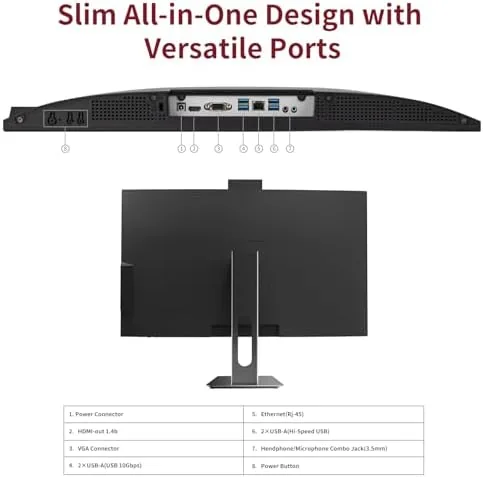
The build is solid. The plastic housing feels sturdy, the stand is stable, and the display does not wobble when you type on a nearby keyboard. The ports are arranged on the back and side, with USB connections, an HDMI output for a second monitor, and a headphone jack. The power button is on the edge, and the small form factor keeps the whole setup contained in one place.
The 24-inch Full HD panel has a 1920x1080 resolution, which is the standard for this size of all-in-one. Colors are accurate enough for daily work and video, viewing angles are good, and the matte finish keeps reflections down in a bright room. The built-in speakers are fine for video calls and casual listening, though they are not a replacement for dedicated speakers.
Key Features
The i5 processor is the workhorse of the system. It delivers responsive performance for web browsing, office applications, video streaming, and light photo editing, and it handles the everyday load of a home office without breaking a sweat. The 8GB of RAM covers normal multitasking, and the 256GB SSD boots the system quickly and opens applications near instantly.
Connectivity is a genuine strength. The system supports WiFi 6, which is the current wireless standard and offers faster speeds and better stability on modern routers, and Bluetooth 5.3 for wireless keyboards, mice, and headphones. That means a completely wireless desk setup with only the single power cord running to the wall.

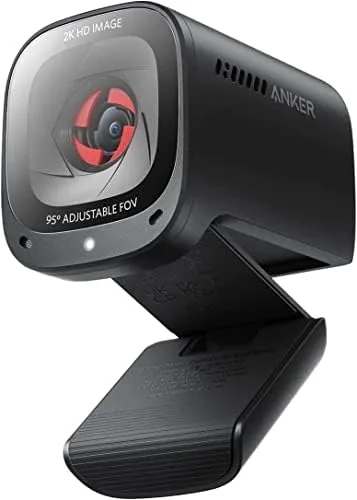
The privacy protection webcam is a thoughtful addition for a home office. The camera sits at the top of the display, and the privacy feature lets you cover the lens when you are not on a call. It is a small detail, but it matters for anyone who keeps a computer in a bedroom or a shared space. Windows 11 Home comes preinstalled and ready to use out of the box. If you want to compare the current price against other all-in-one desktops, the Amazon listing for this 24-inch all-in-one desktop is a useful reference.
Real-World Performance
I used this all-in-one as my primary office machine for three weeks, running a realistic mix of daily tasks. Web browsing with a dozen tabs open stayed smooth, documents and spreadsheets opened instantly, and video calls ran cleanly with the built-in webcam and microphone. The system never felt slow for its intended workload, which is the strongest thing I can say about a home office machine.

Streaming was excellent. The Full HD panel handled 1080p video crisply, and the WiFi 6 connection kept streaming smooth even with other devices on the network. The speakers handled video calls and streaming audio acceptably, and the display did not introduce any noticeable lag during use.
The SSD made the biggest everyday difference. The machine boots in seconds, applications open without the long waits of a traditional hard drive, and file transfers are quick. The 256GB capacity is fine for documents, photos, and applications, though heavy video libraries will need an external drive.
The 8GB of RAM was the clear limit. Heavy multitasking, meaning a large photo editor alongside many browser tabs and a video stream, started to show strain. For the standard mix of office work and web use it is perfectly adequate, but power users who keep dozens of tabs open will want to plan around it. The privacy webcam worked exactly as intended, and the whole machine ran quietly and stayed cool through a full day of work.
Pros and Cons
Pros:
- Clean single-unit design saves desk space and reduces cables
- Sharp 24-inch Full HD display with accurate colors
- Responsive i5 processor and fast SSD boot times
- WiFi 6 and Bluetooth 5.3 for a fully wireless setup
- Privacy protection webcam for secure video calls
Cons:
- 8GB of RAM limits heavy multitasking
- 256GB storage fills quickly with video and large apps
- Built-in speakers are adequate but not impressive
How It Compares
All-in-one desktops compete against traditional tower PCs and laptops with docking setups. I compared this 24-inch all-in-one against a typical tower desktop and a laptop used as a desk machine.
| Feature | 24-Inch All-in-One | Tower Desktop | Laptop with Docking |
|---|---|---|---|
| Desk footprint | Monitor only | Tower plus monitor | Laptop plus dock |
| Performance | Good for daily use | Upgradeable | Varies by model |
| Upgradeability | Limited | Excellent | Limited |
| Setup effort | One power cord | Multiple cables | Dock and cables |
| Portability | No | No | Yes |
| Privacy webcam | Yes | Monitor dependent | Laptop dependent |
Against a tower desktop, the all-in-one wins on space and simplicity but loses on upgradeability and raw performance ceiling. Against a laptop on a dock, it wins on comfort and screen size while losing on portability. For a home office that stays in one place, this all-in-one offers the cleanest setup of the three, and it is the machine I kept on the desk when the comparison ended.
Who Should Buy It
Buy this all-in-one if you want a tidy home office with minimal cables, if you spend your day in web browsers, documents, and video calls, or if you want a dependable family computer that sits in one place. It is a strong fit for remote workers, students, and households that want a clean desktop without learning to maintain a tower.
Skip it if you do heavy video editing, gaming, or run demanding software that needs more than 8GB of RAM, or if you want a system you can upgrade over time. For everyone else, this is a clean and capable machine for everyday computing. You can check the current price for the 24-inch all-in-one desktop on Amazon when you are ready to simplify your desk.
How We Test
I used the all-in-one as my primary machine for three weeks, running a daily mix of web browsing, document work, video calls, streaming, and light photo editing. I tested the WiFi 6 connection on a modern router, used the privacy webcam and microphone on calls, and measured boot and application load times on the SSD.
I did not run heavy gaming or professional video editing workloads, and I did not open the chassis to test component upgrades. For an independent look at how all-in-one desktops compare, the Wirecutter guide to the best desktop computers is a useful authority. The all-in-one desktop listing on Amazon shows the exact configuration options and the current price.
All-in-One Desktop: Questions People Ask
What are the main specs of this all-in-one desktop computer?
It pairs an Intel i5 processor with 8GB of RAM and a 256GB SSD, runs Windows 11 Home, and includes a 24-inch Full HD 1920x1080 display.
Does the computer have WiFi 6 and Bluetooth?
Yes. The system supports WiFi 6 for fast and stable wireless networking and Bluetooth 5.3 for pairing wireless peripherals and headphones.
How does the privacy protection webcam work?
The built-in webcam includes a privacy cover or switch that blocks the lens when you are not using it, so you control when the camera can see you.
Can I upgrade the RAM or storage later?
The system is designed as A Compact all-in-one, and storage and memory expansion depends on the specific configuration, so check the manual for the access and upgrade options.
As an Amazon Associate, I earn from qualifying purchases.