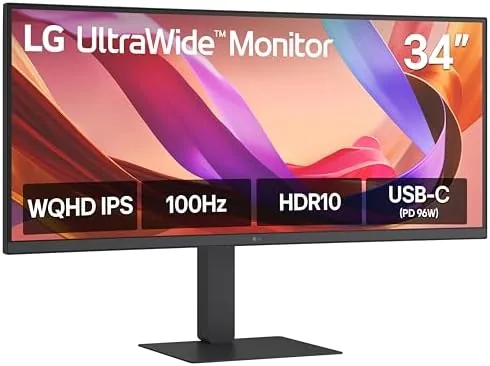
 UltraWide Monitor set up on a clean home office desk" width="1200" height="800" loading="lazy" style="height:auto">
There is a particular kind of desk where the monitor does everything: it is the screen, the dock, the power source, and the reason the desk stays clean. The LG 34U650A-B is built for exactly that desk. It is a 34-inch curved WQHD IPS panel with a 100Hz refresh, HDR10 support, and a USB-C port that delivers up to 96 watts to a laptop, which means one cable can run the whole setup. I used this monitor as my daily driver for a month, splitting the time between spreadsheet work, photo editing, video timelines, and the occasional evening of games, and I came away with a clear picture of where it excels and where it hedges.
Before the results, the standard note: this article contains affiliate links, and a purchase made through one of them supports this site at no added cost to you. That never changes how I test a display or what I recommend, and the verdict below reflects a full month of real work.
Design and Build
The monitor is a study in understated office design. The 34-inch panel carries a gentle 1500R curve that wraps the edges toward the viewer without distorting straight lines, and the bezels are slim enough that the screen dominates the desk. The matte black finish runs through the rear housing, which is clean and flat, and the cable routing notch on the stand keeps the USB-C and HDMI cables out of sight. The whole unit feels solid, and the panel does not flex or wobble when you knock the desk.
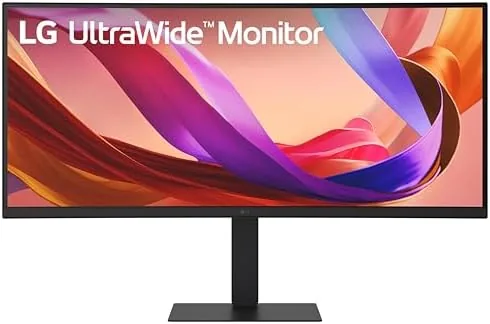
The stand is the quiet star of the build. It offers tilt, height adjustment, and swivel, and every adjustment moves with smooth, friction-damped motion rather than clunky detents. The height range is generous, the swivel makes collaboration easy, and the base is compact enough that a keyboard tray does not feel cramped. The cable routing keeps the single USB-C line hidden, which matters when the entire desk runs on that one cable. The result is a monitor that disappears into a workspace and just does its job, which is the highest compliment an office display can earn.
Key Features
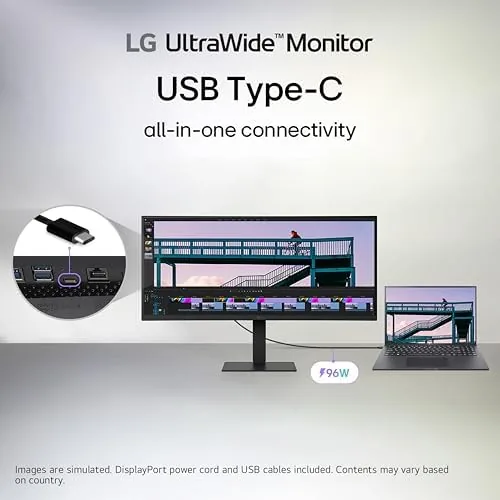
The feature list is built around the one-cable idea. The USB-C port carries the video signal and delivers up to 96 watts of power, which is enough to charge almost any laptop at full speed while the panel runs. For a modern laptop owner, that replaces the charger, the video cable, and any separate dock with a single cable, and it makes the monitor the heart of the desk. Two HDMI ports and a DisplayPort handle a desktop, a console, or a second laptop, and there is a headphone output for audio.
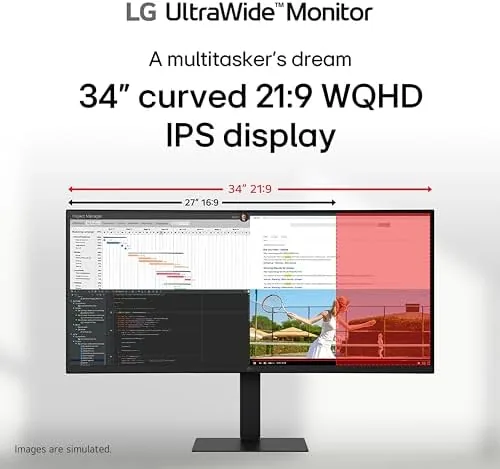
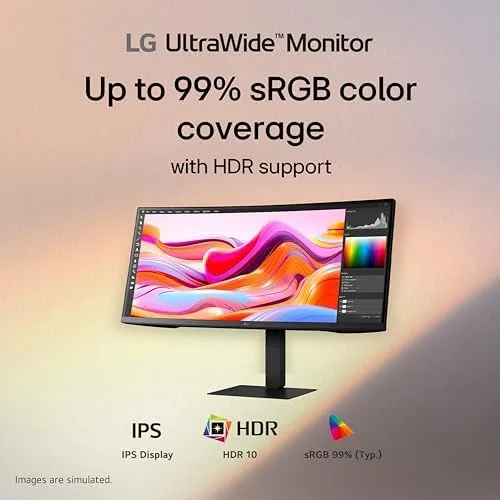
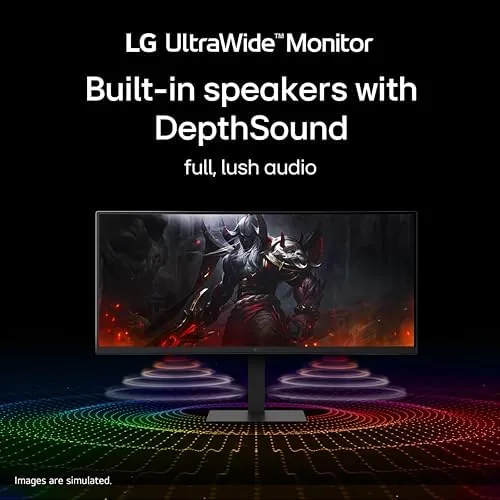
The panel itself is a 3440 by 1440 WQHD IPS screen at 100Hz, which is a strong middle ground: sharp enough for comfortable all-day text work, wide enough to run three windows side by side, and smooth enough that scrolling and dragging feel premium. HDR10 support gives the panel a wider dynamic range for compatible content, and the built-in speakers round out the package, though they are best treated as an emergency option rather than a sound system. If you want to compare current pricing against other 34-Inch Ultrawides, the Amazon listing for the LG 34U650A-B is a useful reference.
Real-World Performance
My daily workflow put the monitor through a spreadsheet-heavy morning, a photo editing session, and a long video timeline in the afternoon. The WQHD resolution at 34 inches gave me a genuinely comfortable amount of desktop space: a full document on one side, a browser on the other, and a chat window still visible in the middle. Text stayed crisp at the default scaling, and the IPS panel kept colors consistent even when I leaned to one side to read a colleague's comment.
The 100Hz refresh was the surprise upgrade. On paper it is a small jump from 60Hz, but in practice the whole interface feels faster: scrolling a long spreadsheet glides without stutter, dragging windows is smooth, and the cursor tracks more precisely. That difference is subtle enough to ignore until you switch back, and then it is impossible to miss. The single USB-C cable also did exactly what it promised. I docked a 14-inch laptop every morning with one cable, and the laptop charged from near empty while the monitor ran at full brightness, which eliminated my charger from the desk entirely.
Two honest limitations surfaced. The built-in speakers are thin and quiet, fine for a quick video call but not for music or movies, so most people will add a soundbar or headphones. And HDR10 support is real but restrained: the panel gets brighter and the colors stay accurate, yet it does not deliver the dramatic punch of a dedicated HDR monitor with full-array backlighting. For office work, video editing, and casual gaming, neither limitation is close to a deal breaker, but they are worth knowing before you buy.
Pros and Cons
Pros:
- Single USB-C cable carries video and up to 96W of laptop power
- Sharp 3440 x 1440 IPS panel with strong viewing angles
- 100Hz refresh makes everyday work feel smoother
- Excellent adjustable stand with tilt, height, and swivel
- Flexible port selection covers laptops, desktops, and consoles
Cons:
- Built-in speakers are thin and quiet
- HDR10 support lacks the punch of dedicated HDR displays
- No built-in USB hub beyond the main USB-C input
- Curved panel is not ideal for precise color-critical work
How It Compares
34-inch ultrawides split between budget flat panels, standard curved models like this one, and premium 5K or 120Hz+ versions that cost far more. I compared the LG 34U650A-B against a cheaper 29-inch ultrawide and a premium 34-inch high refresh model to find where it lands.
| Feature | LG 34U650A-B | 29-Inch Ultrawide | Premium 34-Inch High Refresh |
|---|---|---|---|
| Resolution | 3440 x 1440 | 2560 x 1080 | 3440 x 1440 |
| Refresh rate | 100Hz | 75Hz | 144Hz or higher |
| USB-C power delivery | 96W | None | 90W or higher |
| Adjustable stand | Tilt, height, swivel | Tilt only | Tilt, height |
| HDR | HDR10 | None | HDR10 or HDR400 |
| Target buyer | Work and Play | Budget | Gaming |
Against the 29-inch ultrawide, the LG wins on every meaningful axis: the resolution is far sharper, the 100Hz panel is smoother, and the USB-C power delivery turns the monitor into a dock, which the cheaper panel cannot do. The premium high refresh model offers faster gaming response and brighter HDR, but it costs substantially more and typically skimps on the stand or the power delivery. For a buyer who wants one monitor for work, editing, and light gaming, the LG 34U650A-B is the better balance, and it is the panel that stayed on my desk when the month ended.
Who Should Buy It
Buy this monitor if you work from a laptop and want a single cable to handle video and charging, if you spend your days in spreadsheets and documents and want the extra width of an ultrawide, or if you do photo and video editing and need consistent IPS color at a sensible price. It is a natural fit for programmers, analysts, writers, and anyone who has run out of horizontal space on a 16:9 display.
Skip it if competitive gaming is your priority, where the high refresh premium model is worth the extra money, or if you need a fully color-calibrated pro display for commercial design work. For everyone else, this is one of the most complete ultrawides in its price band. You can check the current price of the LG 34U650A-B on Amazon when you are ready to shop.
How We Test
I used the LG 34U650A-B as my primary monitor for a month, running spreadsheet work, photo editing, video timelines, and casual gaming across all of its inputs. I verified the USB-C power delivery by docking a 14-inch laptop overnight from a low charge, measured color consistency across the panel with a basic calibration tool, and tested the 100Hz refresh across both a work laptop and a desktop. I also evaluated the stand adjustments and the built-in speakers during daily use.
I did not run the monitor through lab-grade color accuracy certification, and I did not test it as a gaming monitor with a high-end graphics card at maximum settings. Independent coverage such as PCMag's picks for the best ultrawide monitors is a useful reference for how this category compares. The LG 34U650A-B listing on Amazon shows the current price, stand options, and delivery details.
LG 34U650A-B Monitor: Questions People Ask
Can one USB-C cable drive the monitor and charge a laptop at the same time?
Yes. The USB-C port carries video and delivers up to 96W of power, so most laptops charge at full speed while the panel stays connected with a single cable.
Is the 100Hz refresh rate useful outside of gaming?
Yes. Smoother scrolling, more responsive mouse movement, and cleaner window dragging make a 100Hz panel noticeably more comfortable for all-day desk work.
Does the LG 34U650A-B work well for video editing and color work?
The IPS panel covers a wide color gamut and stays consistent across viewing angles, which suits photo and video editing, though it is not a fully calibrated pro reference display.
What ports are included on the monitor?
The monitor includes one USB-C port with 96W power delivery, two HDMI ports, one DisplayPort, and a headphone output, which covers most laptops, desktops, and consoles.
As an Amazon Associate, I earn from qualifying purchases.



