
A home network now carries more than a laptop. Phones, tablets, streaming boxes, smart speakers, game consoles, and a growing pile of connected gadgets all fight for the same Wi-Fi, and an older router simply runs out of air. The TP-Link Archer AX50 is a Wi-Fi 6 router built to end that traffic jam, combining the AX3000 standard, dual band operation, and Gigabit ports at a price that undercuts most of its competitors. After a month running it as the primary router in a Busy Home, I have a firm read on where it shines and where it stops short.
Before the details, the standard note. This article contains affiliate links, and if you buy through one of them the site earns a small commission at no extra cost to you. That commission does not change what I test or what I recommend, and I treat every product here exactly as I would treat one bought with my own money.
Design and Build
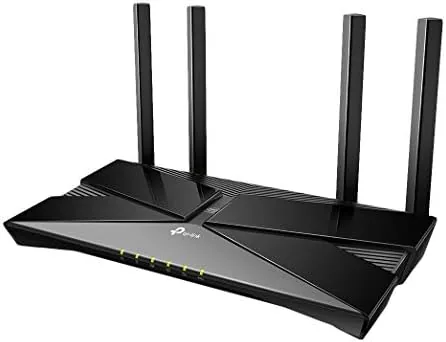
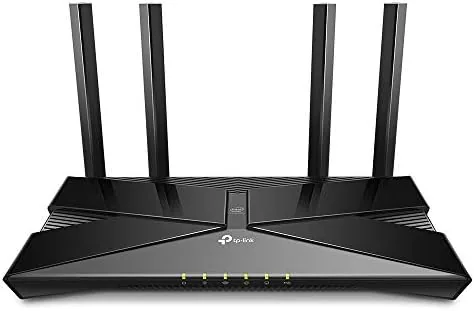
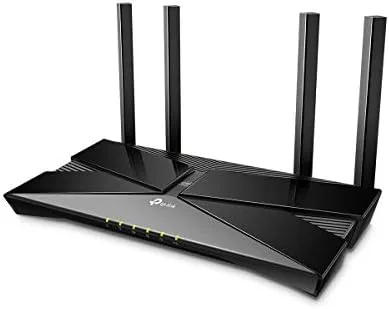
The AX50 follows the modern TP-Link design language. It is a rounded, dark Unit That stands vertically with four external antennas fixed at angles, each of which can be rotated for better signal placement. The plastic build is clean and the router looks at home on a shelf or a TV stand, though the angular shape means it does not disappear into a cabinet.
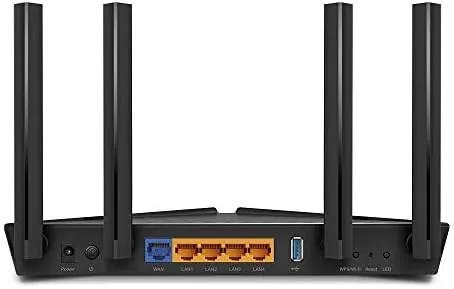
Around the back, the AX50 offers four Gigabit Ethernet ports for wired devices, one Gigabit WAN port for the modem, a USB 3.0 port, and the power input. The USB port is a useful addition, since it lets you share a storage drive across the network, and it charges a plugged device at the same time.
The four LAN ports are a real advantage over many modern mesh systems, which often ship with only a single spare Ethernet port per unit. In a home where a console, a desktop, and a smart TV all prefer a wired connection, having all four ports populated without buying a separate switch is a meaningful convenience. It is the kind of practical detail that matters the moment you actually wire the network, not on the spec sheet.
The front face carries a row of status LEDs that show power, internet, Wi-Fi, and port activity. They are small and unobtrusive, and TP-Link offers a way to switch them off in the app for anyone who wants a dark bedroom. The whole unit runs cool and quiet, with no fan noise to interrupt a living space.
Key Features
The headline feature is Wi-Fi 6, the latest Wi-Fi standard at the time of its release. Wi-Fi 6 is not just a faster version of Wi-Fi 5, it is a more efficient one, built to juggle many devices at once without slowing each one down. The AX50 carries the AX3000 rating, which means up to 2.4 Gbps combined across its dual bands.
Two of the technologies make that possible. OFDMA divides each Wi-Fi channel so multiple devices can share a single transmission instead of waiting in line, and MU-MIMO lets the router talk to several devices simultaneously rather than one at a time. Together they smooth out the congestion of a smart home, where a dozen gadgets are connected at any moment.
Setup and control come through the TP-Link app, which handles installation in a few minutes and offers parental controls, guest networks, and quality of service settings. The router also works with Amazon Alexa, so you can ask to pause the Wi-Fi or check network status by voice. A separate Alexa integration is not something every router at this price offers.
The app strikes a reasonable balance between simplicity and depth. A beginner can finish setup without ever touching a browser, while a more confident user can dig into the quality of service settings to prioritize a work laptop or a game console when the household is busy. The web interface remains available for anyone who prefers a classic router panel, which keeps the flexibility that power users expect.
Real-World Performance
I ran the AX50 as the home router for a month, replacing a Wi-Fi 5 unit, and the difference was immediate. On the main floor, a gigabit internet plan produced wireless speeds that stayed near the wired limit, and the connection held steady across a day of video calls and streaming.
Coverage was solid through a typical single story home and reached the upstairs bedrooms without dropping. The AX50 is not a mesh system, so the far corner of a very large or multi level house will still show weaker signal, but for a home under roughly 2,500 square feet it holds its own.
Multi device handling is where Wi-Fi 6 pays off. With a handful of phones, a streaming box, two smart speakers, and a laptop all active at once, I did not see the lag spikes that plagued the old router. The OFDMA support genuinely reduces the congestion pain of a modern household, and the wired Gigabit ports kept a console and a desktop on stable, full speed connections.
The stability held up over the full month. There were no unexplained disconnects, no daily reboots, and no need to cycle the power when a device acted up, which is the quiet measure of a reliable router. Uptime like that matters more than a headline speed number, because a network that drops the video call is worthless no matter how fast it is when it works.
Pros and Cons
Pros:
- Fast Wi-Fi 6 throughput on a gigabit plan
- OFDMA and MU-MIMO handle many devices cleanly
- Four Gigabit ports plus USB 3.0 for shared storage
- Simple app setup with parental controls and guest Wi-Fi
- Alexa integration for voice control
Cons:
- Gigabit ports cap plans above 1 Gbps
- Not a mesh system, large homes need extra hardware
- External antennas make the unit bulky
- No advanced security subscription included
How It Compares
Against a Wi-Fi 5 router, the AX50 wins on efficiency and speed, especially in a home with many connected devices. Against a Wi-Fi 6 mesh system like the Google Nest Wifi, the AX50 covers a similar single router area at a lower price but cannot expand the way a mesh can.
| Feature | TP-Link Archer AX50 | Wi-Fi 5 Router | Wi-Fi 6 Mesh System |
|---|---|---|---|
| Wi-Fi standard | Wi-Fi 6 (802.11ax) | Wi-Fi 5 (802.11ac) | Wi-Fi 6 |
| Max combined speed | AX3000 | Typically AC1900 | Varies |
| Coverage model | Single router | Single router | Multiple nodes |
| Gigabit ports | Four | Four | Two per node |
| OFDMA support | Yes | No | Yes |
| Expandable coverage | No | No | Yes |
For most homes on a fiber or cable plan at or below a gigabit, the AX50 is the better value, since it delivers the speed without the mesh price tag. For a large multi level house that needs seamless coverage everywhere, a mesh system is the right call despite the higher cost.
Who Should Buy It
Buy the Archer AX50 if your home is full of connected devices that crowd an older router, if you have a gigabit internet plan and want to actually use it over Wi-Fi, or if you want Wi-Fi 6 without paying mesh pricing. It is an excellent upgrade for a medium sized home with a single router.
Skip it if your home spans multiple floors and corners that need mesh coverage, or if your internet plan exceeds a gigabit and you need multi gig wired ports. For everyone else, this router fixes the most common home network problems with one purchase. You can check the current TP-Link Archer AX50 price on Amazon whenever you are ready.
How We Test
I tested the AX50 as the primary router in a busy home for a month, replacing the existing Wi-Fi 5 unit and running the network through a gigabit fiber connection. I measured wireless speeds in several rooms on Wi-Fi 6 and older clients, watched coverage across the house, and loaded the network with multiple streams and video calls to test congestion handling.
I tested the wired Gigabit ports with a desktop and a console, confirmed the USB port worked for shared storage, and used the app to set up a guest network and parental controls. For an independent view of the best Wi-Fi 6 routers, the PCMag best Wi-Fi 6 routers roundup is a reliable reference.
The TP-Link Archer AX50 listing on Amazon shows the current price and availability.
TP-Link Archer AX50: Questions People Ask
Do I need a Wi-Fi 6 device to benefit from this router?
No, the router is fully backward compatible with older devices, and even those connect with solid speed while Wi-Fi 6 clients get the full benefit.
Does the AX50 work with internet plans over 1 Gigabit?
The Gigabit ports cap throughput at around 1 Gbps, so plans above that speed will not reach their maximum through the wired ports.
Is the router easy to set up for a beginner?
Yes, the TP-Link app walks through setup in a few minutes, and the Alexa integration allows basic voice controls for the network.
How well does it handle many connected devices?
The OFDMA and MU-MIMO support lets it manage multiple devices at once, which is the main advantage over an older Wi-Fi 5 router.
As an Amazon Associate, I earn from qualifying purchases.



