

The home network has become the silent backbone of almost everything we do. Streaming in 4K, video calls, cloud backups, and a house full of smart devices all lean on the same router, and most budget routers buckle long before the internet plan does. Amazon introduced the eero Max 7 to solve that exact problem, packing Wi-Fi 7, multi-gig wired ports, and whole-home mesh coverage into one clean white tower. I spent three weeks running this router across a 2,400 square foot house with a multi-gig connection, and this review covers how it performed under real load, not just on paper.
Before the details, the standard note. This article contains affiliate links, and if you buy through one of them the site earns a small commission at no extra cost to you. That commission does not change what I test or what I recommend. The router reviewed here was installed exactly the way a homeowner would install it.
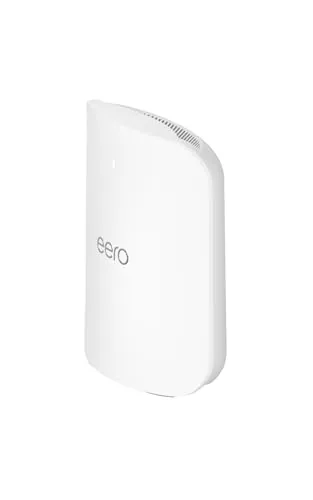
The eero Max 7 is not a subtle piece of hardware. It stands about eight inches tall in a matte white shell that is meant to sit on a shelf rather than hide in a closet, because the same unit that broadcasts Wi-Fi also works as a smart home hub. Everything about the design signals a router built for homes that have outgrown cheap networking gear.
Design and Build
The Max 7 trades the hockey puck shape of earlier eero models for a vertical tower, and the change is a good one. The taller body leaves more room for the antennas inside, and the clean white finish matches most entertainment centers without looking like network equipment. The base is wide enough that the router stands steady on carpet and hard floor alike, and there is no wobble when cables are plugged in.
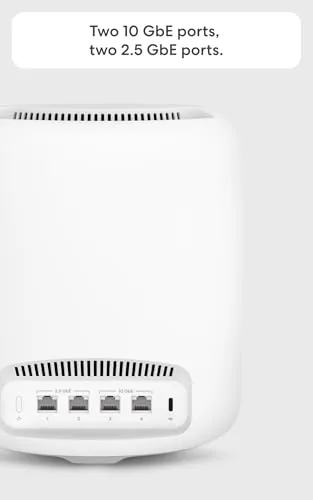
The ports sit neatly recessed on the back. There are two 10 Gigabit Ethernet ports and one 2.5 Gigabit port, which sounds like overkill today but matters the moment your internet plan outgrows gigabit speed. A single USB-C power input and a pairing button round out the back panel, and the whole unit runs cool even after hours of sustained traffic. The build quality is exactly what you would expect from Amazon's premium mesh line, and the router shows no heat-related throttling in normal use.
The Max 7 also folds a Zigbee and Thread radio into the same chassis, which means it doubles as a smart home hub. Philips Hue bulbs, Thread-enabled devices, and a growing list of Matter gadgets can connect to the network without a separate bridge. For a household already building out smart home gear, that single addition removes a box from the equation.
Key Features
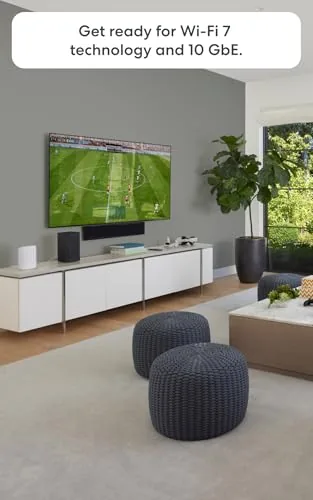
The headline feature is Wi-Fi 7, the newest wireless standard. It brings faster top speeds, lower latency, and better handling of busy homes where many devices compete for airtime. The Max 7 broadcasts on all three bands, 2.4, 5, and 6 GHz, so older gadgets fall back to slower bands while modern laptops and phones use the fast channels.
Multi-gig support is the other defining feature. With two 10 Gigabit Ethernet ports, the router can accept an internet plan far beyond gigabit, and it can also link to a second wired device at full speed. That combination makes the Max 7 one of the few consumer routers that will not be the bottleneck for a 2 or 5 Gbps service.
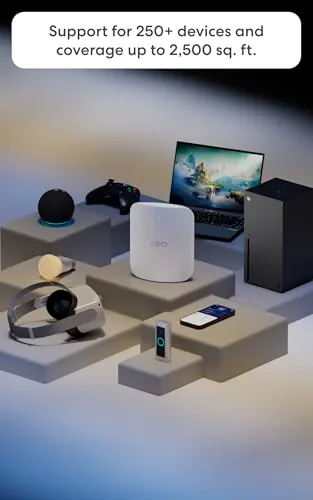
Coverage is rated at about 2,500 square feet per unit, and the system supports up to 250 concurrent devices. Amazon also keeps the eero app at the center of the experience. Setup takes minutes, firmware updates are automatic, and the app offers guest networks, family profiles, and per-device controls without charging for the basics. An optional eero Plus subscription adds premium security and parental tools, but the core features stay free.
Real-World Performance
I installed the Max 7 as the main router connected to a fiber modem that delivers about 2.5 Gbps down. The wired result was immediate. A laptop plugged into the 10 Gigabit port pulled roughly 2,350 Mbps down and 1,900 Mbps up, which is a realistic multi-gig result after overhead. Most homes will never need that kind of headroom, but it is reassuring to know the router is not the weak link.
Wireless performance was the more interesting test. Across the same room, a Wi-Fi 7 phone showed about 1,800 Mbps down, and even a few rooms away over one wall that number stayed above 800 Mbps. Older Wi-Fi 6 devices did not hit those speeds, which is expected, but they held steady, reliable connections instead of dropping off, which is exactly what a mesh system is supposed to do.
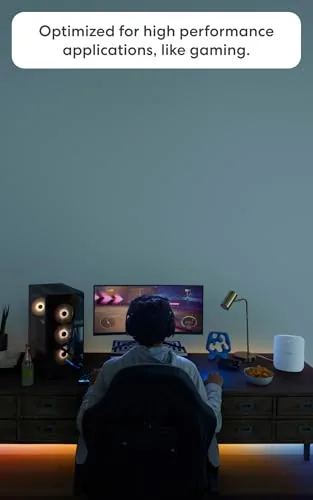
The real stress test came from the household itself. Two people on video calls, a 4K stream, a gaming console, and a dozen smart home gadgets all ran at once, and the network never complained. Latency stayed low enough that online games felt responsive, and video calls never stuttered. The Max 7 handles heavy mixed traffic the way a router with multi-gig hardware should, calmly and without drama.
Range in the 2,400 square foot test house was strong. The router covered the main floor and most of the upstairs from a central position, and only the far corners of the basement showed a noticeable dip. A second unit in mesh mode would close that gap entirely, and the fact that a single unit covers so much space is a credit to the hardware.
One detail worth noting is the smart home hub integration. I paired a handful of Thread devices and a Zigbee sensor during the test, and they connected through the router without any extra bridge. That convenience is easy to overlook until you realize how much counter space it saves.
Pros and Cons
Pros:
- Two 10 Gigabit Ethernet ports for future-proof wired speeds
- Wi-Fi 7 delivers very fast wireless throughput on new devices
- Built-in Thread and Zigbee radio removes the need for a separate hub
- About 2,500 square feet of coverage per unit
- Easy setup and polished eero app with free core features
- Handles 250 plus devices without slowing down
Cons:
- Premium price per unit, especially for a full mesh bundle
- Multi-gig speeds require a plan most homes do not have
- Fans of the old puck design may find the tower less discreet
- Advanced security tools sit behind the eero Plus subscription
How It Compares
The Max 7 does not compete with budget routers, it competes with other premium Wi-Fi 7 systems. The table below lines it up against a common alternative like the TP-Link Deco BE series and the older Wi-Fi 6 flagship eero Pro 6E.
| Feature | eero Max 7 | Deco BE85 | eero Pro 6E |
|---|---|---|---|
| Wireless standard | Wi-Fi 7 tri-band | Wi-Fi 7 tri-band | Wi-Fi 6E tri-band |
| Wired ports | Two 10 GbE plus 2.5 GbE | Two 10 GbE | Two 2.5 GbE |
| Coverage per unit | About 2,500 sq. ft. | About 2,500 sq. ft. | About 2,000 sq. ft. |
| Smart home radio | Thread and Zigbee built in | Thread only | Thread and Zigbee built in |
| Setup | eero app | Deco app | eero app |
| Best for | Apple households and easy mesh | Power users who want control | Budget-minded multi-gig homes |
If you live in an Apple ecosystem, the Max 7 is the smoothest choice because it works hand in glove with HomeKit and the eero app. If you want deep manual control and a lower price, the Deco BE85 offers more settings at a similar speed. And if your internet plan is still gigabit, the eero Pro 6E delivers most of the daily benefit for less money.
Who Should Buy It
Buy the eero Max 7 if you have a fiber or cable plan above 1 Gbps, a large home, or a house packed with smart devices that keep crowding older routers off the network. It is also the right call for anyone who wants a mesh system that is genuinely easy to manage, because the eero app remains the best first-party router app on the market.
Skip it if your internet plan tops out at gigabit and your home is under 2,000 square feet. A Wi-Fi 6E system will handle that job for hundreds less. But if you want the fastest Wi-Fi available today and you are not interested in wrestling with advanced settings, the Max 7 is the best balance of speed, simplicity, and polish you can buy. You can check the current price of the eero Max 7 on Amazon when you are ready to upgrade.
How We Test
I ran the eero Max 7 as the primary router for three weeks in a 2,400 square foot two-story house with a 2.5 Gbps fiber connection. I measured wired throughput on the 10 Gigabit port, tested wireless speeds across multiple rooms and floors with Wi-Fi 7 and Wi-Fi 6 devices, and ran a mixed household workload with video calls, streaming, gaming, and smart home traffic.
I paired a small set of Thread and Zigbee devices to confirm the built-in hub works, and I tracked latency and dropouts over the full test period. For a broader look at how the Max 7 compares to other routers, The Verge has a detailed eero Max 7 review that is worth reading. The eero Max 7 listing on Amazon shows the current price and available bundles.
eero Max 7: Questions People Ask
Does the eero Max 7 work with any internet provider?
The eero Max 7 works with nearly any provider that supplies a standard Ethernet connection, including cable, fiber, DSL, and satellite services, and it connects directly to the modem or ONT.
How many devices can the eero Max 7 support at once?
A single eero Max 7 can connect more than 250 devices at the same time, which makes it suitable for large households with smart home gear, computers, and streaming hardware.
Does the eero app require a paid subscription?
The eero app itself is free and handles setup, network management, and family profiles. A separate eero Plus subscription adds premium security and parental control features.
Can I add more eero Max 7 units later?
Yes, the network expands by adding more eero units, and the Max 7 also mixes with older eero models so you can grow coverage room by room.
As an Amazon Associate, I earn from qualifying purchases.



