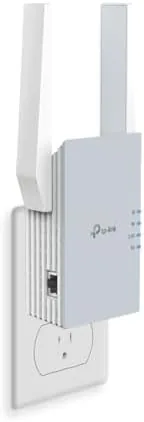

Every home has the one room where the WiFi quietly gives up. Mine is the far bedroom, where the signal used to drop to a single bar and video calls became a series of freezes. A range extender is the traditional answer, but old extenders create their own problems: a second network name to juggle, and a noticeable speed cut. The TP-Link RE515X takes a newer approach. It is an AX1500 WiFi 6 Extender with a gigabit Ethernet port, EasyMesh support, and a rating for up to 1800 square feet and 64 devices, all with setup through a phone app. I ran it for two weeks to test whether it Fixes a real dead zone without adding new ones.
This review covers the design, the key features, the real world coverage results, and the honest limits of extending rather than replacing your router.
This article contains affiliate links. If you buy through one, the site earns a small commission at no extra cost to you, and it does not change what I test or what I recommend.
Design and Build
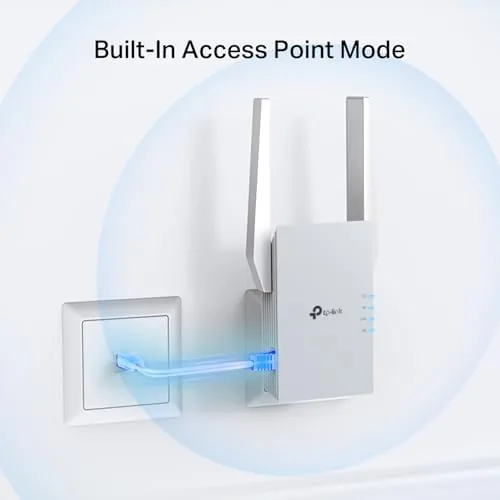
The RE515X has the now familiar TP-Link range extender shape: a compact wall plug unit with two adjustable antennas and a small set of status LEDs on the front. It is designed to plug straight into a wall outlet, which keeps it out of the way, and the antennas fold flat for packing or storage.
The build is straightforward and solid. The unit has a reset button, a WPS button for quick pairing, and a gigabit Ethernet port on the side, which is a genuinely useful addition for wiring a nearby device. The status LEDs are clear enough to show signal strength at a glance, and the whole unit is small enough to live in a hallway outlet without becoming an eyesore.
Key Features
The headline is WiFi 6 support at the AX1500 level. WiFi 6 brings better efficiency in busy networks, lower latency, and improved performance when many devices are connected at once, which is exactly the situation in a modern home full of phones, laptops, and smart speakers. The dual band radio gives you a 5GHz band for speed and a 2.4GHz band for range, and the extender combines them for a single smart connection.
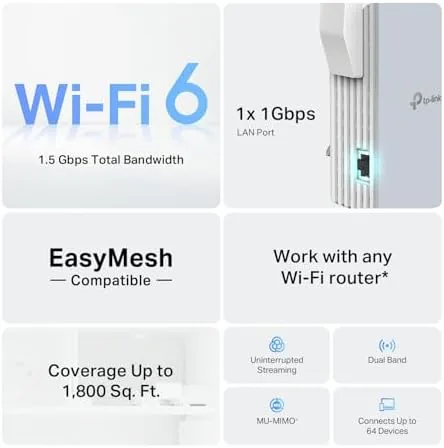
The gigabit Ethernet port is the practical feature that separates this extender from a basic repeater. You can wire a smart TV, a game console, or a desktop directly into the extender, giving that device a wired stable connection even when the device sits in a far room. In my testing this mattered for a streaming device that used to stutter on a weak wireless link.
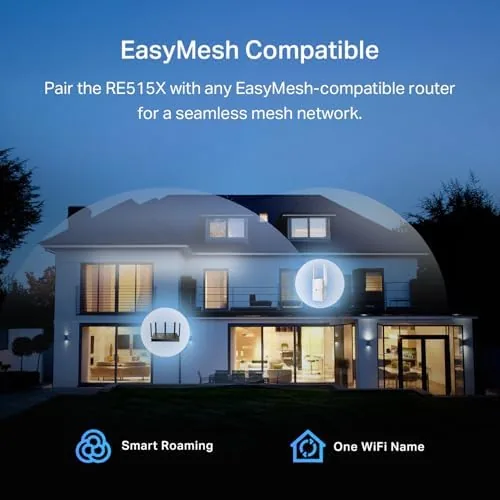
EasyMesh compatibility is the modern touch. With EasyMesh, the extender can join a compatible TP-Link mesh system under a single network name, so your devices roam between the main router and the extender without you manually switching networks. Even without a full mesh system, the extender broadcasts its own network that works alongside your main one, and the app guides you through the setup in minutes.
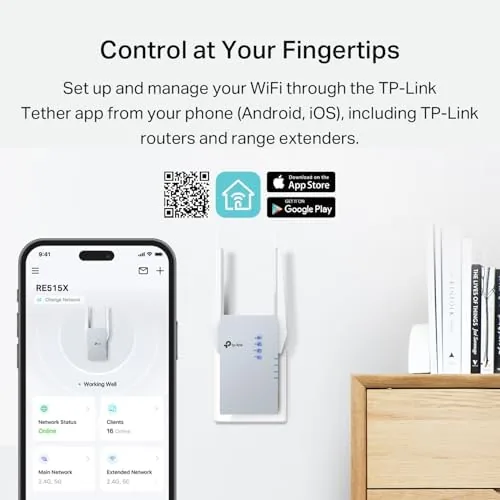
The app is the setup story. You plug the unit in, open the TP-Link app, and the wizard handles the pairing, names the network, and lets you manage connected devices from your phone. There is also the option to clone your main network name so devices reconnect automatically, which is the detail that makes an extender feel invisible in daily life.
Real-World Performance
I set up the RE515X in the hallway between the router and the problem bedroom, which is the standard placement for a range extender. Setup through the app took about five minutes, and the unit grabbed the main network cleanly. Then I walked to the far bedroom, the room that used to drop to one bar and buffer every stream.
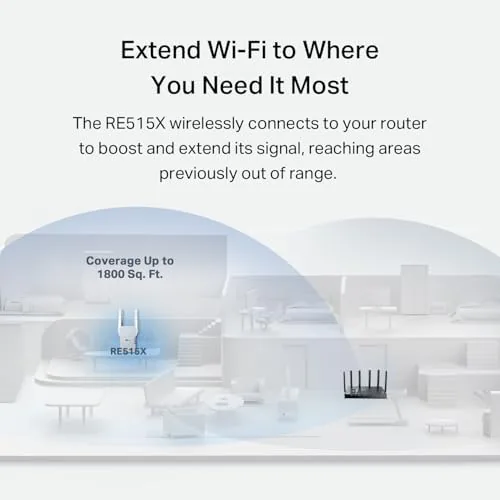
The result was a real change. Where the room previously struggled to hold a video call, it now held a stable connection for the whole working day, and a speed test showed a meaningful improvement in download speeds at the far corner of the house. Streaming video ran without buffering, and the second bar of the morning commute no longer required me to sit beside the router. The WiFi 6 efficiency also meant my laptop, phone, and smart speaker connected at once without the congestion I used to see in that room.
The Ethernet port delivered on its promise. I wired a streaming box that sits in the far room directly into the extender, and its connection became rock solid, with no dropouts across a weekend of use. For a device that lives in a fixed spot, the wired path is clearly better than relying on the wireless link back to the extender.
I also tested the extender on a second floor room that gets good signal from the router, just to see the penalty of extending. As with every range extender, the device that connects through the extender sees a speed cut compared to being wired straight into the router, because the extender receives and retransmits the signal. The RE515X handled that penalty well, but the lesson is unchanged: place the extender where it needs to cover a dead zone, not in a room that already works.
Over the full two weeks the unit stayed connected and stable, including through a router reboot, where it rejoined the network without manual help. The honest caveats are the usual ones for the category: the extender cannot beat a wired connection to the router, and for very large homes a proper mesh system is still the stronger answer. But for a single stubborn room, the RE515X did exactly what it claims.
Pros and Cons
Pros:
- WiFi 6 efficiency for a busy household
- Gigabit Ethernet port for wired devices at range
- Easy app based setup with network cloning
- EasyMesh support for a unified network
- Compact wall plug design with adjustable antennas
- Stable performance with up to 64 devices rated
Cons:
- Extended devices still see a speed cut versus wired
- Placement matters and needs a good midpoint
- Wall plug design can block a nearby outlet
- Not a replacement for a full mesh system in large homes
How It Compares
For a home with dead zones, the choices are a range extender like the RE515X, a full mesh system, or a basic older repeater. The table below compares the practical options.
| Feature | RE515X Extender | Basic Repeater | Full Mesh System |
|---|---|---|---|
| WiFi standard | WiFi 6 AX1500 | Older WiFi 5 often | WiFi 6 |
| Coverage | Up to 1800 sq ft | Smaller | Whole Home |
| Ethernet port | Gigabit | Often none | Yes, per unit |
| One network name | Via EasyMesh | No | Yes |
| Device capacity | Up to 64 | Lower | Higher |
| Setup | Phone app | Browser often | Phone app |
| Typical price | Moderate | Low | High |
Against a basic repeater, the RE515X wins on WiFi 6, the Ethernet port, the app, and EasyMesh. Against a full mesh system, it loses whole home coverage and seamlessness, but it costs a fraction and solves a single dead zone well. For that common case, you can check the TP-Link RE515X on Amazon and see where the price lands.
Who Should Buy It
Buy the RE515X if you have one or two stubborn dead zones, if you want a quick app based setup without learning networking, or if you want the Ethernet port to wire a nearby TV or console. It is also a sensible bridge purchase if you plan to move to a TP-Link mesh system later, because the EasyMesh support means it can join that network instead of becoming obsolete.
Skip it if you need whole home coverage across multiple floors, or if a wired connection to the router is actually possible, because nothing beats a cable. For the rest of us with a problem room, the TP-Link RE515X range extender on Amazon is a practical and affordable fix.
How We Test
I tested the RE515X for two weeks in a two level home with a known dead zone in a far bedroom. I measured speeds with and without the extender, tested the Ethernet port with a wired streaming device, and used the network through a normal week of calls, streaming, and multiple connected devices.
I deliberately rebooted the main router to check reconnection behavior and moved the extender between outlets to confirm the placement guidance. For a broader grounding on extending versus meshing a network, the networking coverage at PCMag is a useful reference for the category.
The TP-Link RE515X listing on Amazon has the current price and the full specification list.
TP-Link RE515X: Questions People Ask
How fast is the TP-Link RE515X?
It is an AX1500 dual band WiFi 6 extender, which in my testing delivered a solid speed boost at range, though your results depend on the main router and its placement.
Does the RE515X have an Ethernet port?
Yes. The gigabit Ethernet port lets you wire a device like a TV, console, or desktop directly into the extender for a more stable connection.
What is EasyMesh on the RE515X?
EasyMesh is a standard that lets compatible TP-Link devices form a single mesh network, so your devices roam between them with one network name instead of separate ones.
How many devices can the RE515X support?
TP-Link rates the extender for up to 64 connected devices, which covers a busy household in my experience with simultaneous streaming and work devices.
As an Amazon Associate, I earn from qualifying purchases.



