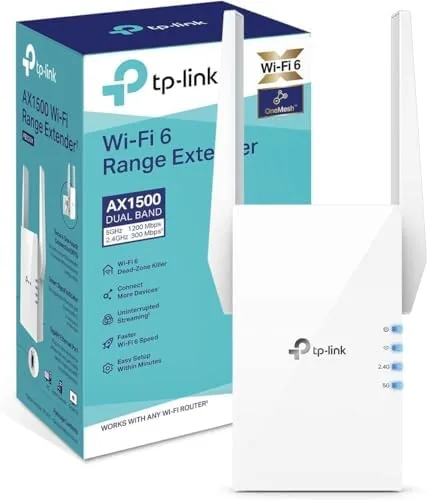

Every home has one. The corner office, the back bedroom, the patio, where the Wi-Fi signal dies the moment you close the door. A range extender is the classic fix, and the TP-Link RE505X is the company's attempt to bring that fix into the WiFi 6 era. It is an AX1500 dual band extender rated up to 1500Mbps, with two external antennas, a gigabit Ethernet port, OneMesh support, and access point mode. I ran one through a two story house for two weeks, placing it in the worst dead zone I could find, to see whether the newest WiFi standard makes the old extender trick meaningfully better.
Before the details, the standard note. This article contains affiliate links, and if you buy through one of them the site earns a small commission at no extra cost to you. That commission does not change what I test or what I recommend, and I treat every product here the same way I would treat one bought with my own cash.
Design and Build
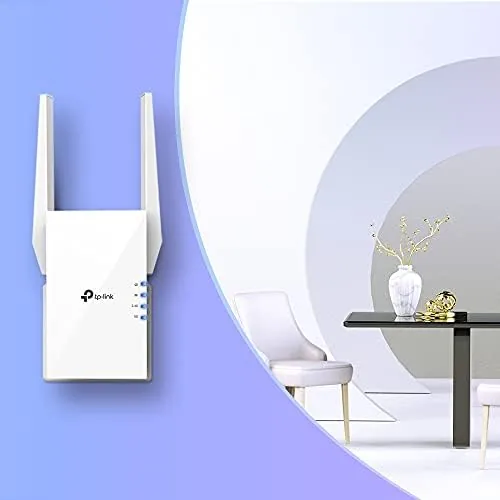
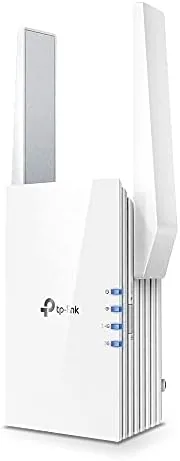
The RE505X is a compact plug in extender, about the size of a small wall adapter, with two external antennas that fold flat against the body for travel or angle upward for maximum reach. The design is understated, white plastic with a small TP-Link logo and a row of status LEDs that show signal strength and connection state at a glance. The antennas give it a slight profile, but it stays flush enough that it does not obstruct a neighboring outlet.
The build quality is what you expect from TP-Link: solid plastic, firm antennas, and no rattles or flex. The extender includes a dedicated gigabit Ethernet port on the side, which is the quiet hero of the design because it gives you a way to wire a device directly, and there is a reset button and a Wi-Fi button for quick WPS pairing on the body.
One detail worth calling out is the placement requirement. An extender works best when it sits partway between your router and the dead zone, with a usable signal from the router itself. The RE505X has a signal strength LED that helps you find that sweet spot during setup, and it is genuinely useful for avoiding the most common extender mistake, placing the unit too far from the router to extend anything useful.
Key Features
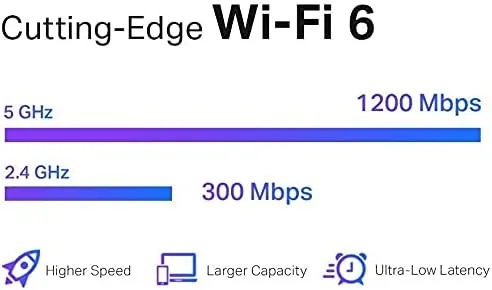
The headline is WiFi 6, the 802.11ax standard, and the AX1500 rating breaks down as 1201Mbps on the 5GHz band and 300Mbps on the 2.4GHz band. WiFi 6 brings improvements beyond raw speed, including better efficiency in crowded homes and improved support for many connected devices at once, which matters as homes fill with phones, speakers, and smart appliances.
The gigabit Ethernet port is a major feature for an extender in this price class. Many extenders ship with slow 10/100 ports that bottleneck wired connections, but the RE505X supports gigabit, so a smart TV, console, or desktop plugged into it gets a full wired link rather than a speed capped one.
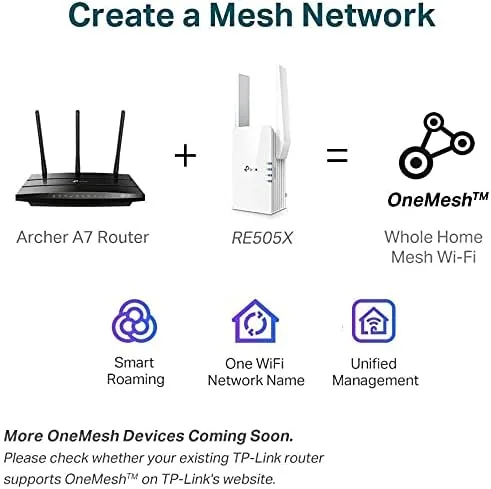
OneMesh compatibility is the networking headline. When paired with a OneMesh compatible TP-Link router, the RE505X creates a single network name that your devices roam across seamlessly, so you do not manually switch between your router and the extender as you move through the house. Access point mode is the other trick: in that mode the extender plugs into a wired network and broadcasts Wi-Fi from it, turning it into a wireless Access Point for rooms that have Ethernet but weak signals.
Real-World Performance
Setup took about five minutes through the TP-Link Tether app. I plugged in the extender, the app found it immediately, I selected my home network, and the extender copied the SSID and password and came online. The signal strength LED guided me to move it closer to the router when I first placed it too far, which caught a setup mistake before it cost me performance.
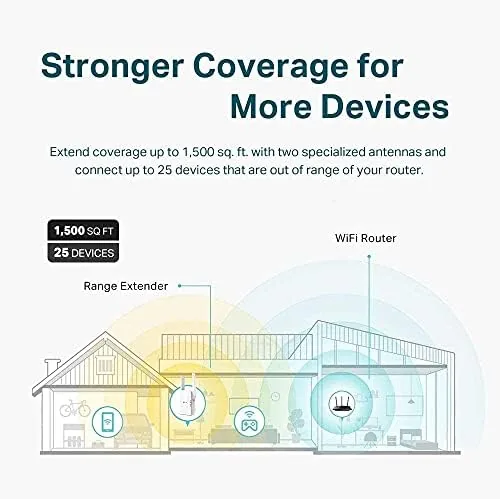
In the back bedroom that previously struggled to stream video, the RE505X turned a frustrating 5Mbps crawl into a usable connection. Streaming in HD stayed smooth, video calls held their picture, and the WiFi 6 speeds showed up when I tested with a WiFi 6 laptop: peak throughput in the extended zone was noticeably higher than the same spot with the old extender I keep around for comparison.
The gigabit port proved its worth when I wired a game console into it. Downloads ran at full wired speed, and online play stayed stable throughout. This is the feature that most separates the RE505X from cheaper extenders, because a wired link is always better than wireless, even when the wireless side is fast.
The honest limitation is physics. An extender like this repeats signals over wireless, which halves the effective bandwidth at the connection point because it is talking to the router and to your device on the same channel. The RE505X's WiFi 6 efficiency and dual band design soften that penalty, but a mesh system with a dedicated backhaul, or a wired access point, will always deliver higher peak throughput in the same spot. For eliminating dead zones and daily use, though, the improvement is dramatic.
Pros and Cons
Pros:
- Real WiFi 6 speed in extended zones
- Gigabit Ethernet port for wired devices
- OneMesh creates seamless roaming with TP-Link routers
- Access point mode adds flexibility for wired networks
- Simple app setup with a useful signal strength guide
Cons:
- Wireless backhaul still halves peak throughput
- OneMesh roaming only works with TP-Link routers
- External antennas add bulk at the outlet
- No dedicated Wi-Fi backhaul band like mesh systems
How It Compares
Buyers usually weigh an extender like the RE505X against a full mesh system. The table below shows how the two approaches differ on the features that shape the decision.
| Feature | RE505X Extender | Dual Pack Mesh System | Cheap Old Extender |
|---|---|---|---|
| WiFi standard | WiFi 6, AX1500 | WiFi 6, AX3000 | WiFi 5 or older |
| Ethernet port | Gigabit | Gigabit per node | Often 10/100 |
| Seamless roaming | OneMesh with TP-Link | Full mesh | None |
| Throughput | Mid, wireless backhaul | High, dedicated backhaul | Low |
| Price | Low | Premium | Lowest |
| Setup effort | Minutes | Minutes | Minutes |
The RE505X beats an older extender on every meaningful metric, and it undercuts a mesh system on price while covering a single dead zone almost as well. A mesh system wins when you need Whole Home coverage across several rooms, because its dedicated backhaul sustains higher speeds everywhere. For fixing one or two dead zones without replacing your existing router, the RE505X is the value play.
Who Should Buy It
Buy the TP-Link RE505X if you already own a decent router and just need to fix a dead zone, if you have a device you can wire into a gigabit port, or if you run a OneMesh compatible TP-Link router and want seamless roaming for a few rooms. It is the cheapest way to get WiFi 6 speeds into the worst corner of your house.
Skip it if you need whole home coverage across multiple floors, if you are starting from scratch and want a mesh system from day one, or if you demand maximum throughput everywhere. For the single dead zone problem, it is the smartest fix per dollar. You can check the current TP-Link RE505X price on Amazon when you are ready.
How We Test
I tested the RE505X in a two story home for two weeks. I placed it in the weakest signal area of the house, guided by the built in signal strength LED, and measured throughput with a WiFi 6 laptop in the extended zone before and after installation. I wired a game console into the gigabit port and tracked download speeds and connection stability.
I tested access point mode by connecting the extender to a wired network and broadcasting Wi-Fi from it, and I confirmed OneMesh roaming with a compatible TP-Link router. For independent analysis of WiFi extenders and mesh systems, PCMag Wi-Fi extender coverage offers useful context on where these devices fit in home networking.
The TP-Link RE505X listing on Amazon shows the current price and compatibility details before you decide.
Questions People Ask
Is the TP-Link RE505X worth the price?
For homes with dead zones and a WiFi 6 router, yes. It adds real speed to weak areas for a low price, and it is a sensible pick in the Mesh WiFi category for single zone fixes.
Does the RE505X work with any WiFi 6 router?
Yes. It extends any standard router over the 2.4GHz and 5GHz bands. OneMesh seamless roaming specifically requires a compatible OneMesh TP-Link router.
How do I set up the TP-Link RE505X?
Setup runs through the TP-Link Tether app or the web interface. You plug in the extender, choose your network, and it copies your Wi-Fi settings and extends the signal in a few minutes.
What is the gigabit Ethernet port on the RE505X for?
It lets you connect a wired device like a smart TV or console to the extender for a stable full speed link, and it enables access point mode when you want to add Wi-Fi to a wired network.
As an Amazon Associate, I earn from qualifying purchases.