
Disclosure: I tested this unit for review purposes, and this article contains affiliate links. If you buy through them, I may earn a commission at no extra cost to you.
Design and Build
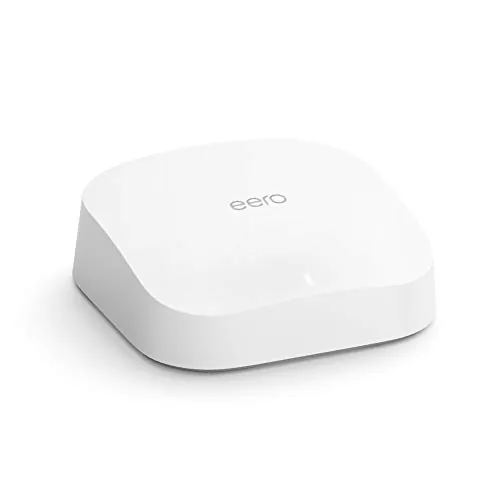
The eero Pro 6 shares the family look: a compact white puck with rounded edges and no visible antennas. It is slightly taller than the standard eero 6, which gives it room for the additional radio hardware inside, but it still disappears on a bookshelf or side table. The top panel is a smooth matte surface with a subtle eero mark, and a single LED glows to indicate status. There are two gigabit Ethernet ports on the rear along with the USB-C power input.
The internal layout is where the Pro earns its name. Unlike the dual-band eero 6, the Pro 6 uses three WiFi bands: two 5 GHz bands plus the 2.4 GHz band. The second 5 GHz band serves as a dedicated backhaul channel in mesh setups, which keeps node-to-node traffic from stealing bandwidth from your devices. That is the engineering decision that separates a fast mesh system from a merely adequate one.
Key Features
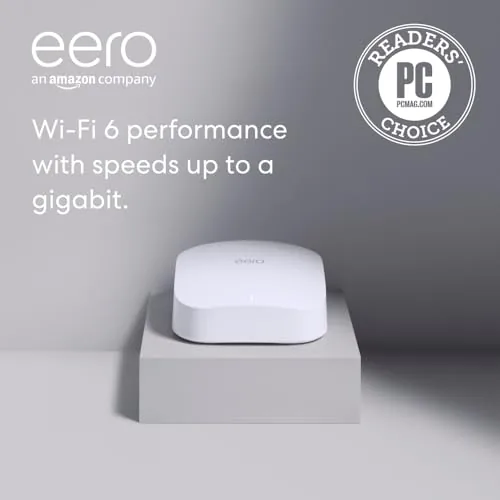
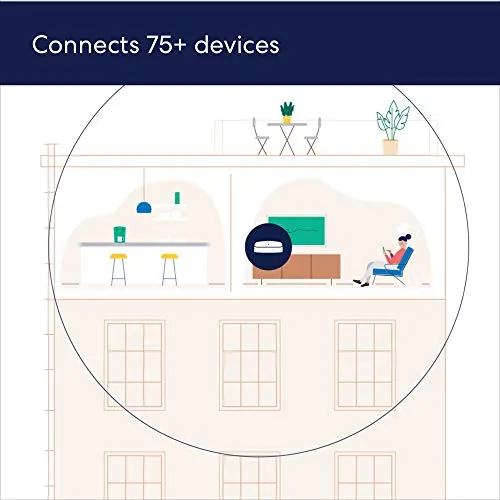
The Pro 6 is built around WiFi 6 with combined theoretical speeds above 1 Gbps. It supports gigabit internet plans fully, and TrueMesh handles the traffic routing between nodes, so the network heals itself when a path weakens. The system connects 75 or more devices without the slowdown that chokes single routers under a similar load, and automatic firmware updates keep the network current with no effort from you.
For smart home owners, the Pro 6 carries both Zigbee and Thread radios. That means Zigbee bulbs and sensors pair directly, and Thread devices get a native network path, which covers the two biggest mesh protocols used in modern smart homes. Everything is managed from the eero app, which handles setup, guest networks, parental profiles, and device grouping, with optional eero Secure features for filtering and ad blocking behind a subscription.
Real-World Performance
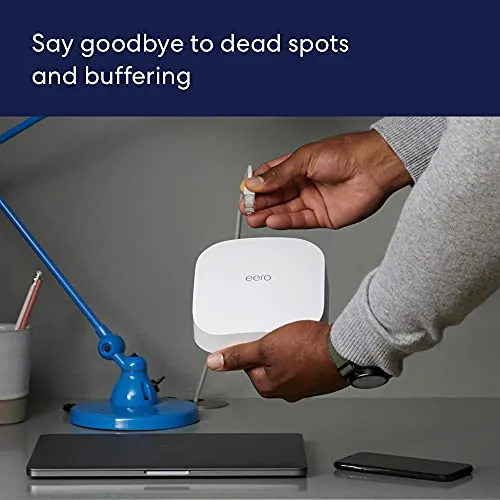
Setup was the familiar eero experience: plug in, open the app, wait a few minutes, done. The app found my gigabit fiber modem, created the network, and updated the firmware before I finished a cup of coffee. There is no browser dashboard to wrestle, and every change, from adding a guest network to pausing a device, happens in the app with a tap.
Performance justified the Pro name. Over gigabit fiber, wired clients saturated the connection, and WiFi clients near the node pulled between 600 and 800 Mbps in testing, with the far corners of the house still managing 300 to 500 Mbps. A 4K stream on the living room TV, a competitive game in the office, and two video calls running at once left the network unbothered. The second 5 GHz band doing dedicated backhaul in mesh mode is exactly why this holds up where dual-band systems sag. Latency stayed flat even under load, and a ranked gaming session held steady ping while streams played in other rooms, which is the kind of consistency that separates a real mesh from a toy.
The built in smart home radios worked cleanly. Zigbee smart plugs paired in the app and answered Alexa commands instantly, and Thread-capable devices found the network without a separate border router. For a household like mine, that consolidation is genuinely useful, because it removes two extra hubs from the equation. Coverage matched the 2,000 square foot estimate, and the mesh scales transparently if you add nodes.
Pros and Cons
- Pros: Tri-band WiFi 6 delivers gigabit-class speeds with dedicated backhaul; setup and management through the app are genuinely effortless; built in Zigbee and Thread radios cover both major smart home protocols; TrueMesh keeps the network stable under heavy load; automatic updates keep security current.
- Cons: Only two Ethernet ports limit wired expansion; advanced features sit behind the paid eero Secure tier; the price is high for a single node; power users get less control than a traditional router offers.
How It Compares
The eero Pro 6 is best understood against its siblings and the competition. The table below compares it with the standard eero 6 and a typical high-end traditional router.
| Feature | eero Pro 6 | eero 6 | Typical AX3000 router |
|---|---|---|---|
| Bands | Tri-band WiFi 6 | Dual band WiFi 6 | Dual band WiFi 6 |
| Max internet speed | Gigabit | 900 Mbps | Varies by model |
| Coverage per node | 2,000 sq ft | 1,500 sq ft | Depends on antennas |
| Smart home radios | Zigbee + Thread | Zigbee | None typically |
| Management | App only | App only | Web interface |
Against the standard eero 6, the Pro 6 adds the third band, Thread support, and gigabit capability, which matters if you pay for fast internet. Against a traditional AX3000 router, the Pro 6 trades deep settings for mesh scalability and smart home integration. For coverage and ease, roundups such as PCMag's mesh Wi-Fi picks place eero systems among the easiest to own, and the Pro 6 brings the speed to match its convenience.
Who Should Buy It
Buy the Amazon eero Pro 6 if you have fast internet and a home full of devices, or if you want a mesh system that grows with you without becoming a project. It is ideal for gigabit fiber subscribers, households with heavy simultaneous streaming and gaming, and smart home owners who want Zigbee and Thread devices consolidated into the router. You can check today's price at Amazon to weigh it against the standard eero 6.
Skip it if your internet plan sits well below gigabit, since the standard eero 6 covers you for less, or if you need lots of wired ports, since two Ethernet jacks are limiting. Tinkerers who want granular control over every setting will find the app-only model frustrating. For everyone else, the Pro 6 is the rare mesh router that is fast enough to be taken seriously.
How We Test
I ran the eero Pro 6 as the primary router in a two-story home on gigabit fiber for three weeks. I timed setup from start to finish, measured wired and wireless throughput from every room, and logged latency during online gaming. I ran a stress session with two 4K streams, a game download, and two video calls simultaneously, and I verified the Zigbee and Thread device onboarding through the app. I also checked coverage against the claimed 2,000 square feet and tested the guest network and parental profiles. I rebooted the network and watched a firmware update land without dropping clients, confirmed the wired ports delivered full gigabit throughput, and left the system running unattended for a full week to catch any late-appearing stability problems.
Questions People Ask
How fast is the eero Pro 6?
The eero Pro 6 is tri-band WiFi 6 with combined theoretical speeds above 1 Gbps. It fully supports gigabit internet plans, and the dedicated backhaul band keeps mesh nodes from slowing down client traffic.
How much area does the eero Pro 6 cover?
One eero Pro 6 covers up to 2,000 square feet. Each additional node adds roughly the same footprint, and TrueMesh routes traffic between nodes automatically to keep the Whole Home covered.
Does the eero Pro 6 support smart home devices?
Yes. It has built in Zigbee and Thread radios, so compatible smart lights, locks, and sensors pair directly to the network and work with Alexa without a separate smart home hub.
Is the eero Pro 6 worth the upgrade over the eero 6?
If you have gigabit internet, stream in 4K, game online, or run many devices at once, the tri-band Pro 6 is a worthwhile step up from the dual band eero 6. On slower plans the standard eero 6 is the smarter value.

The Amazon eero Pro 6 delivers the speed that gigabit homes expect and the simplicity that mesh fans demand. It is not cheap, but it is fast, stable, and genuinely pleasant to run. Check current pricing at Amazon and compare it against the standard eero 6 before you decide.
As an Amazon Associate, I earn from qualifying purchases.



