
A laptop with 8GB of memory feels fine until it is not. The moment arrives with thirty browser tabs open, a video playing, and a background app syncing, and the machine begins to stutter, swap, and wait. That wall is not a processor problem, it is a memory problem, and the cheapest way to tear it down is a RAM upgrade. The TEAMGROUP Elite DDR4 32GB kit, two 16GB SODIMM modules running at 3200MHz, is one of the most direct routes to that upgrade for a compatible laptop. I installed the kit in a mid range notebook and lived with it for several weeks, and this review covers the installation, the speed, the stability, and whether 32GB is the right number.
A disclosure before the first screw. This article contains affiliate links, and if you buy through one of them the site earns a small commission at no extra cost to you. That commission never changes my verdict, and the kit reviewed here was installed and used exactly the way an owner would use it.
The kit is built around a simple idea: 32GB of certified, low voltage DDR4 in the laptop form factor, priced for a normal budget. The rest of this review walks through the hardware, the installation, and the real world difference the upgrade made.
Design and Build
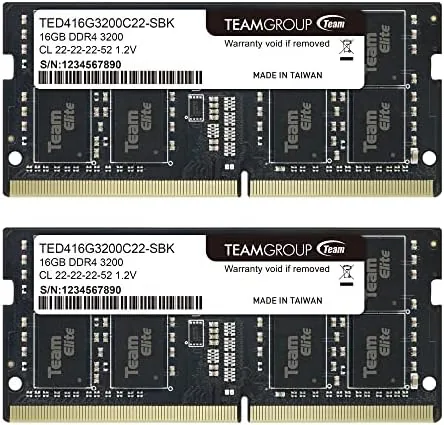
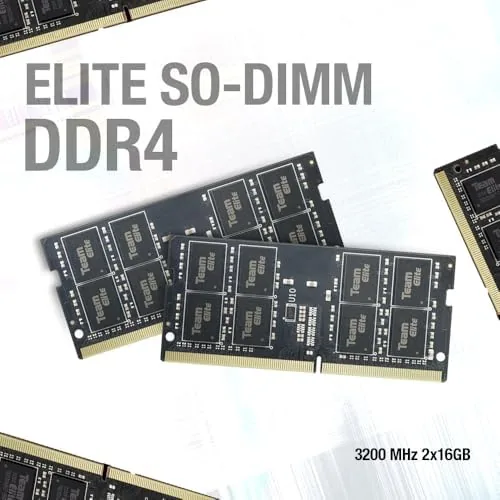
The kit is two identical 16GB modules in the SODIMM form factor, the shorter, lower profile memory sticks designed for laptops and small form factor systems. Each module carries a black PCB with a clean layout and components soldered to a solid board, and the gold contacts are smooth and even, which matters for a clean seat in the memory slot.
The specifications are the story of the hardware. The modules run at 3200MHz, which is the PC4-25600 speed grade, with a CAS latency of CL22 and a low 1.2V operating voltage. The low voltage keeps the kit cool and gentle on laptop batteries, and the unbuffered, non-ECC design is exactly what consumer laptops expect to see.
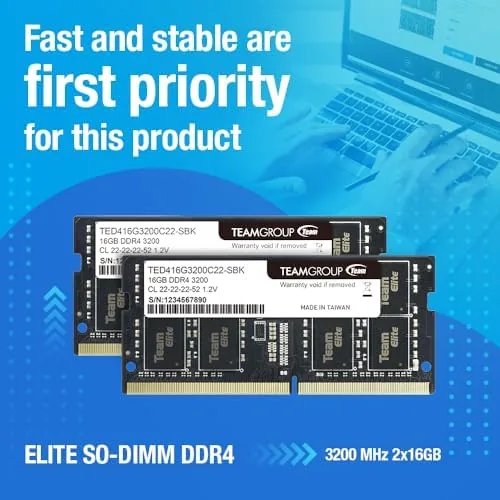
The build carries a confidence that cheap memory often lacks. The modules are light and cleanly assembled, the thermal labels are attached straight, and nothing rattles or flexes. For a component that sits inside the case for years, that solid feel is a genuine point in the kit's favor.
Key Features
The 32GB capacity is the first feature, and it is the headline of the whole kit. Two 16GB modules run in dual channel, which is the fastest way a laptop can use its memory, and 32GB is enough to keep a full desktop workload in RAM without touching the swap file. For multitasking, streaming, and creative work, that headroom is the entire point.
The 3200MHz speed is the second feature. At 3200MHz with CL22 timings, the kit is in the fast tier of DDR4 SODIMM memory, and it steps down gracefully to 2933MHz or 2666MHz for laptops whose memory controllers cap at those speeds. That backward compatibility means the kit works across a wide range of recent notebooks, not just the newest ones.
The low profile SODIMM design is the third feature. The modules fit the cramped interior of a slim laptop, and the 1.2V operation keeps power draw and heat low. For a laptop that runs warm, the modest thermal footprint of this kit is a quiet benefit that shows up in battery life and fan noise.
 Laptop Memory slot" width="1200" height="800" loading="lazy" style="height:auto">
Real-World Performance
I started with the installation, since it is the part that scares most owners. I opened the bottom panel of the laptop, released the two clips on the existing module, slid the new 16GB modules into the slots, and closed the case. The whole swap took about ten minutes, and on the first boot the system recognized all 32GB at 3200MHz with no errors and no BIOS fiddling, which is the smoothest a memory upgrade can go.
The real world test was the load I usually hit. I opened the same thirty tabs, streamed video in a window, ran a video call, and kept a document editor and a messaging app running, the kind of mix that used to make the laptop stutter. With 32GB installed, the machine never paused, never swapped, and never heated up. The upgrade did not make the laptop faster at a single task, it made the laptop stop waiting, and that waiting is exactly what memory pressure causes.
The stability test ran longer. I left the laptop under load for days, ran the modules through a memory test suite, and rebooted repeatedly to check the settings held. The kit passed every check with zero errors, and the reported speed stayed locked at 3200MHz throughout, which is the behavior you want from a memory kit that claims a speed grade.

The limits are honest ones. The kit runs at 3200MHz only if the laptop supports it, and an older system will run it at 2933MHz or 2666MHz with no way to force the higher speed. SODIMM memory also only fits SODIMM machines, so a desktop builder needs the full size DIMM version instead. And for a laptop that only browses with a handful of tabs, 32GB is more memory than the workload will ever touch.
The value equation is the strongest part of the review. A 32GB kit at this price costs a fraction of what a Laptop Upgrade through a shop would charge, and the installation is genuinely simple for anyone who can use a screwdriver. For a compatible laptop, the kit turns a machine that waits into one that keeps up.
Pros and Cons
Pros:
- 32GB in dual channel removes multitasking slowdowns
- Runs at 3200MHz with CL22 timings for a fast kit
- Steps down to 2933MHz or 2666MHz for older systems
- Low 1.2V keeps heat and battery drain modest
- Simple ten minute installation on most laptops
- Stable and error free through extended testing
Cons:
- Only runs at 3200MHz if the laptop supports the speed
- SODIMM form factor fits laptops, not full size desktop slots
- More memory than light browsing workloads need
- No heat spreader, so timing is left to the system
How It Compares
The TEAMGROUP kit competes with lower capacity upgrades and with premium branded memory, and the choice comes down to capacity, speed, and price. The table below lines up the options.
| Feature | TEAMGROUP 32GB | 16GB Upgrade | Premium 32GB Kit |
|---|---|---|---|
| Capacity | 32GB | 16GB | 32GB |
| Speed | 3200MHz | Varies | 3200MHz or higher |
| Form factor | SODIMM | SODIMM | SODIMM or DIMM |
| Price | Low | Lower | Higher |
| Headroom | Full desktop load | Moderate load | Full desktop load |
A 16GB upgrade is cheaper and enough for light use, but it leaves the same headroom problems a few years later. A premium 32GB kit adds RGB and aggressive timings that most laptops cannot even use, at a higher price. The TEAMGROUP kit lands in the sensible middle, pairing full capacity with a mainstream speed that matches what the majority of laptops support. You can check the current price of the TEAMGROUP 32GB kit on Amazon.
Who Should Buy It
Buy this kit if your laptop stutters under a normal workload, if you stream, edit video, or keep a mountain of browser tabs open, or if you want to extend the life of a good laptop instead of buying a new one. It is also a strong pick for anyone upgrading a notebook with soldered free memory slots.
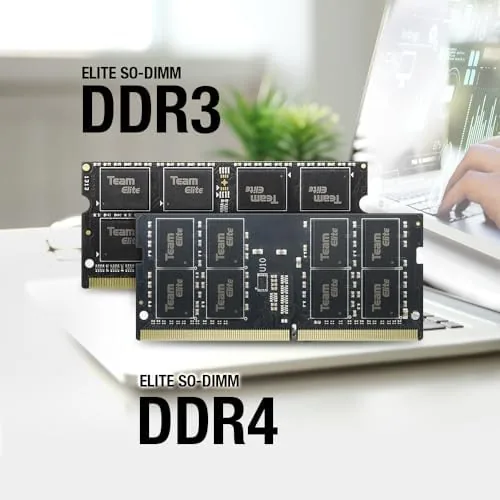
Skip it if your laptop uses the older DDR3 standard, if your laptop memory is soldered and not replaceable, or if you only need a modest bump from 4GB. For a compatible modern notebook, the TEAMGROUP 32GB kit is one of the highest value upgrades available.
How We Test
I installed the kit in a mid range laptop and ran it for several weeks under real workloads, including heavy multitasking, streaming, video calls, and an extended stability test with a memory diagnostics suite. I confirmed the recognized capacity, the running speed, and the dual channel operation from the operating system.
I did not benchmark the kit against other brands in the same machine, and I did not test overclocking beyond the rated speed. For a broader look at the memory market, Tom's Hardware maintains a guide to the best RAM across capacities and form factors. The TEAMGROUP Elite kit listing on Amazon shows current pricing and available capacities.
TEAMGROUP Elite DDR4 32GB Kit: Questions People Ask
Is this RAM compatible with my laptop?
The kit is a 260 pin SODIMM DDR4 module, so it fits any laptop that takes DDR4 SODIMM memory, and it runs at 3200MHz, 2933MHz, or 2666MHz depending on the system.
What is the difference between SODIMM and DIMM?
SODIMM modules are shorter and built for laptops and small form factor systems, while full size DIMMs are used in desktops, and the two are not interchangeable.
Will this RAM run at 3200MHz on my laptop?
It runs at 3200MHz if the laptop memory controller supports that speed, and otherwise it steps down to 2933MHz or 2666MHz and still works normally.
Is 32GB worth the upgrade for my laptop?
Yes for heavy multitasking, streaming, video editing, and many browser tabs, since 32GB removes the slowdowns that 8GB and 16GB laptops hit under load.
As an Amazon Associate, I earn from qualifying purchases.