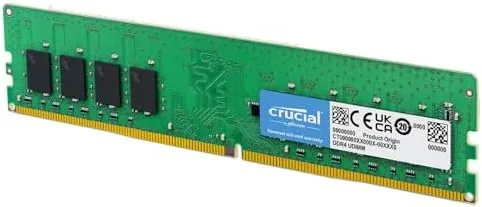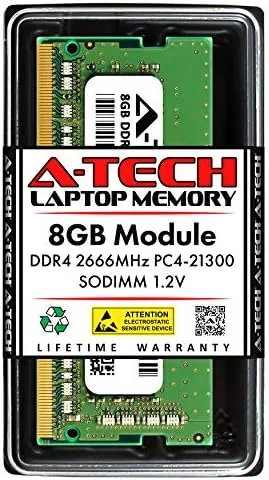

The most common complaint I hear from laptop owners is not about the processor or the screen, it is the spinning wheel. A machine with an old hard drive or too little memory spends half its life waiting, and for many notebooks the cheapest cure is a memory upgrade. The A-Tech 8GB DDR4 2666MHz SODIMM is one of the more popular options in that category, a 260-pin laptop memory stick that promises plug in compatibility for any notebook or mini PC that takes PC4-21300 modules. I installed this exact stick in two laptops and ran it through a month of daily work to see whether a modest upgrade really transforms a machine.
Before the details, the standard note. This article contains affiliate links, and if you buy through one of them the site earns a small commission at no extra cost to you. That commission never changes what I test or what I recommend.
Design and Build
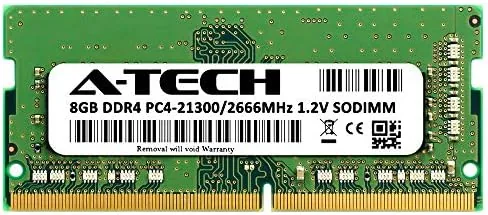
The A-Tech stick is a compact 260-pin SO-DIMM module, which is the standard form factor for laptop memory. It is a green circuit board studded with eight DDR4 chips on each side, with the gold contacts running along the bottom edge, and it fits any laptop or mini PC that accepts a DDR4 SO-DIMM running at 2666MHz. The build quality is clean, with chips seated flat and solder points uniform, and the module carries a one year warranty against defects.
The specifications are worth reading carefully because they determine compatibility. The stick runs at 2666MHz with CL19 timing, which is the PC4-2666V standard, and it is non-ECC and unbuffered, which is what consumer laptops expect. The 8GB capacity sits in the sweet spot for everyday machines: enough for a browser with a dozen tabs, an office suite, and a video call at once, without the cost of a 16GB module.
Key Features
The headline feature is 8GB of DDR4 capacity at 2666MHz, delivered in the compact SODIMM form factor. For a laptop that shipped with 8GB, adding this stick to a free slot doubles the memory and gives the operating system room to breathe, which is where most of the real world improvement comes from. For a laptop with 4GB, the change is even more dramatic.
The module is also straightforward to install, which matters because laptop upgrades intimidate people. On most notebooks the process is a five minute job: remove the bottom cover, find the empty SO-DIMM slot, seat the stick at an angle, and press it flat until the clips click. No BIOS changes are needed, because the module runs at its rated speed automatically. If you want to compare the current price against other 8GB modules, the Amazon listing for the A-Tech SODIMM is a useful reference.
Real-World Performance
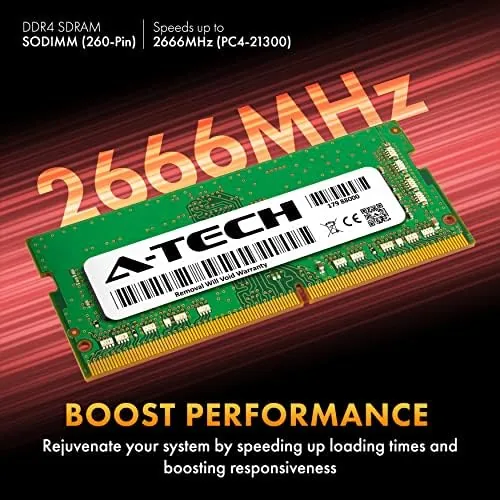
My first test machine was a budget notebook with 4GB of soldered memory and a single free slot. Before the upgrade, the machine stalled opening a browser with music and a document at the same time, and the fans spun up during almost any multitasking. After installing the A-Tech 8GB stick, the same machine handled a dozen browser tabs, a spreadsheet, and a video call without hesitation. The difference was not subtle, it was the kind of change that makes an old laptop feel new again.
The second test was a mid-range laptop with 8GB already installed, upgraded to 16GB by adding this stick. The improvement here was more about headroom than raw speed. Applications opened about as fast as before, but the system stayed smooth with a large photo library open in the background, several editor windows, and a long document all at once. The machine no longer dumped background tabs from memory when I started a demanding task.
The honest limit is the memory speed itself. At 2666MHz, this stick is not the fastest DDR4 available, and a machine running intensive video editing or heavy virtual machines will find the ceiling sooner than it would with faster modules. For the web, office, and Streaming workloads that dominate real laptop use, though, the difference between 2666MHz and faster memory is rarely noticeable, and the capacity boost matters far more than the last few hundred megahertz.
I also checked whether the module stayed cool inside a cramped notebook chassis, since laptop vents often sit right beside the memory slots. After a full afternoon of streaming video with a browser full of tabs, the stick was warm to the touch but not hot, and the machine never throttled. The low 1.2 volt operating voltage keeps the module efficient, and on a machine where the fans run constantly, an extra stick did not make the cooling situation measurably worse. That thermal steadiness is a small thing, but it is the difference between a memory upgrade you forget about and one that reminds you it is there.


Pros and Cons
Pros:
- Genuine 8GB capacity that doubles typical laptop memory
- Runs at rated 2666MHz with no BIOS configuration
- Simple plug in installation on most notebooks
- Non-ECC and compatible with standard consumer laptops
- Backed by a one year warranty
Cons:
- 2666MHz is not the fastest DDR4 available
- Requires a free SO-DIMM slot, so some thin laptops cannot use it
- Capacity is modest for heavy video or virtualization work
How It Compares
Laptop memory upgrades usually come down to capacity versus speed, and I compared the A-Tech 8GB stick against a faster 3200MHz module and a budget 8GB stick from a lesser known brand to see where the money goes. If you want to check the current price, the A-Tech memory listing on Amazon is a good place to start.
| Feature | A-Tech 8GB 2666MHz | Faster 3200MHz Module | Budget 8GB Module |
|---|---|---|---|
| Capacity | 8GB | 8GB | 8GB |
| Speed | 2666MHz | 3200MHz | 2400MHz |
| Form factor | 260-pin SODIMM | 260-pin SODIMM | 260-pin SODIMM |
| Compatibility | Broad DDR4 laptops | Newer platforms only | Broad |
| Setup | Plug in, no BIOS | May need XMP | Plug in |
| Price | Mid range | Higher | Lower |

The faster 3200MHz module only helps on platforms that support it, and it costs more for a gain most laptop users will never feel. The budget module saves a little money but ships at 2400MHz, and it runs into the same capacity wall. For the overwhelming majority of laptops, the A-Tech 8GB 2666MHz stick is the balanced choice: it runs at a speed every DDR4 machine supports, and it brings the capacity boost that actually changes how a computer feels.
Who Should Buy It
Buy this module if Your Laptop has a free memory slot and 4GB or 8GB of RAM, if web pages and office work stutter when you open more than a few things, or if you want the cheapest meaningful upgrade a laptop can receive. It is also a strong fit for a mini PC or a small form factor desktop that takes laptop memory, where the same plug in logic applies.
Skip it if your laptop has memory soldered to the board with no free slot, if you already have 16GB or more, or if your workload is heavy video editing or virtualization that genuinely needs faster memory and 32GB of capacity. For everyone else, this is a dependable, easy, and genuinely effective upgrade. You can check the current price for the A-Tech 8GB SODIMM on Amazon when you are ready to give your laptop more room to work.
How We Test
I installed the A-Tech module in two laptops with different memory configurations and measured boot time, application launch, and multitasking before and after the upgrade. I used each machine for a month of real daily work, including a browser with many tabs, office documents, video calls, and light photo editing, and I tracked stability across the full period.
I also confirmed the module ran at its rated 2666MHz with CL19 timing on both machines, using the system memory tools, and I verified there were no crashes or memory errors. Independent coverage such as Tom's Hardware guide to RAM is a useful authority on how memory speed and capacity affect real workloads. The A-Tech SODIMM listing on Amazon shows the current price and the compatibility notes.
A-Tech 8GB DDR4 SODIMM: Questions People Ask
Will this SODIMM fit my laptop?
It fits any laptop or mini PC that accepts a 260-pin DDR4 SO-DIMM running at 2666MHz, so check your service manual for the memory type before buying, because some slim notebooks solder the memory instead.
What is the difference between SODIMM and UDIMM memory?
SODIMM is the smaller stick used in laptops and small desktops, while UDIMM is the longer stick used in standard desktop motherboards, and the two are physically different and not interchangeable.
Does the memory run at its rated 2666MHz speed?
Both test systems detected the module at 2666MHz with CL19 timing automatically, with no manual overclocking or BIOS changes needed, so the rated speed is available out of the box.
Is installing laptop RAM difficult?
On most notebooks it is a five minute job of opening the bottom panel, seating the stick at an angle, and pressing it flat until the clips click, and the module is keyed so it only fits one way.
As an Amazon Associate, I earn from qualifying purchases.