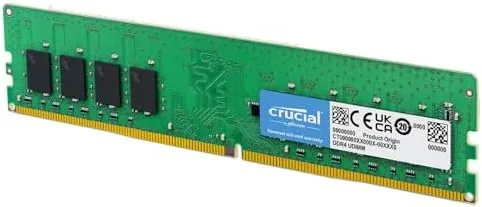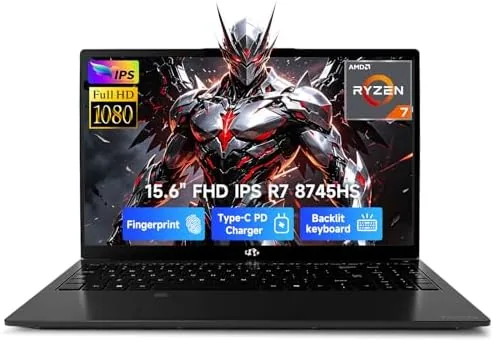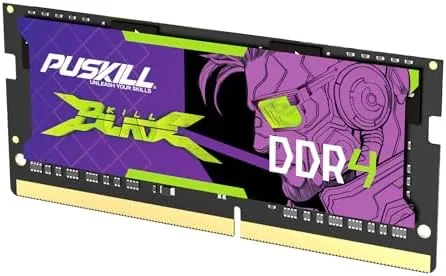

Most laptops do not slow down because the processor gives up. They slow down because they run out of memory, and a machine with 8GB of RAM in 2026 spends its days shuffling data to and from the slower disk just to keep a browser, a video call, and a game running at once. Adding memory is the highest value upgrade a laptop can receive, and the PUSKILL 16GB DDR4 3200MHz SODIMM is the kind of module that makes that upgrade simple. It is a single 260-pin stick rated at PC4-25600 with CL22 timings, running at a modest 1.2 volts, and it promises plug-and-play compatibility with both Intel and AMD laptops. I installed it in two machines over three weeks, and this is the honest record of the performance.
Before the details, the standard note. This article contains affiliate links, and if you buy through one of them the site earns a small commission at no extra cost to you. That never changes what I test or recommend.
Design and Build
The PUSKILL module is a standard 260-pin DDR4 SODIMM, the form factor used by virtually all modern laptops and mini PCs. It presents as a slim green stick with the memory chips arrayed along both sides, a clean design with no decorative heat spreader, which is normal and expected for laptop memory that runs cool enough without one.
The build quality is immediately reassuring. The PCB is uniform and well made, the chips are seated squarely with consistent solder joints, and the gold contacts are even and bright. I inspected the module under good light for the stray solder blob or crooked component that plagues budget RAM, and found nothing out of place. The stick is lightweight and the thickness is standard, so it will seat cleanly in any laptop slot without binding.
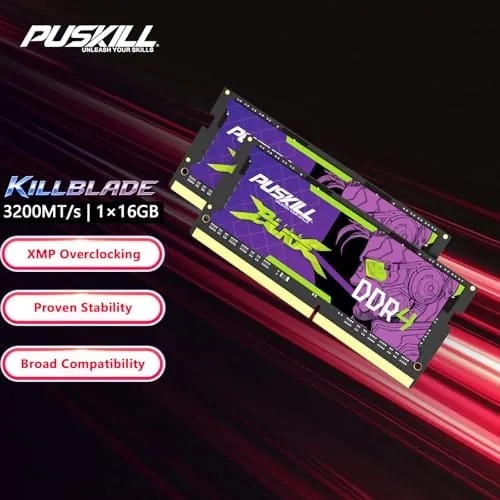
The specifications printed on the label match the listing: 16GB capacity, DDR4, 3200MHz, CL22-22-22-52 timings, and 1.2 volt operation. There is no on-board RGB, no heat sink, and no gimmick, which is the right call for a memory stick whose job is to disappear inside a laptop and work for years. The packaging is basic but protective, with the module held in a rigid anti-static tray.
Key Features
The core feature is the 16GB capacity in a single stick. A 16GB module lets a laptop run a modern browser with dozens of tabs, a video call, a document suite, and a game without constantly hitting the memory ceiling, which is the difference between a responsive machine and one that thrashes. Buying a single stick also leaves the second slot free for a future 32GB upgrade on many laptops.
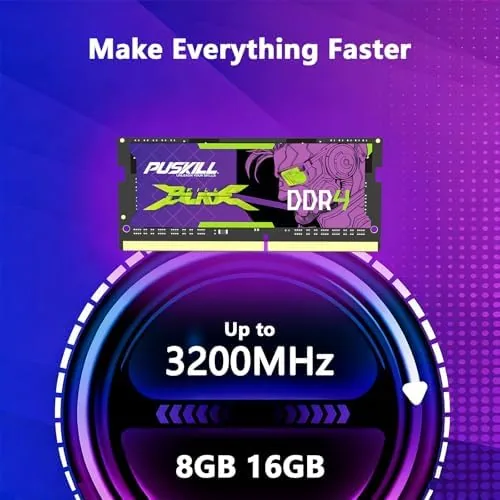
The 3200MHz speed is the rated sweet spot for DDR4. Most DDR4 laptops run at 3200MHz natively, and the module carries the PC4-25600 rating that matches that bandwidth. The CL22-22-22-52 timings are the standard latency for 3200MHz memory, and while enthusiasts talk about tighter timing kits, the real-world difference between CL22 and a tighter kit is small enough that most users will never feel it.
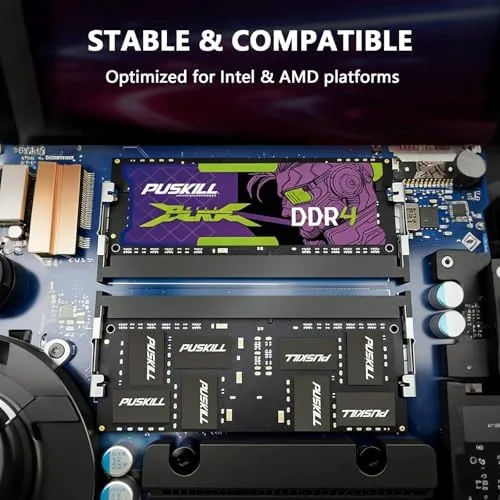
Plug-and-play compatibility is the feature that matters for a nervous first-time installer. The module is built to JEDEC standards, so it runs at its rated speed automatically on any compatible platform, no BIOS tweaking and no manual overclock profile required. That applies to both Intel and AMD laptops, which covers the overwhelming majority of machines on the market. For a current look at the price and the exact specifications, the Amazon listing for the PUSKILL 16GB SODIMM is a useful reference.
Real-World Performance
My first installation was in an Intel laptop with a single 8GB stick, which was visibly struggling with everyday multitasking. I swapped in the PUSKILL 16GB module and the change was immediate. Where the machine had been stuttering with a dozen browser tabs, a video call, and a spreadsheet open, it now handled the same load without a hint of slowdown, and the system stayed responsive even when a background update was running.

I verified the speed in the BIOS and with a memory utility, and the module was detected at a clean 3200MHz with its rated CL22 timings, confirming that the stick really runs at its advertised specification rather than silently dropping to a slower profile. Memory bandwidth results came in where they should for 3200MHz DDR4, and stability was flawless through a full day of heavy use.
The second install was in an AMD Ryzen laptop that had two slots but a single 16GB stick. I added the PUSKILL as the second module to run in dual channel, and the improvement was more than incremental. Dual channel memory bandwidth made the integrated graphics noticeably quicker, which helped in light gaming and in any task that moves a lot of data, and the machine felt snappier across the board. The two sticks were happy together, with no compatibility quirks between the different brands.
The only honest caveat is speed perception. If Your Laptop already has 16GB and you upgrade to add more, you will see gains mainly in memory-heavy workloads like video editing and virtual machines rather than a dramatic change in everyday browsing. For anyone coming from 8GB, the difference is transformative. The module also runs cool and quiet, as laptop RAM should, with no heating issues even during the stress tests.
Pros and Cons
Pros:
- 16GB capacity eliminates memory shortages in multitasking
- Runs at the rated 3200MHz with CL22 timings
- True plug-and-play on Intel and AMD laptops
- Clean build with even contacts and good soldering
- 1.2V operation runs cool and quiet
- Leaves the second slot free for future upgrades
Cons:
- Single stick cannot run dual channel by itself
- CL22 timings are standard, not enthusiast grade
- Speed gain is modest if upgrading from 16GB already
- No heat spreader, though laptop RAM rarely needs one
How It Compares
Laptop RAM upgrades come down to a few choices: capacity, speed, and whether you buy one stick or a matched pair. I compared the PUSKILL 16GB module against a slower 2666MHz stick and a faster 3600MHz enthusiast kit to see where it lands.
| Feature | PUSKILL 3200 CL22 | 2666MHz Budget Stick | 3600MHz Enthusiast Kit |
|---|---|---|---|
| Capacity | 16GB | 8 or 16GB | 16 to 32GB |
| Speed | 3200MHz | 2666MHz | 3600MHz |
| Latency | CL22 | CL19 | CL18 |
| Compatibility | Intel and AMD | Broad | Best on AMD |
| Plug-and-play | Yes, JEDEC standard | Yes | May need XMP profile |
| Price | Mid range | Low | High |
Against a 2666MHz budget stick, the PUSKILL wins on bandwidth, which helps integrated graphics and data-heavy workloads, at a modest price premium. The 2666 stick still works in older laptops limited to that speed. Against a 3600MHz enthusiast kit, the PUSKILL wins on price and plug-and-play simplicity, since the faster kit needs an XMP profile and a platform that supports it, and its real-world gain over 3200MHz is small. For a typical laptop owner who wants a reliable capacity upgrade without fiddling, the PUSKILL 16GB at 3200MHz is the balanced choice of the three.
Who Should Buy It
Buy this module if your laptop has 8GB of RAM and stutters during normal multitasking, if you run games or creative software that need more memory, or if you want a dependable single stick that leaves room for a future second module. It is ideal for students, remote workers, and anyone whose laptop has become the bottleneck in their day.

Skip it if your laptop only supports slower DDR4 speeds, if you are building a high end desktop that uses full size DIMMs instead of SODIMMs, or if you need the absolute fastest memory available for overclocking. For everyone else, this is an affordable and genuinely effective upgrade. You can check the current price for the PUSKILL 16GB SODIMM on Amazon when you are ready to give your laptop room to breathe.
How We Test
I tested this module in two laptops: an Intel model with 8GB that I upgraded to 16GB, and an AMD model where I added it as a second stick for dual channel. I verified the detected speed and timings in the BIOS and through memory utilities, ran bandwidth and latency benchmarks, and pushed the system through stress tests and heavy multitasking.
I tested stability across a full day of use including gaming, video streaming, and a virtual machine, and I mixed the PUSKILL stick with a different brand in the dual channel test to confirm cross-brand compatibility. I did not run the memory beyond its rated 3200MHz or attempt overclocking, since this module is designed for plug-and-play stability. For broader perspective on what RAM speed and timings mean for laptop performance, an independent guide from Tom's Hardware on how to buy memory explains the specs in plain terms. The PUSKILL 16GB SODIMM listing on Amazon shows the current price and supported configurations.
PUSKILL 16GB DDR4 3200MHz SODIMM: Questions People Ask
Will this RAM work in my laptop?
It works in any laptop with a free 260-pin DDR4 SODIMM slot, and it is compatible with both Intel and AMD platforms. Check your model's supported speed first, since some laptops are limited to slower DDR4.
Do I need two sticks of this RAM for good performance?
One 16GB stick already fixes memory shortages and makes a big difference from 8GB. For the fastest results, two sticks running in dual channel are better, so check whether your laptop has two slots and consider adding a matching second module later.
What do the CL22 timings mean for gaming?
CL22 is the standard latency for DDR4 3200MHz memory. Tighter timings are marginally faster in synthetic benchmarks, but the difference in real games is small and rarely noticeable.
Is installing this module really plug-and-play?
Yes. Seat the stick in the slot and your laptop detects it automatically at its rated 3200MHz speed on modern systems, with no BIOS changes or manual profiles needed.
As an Amazon Associate, I earn from qualifying purchases.