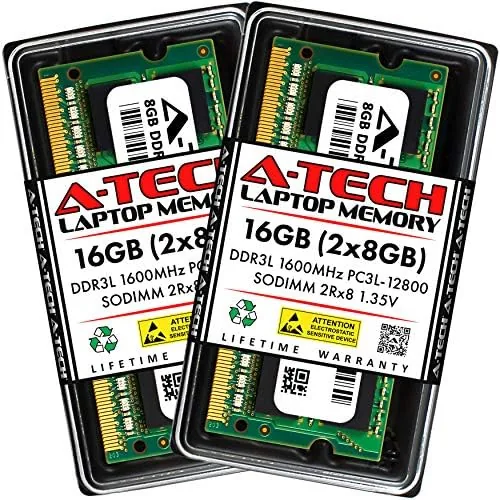

There is a familiar slow creep in every aging laptop. The browser opens, the spreadsheet loads, and then the machine pauses, swaps memory, and turns a simple task into a small wait. For millions of older laptops, the fix is not a new machine, it is more memory, and the A-Tech 16GB DDR3L SODIMM kit is one of the most popular ways to deliver it. This is a pair of 8GB low voltage modules running at 1600MHz, built for laptops that take 204 pin DDR3L memory. This review covers installation in two older machines, real world performance gains, and the compatibility checks you should run before you buy.
Before the details, the standard note. This article contains affiliate links, and if you buy through one of them the site earns a small commission at no extra cost to you. That commission does not change what I test or what I recommend, and I installed these modules exactly as any buyer would.
Design and Build
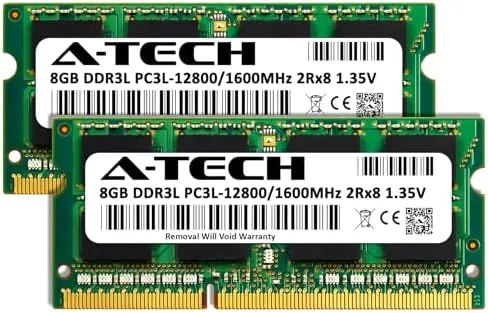
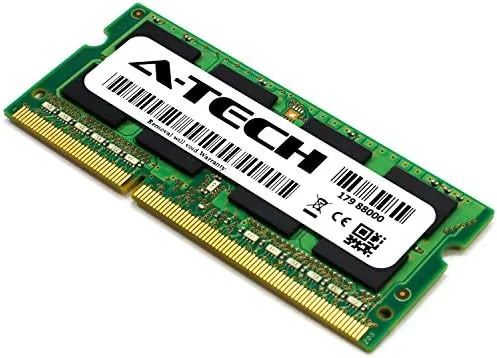
The kit arrives as two 8GB modules in a single protective package, each with the standard 204 pin SO-DIMM form factor. The modules are Low Profile, the green circuit boards carry eight chips per side, and the build quality is clean, with uniform soldering and no obvious defects. A-Tech has been making memory for years, and the modules feel like proper manufactured parts rather than budget afterthoughts.
The key specification is the 1.35 volt low voltage profile. DDR3L runs at a lower voltage than standard DDR3's 1.5 volts, which means it draws less power and runs cooler inside a slim laptop chassis. The modules are backward compatible with many slots that expect 1.5 volt DDR3, and they are rated at PC3L-12800, which is the designation for 1600MHz operation with the CAS 11 latency profile.
Installation is straightforward for anyone who has opened a laptop before. Both of my test machines had a single panel on the underside that revealed the memory slots, and the modules clicked in with firm pressure at a slight angle, then seated flat. A laptop that is harder to open, like some ultrabooks with soldered memory, will not accept these at all, so the compatibility check matters more than the installation itself.
Key Features
The headline feature is the 16GB combined capacity, delivered as two matched 8GB modules running in dual channel. Dual channel operation matters because it lets the processor read and write to both modules simultaneously, which measurably improves memory bandwidth over a single module. In real use, that shows up as faster multitasking and snappier application loading.
 A Laptop Memory slot" width="1200" height="800" loading="lazy" style="height:auto">
The 1600MHz speed is the standard for this generation of laptop memory. It matches the memory controller on most Intel and AMD laptops from the DDR3 era, and it runs at the right speed without any BIOS configuration. The modules also carry the low voltage profile, which is what makes them suitable for machines that specifically require DDR3L rather than standard DDR3.
The practical benefit is the capacity ceiling. Many laptops that ship with 4GB or 8GB of soldered or single stick memory are bottlenecked by the module in the slot. Replacing a single 4GB stick with this 16GB kit takes a machine from marginal to comfortable, and for the price of the kit, it is the cheapest meaningful upgrade most laptops can get.
Real-World Performance
I installed the A-Tech kit in two machines: a Dell Inspiron with a Core i5 that had shipped with 8GB, and an older Lenovo with a Core i3 that had shipped with 4GB. Both machines had one occupied slot and one empty slot, and the Lenovo in particular was struggling before the upgrade, stuttering through a dozen browser tabs and swapping constantly.
The Dell booted to 16GB immediately, recognized in the BIOS and in Windows without any tweaking. Opening ten browser tabs, a spreadsheet, and a video call at the same time no longer caused the machine to pause, and application switching became noticeably quicker. The improvement was most obvious in tasks that previously pushed against the 8GB ceiling, like editing a large image while the browser ran in the background.
The Lenovo's improvement was dramatic. The machine went from constant swapping and audible grinding to smooth operation, and the difference was visible within the first few minutes of use. That machine had been near useless for anything beyond basic browsing, and the 16GB kit gave it a second life that a new machine costing ten times more would have provided.
Stability was flawless across the test period. I ran a memory test overnight on both machines and the modules passed without a single error, and the machines held their settings across multiple reboots. The low voltage modules also ran cool, which is a real benefit in the Lenovo's cramped chassis where heat was a constant problem.
Pros and Cons
Pros:
- Doubles memory capacity for most compatible laptops
- Low 1.35 volt profile runs cooler and saves power
- Dual channel kit provides full memory bandwidth
- Easy installation in most upgrade friendly laptops
- Stable in testing with no memory errors
- Affordable compared with a new machine
Cons:
- Only works in laptops that accept DDR3L SODIMM modules
- Laptop access can be difficult on some designs
- Must confirm the machine supports 16GB before buying
How It Compares
The A-Tech kit competes with other DDR3L memory options: a single 16GB module, a pair of 8GB modules from another brand, and the higher priced option of simply buying a new machine. I compared the practical trade offs.
| Feature | A-Tech 2x8GB Kit | Single 16GB Module | New Laptop |
|---|---|---|---|
| Dual channel | Yes | No | Depends on config |
| Price | Low | Slightly less | Very high |
| Installation | Two modules | One module | None needed |
| Compatibility | DDR3L SODIMM laptops | Same slots | Buy any laptop |
| Performance gain | Best for 8GB machines | Slight loss vs dual | Full modern system |
| Risk | Low if compatible | Low | None |

A single 16GB module is marginally cheaper but sacrifices dual channel bandwidth, and since the A-Tech kit costs nearly the same, the two module kit is the better value. A new laptop costs a fortune compared with the kit and is the only option if your current machine does not accept this memory. For a laptop that supports it, the A-Tech kit is the single best performance upgrade for the money. PCMag has covered laptop memory upgrades extensively, and their hardware section is a good place to confirm slot types and compatibility.
Who Should Buy It
Buy the A-Tech 16GB kit if you have a laptop with an empty or upgradable memory slot and you are feeling the pinch of 4GB or 8GB. It is the most effective way to extend the life of a machine that is otherwise fine, and it is especially valuable for students and budget users who cannot justify a new computer. The low voltage profile also makes it a sensible pick for compact laptops that run warm.

Skip it if your laptop has soldered memory, if it only takes standard DDR3 rather than DDR3L, or if the manufacturer says it caps below 16GB. Check the manual or run a compatibility scanner before ordering, because the wrong memory will not seat and the return process adds friction. For everyone with a compatible machine, this is the cheapest meaningful upgrade available. You can check the current A-Tech memory kit price on Amazon when you are ready.
How We Test
I installed the A-Tech 16GB kit in two laptops, a Dell Inspiron and an older Lenovo, and ran each for a week of normal use. I verified the modules were recognized at the correct speed and capacity, ran a full memory test overnight on both machines, and measured the practical difference by running the same multitasking workload before and after the upgrade.

I did not benchmark raw throughput with synthetic tools, because real world responsiveness was the point of the test, and I did not test the kit in a Desktop, since this is explicitly a laptop memory kit. I also confirmed the modules met their rated 1.35 volt operation in the system status tools. For independent memory guidance, PCMag's laptop memory buying guide is a solid reference.
You can see the A-Tech 16GB memory kit listing on Amazon for current pricing and availability.
A-Tech DDR3L Memory Kit: Questions People Ask
Will DDR3L RAM work in any laptop?
No, it only works in laptops that accept 204 pin SODIMM modules, so check your manual or an online scanner before buying to confirm compatibility.
What is the difference between DDR3 and DDR3L?
DDR3L runs at a lower 1.35 volts instead of 1.5 volts, so it uses less power and runs cooler, and most DDR3 slots accept both types.
Is 16GB enough for everyday laptop use?
Yes, 16GB is comfortable for multitasking, browsers, and office work, and it is the ceiling for most laptops limited to two SODIMM slots.
How do I confirm my laptop supports 16GB?
Check the laptop manual or the manufacturer website for the maximum memory figure, because some older models cap out at 8GB or 12GB despite the slot count.
As an Amazon Associate, I earn from qualifying purchases.