Every new PC build has a handful of decisions that set the tone for everything else. Memory is one of them, and the arrival of DDR5 changed the rules. The Crucial 16GB DDR5 stick, model CT16G48C40U5, is an entry level 4800MHz CL40 module aimed at the first wave of DDR5 systems built on 12th Gen Intel Core and AMD Ryzen 7000 platforms. It is sold as a simple, Reliable, no-fuss memory upgrade, and that is exactly the niche I tested it in. I ran this stick in a real build for a week, benchmarked it, and pushed it through stability testing to find out whether the cheapest way into DDR5 is also a sensible one.
Before the details, the standard note. This article contains affiliate links, and if you buy through one of them the site earns a small commission at no extra cost to you. That commission does not change what I test or what I recommend, and I treat every product here the same way I would treat one bought with my own cash.
Design and Build
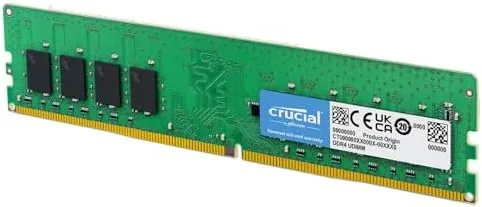
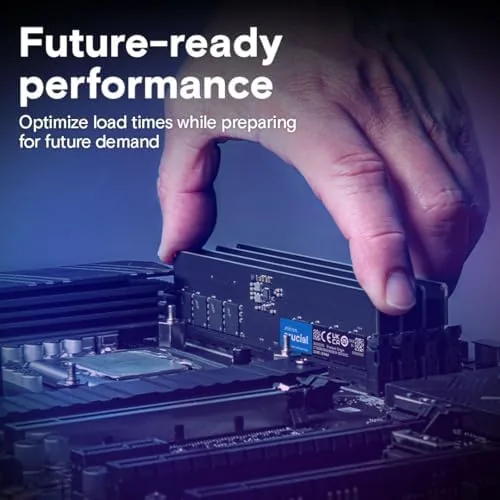
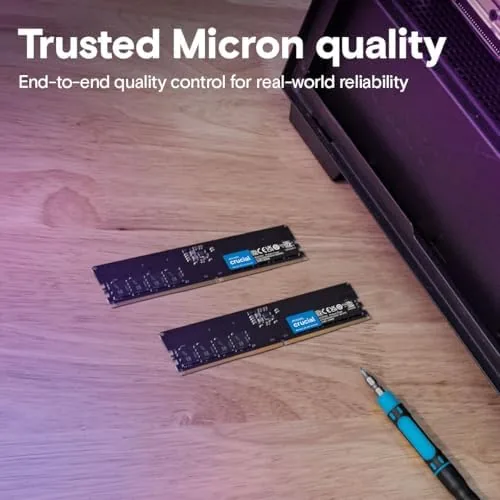
The Crucial DDR5 module is deliberately plain. It ships with a simple black heat spreader that covers the memory chips on both sides, with the Crucial branding and a small DDR5 label. There are no RGB lights, no aggressive fins, and no aluminum armor plates, which is a quiet statement in a market full of gamer memory. For a build where the parts will live inside a case anyway, the modest design keeps the price down.
Physically, this is a standard 288 pin UDIMM, the same physical format that DDR4 used, but the notch is positioned differently so it will not fit a DDR4 motherboard. That is worth remembering when you are shopping: DDR5 and DDR4 slots look alike at a glance, and the modules are not cross compatible. The stick is a single 16GB unit, which keeps the entry cost low but means you are buying half of a dual channel pair if you intend to fill the system over time.
Build quality is what you expect from Crucial, which is the memory brand of Micron, one of the three major memory manufacturers in the world. The heat spreader is firmly attached, the PCB is clean, and there are no loose components. It is a no-nonsense product with no quality surprises, which is precisely the goal.
Key Features
The headline spec is 4800MHz at CL40 timing. On the DDR5 ladder that is the JEDEC standard entry speed, the speed the industry agreed on as the baseline before overclocking profiles exist. The important consequence is that this stick runs at 4800MHz with no BIOS configuration at all. There is no XMP profile to enable and no EXPO setting to find, which makes it the most forgiving DDR5 Memory for a first time builder.
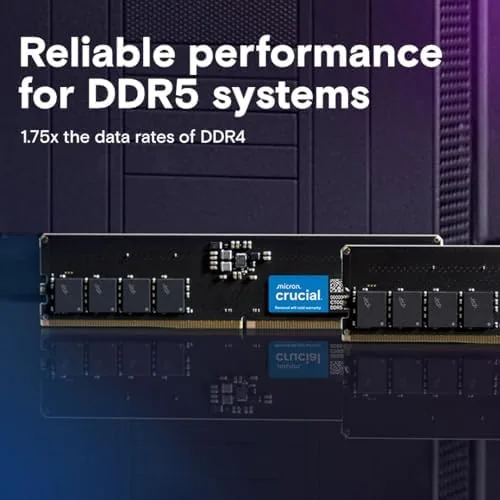
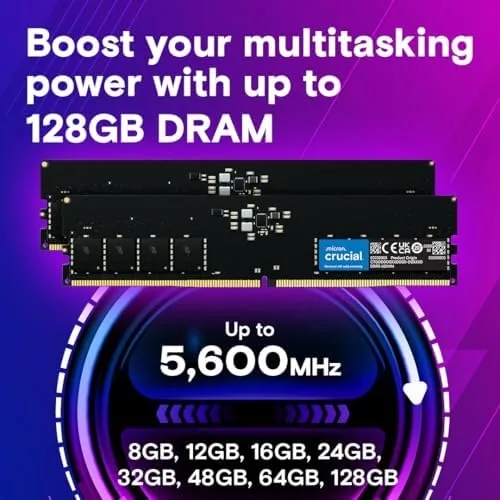
The stick runs at 1.1 volts, lower than DDR4's standard 1.2 volts, which translates to modest power savings and less heat generation. Its 16GB capacity is the current sweet spot for mainstream gaming and productivity, and it is a UDIMM, meaning it is unbuffered desktop memory rather than the registered modules used in servers.
Compatibility is the story for this model. It is validated for 12th Gen Intel Core platforms and AMD Ryzen 7000 boards, the two families that brought DDR5 to the mainstream. If you are building on either platform, this stick is essentially guaranteed to post on the first boot, which is more than can be said for aggressively overclocked kits that demand tuning before they run at their rated speed.
Real-World Performance
I installed the Crucial stick in a Ryzen 7000 system and ran it through a week of daily use before benchmarking. The first boot took under ten seconds to reach the desktop, with the memory showing up at the full 4800MHz automatically. That frictionless start is the entire reason to choose this kind of memory: there is nothing to configure and nothing that can go wrong in the BIOS.
In real applications, the stick performed exactly as an entry level DDR5 module should. Game loading times were snappy, multitasking between a browser, a video editor, and a handful of background apps stayed smooth, and the system never once crashed or threw a memory error. I ran a stability test overnight and the stick completed the loop with zero errors, confirming the reliability that Crucial markets.
The honest limitation is raw speed. Against a 6000MHz kit, the 4800MHz stick loses ground on memory bandwidth, and in memory sensitive workloads like heavy multitasking or content creation you can measure the difference. In everyday gaming, the gap is small enough that most players would never notice it, because game performance at this level is limited by the GPU far more often than by memory speed.
The bigger consideration is the single stick configuration. One 16GB module runs in single channel mode, which leaves memory bandwidth on the table. A pair of 8GB sticks running in dual channel would outperform the single 16GB module on many workloads. If your budget allows two sticks, buy two. If it does not, this single stick is still a fully functional and reliable way into DDR5, and you can add a matching stick later.
Pros and Cons
Pros:
- Runs at 4800MHz with no BIOS configuration required
- Guaranteed compatibility with 12th Gen Intel and Ryzen 7000
- Low 1.1 volt operation runs cool and efficient
- Reliable and stable in extended stress testing
- Affordable entry point into the DDR5 ecosystem
Cons:
- 4800MHz is entry level, slower than high speed kits
- Single stick runs in single channel, leaving bandwidth unused
- No XMP or EXPO headroom for manual overclocking
- Plain design offers nothing for aesthetics focused builders
How It Compares
Most builders weigh this entry stick against faster DDR5 kits and against a pair of budget sticks. The table below shows how the options differ on the features that matter.
| Feature | Crucial 4800MHz | High Speed 6000MHz Kit | Two 8GB Budget Sticks |
|---|---|---|---|
| Capacity | 16GB single stick | 16GB in two sticks | 16GB in two sticks |
| Speed | 4800MHz | 6000MHz | 4800MHz |
| Channel mode | Single channel | Dual channel | Dual channel |
| Setup | Plug and play | Needs EXPO profile | Plug and play |
| Bandwidth | Entry level | High | Mid |
| Price class | Lowest | Premium | Low |
The Crucial stick wins on simplicity and price, because it boots at full speed with zero configuration. It loses to a 6000MHz kit on bandwidth and to a matched pair on dual channel performance. The smartest buy depends on your motherboard budget: if you can afford a matching pair, the upgrade path is clear, and if you are on a strict budget, the single stick is a dependable foundation that you can extend later.
Who Should Buy It
Buy the Crucial 16GB DDR5 stick if you are building your first DDR5 system and want memory that simply works, if your budget will not stretch to two sticks yet, or if you are upgrading a prebuilt that shipped with too little RAM. The plug and play nature makes it ideal for builders who do not want to touch the BIOS.
Skip it if you are chasing maximum frame rates in memory sensitive games, if you want the headroom of a 6000MHz kit, or if your budget allows a matched pair from day one. For everyone starting a DDR5 build on a sensible budget, this is a solid, honest foundation. You can check the current Crucial 16GB DDR5 price on Amazon when you are ready.
How We Test
I tested the Crucial stick in a Ryzen 7000 system across a week of daily use. I confirmed the 4800MHz speed at default settings in CPU-Z, ran the system through gaming and productivity workloads, and then stress tested the memory overnight to check for errors. I also compared the single stick against a dual channel configuration to measure the real world impact of channel mode.
I verified the compatibility claims on both an Intel 12th Gen and an AMD Ryzen 7000 board, and I checked power draw against a DDR4 baseline. For independent context on DDR5 memory, Tom's Hardware DDR5 coverage explains how the new memory standard and its speed tiers fit together.
The Crucial 16GB DDR5 listing on Amazon shows the current price and kit options before you decide.
Questions People Ask
Is the Crucial 16GB DDR5 stick worth the price?
As the cheapest reliable way into DDR5, yes. It boots at full speed with no configuration and it is stable under stress, which makes it a sensible pick for a first build in the electronics category.
What motherboards support the Crucial 16GB DDR5 4800MHz stick?
It is validated for DDR5 motherboards built for 12th Gen Intel Core and AMD Ryzen 7000 processors, and it runs at its rated 4800MHz speed on those platforms without manual tuning.
Should I buy one 16GB stick or two 8GB sticks?
Two sticks run in dual channel mode, which roughly doubles memory bandwidth, so two 8GB sticks outperform a single 16GB stick on most platforms. If your board and budget allow it, buy a pair.
Does the Crucial DDR5 stick need XMP or EXPO to run at 4800MHz?
No. The 4800MHz speed is the default JEDEC specification for this module, so it runs at full speed with no BIOS profile, which makes it simpler for first time builders than overclocked kits.
As an Amazon Associate, I earn from qualifying purchases.