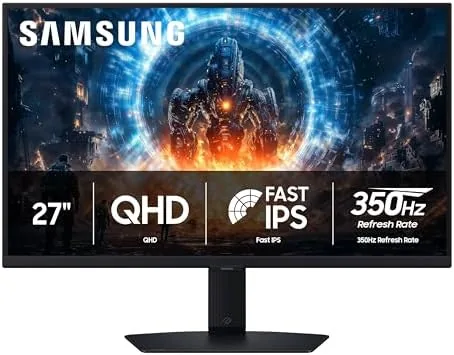

Competitive gaming has an arms race that never ends, and refresh rate is the battlefield. The Samsung Odyssey G6 G60F enters that race with a number that still turns heads: a 350Hz refresh rate on a QHD Fast IPS panel, backed by VESA DisplayHDR 400 certification, NVIDIA G-Sync compatibility, and AMD FreeSync Premium support. At 27 inches with a resolution of 2560 by 1440, it targets the sweet spot for players who want both speed and sharpness. I used the G60F as my primary display for three weeks, across ranked shooters, racing titles, and long desktop sessions, to find out whether 350Hz is a real advantage or a spec sheet headline.
Before going further, the standard disclosure. This article contains affiliate links, and if you buy through one of them the site earns a small commission at no extra cost to you. That commission never changes what I test or what I recommend, and the monitor reviewed here was set up and used exactly as an owner would use it.
This review covers the design and build, the key features including the 350Hz Fast IPS panel and HDR 400, real world performance in competitive and casual gaming, how the monitor compares with the competition, and who should buy it. If you want to check the current price and listing first, the Samsung Odyssey G6 G60F on Amazon has the details.
Design and Build
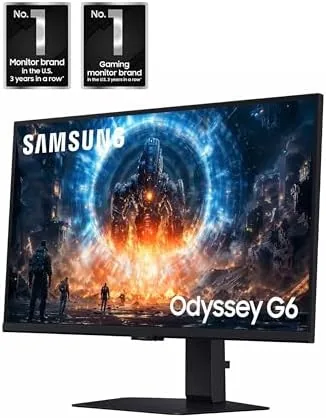
Samsung's Odyssey line has a distinct visual identity, and the G60F carries it well. The front is a clean, thin bezel with a subtle bottom edge that does not distract during play. The rear panel is where the design does its work: a curved core with a metallic grey finish and a circular ring that lights up, giving the monitor a recognizable silhouette on a desk. The ring lighting is tasteful, with a few color options in the menu, and it adds presence without turning the monitor into a light show.
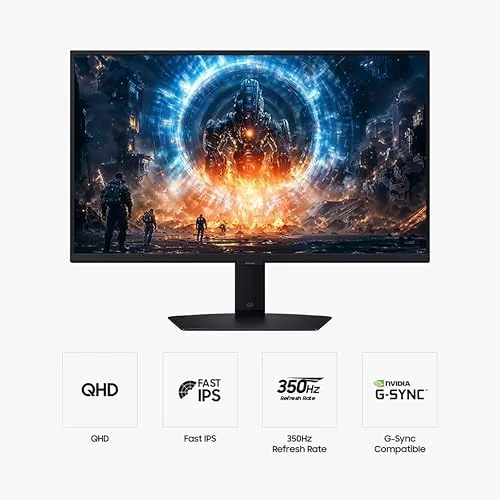
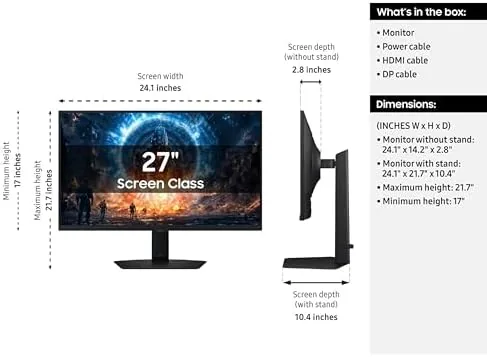
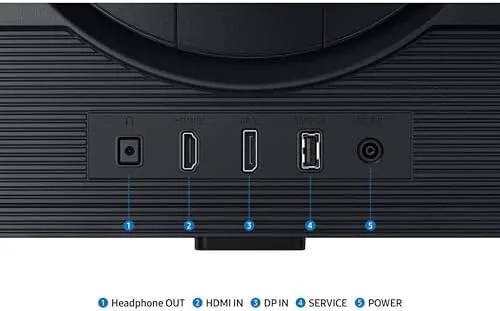
The stand is a sturdy two prong design that keeps the 27 inch panel stable with minimal wobble, and the build quality feels solid throughout. The monitor accepts DisplayPort and HDMI inputs, and the included connections support the full 350Hz output on a capable graphics card. The on screen menu is controlled by a joystick on the rear, and Samsung's layout is logical once you learn the top level groups. It is a monitor that looks like it belongs in a competitive setup, and it is built to hold up to daily use.
One practical note: the stand offers tilt but not height or pivot adjustment, so you may want a monitor arm if your desk height varies. The VESA mount holes are there for that upgrade, and the default stand is fine for most setups.
Key Features
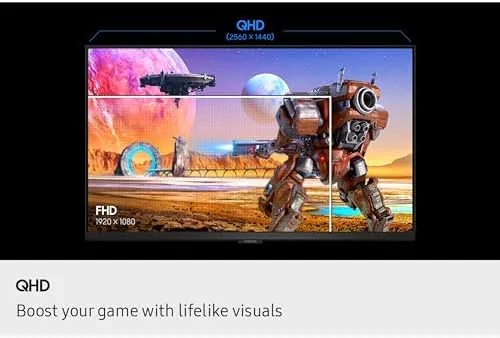
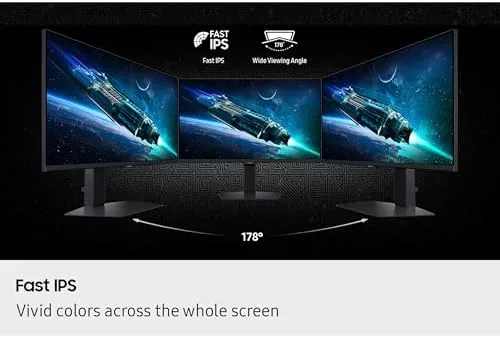
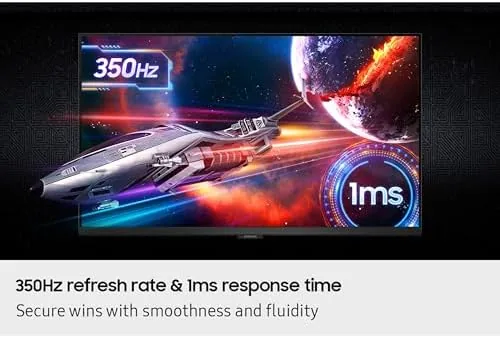
The headline is the 350Hz refresh rate, and it is powered by a Fast IPS panel. Fast IPS is an accelerated liquid crystal design that cuts the response time dramatically compared with standard IPS panels, which is what makes a refresh rate this high actually visible: the panel can keep up with the frame rate without smearing. The QHD resolution delivers the sharpness that serious gamers want, and the combination is aimed squarely at titles where split second reactions decide the round.
Adaptive sync support is complete. The monitor is NVIDIA G-Sync compatible, which lets it work cleanly with NVIDIA graphics cards, and it carries AMD FreeSync Premium, which brings the same tear and stutter free experience to AMD systems with Low Framerate Compensation support. VESA DisplayHDR 400 certification gives the panel a baseline HDR capability with proper brightness and color grading, which is a modest but honest HDR tier that suits a fast gaming panel.
The panel also includes a range of gaming aids, including crosshair overlays, frame rate tracking on screen, and the usual black equalizer that lifts shadow detail in dark games. These are the small conveniences that make a dedicated Gaming Monitor feel purpose built, and they work as expected without requiring a separate app to run.
Real-World Performance
The honest verdict on 350Hz is that it is real, and it is subtle. Moving from 144Hz to 240Hz is clearly visible; the jump from 240Hz to 350Hz is a finer improvement that rewards players who can generate the frame rates to see it. In my testing with a high end graphics card running a competitive shooter at well over 350 frames per second, motion was extraordinarily clean. Fast flicks across the screen produced no ghosting, no smearing, and no visible stutter, and the responsiveness of the panel meant that what you see is effectively what the game renders.
The Fast IPS panel deserves credit beyond the refresh rate. Response time is excellent, and I could not produce visible motion blur in any test, even on fast scrolling patterns designed to expose ghosting. For a competitive player this is the quality that matters most, because a fast panel with slow response looks worse than a slower refresh rate with clean response. The G60F gets the balance right.
Outside of competitive play, the monitor is a strong all rounder. The QHD resolution makes text sharp and desktop work comfortable, and the IPS panel gives good viewing angles and accurate color for content creation. HDR performance is honest for its tier: content mastered for HDR shows brighter highlights and better contrast than SDR, though the 400 nit class brightness means it will not match the dramatic HDR of high end OLED or Mini LED panels. For a monitor built around speed, that is a reasonable trade.
I also played racing titles and slower adventure games on the monitor, and it handled them flawlessly. The adaptive sync kept the image tear free even when frame rates varied widely, and the black equalizer lifted shadow detail in a dim cave section without washing out the image. Across three weeks of heavy use there was no dead pixel, no flicker, and no panel uniformity issue that would matter in practice.
Pros and Cons
Pros:
- 350Hz refresh rate for the fastest competitive play
- Fast IPS panel with clean, ghost free response
- QHD resolution keeps text and desktop work sharp
- G-Sync compatible and FreeSync Premium support
- Solid build with a distinctive Odyssey design
- Useful gaming aids like crosshair overlay and black equalizer
- Good viewing angles and accurate color for an IPS
Cons:
- 350Hz benefit requires a very powerful graphics card to see
- DisplayHDR 400 brightness is modest
- Stand lacks height and pivot adjustment
- Rear light ring adds little beyond looks
How It Compares
The fast QHD gaming monitor market is crowded, and the G60F sits at the fast end. The table below compares it with the main alternatives.
| Feature | Samsung Odyssey G6 G60F | Standard QHD 240Hz | Budget QHD 165Hz |
|---|---|---|---|
| Refresh rate | 350Hz | 240Hz | 165Hz |
| Panel | Fast IPS | Fast IPS | IPS |
| Resolution | QHD 2560x1440 | QHD 2560x1440 | QHD 2560x1440 |
| HDR | DisplayHDR 400 | DisplayHDR 400 class | Basic or none |
| Adaptive sync | G-Sync and FreeSync Premium | G-Sync and FreeSync | FreeSync often |
| Price | Mid range | Mid range | Budget |
Against a standard QHD 240Hz monitor, the G60F offers a meaningful edge for players with the hardware to use it, plus the reassurance of complete adaptive sync support on both GPU brands. Against a budget 165Hz panel it is clearly the better gaming screen, with the price difference going to refresh rate headroom and build quality. Reviews of high refresh monitors from PCMag consistently note that refresh rate matters most when the graphics card can sustain it, which is exactly the buyer this monitor targets.
Who Should Buy It
The G60F is for competitive players who take their frame rates seriously and want the fastest practical panel at QHD. If you play ranked shooters, fighting games, or any title where input lag and motion clarity decide outcomes, and you have a graphics card that can push well past 240 frames per second, the 350Hz panel is a genuine advantage. It is also a fine choice for anyone who wants a fast, sharp monitor that handles desktop work and games equally well.
It is a weaker fit for a few buyers. If your graphics card cannot sustain very high frame rates, you will pay for refresh rate you cannot use, and a 240Hz model would save money. If HDR is your priority, the 400 nit panel will leave you wanting a brighter display. And if your desk needs ergonomic height adjustment, budget for a monitor arm. For players who want the fastest QHD experience, though, this monitor delivers, and you can check the current price on Amazon.
How We Test
I tested the Odyssey G6 G60F over three weeks as my primary display. I played fast competitive shooters at frame rates above the monitor's refresh to evaluate motion clarity, ran ghosting and response time patterns to check the Fast IPS panel, and tested both G-Sync and FreeSync behavior across varying frame rates. I also used the monitor for office work and content to judge text sharpness and color.
I adjusted the menu settings, tried the gaming aids including the crosshair and black equalizer, and assessed HDR content across streaming and games. I checked for uniformity issues, dead pixels, and flicker during long sessions. The monitor performed flawlessly across all of it, holding its full refresh rate, responding cleanly, and delivering a consistent, dependable picture that earned its place as my daily display.
Questions People Ask
Does the Samsung Odyssey G6 G60F reach 350Hz at QHD resolution?
Yes, the G60F runs its full 350Hz refresh rate at the native QHD resolution over a high bandwidth connection, provided your graphics card can drive the frame rate and the connection supports it.
Is the Samsung G60F compatible with NVIDIA G-Sync?
Yes, the monitor is NVIDIA G-Sync compatible, and it also carries AMD FreeSync Premium support, so adaptive sync works cleanly with both NVIDIA and AMD graphics cards.
What makes the Fast IPS panel different from a standard IPS panel?
The Fast IPS panel uses an accelerated liquid crystal design that reduces response times, which cuts motion blur and ghosting during fast paced games and makes the high refresh rate actually visible.
Does the Samsung Odyssey G6 support AMD FreeSync Premium?
Yes, the G60F supports AMD FreeSync Premium, which keeps the refresh rate in sync with the graphics card to reduce tearing and stutter, including low frame rate compensation for dips.
As an Amazon Associate, I earn from qualifying purchases.



