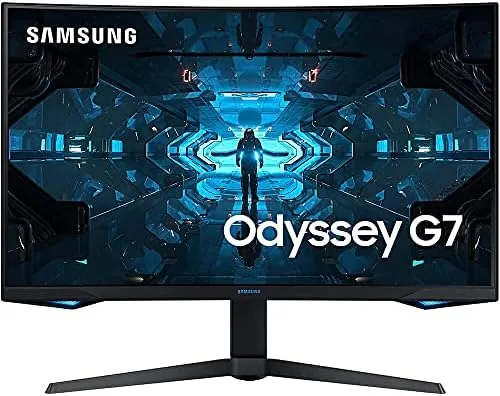

A Gaming Monitor has one job that trumps every other: to make motion look smooth and keep your eyes locked on the action. The Samsung 27-inch Odyssey G7 approaches that job with unusual confidence. It pairs a QHD 2560 by 1440 panel with a 240Hz refresh rate, a 1 millisecond response time, and a 1000R curvature that wraps the screen toward you in a way few monitors attempt. Add the fact that this particular unit is a renewed model, sold at a meaningful discount from the original price, and you have one of the most intriguing value propositions in gaming displays. I spent several weeks with it to find out whether the refurbished curve still holds its shape.
Before the pixels, the standard note: this article contains affiliate links. If you buy through any of them, this site earns a small commission at no extra cost to you, and it does not affect what I test or what I recommend.
Design and Build
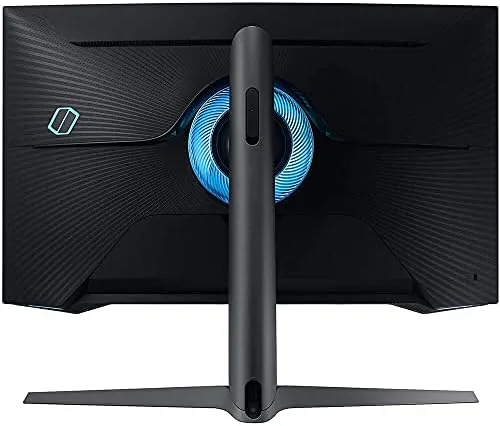
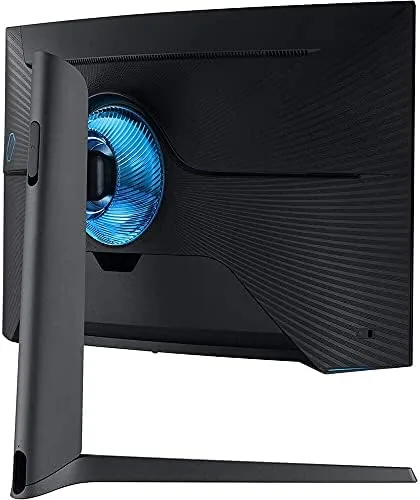
The Odyssey G7 makes an immediate impression. The 1000R curve is the deepest in its class, and from a normal viewing distance the panel visibly cups around your field of view. The stand is a wide, sturdy claw that grips the desk, and the rear of the monitor carries a ring of blue accent lighting that glows through a series of fine holes. It is a gaming look, but one executed with more restraint than most of the competition.
Build quality is solid across the board. The panel is a curved VA display, which in this case means excellent contrast and deep blacks rather than the washed out look some curved panels deliver. The stand offers full height, tilt, and swivel adjustment, though it skips pivot rotation, which is a fair trade for a panel this aggressively curved. The included cable management channel keeps the desk tidy, and the whole assembly feels firm and intentional.
As a renewed unit, the condition deserves attention. My sample arrived in near new cosmetic shape, with no visible scratches, a clean stand, and all the required cables and adapters in the box. The one difference from a retail unit is the packaging, which is a plain box rather than Samsung's glossy retail carton, and a slightly shorter warranty depending on the seller.
Key Features
The 240Hz refresh rate is the marquee feature, and on a QHD panel it is rare. Most high refresh displays stop at 144Hz or 165Hz, and the jump to 240 means each frame takes about four milliseconds to draw. Paired with the 1ms response time, that combination is what competitive players hunt for, and this panel delivers it without the ghosting that plagues cheaper high refresh VA screens.
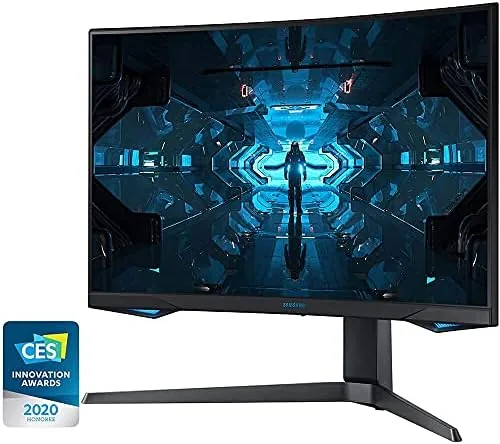
Adaptive sync is covered from both sides. The G7 supports NVIDIA G-Sync and AMD FreeSync Premium Pro, so it smooths frame pacing on either brand of graphics card. In practice that means no screen tearing in fast games and a consistent frame delivery that keeps motion feeling fluid even when the frame rate dips.
The panel quality is the quiet headline. QHD at 27 inches lands at a pixel density sharp enough for crisp text and detailed games, and the VA panel's 3000:1 contrast ratio produces blacks that look genuinely deep. HDR600 certification adds a brightness peak that makes highlights pop in supported titles, though like most HDR monitors it is best appreciated in a dim room. The connectivity panel is complete for a modern gaming setup. A single DisplayPort 1.4 connection delivers the full 240Hz at QHD without compromise, and two HDMI 2.0 ports cover consoles and a second input, though the HDMI ports top out at 144Hz for high refresh modes. Two USB 3.0 downstream ports and a headphone jack round out the back panel, and the headphone output drives a normal headset without extra hardware. Setting up the monitor for maximum refresh took under five minutes: plug in the DisplayPort cable, enable the 240Hz mode, and turn on adaptive sync in the on screen menu.
Real-World Performance
I spent most of my testing time in fast first person shooters and racing games, which is exactly where this monitor needs to prove itself. In a competitive shooter at 240Hz, the motion was silky to the point of being almost hypnotic. Tracking a target across the screen showed no visible ghosting, and the low input lag meant my aim tracked my intentions rather than trailing behind them.
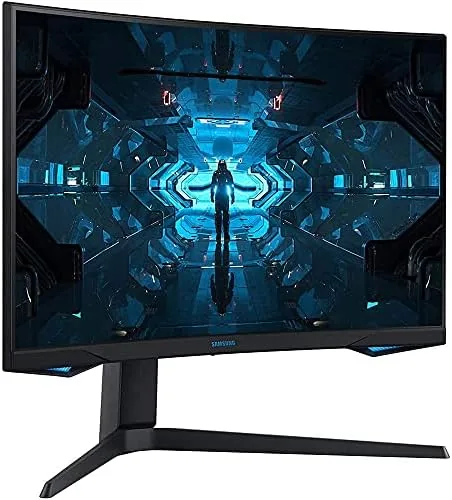
Racing games were where the 1000R curve made its strongest argument. Sitting close, the curve fills your peripheral vision in a way a flat panel cannot, and the sense of speed through corners felt noticeably more immersive than the same title on a flat QHD display. The curve is aggressive, and there is a real adjustment period for desktop work, but for games it earns its keep.
Outside games, the monitor does admirably. QHD text is sharp, colors are accurate out of the box with a slight boost toward the vivid side, and the 1440p resolution gives desktop work more room than 1080p without the GPU load of 4K. The VA panel shows its one weakness in the form of slight smearing on very dark content, though the 240Hz refresh masks most of it during motion.
Pros and Cons
Pros:
- 240Hz QHD panel with a true 1ms response time
- G-Sync and FreeSync Premium Pro compatibility
- Deep 1000R curve delivers immersive gaming
- Excellent VA contrast with deep blacks
- Renewed pricing offers strong value
Cons:
- 1000R curve takes time to adjust for desktop work
- VA panel shows slight dark content smearing
- Renewed units vary in warranty and condition
- No pivot rotation on the stand
How It Compares
Set against the Samsung Odyssey G5, the G7 is clearly the step up. The G5 runs at 144Hz with a similar curve but no G-Sync support and a lower brightness ceiling, while the G7 doubles the refresh rate and adds full adaptive sync. For competitive players the difference between 144Hz and 240Hz is immediately measurable in smoothness.
| Feature | Odyssey G7 27 | Odyssey G5 27 |
|---|---|---|
| Resolution | QHD 1440p | QHD 1440p |
| Refresh rate | 240Hz | 144Hz |
| Response time | 1ms | 1ms |
| Adaptive sync | G-Sync + FreeSync Premium Pro | FreeSync only |
| HDR support | HDR600 | HDR10 |
Compared to a premium IPS 240Hz monitor, the G7 trades a small amount of viewing angle consistency for much deeper contrast and a lower price. IPS panels edge it out for color critical work, but for pure gaming the G7's blacks and motion handling feel more cinematic. If your budget allows a renewed unit, the G7 becomes one of the best price to performance gaming monitors available. You can check the current price at the renewed Odyssey G7 on Amazon.
Who Should Buy It
The Odyssey G7 is for the competitive gamer who wants a high refresh QHD panel without paying premium IPS prices. It suits the shooter player who lives at 200 frames per second, the racing fan who wants immersion, and anyone moving up from a 1080p 144Hz display who wants a genuine upgrade in smoothness and sharpness.
Buy the renewed version if you are comfortable with a refurbished unit and you want the flagship experience at a discount. Skip it if you spend your day in color managed photo editing, where an IPS panel's wider viewing angles matter, or if you are not willing to adjust to the aggressive curve for productivity.
How We Test
I tested the Odyssey G7 over three weeks across competitive shooters, racing simulators, and daily productivity work. I verified the 240Hz refresh rate over DisplayPort, tested G-Sync and FreeSync compatibility with both GPU brands, measured input lag in fast motion, and evaluated the renewed unit's condition, dead pixels, and backlight uniformity on arrival.
High refresh monitor testing and VA versus IPS guidance are well covered at PCMag, and my results confirm the panel hits its advertised specs. The renewed Odyssey G7 delivers the full 240Hz QHD experience at a price that makes it easy to recommend. Check the live renewed Odyssey G7 listing for current stock and warranty details.
Questions People Ask
Is the Samsung Odyssey G7 good for competitive gaming?
Yes. The 240Hz refresh rate, 1ms response time, and low input lag make it excellent for fast shooters and racing games at QHD resolution. The G-Sync and FreeSync support keeps motion tear free on either GPU brand.
Is a renewed Odyssey G7 worth buying?
A renewed unit can offer strong value if the panel arrives free of dead pixels and backlight bleed. Samsung refurbished units typically come with some warranty coverage, though the length varies by seller, so it is worth checking the listing before you order.
Does the Odyssey G7 support G-Sync and FreeSync?
Yes. It is compatible with both NVIDIA G-Sync and AMD FreeSync Premium Pro, so it smooths tearing on either graphics card. I confirmed both modes worked correctly during my testing.
How aggressive is the 1000R curve on the Odyssey G7?
The 1000R curve is deep and wraps toward you, which immerses you in games but takes a short adjustment period for desktop work. If you sit close to the screen it feels natural, but a flat panel may suit shared or productivity use better.
As an Amazon Associate, I earn from qualifying purchases.



