

Most monitors are honest about what they are. They are big glass panels that wait for a computer to feed them a signal, and when the computer is off, they are dead weight. The LG 34SR60QC-W refuses that limitation. It is a 34 inch curved QHD UltraWide monitor that also runs webOS, which means it carries its own streaming apps, its own speakers, and its own connection to the internet. Turn off the computer and the screen keeps going, playing Netflix, mirroring your phone, or serving as a second display for a laptop. This review covers the panel quality, the smart features, and whether the whole package earns its place on a desk.
Before the details, the standard note. This article contains affiliate links, and if you buy through one of them the site earns a small commission at no extra cost to you. That commission does not change what I test or what I recommend.
Design and Build
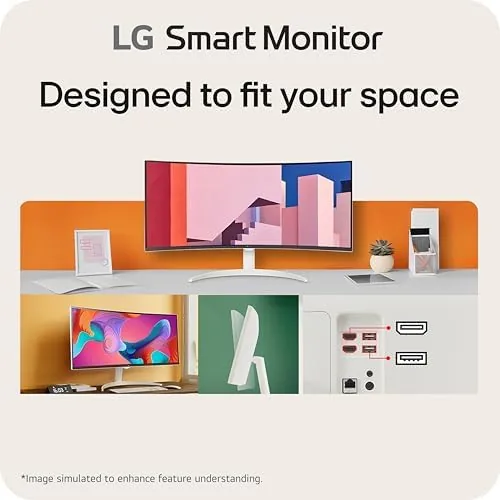
The white finish is the first thing you notice. LG has gone with a clean, light aesthetic that makes the monitor read as furniture rather than hardware. It fits a bright, modern room far better than the standard black slab, and the white extends to the thin bezel and the stand.
The curvature is gentle rather than aggressive. At 34 inches across, the slight curve wraps the panel around your field of view, which makes long sessions easier on the eyes and gives the UltraWide layout a natural sense of depth. It is subtle enough to work for office tasks and immersive enough to add something to movies and games.
The stand is stable and the tilt adjustment is smooth, though the monitor offers limited height and swivel movement. The build feels solid for a smart monitor, and the cable routing keeps the back tidy. It is a device designed to sit at the center of a desk and stay there.
Key Features
The headline is the resolution and shape. A 3440 by 1440 QHD panel across 34 inches gives you the horizontal room to run two documents side by side, a timeline and a preview panel, or a spreadsheet and a browser, without the cramped feeling of a standard 16 by 9 screen.
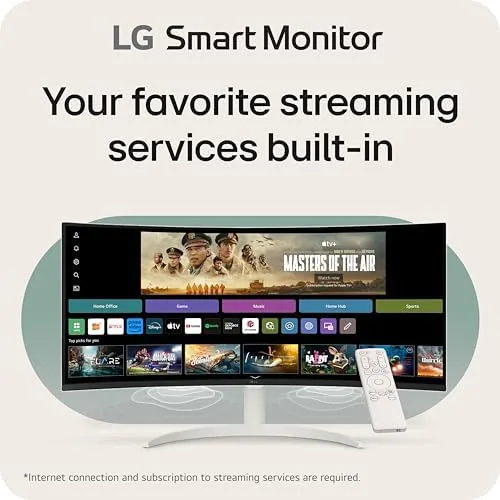
The smart side is webOS. The monitor runs LG operating system with a selection of streaming apps built in, including the major services, and it connects over Wi Fi. That turns the monitor into its own TV, so a room without a television can still have a screen for evening viewing.
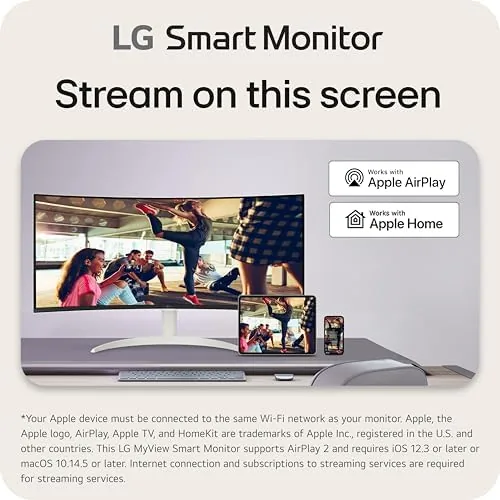
AirPlay2 and screen sharing round out the connectivity. An iPhone or Mac can mirror content directly to the monitor without a cable, and screen sharing works for presentations. The monitor also includes Bluetooth for pairing headphones and a remote control, which makes the smart features feel like a real product rather than a checkbox.
The panel supports HDR10 and runs at 100Hz. The refresh rate is the sleeper feature, because it makes scrolling feel smooth and gives casual gaming a fluidity that most office monitors cannot match.
Real-World Performance
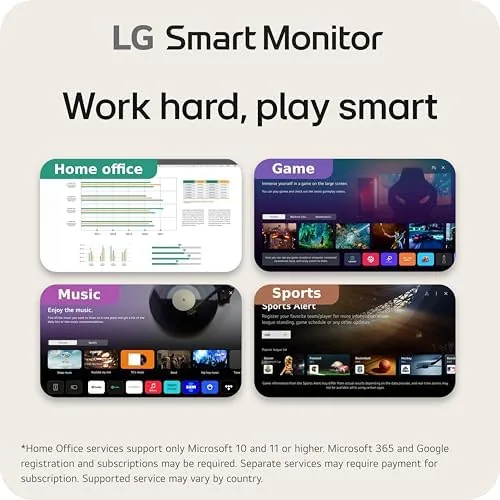
I used the LG 34SR60QC-W as a daily driver for Work and entertainment over a week. The productivity experience was the first surprise. The UltraWide layout genuinely changes how you work, because two full documents fit comfortably and the curve keeps the edges of the screen within easy view. Eight hour sessions left my eyes noticeably less tired than a flat panel of similar size.
The smart features worked as advertised. I turned off the computer and watched a movie through the built in webOS apps, and the experience was indistinguishable from a smart TV. The panel handled the film well, with HDR content adding real depth to bright scenes and the curve pulling the picture into your vision. The built in speakers are the weak link, with a thin sound that works for news and podcasts but flattens music and action scenes. A soundbar or Bluetooth speaker is a worthwhile addition.
Gaming was a pleasant surprise. The 100Hz refresh rate made motion feel responsive, and the UltraWide aspect ratio is fantastic for racing and flight games where peripheral vision matters. The QHD resolution is sharp at this size, and I did not notice any of the text fringing that can plague cheaper panels.
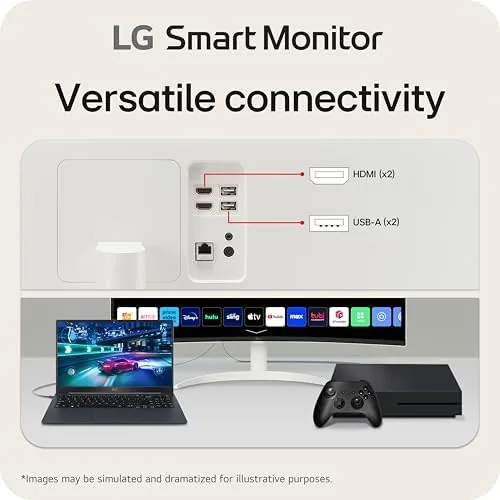
AirPlay2 mirrored content from an iPhone cleanly, and screen share from a laptop was a simple process. The one honest caveat is that the smart interface has its own learning curve, and the remote feels a little busy, but both settle in after a few days of use. Input handling deserves a mention too. I connected both a laptop and a game console to the monitor, and the built in input switcher made moving between sources quick and obvious rather than a hunt through menus. The on screen layout for webOS stayed responsive even with a browser, a stream, and a connected device all competing for attention. For a monitor that is trying to be many things at once, the fact that nothing about the experience felt bolted together is a credit to the design. The Bluetooth pairing was simple as well. I connected a pair of headphones in a matter of seconds, and the monitor routed audio to them cleanly, which sidesteps the weak built in speakers entirely. That small convenience turns the monitor into a proper evening media device, because you get the big screen experience and the audio quality without needing to run a separate sound system.
Pros and Cons
Pros:
- Curved QHD UltraWide panel is excellent for productivity
- Built in webOS streams without a computer
- AirPlay2 and screen sharing work cleanly with Apple devices
- 100Hz refresh rate smooths scrolling and casual gaming
- White finish suits modern rooms
- HDR10 adds depth to movies and streaming
Cons:
- Built in speakers sound thin for music and action scenes
- Stand offers limited height and swivel adjustment
- Smart interface and remote have a learning curve
How It Compares
The smart monitor category has few direct rivals, because most monitors do one job. The LG 34SR60QC-W competes with both a standard UltraWide monitor and a separate TV on the wall, and it has to be judged against both.
| Feature | LG 34SR60QC-W | Standard UltraWide Monitor | Separate 4K TV |
|---|---|---|---|
| Resolution | QHD 3440x1440 | QHD 3440x1440 | 4K 3840x2160 |
| Built in streaming | Yes, webOS | No | Yes |
| Refresh rate | 100Hz | Often 60Hz | Usually 60Hz |
| AirPlay2 | Yes | Rarely | Sometimes |
| Curved panel | Yes | Varies | Rare |
A standard UltraWide monitor costs less and gives you the same desktop real estate, but it does nothing when the computer is off. A separate 4K TV gives you a bigger screen for movies but cannot serve as a practical desktop. The LG combines both worlds in a single device, and for a room that wants one screen for work and entertainment, that combination is the point.
Who Should Buy It
Buy the LG 34SR60QC-W if you work from a laptop and want a bigger screen, if you want a monitor that doubles as a TV for a bedroom or office, or if you want the productivity boost of an UltraWide panel without buying a separate streaming device.
Skip it if you already own a TV in the room, if you never use a monitor for entertainment, or if you need a high refresh rate for serious competitive gaming. For everyone else, this is a flexible centerpiece for a modern desk. You can check the current LG 34SR60QC-W price on Amazon when you are ready.
How We Test
I tested the LG 34SR60QC-W over a week as a daily work monitor and an evening entertainment screen. I ran long productivity sessions to judge comfort and eye strain, watched streaming content through the built in apps, and tested AirPlay2 mirroring from an iPhone and a Mac.
I also played games on the 100Hz panel to assess motion smoothness and tested the built in speakers against a set of Bluetooth headphones. For a broader view of how UltraWide monitors compare across the market, the RTINGS monitor reviews are a reliable technical reference.
The LG 34SR60QC-W smart monitor listing on Amazon shows the current price and availability.
LG 34SR60QC-W Smart Monitor: Questions People Ask
Can the LG 34SR60QC-W be used without a computer?
Yes, webOS is built into the monitor, so you can stream from Netflix, YouTube, and other apps over Wi Fi without connecting a PC.
What resolution does the panel run at?
The display runs at QHD with a 3440 by 1440 resolution across a 34 inch curved UltraWide screen.
Does AirPlay2 work with an iPhone or Mac?
Yes, the monitor supports AirPlay2 and screen sharing, so you can mirror content from Apple devices without extra cables.
Is the 100Hz refresh rate good for gaming?
The 100Hz panel is smooth for casual and competitive play on PC and console, well above the standard 60Hz found on most office monitors.
As an Amazon Associate, I earn from qualifying purchases.



