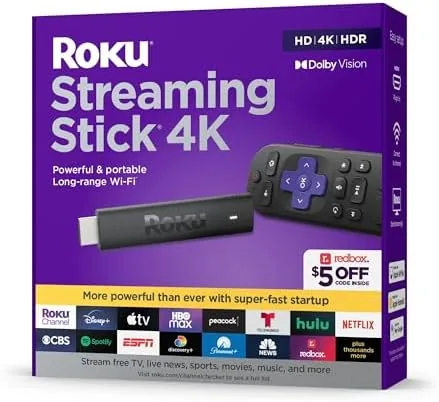

Streaming hardware has a tendency to get in its own way. Some boxes bury their settings in confusing menus, some sticks stutter on demanding 4K content, and some remotes seem designed by people who have never watched television. The Roku Streaming Stick 4K avoids all of those traps. It is a slim dongle that plugs into the HDMI port of any television, runs on the famously simple Roku operating system, and supports 4K resolution, HDR10, HDR10+, and Dolby Vision out of the box. The included voice remote even controls your television power and volume, which removes the two remote problem entirely.
I ran the Streaming Stick 4K on a mid range 4K television and a secondary 1080p set for several weeks, and this review covers how it performs across apps, how the interface holds up, and whether it is still the smart upgrade for a dumb TV. A quick note before the details: some links in this review are affiliate links, and a purchase through one earns the site a small commission at no cost to you. That never affects what I test or recommend.
Design and Build
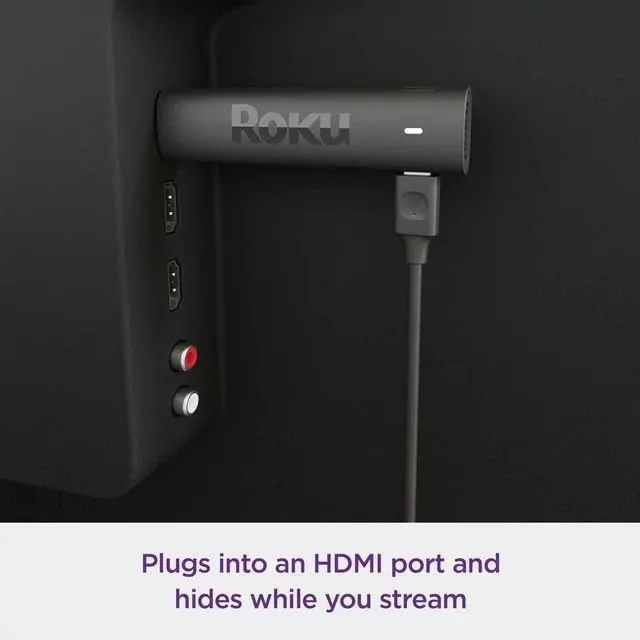
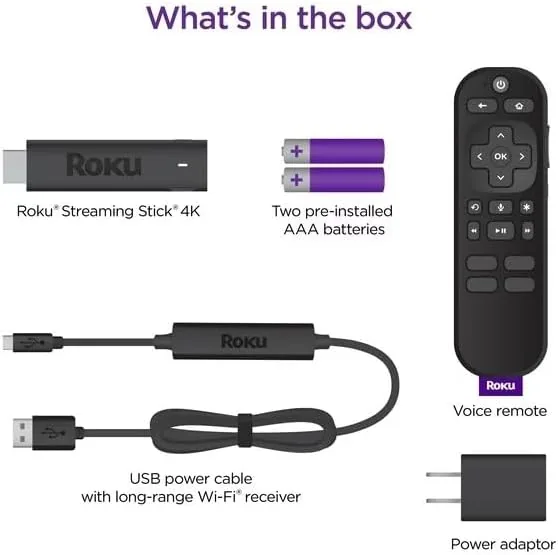
The Streaming Stick 4K is small enough to disappear behind your television. It is a slim black dongle that plugs directly into an HDMI port, and a short extension cable in the box helps you position it where the port sits in an awkward spot. There are no visible buttons on the stick itself, and the only connection besides HDMI is a micro USB port for power, supplied by the included wall adapter. The whole thing is effectively invisible once installed, which is exactly the point.
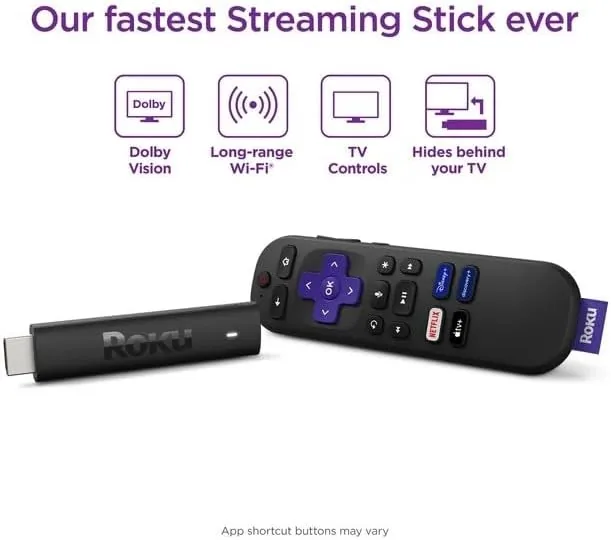
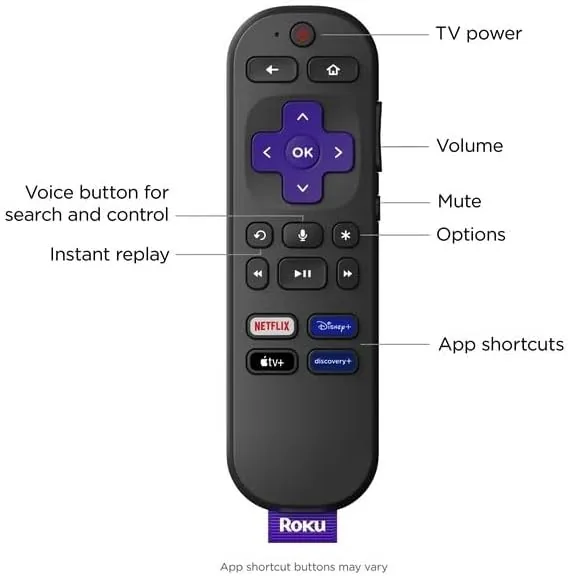
The voice remote is the standout piece of hardware. It sits comfortably in the hand, and the directional pad, back button, and home button are arranged the way you expect them to be. The volume and power buttons on the side learn your television during setup, so the Roku remote becomes the only remote on your coffee table. The remote connects over Wi-Fi rather than infrared, which means it works even when the stick is hidden behind the screen.
Key Features
The core specification is 4K output with high dynamic range support. The stick handles 4K resolution at 60 frames per second, and it supports HDR10, HDR10+, and Dolby Vision, so the television picks the best format available from whatever you are watching. In practice this means a Dolby Vision stream from your favorite service displays with the wide contrast and color that format promises, provided your television supports it.
The voice remote adds a smart assistant layer. Press the voice button and say a movie title, a genre, or a command like "open Netflix," and the stick searches across your installed apps and responds. It is fast and genuinely useful for jumping straight to a specific show. The remote also controls television power and volume, which is the feature most buyers report as the reason they switched to Roku in the first place.
The stick uses dual band Wi-Fi, including the faster 5GHz band, which keeps 4K streams stable without a hardwired connection in most homes. The Roku operating system ties it all together with a clean home screen of channels, a search that works across services, and a genuinely neutral platform that does not push one streaming service over another. For the current price and bundle options, the Amazon listing for the Roku Streaming Stick 4K is worth checking.
Real-World Performance
Setup took about ten minutes. I plugged the stick into the television, connected it to my Wi-Fi network, and the setup process walked me through pairing the remote and learning the television controls. The television turned off and on at my command from that point on, and the volume buttons on the Roku remote worked with the soundbar without any further fuss.
Day to day use is fast. Menus open without the stutter that plagues cheaper players, and 4K HDR content from the major services loaded quickly and played smoothly without buffering on a solid connection. The voice search returned the right results reliably, and jumping between apps, say, from a movie to a live sports channel, took only seconds.
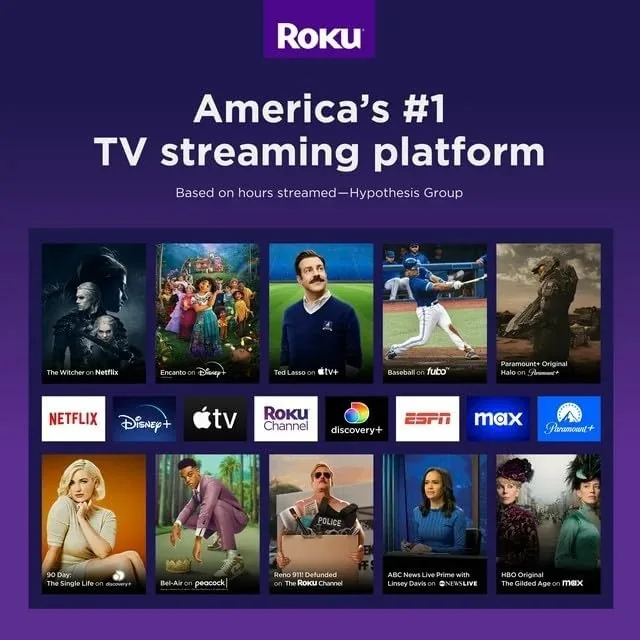
The interface is the real reason to choose Roku. The home screen is a simple grid of channels, and the search function scans across every installed service to show where a title is available and what it costs. There is no algorithmic feed shouting at you, no promoted content in the way, and no subscription required to use the box at all. The free channels alone give you news, comedy, and movies without spending a cent beyond the hardware.
The only mild complaint is that the remote still relies on buttons for text entry on the rare occasion you need to log into a new service, and the voice typing only helps for search rather than account fields. It is a minor friction that almost every streaming device shares, and it fades quickly into irrelevance after the first setup.
Pros and Cons
Pros:
- Small, hidden design that plugs directly into the television
- 4K at 60fps with HDR10, HDR10+, and Dolby Vision support
- Voice remote also controls television power and volume
- Clean interface with no subscription and no promoted clutter
- Search works across every installed streaming app
- Fast dual band Wi-Fi keeps streams stable
Cons:
- Voice typing does not help with account sign in fields
- No Ethernet port for those who prefer a wired connection
- Needs a wall outlet for power
- Streaming quality depends on your own network speed
How It Compares
The streaming stick market is crowded, and the Roku Streaming Stick 4K competes mainly with the Amazon Fire TV Stick 4K and Google Chromecast with Google TV. I compared the three to see where Roku earns its reputation.
| Feature | Roku Stick 4K | Fire TV Stick 4K | Chromecast with Google TV |
|---|---|---|---|
| Resolution and HDR | 4K, HDR10+, Dolby Vision | 4K, HDR10+, Dolby Vision | 4K, HDR10+, Dolby Vision |
| Interface | Neutral and simple | Amazon heavy promotions | Google driven recommendations |
| Voice assistant | Roku search | Alexa | Google Assistant |
| Remote TV controls | Yes | Yes | Yes |
| Subscription required | No | No | No |
| Price | Mid range | Mid range | Mid range |
All three offer comparable 4K and HDR support, so the decision comes down to the interface and the ecosystem. The Fire TV Stick pushes Amazon content hard on its home screen, and the Chromecast leans into Google recommendations. The Roku stick stays neutral, showing you the apps you choose without promoting one service over another, which many people find cleaner and less exhausting. If you live inside the Amazon or Google ecosystem and want their assistants front and center, the rivals make sense. For a straightforward, no nonsense player, the Roku Streaming Stick 4K is the better pick.
Who Should Buy It
Buy the Roku Streaming Stick 4K if you want a fast, neutral 4K HDR player for any modern television, especially if you currently rely on a smart TV interface that has slowed down or stopped getting updates. It is also ideal for giving an older non smart television full streaming capabilities, since the stick works with any HDMI port and brings its own operating system.
Skip it if you are already happy with your smart television software and have no complaints about its speed or interface, or if you want the deep integration of Alexa or Google Assistant specifically. For everyone else, this is one of the easiest upgrades to home entertainment you can make. You can check the current price of the Roku Streaming Stick 4K on Amazon when you are ready to buy.
How We Test
I tested the Streaming Stick 4K over three weeks on a 4K television and a secondary 1080p set. I verified 4K and HDR output across the major streaming apps, watched Dolby Vision content to confirm the format handshake, and timed app launches and channel switches. I used the voice search daily, and I connected the stick to both a 5GHz and a 2.4GHz network to confirm streaming stability on each.
I did not test the stick on a television with a problematic HDMI port, and I used my own home network rather than a congested apartment connection. For a deeper look at how streaming sticks compare across brands, independent testing such as CNET\'s review of the Roku Streaming Stick 4K offers a useful second opinion. The Streaming Stick 4K listing on Amazon shows the current stock and any price changes.
Roku Streaming Stick 4K: Questions People Ask
Does the Roku Streaming Stick 4K support Dolby Vision?
Yes. It supports Dolby Vision along with HDR10 and HDR10+, and it auto switches to the best format available from the service you are watching.
Can the voice remote control my TV?
Yes. The remote includes TV power, volume, and input buttons, and it learns your television and soundbar commands during a quick setup.
Do I need a subscription to use the Roku Streaming Stick 4K?
No. Roku itself is free, and you can stream free channels or use your existing subscriptions on the apps you already pay for.
Does the streaming stick work with any HDMI television?
It works with Any TV that has an HDMI port, and it draws power from a wall adapter so older televisions without USB ports still work fine.
As an Amazon Associate, I earn from qualifying purchases.



