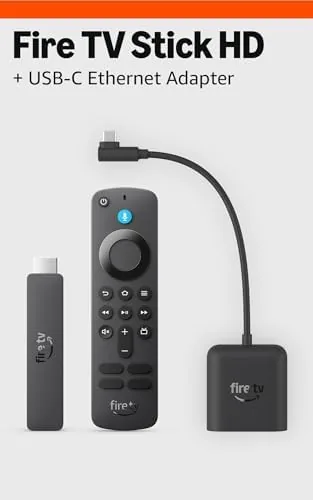

The newest Fire TV Stick HD is Amazon entry-level streamer, and it arrived on my desk this time inside a bundle that includes a right angle USB-C ethernet adapter. That small adapter changes the character of the whole device. My living room sits on the far edge of my home network, and wireless streaming there has always been a roulette game: sharp at ten in the evening, stuttering at peak hours when the whole household is online. The ethernet adapter sidesteps that entirely, which is why I spent two weeks testing the pair together rather than reviewing the stick in isolation.
Before the details, the standard disclosure. This article contains affiliate links, and purchases made through them help support the site at no extra cost to you. That commission never changes what I test or what I recommend, and it does not affect the verdict below.
Design and Build
The Fire TV Stick HD keeps the familiar streamlined shape: a compact stick that plugs straight into an HDMI port and hides behind the television. The newest model refines the finish with a soft matte black casing that feels sturdier than earlier plastic bodies, and the Alexa Voice Remote ships in the box with dedicated buttons for power, volume, and mute, which is still unusual at this price point. Setup took me under five minutes, and the bundled USB power cable is long enough to reach a clean outlet on my entertainment stand without an extension cord.
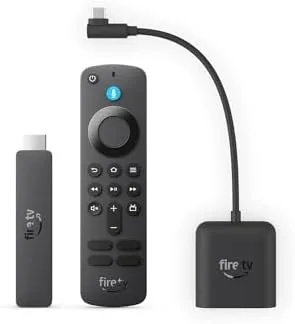
The right angle adapter is the more interesting piece of the bundle. It plugs into the stick USB power port, and the power cable feeds into the adapter while a slim ethernet cable runs to your router. The right angle orientation matters far more than it sounds: the cable exits sideways rather than straight down, which lets the whole arrangement sit flat against a wall-mounted television or inside a shallow entertainment center. That one detail turns a fumbling cable mess into a clean installation, and it is the real reason this bundle makes sense as a package rather than as two separate purchases.
Key Features
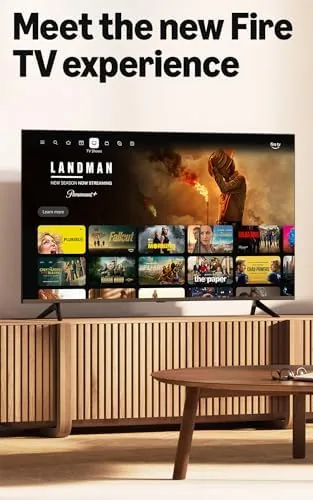
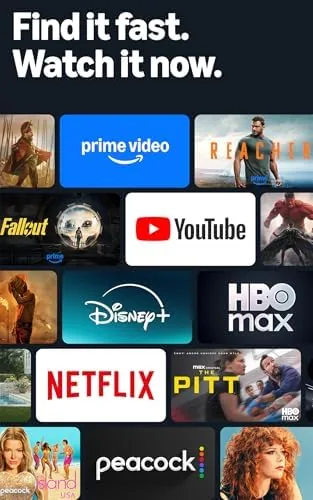
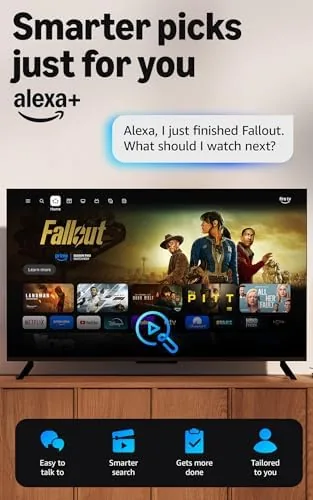
Under the hood, the Fire TV Stick HD outputs full HD 1080p and adds HDR10 support, which newer budget televisions use to brighten highlights and deepen shadows in compatible content. It runs Fire OS with the updated home screen that groups apps and live channels into a single scroll, and it covers the full range of major services: Netflix, Prime Video, Disney Plus, Max, Peacock, YouTube, and plenty more, with 4K apps quietly downscaling to the stick 1080p ceiling. Voice search through the remote built-in microphone handles the tiresome job of typing titles with decent accuracy, and it reaches live TV and free ad-supported channels as well.
The ethernet adapter brings wired networking into the picture, and it is the headline feature of this particular bundle. That may sound like overkill for 1080p, but the benefit is not raw speed, it is consistency. Wired ethernet removes the packet loss and channel congestion that make wireless streams buffer, and it gives the stick a permanent, predictable connection that never depends on where you place the router or how many neighbors share the band. The bundled adapter also passes power through cleanly, so the stick keeps running at full performance with no separate power supply to juggle behind the television.
Real-World Performance
I tested the bundle on a midrange 55-inch television in a room that sits roughly forty feet and two walls from the router. Before the adapter, that television was the worst streamer in the house: apps took ten seconds to open, and 1080p streams routinely collapsed into a blurry buffer loop. After plugging in the ethernet adapter, the difference was immediate. App launches dropped to two or three seconds, and a full evening of 1080p playback across Prime Video, Netflix, and YouTube finished without a single stall. The wired link held its own during peak evening hours, the exact window when wireless devices in the same room began to struggle.
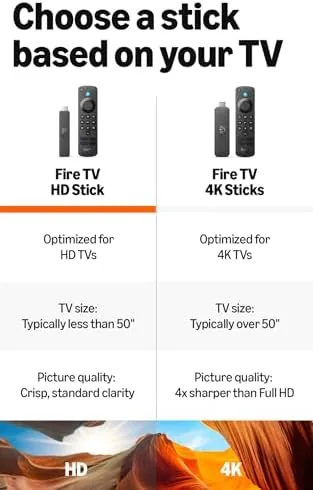
Streaming quality itself is exactly what the spec sheet promises. The 1080p image is crisp and stable, HDR content displays with genuinely better contrast than the non-HDR apps on the same panel, and the stick handled fast-moving sports and action without dropped frames. The Alexa Voice Remote performed reliably throughout, waking instantly from sleep and navigating the home screen with no perceptible lag. The one honest limitation is the hardware ceiling: this is a 1080p device, so a 4K television will not receive its full resolution, and heavy multitaskers may notice a slower feel in dense menus than they would on the pricier Fire TV Stick 4K Max.
Pros and Cons
Pros:
- Wired ethernet eliminates the wireless buffering that plagues distant rooms
- Right angle adapter installs flat against wall-mounted televisions
- Full HD 1080p with HDR10 support at a budget price
- Alexa Voice Remote with television power and volume controls included
- Fast app launches and stable playback over long sessions
Cons:
- Output is 1080p only, so 4K television owners lose resolution
- The adapter adds an ethernet cable run to the router
- Menu navigation feels slower than the more expensive Fire TV models
How It Compares
Streaming Sticks split between Amazon Fire TV, Google TV, and Roku hardware, and the wired upgrade changes how the comparison plays out. I put the Fire TV Stick HD bundle against the Fire TV Stick 4K Max and the Roku Express 4K Plus to see where each one lands for a typical living room.
| Feature | Fire TV Stick HD Bundle | Fire TV Stick 4K Max | Roku Express 4K Plus |
|---|---|---|---|
| Output resolution | 1080p with HDR10 | 4K with Dolby Vision | 4K with HDR10+ |
| Networking | Wired ethernet adapter included | Wi-Fi only | Wi-Fi only |
| Remote | Alexa voice with TV controls | Alexa voice with TV controls | Voice remote, no TV controls |
| Voice assistant | Alexa | Alexa | None built in |
| Price | Budget | Mid range | Budget |
| Best for | Weak Wi-Fi living rooms | 4K televisions | Simple interface fans |
Against the 4K Max, the HD bundle loses on resolution but wins where network reliability matters most, because no amount of wireless hardware fixes a congested band. Against the Roku, the Fire TV bundle adds the ethernet link and Alexa controls that the Roku cannot match, while the Roku counters with a simpler, calmer interface. For a household with an older 1080p set and a stubborn Wi-Fi signal, this bundle is the strongest option of the three. If your television is 4K and your router sits in the same room, the 4K Max is the better buy. You can compare the current Fire TV Stick HD bundle price on Amazon before you decide.
Who Should Buy It
Buy this bundle if your television lives far from the router, if your family complains about apps that freeze mid-scene, or if you want a dependable second streamer for a bedroom or a basement den. The wired connection is the quiet hero here: once it is set up, you stop thinking about your network entirely, which is exactly the experience a streamer should deliver. It is also a sensible pick for a guest room or a rental, where you cannot move the router and you need the streaming to just work.
Skip it if you own a 4K television and want Dolby Vision, because the 4K Max earns its extra cost there, or if your router already sits beside your television and your Wi-Fi has never dropped a frame. For everyone else, this is one of the most reliable budget streaming setups you can assemble, and the adapter makes installation genuinely painless on a wall-mounted set. The Fire TV Stick HD with ethernet adapter listing on Amazon shows the current bundle price and shipping details.
How We Test
I ran the bundle for two weeks on a 55-inch television at the far end of a busy home network, and I compared it against the same stick on Wi-Fi before installing the adapter. I logged app launch times, streamed during peak evening hours, and left a long playlist running overnight to expose any buffering or disconnects. I also installed the stick on a wall-mounted set to confirm the right angle adapter truly sits flat.
I did not test it for 4K playback, because this hardware does not support it, and I did not test it in a commercial setting with dozens of streams. Independent guidance such as Wirecutter coverage of media streamers is a useful reference for how these devices compare across the price range.
Amazon Fire TV Stick HD Bundle: Questions People Ask
What is a right angle USB-C ethernet adapter for?
It adds a wired network connection to the Fire TV Stick HD through its USB power port. The right angle plug keeps the cable flat against the wall, so the stick installs cleanly behind a television, and the wired link delivers steadier streaming than Wi-Fi.
Does the Fire TV Stick HD support 4K video?
No. This model outputs full HD 1080p with HDR10. If your television is 4K, you want the Fire TV Stick 4K Max instead, which keeps the same ecosystem with 4K resolution.
Can I use the ethernet adapter with other devices?
The adapter works with any USB-C powered Fire TV stick or comparable device that accepts a wired USB ethernet adapter, so it transfers to future hardware in the same family.
Do I still need Wi-Fi when using the ethernet adapter?
No. Once the ethernet cable is connected, the stick uses the wired link for all network traffic, and you can disable Wi-Fi on the device if you prefer.
As an Amazon Associate, I earn from qualifying purchases.



