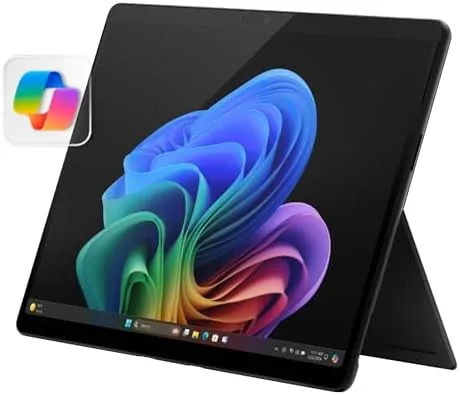

The Amazon Exclusive Surface Pro is a configuration that answers a specific question: what happens when you take the best display Microsoft makes and the fastest Snapdragon silicon available, and package them into the tablet form factor? This review records weeks spent with the 13-Inch OLED touchscreen model in black, and the honest verdict is that the picture quality is the star, the Snapdragon X Elite processor gives the machine serious muscle, and the only real compromise is the 256GB of storage. For the right buyer, that trade is an easy one to make.
Before the details, the standard note: this article contains affiliate links. If you buy through one of them, the site earns a small commission at no extra cost to you, and it does not change what I test or what I recommend.
Design and Build
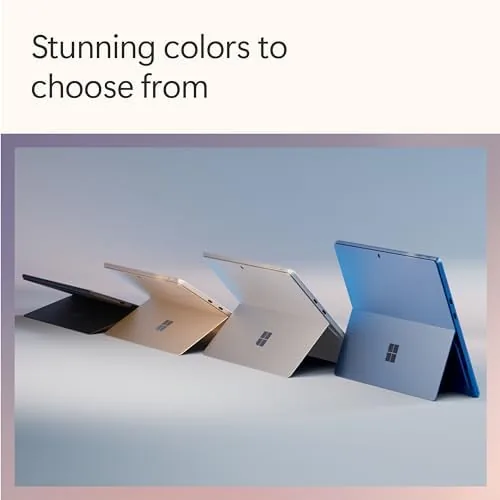
The Surface Pro chassis is a study in restraint that has not aged a day. The black finish of this Amazon Exclusive model is a matte, professional black with no gloss to fingerprint, and the magnesium body is light enough to hold in one hand for extended reading. The kickstand opens to nearly any angle, and the whole device feels engineered rather than assembled.
The 13-inch OLED display is the reason this configuration exists. True blacks, vivid color, and a 3:2 aspect ratio make it ideal for video, photography, and documents alike. In a dark room the difference between this panel and the LCD version is immediately obvious, and the OLED adds a richness that transforms the viewing experience.
Build quality is exceptional throughout. The hinge feels precise, the screen glass is flush with the body, and the fanless design means there are no vents to clog or fans to hear. Paired with the optional keyboard and Slim Pen, the device transforms cleanly from tablet to laptop to notepad without ever feeling compromised.
Key Features
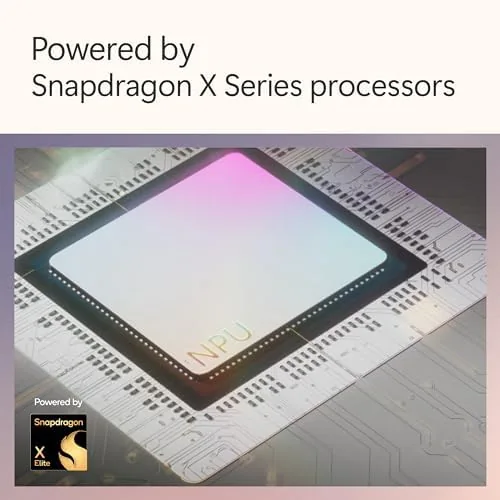
The headline feature is the combination of the OLED display and the Snapdragon X Elite processor with 12 cores. The X Elite is the flagship of the Snapdragon X lineup, and in this tablet it delivers the kind of performance that used to require a chunky laptop. The 16GB of RAM keeps multitasking smooth, and the machine handles demanding workloads without the fans that would normally announce themselves.
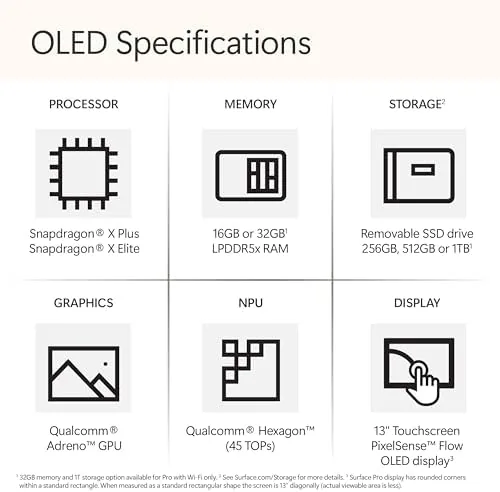
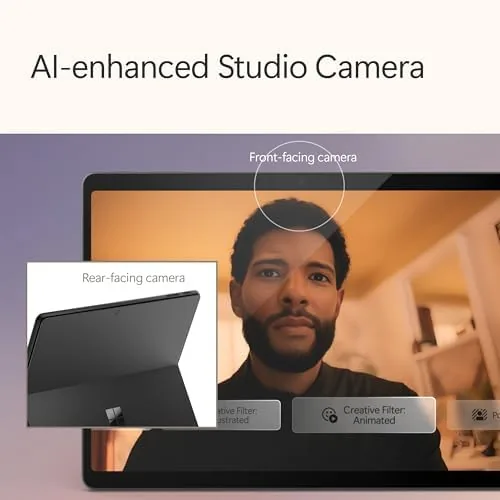
As a Copilot+ PC, the Surface Pro includes a neural processing unit for local AI features. Windows Studio Effects keep you looking composed in video calls, and the NPU handles these tasks privately on the device. The machine is also ready for the wider set of Copilot features that Microsoft continues to ship.
The storage situation is the honest compromise. This Amazon Exclusive configures 256GB, which is modest for a 1TB generation of media and software. For someone who streams content and keeps documents in the cloud, 256GB is workable; for someone who edits video or stores a large local library, it will fill quickly, and that is the trade to weigh before buying.
Real-World Performance
In daily use, the OLED Surface Pro is a joy. Video looks genuinely cinematic, with the black bars in movies blending into the dark bezel in a way an LCD cannot match. Photography looks vivid and accurate, and long reading sessions are easy on the eyes. The display alone justifies the premium for anyone who spends their day looking at screens.
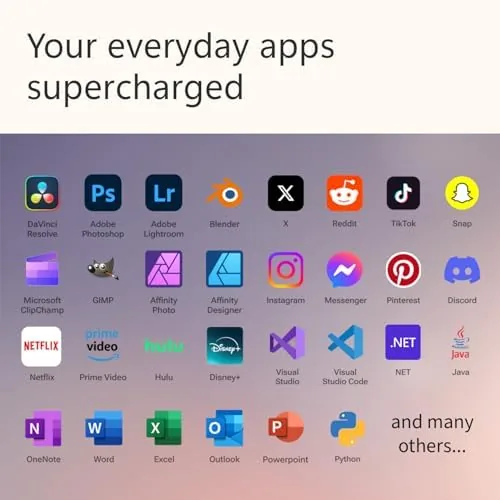
Performance with the Snapdragon X Elite is excellent. Browsers with many tabs, large documents, spreadsheets, and video calls all ran smoothly, and the fanless chassis stayed cool and silent throughout. The 12 core processor handles the everyday load with ease and leaves headroom for heavier tasks such as light photo editing.
Software compatibility follows the ARM story. Native apps such as the Office suite run superbly, and Windows on ARM translates most x86 programs well for everyday use. As always, niche professional plug-ins are worth verifying in advance, but for the typical workload of a professional or student, the machine runs everything they actually use.
Battery life is good, if not the headline. The OLED panel sips power when showing dark content, and the efficient Snapdragon silicon keeps overall consumption low. In my mixed testing the device comfortably lasted a full work day, which is exactly what a portable machine of this ambition needs.
Another detail worth praising is how quiet and composed the device stays under pressure. There is no fan to spin up, no warm spot that develops on the back, and no stutter when the screen switches between content types. For a machine that lives on desks and laps and train tables, that kind of steady behavior is part of the value, and it makes the premium configuration feel effortless rather than demanding.
Pros and Cons
Pros:
- Gorgeous OLED display with true blacks and vivid color
- Flagship Snapdragon X Elite performance
- Silent, cool fanless design
- Full Windows 11 in a light tablet form factor
- Excellent build quality in the matte black finish
Cons:
- 256GB of storage is modest for the configuration
- Keyboard and pen are sold separately
- Some x86 software relies on translation
- Premium price for the exclusive configuration
How It Compares
The direct comparison is between this OLED model and the standard LCD Surface Pro of the same generation. The OLED panel is the clear winner for media and for any work involving high contrast imagery, while the LCD version offers more storage for the same class of machine. The X Elite processor here is also a step above the X Plus found in some configurations, so this exclusive packs the faster silicon.
| Feature | Surface Pro OLED Exclusive | Surface Pro LCD Model |
|---|---|---|
| Display | 13-inch OLED | 13-inch LCD |
| Processor | Snapdragon X Elite 12 core | Snapdragon X Plus 10 core |
| Storage | 256GB | Up to 1TB depending on config |
| RAM | 16GB | 16GB typical |
| Picture quality | Superior contrast and color | Bright and accurate but not OLED |
Against an iPad Pro, the Surface wins again on software, because it runs full Windows 11 and every desktop application rather than a tablet operating system. Against a traditional laptop, the Surface gives up a little stability in exchange for tablet versatility. For media lovers who want a Windows tablet, this exclusive configuration is the best picture you can get.
Who Should Buy the OLED Surface Pro
Buy it if you watch a lot of video, edit or view photography, and want the best possible display in a Windows tablet, and if you manage your storage in the cloud rather than locally. The combination of the OLED panel and the Snapdragon X Elite makes this the most enjoyable Surface Pro to use for content of any kind.
Skip it if you need a large local library of media and software, because 256GB will feel tight, or if you prefer a traditional laptop with a fixed keyboard. If the OLED display and flagship processor fit your needs, you can check the Surface Pro OLED on Amazon when you are ready.
How We Test
I used the OLED Surface Pro as my primary device for several weeks, alternating between desk work in laptop mode and handheld use in tablet mode. I evaluated the OLED display against the LCD version and against reference content, tracked battery life across typical days, and ran a daily workload to judge performance.
I compared the machine against the standard Surface Pro configuration to make the storage and processor tradeoffs concrete. Independent reviews such as CNET Surface Pro coverage are worth reading as a second opinion.
When you are ready to decide, the Surface Pro OLED listing on Amazon shows the current price and the details of this exclusive configuration.
Surface Pro OLED: Questions People Ask
What is different about the Amazon Exclusive Surface Pro?
This configuration pairs the OLED 13-inch display with the Snapdragon X Elite processor in a black finish at a specific price and storage point.
Is the OLED display worth it?
If you watch media or work with high contrast imagery, yes. The OLED panel delivers true blacks, vivid color, and a noticeably richer picture than the LCD version.
How much storage does this model have?
It ships with 256GB of storage, which is the main tradeoff against the higher capacity configurations of the Surface Pro.
Does it include the keyboard and pen?
No. The listing covers the tablet itself; the Surface Pro Keyboard and Slim Pen are sold separately.
As an Amazon Associate, I earn from qualifying purchases.