

The idea of a single device that replaces both a reading library and a paper notebook has been around for years, but it has rarely been executed this well. The Kindle Scribe Colorsoft takes the large format Scribe and adds a color layer to the paper-like display, and the result is the most complete answer yet to the question of whether a digital notebook can truly stand in for paper. This review is the record of a month with the 64GB model, writing notes, reading books, and marking up documents.
Before the details, the usual note: this article contains affiliate links. If you buy through one of them, the site earns a small commission at no extra cost to you, and it never changes what I test or what I write.
Design and Build
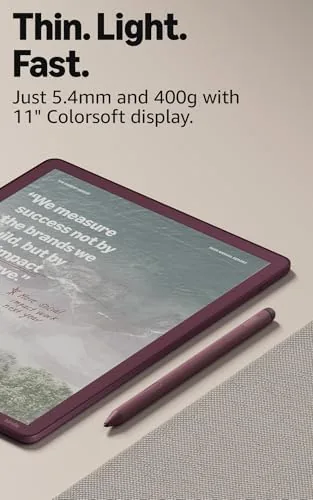
Hold the Kindle Scribe Colorsoft and the first impression is how much it resembles its predecessor, which is not a complaint. The 11 inch display dominates the front, wrapped in a slim graphite frame, and the flat, even surface gives the whole device a refined, deliberate feel. The metal back panel is cool to the touch and resists fingerprints far better than the matte plastic found on cheaper tablets.
At 11 inches the Scribe is larger than a regular Kindle, and it is noticeably heavier, but the weight is distributed well and reading with two hands or propping it in a stand feels natural. The page turn buttons that appeared on the previous Scribe generation have carried over, and they make one handed reading genuinely pleasant. The stylus snaps magnetically to the side of the frame, where it charges, and it stayed attached through a month of commuting and reading sessions.
The front light is the quiet hero of the design. It is warm and even across the entire display, and it makes the device usable in a pitch dark bedroom without the harsh glare of a phone screen. This matters more than most reviewers admit, because the Scribe Colorsoft is the kind of device you reach for at the end of the day.
Key Features
The headline feature is the color display, and it is worth examining closely. The screen is built on the same paper-like e-ink technology as the regular Scribe, but it adds a color filter that renders covers, charts, maps, and highlighted text in soft, muted tones. This is not the vivid color of an LCD tablet, and anyone expecting that will be disappointed; what it delivers instead is a convincing simulation of a color magazine or a printed textbook.
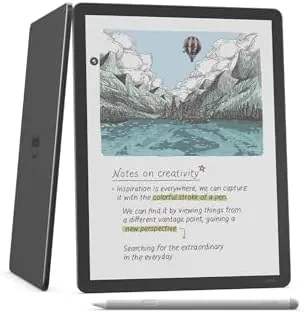
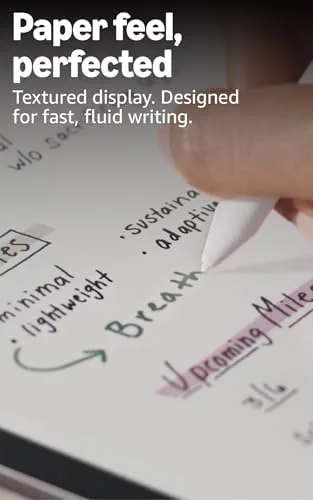
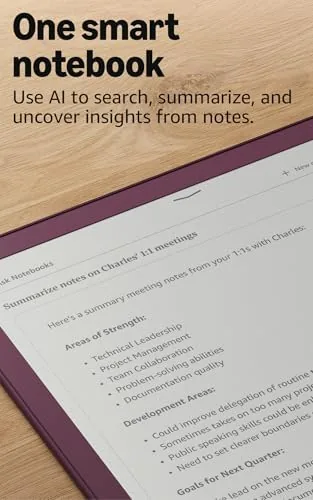
Writing is the other pillar. The included pen writes directly on the display in a set of notebooks with a surprising range of tools: a ballpoint feel, a fine liner, a highlighter, a lasso for selecting strokes, and a ruler for drawing straight lines. The writing latency is low, and the friction of the nib on the glass is tuned so that notes feel closer to paper than almost any other device I have used.
Under the hood is 64GB of storage, which is the generous configuration. That holds thousands of books and years of handwritten notebooks, and it is one of the reasons this model is aimed at serious readers who also take notes. There is also Wi-Fi for syncing notebooks to the cloud, so notes taken on the Scribe appear on your phone and computer almost instantly.
Real-World Performance
Reading was the daily task, and it was where the Scribe Colorsoft never put a foot wrong. Text renders with the sharpness you expect from e-ink, and the 11 inch panel is large enough that you can increase the font size to a comfortable level and still fit a full page. I read for about ninety minutes each evening, and the battery meter barely moved over a week of that routine.
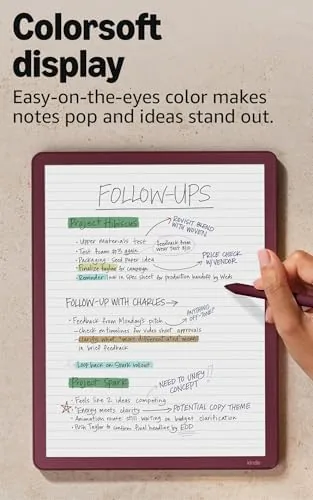
Note taking was the surprise. I used the Scribe Colorsoft for a design course, and the ability to keep a single Notebook for Reading notes, sketching ideas, and listing action items genuinely replaced the stack of paper pads I used to carry. The lasso tool makes it easy to move a misaligned sketch, and the ruler removes the need for a physical straight edge. Colored highlights in books also made review days easier, because the important passages were immediately visible when I flipped back through the material.
The battery is the other standout. Amazon advertises weeks of use, and that held up: after a month that included heavy writing days, I charged it about four times. That is a fundamentally different relationship with a device than the nightly charging a tablet demands.
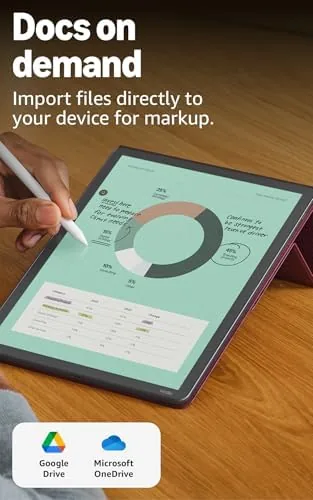
There are limits, and honesty requires listing them. The display refreshes with a faint flicker when the color layer engages, which is inherent to the technology. More importantly, writing in the margins of purchased books still feels like a work in progress compared to writing in notebooks, and PDFs with dense layouts can be slow to render. None of these broke the device for me, but they are worth knowing before you buy.
Pros and Cons
Pros:
- Sharp 11 inch paper-like display with genuinely useful color
- Best in class writing feel with the included pen
- Battery life measured in weeks, not hours
- Warm front light that is excellent in the dark
- Page turn buttons that make one handed reading easy
Cons:
- High price compared to the standard Scribe
- Margin writing on books still feels unfinished
- Color is muted, not the vivid tones of a tablet
- Slow rendering of dense PDF layouts
How It Compares
The natural rival is the standard Kindle Scribe, and the choice comes down to color and price. If your reading is mostly novels and your notes are text only, the standard Scribe saves money without sacrificing much. The Colorsoft earns its premium for anyone who reads illustrated books, takes notes with color, or reviews textbooks and documents where highlights matter.
| Feature | Kindle Scribe Colorsoft | Standard Kindle Scribe |
|---|---|---|
| Display | 11" paper-like color | 10.2" black and white |
| Storage | 64GB | 16GB or 32GB |
| Front light | Yes, warm and adjustable | Yes |
| Pen included | Yes | Yes |
| Price | Premium | Lower |
Against a full tablet like an iPad, the Scribe loses every spec sheet battle and still wins the important ones. It has no app store distractions, no notifications, and no glare, and it lasts a month where a tablet lasts a day. If the goal is focused reading and writing, the Scribe is the more honest tool.
Who Should Buy It
The Kindle Scribe Colorsoft is for the reader who also writes. If you study textbooks and want colored highlights, if you read illustrated books and magazines, or if you have been trying to leave paper notebooks behind, this device will likely change how you work. Students and professionals who review documents daily will get the most from the combination of reading and writing on one screen.
Skip it if you read only black and white novels and never take notes, because the standard Scribe does that for less money. Skip it too if you expect vivid tablet color or if your daily work involves heavy PDF editing. If you are ready, you can check the current Kindle Scribe Colorsoft price and configuration on Amazon.
How We Test
I used the Kindle Scribe Colorsoft as my main reading device and note taking tool for a month. I read two books, took notes for a design course, marked up a long PDF manual, and used it every evening for a week to judge battery life in a realistic routine.
I compared it with the standard Kindle Scribe and a paper notebook, which is the honest yardstick for a device whose whole purpose is to replace paper. I did not test it as a full tablet, because that is not what it is, so treat app comparisons with care. For a second opinion on the technology, The Verge has covered the Scribe line extensively.
The Kindle Scribe Colorsoft listing on Amazon has the latest price and stock levels.
Kindle Scribe Colorsoft: Questions People Ask
Is the Kindle Scribe Colorsoft good for reading books?
Yes. The 11 inch paper-like display is sharp in black and white, the front light works well in dim rooms, and the color layer adds useful highlights for covers and images. It is a pleasure to read on for long sessions.
Can you write on the Kindle Scribe Colorsoft with the included pen?
You can. The included pen writes directly in notebooks, on documents, and in the margins of books, and the writing feel is close to pen on paper. Colored highlighter tools make review work faster.
How long does the Kindle Scribe Colorsoft battery last?
It lasts for weeks of reading and a few days of active writing use, which covers most trips and study sessions without the charger. In my month of mixed use I charged it about four times.
Is 64GB of storage enough on the Kindle Scribe Colorsoft?
For most users yes. 64GB holds thousands of books plus years of handwritten notebooks, though heavy PDF libraries will fill it faster, so cloud syncing is still worth using.
As an Amazon Associate, I earn from qualifying purchases.



