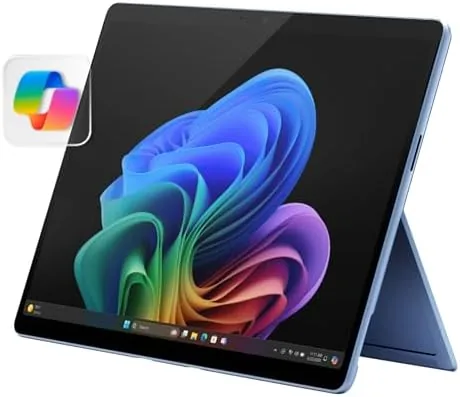

The 2-in-1 has always been a promise that depends entirely on the hardware behind it. The Microsoft Surface Pro 2024 with the Snapdragon X Plus processor is the strongest version of that promise yet, and this review is the record of weeks spent with the 13-inch touchscreen model in the Sapphire finish. The honest verdict is that this is the tablet that finally ends the argument over whether a Surface can replace a laptop: for the vast majority of everyday work, it can, and it does so quietly, coolly, and all day long.
Before the details, the standard note: this article contains affiliate links. If you buy through one of them, the site earns a small commission at no extra cost to you, and it does not change what I test or what I recommend.
Design and Build
The Surface Pro 2024 is a tablet first and a laptop by arrangement. The magnesium chassis is light, thin, and rigid, with the familiar kickstand on the back that opens to any angle from a gentle recline to a near standing position. The Sapphire finish is a calm, professional blue that looks better in person than in the product photos.
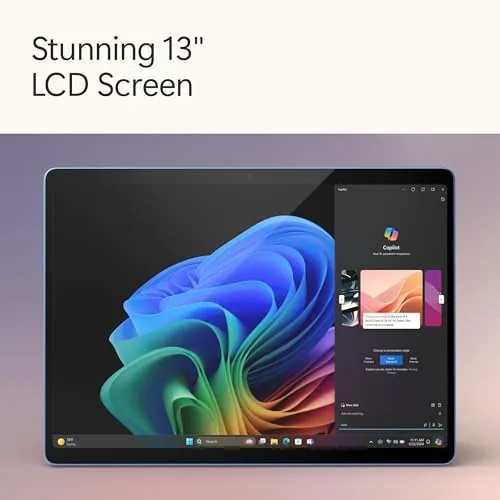
The 13-inch touchscreen is a highlight. The panel is bright and color accurate, the 3:2 aspect ratio suits both documents and video, and the touch layer is smooth and responsive. Held in the hand, the device feels like a proper tablet; set on the kickstand with the keyboard attached, it feels like a proper laptop, and the transition between those two states is the whole point.
Build quality is typical Surface: excellent. There is no creaking, no flex, and the magnetic hinge that holds the keyboard is strong and precise. The device is fanless in the Snapdragon X Plus configuration, so there are no vents, no fan noise, and no moving parts to fail, which suits the tablet form factor perfectly.
Key Features
The defining feature is the Snapdragon X Plus processor with 10 cores. It delivers responsive everyday performance with the efficiency that ARM silicon is known for, and it does so without a fan, which makes the Surface Pro genuinely silent in use. The 16GB of RAM and 512GB of SSD storage round out a configuration ready for serious work.
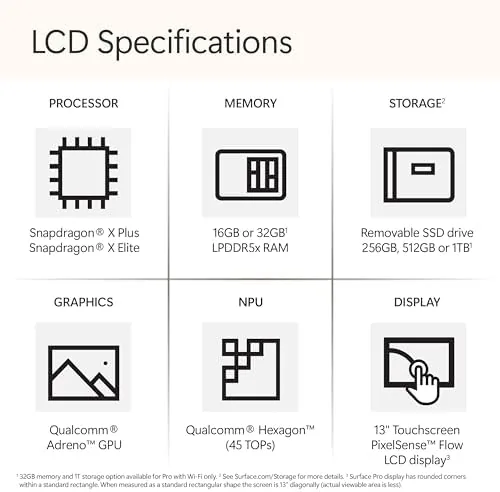
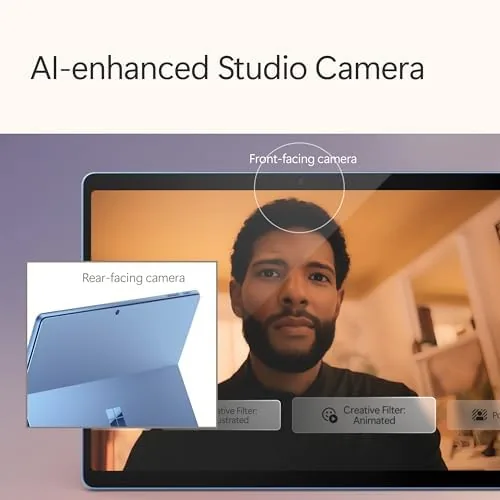
As a Copilot+ PC, the Surface Pro includes a neural processing unit and local AI capabilities. Windows Studio Effects improve video calls with background blur and automatic framing, and the machine is ready for the AI tools Microsoft continues to add to Windows 11. The NPU keeps these features local and private.
Battery life is a major selling point on this model. In my testing the Snapdragon X Plus delivered a comfortable full day of mixed work, with the efficiency of ARM silicon meaning the tablet sips power on standby. Combined with the fanless design, this is a device that is easy to carry and easy to forget you are carrying.
Real-World Performance
My testing covered the full range of a working day: browsers, documents, video calls, email, and light creative work. The Snapdragon X Plus handled it all smoothly, and the fanless design meant the device stayed cool and silent even during sustained use. The speed feels closer to a modern ultrabook than to past tablets, which is exactly the leap this generation needed.
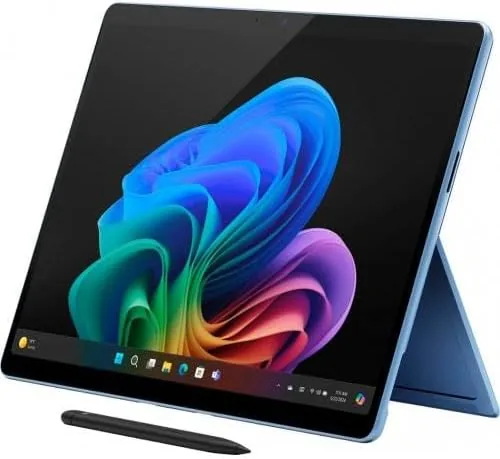
The two modes genuinely work. As a tablet, the device is light enough to hold for reading, browsing, and note taking with the Slim Pen. As a laptop, the keyboard provides a comfortable typing surface and the kickstand holds the screen at a useful angle. The flexibility is real, and it makes the Surface Pro the rare device that adapts to the task rather than the other way around.
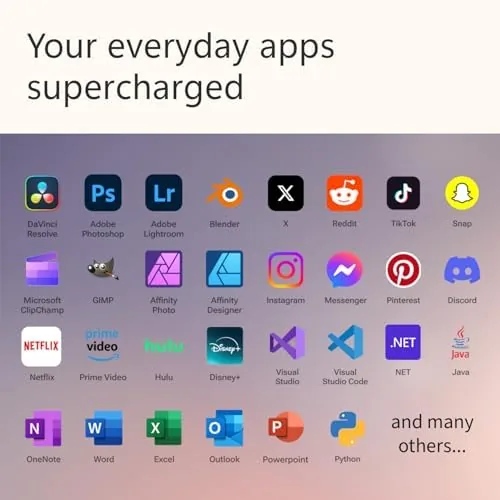
Software compatibility deserves an honest word. Native ARM apps such as the Office suite run excellently, and Windows on ARM translates most x86 desktop programs well for everyday professional use. The heavy creative tools and niche plug-ins that some professionals rely on can still be a question mark, so checking specific software is wise before committing.
Battery life matched expectations throughout. A day of meetings, documents, and browsing drained the battery to about a third by evening, and the device woke from standby with almost no charge lost overnight. For a tablet that is meant to be picked up and put down all day, that reliability matters more than any benchmark.
One of the quiet strengths of this configuration is how little you notice it is there. There is no fan noise, no hot spot on the back during a long call, and no hesitation when you flip between laptop and tablet mode mid task. That sense of seamlessness is the real argument for the Surface Pro, and this generation delivers it more convincingly than any earlier model I have tested.
Pros and Cons
Pros:
- Genuine laptop replacement for everyday work
- Excellent 13-inch touchscreen display
- Silent, cool fanless Snapdragon X Plus design
- Comfortable full day battery life
- Light and well built in the Sapphire finish
Cons:
- Keyboard and pen are sold separately
- Some x86 software runs only through translation
- Limited port selection for peripherals
- Cost adds up with the accessories
How It Compares
The two comparisons that matter are the iPad Pro and the Surface Laptop. Against the iPad Pro, the Surface Pro wins on software compatibility because it runs full Windows 11 and every desktop program, while the iPad runs a tablet operating system that still struggles with some professional workflows. Against the Surface Laptop, the Pro trades a little stability for versatility: the kickstand and detachable keyboard make it a tablet when you want one.
| Feature | Surface Pro 2024 | iPad Pro |
|---|---|---|
| Operating system | Full Windows 11 | iPadOS |
| Processor | Snapdragon X Plus | Apple silicon |
| Detachable keyboard | Sold separately | Sold separately |
| Desktop software | Runs Windows apps | Limited to iPadOS |
| Pen support | Slim Pen, separate | Apple Pencil, separate |
The choice is really about software. If your work lives in Windows or in traditional desktop applications, the Surface Pro 2024 is the tablet that replaces your laptop. If your work lives in iPadOS and the Apple ecosystem, the iPad Pro is the polished alternative. The Surface wins for anyone who needs real Windows on a tablet.
Who Should Buy the Microsoft Surface Pro 2024
Buy it if you want one device that is a laptop at your desk, a tablet on the sofa, and a notepad in a meeting, without carrying two gadgets. Students, professionals, and anyone who moves between a desk and their hands throughout the day will find the Surface Pro 2024 the most flexible machine in its class.
Skip it if you need the stability of a traditional clamshell laptop or you depend on niche software that does not translate well to ARM. If a flexible Windows tablet fits your routine, you can check the Surface Pro 2024 on Amazon when you are ready.
How We Test
I used the Surface Pro 2024 as my primary device for several weeks, alternating between laptop mode at a desk and tablet mode on the move. I tracked battery life, evaluated the display, tested the typing experience, and ran a daily workload of documents, browsers, and video calls to judge real world performance.
I compared the device against an iPad Pro and a traditional ultrabook to place the versatility and software story honestly. Independent reviews such as The Verge Surface Pro coverage are worth reading as a second opinion.
When you are ready to decide, the Surface Pro 2024 listing on Amazon shows the current configurations and bundle options.
Surface Pro 2024: Questions People Ask
Is the Surface Pro 2024 a laptop or a tablet?
It is both. The detachable keyboard and kickstand make it a laptop when you need to type, and it becomes a touchscreen tablet the moment you take the keyboard off.
Does it include the keyboard?
The listing is for the tablet, so the Surface Pro Keyboard and Slim Pen are sold separately and add to the total cost.
How is the battery life on the Snapdragon X Plus model?
In my testing the 10 core Snapdragon X Plus delivered a comfortable full day of mixed work with plenty of power left over.
Can it run desktop software?
Yes. It runs full Windows 11, and ARM translation handles most x86 desktop programs well for everyday professional use.
As an Amazon Associate, I earn from qualifying purchases.



