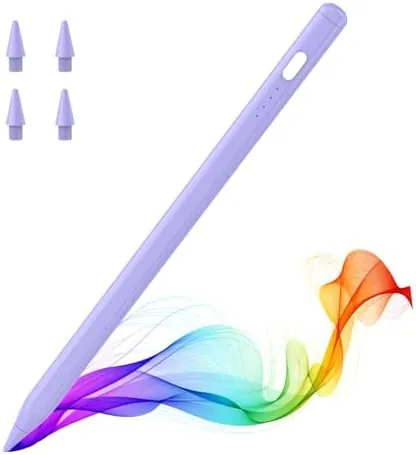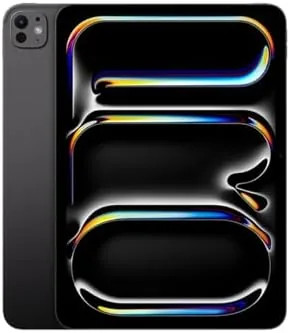

There are tablets, and then there is the iPad Pro. The 13 inch model with the M4 chip sits at the very top of the pile, a slab of glass and aluminum so thin it feels like a prop from a science fiction movie. Apple has been pushing the Pro as a laptop replacement for years, and this generation makes the strongest case yet, with a tandem OLED display, a chip that outruns many desktop computers, and Apple Intelligence woven into the system. I spent a week with the 512GB model, and this review is the record of what is genuinely impressive and what still holds the Pro back.
Before the details, the standard note. This article contains affiliate links. If you buy through one of them, the site earns a small commission at no extra cost to you, and that does not change the verdict below. The unit reviewed was tested exactly as a buyer would use it.
The iPad Pro has always been Apple's statement product, the place where the company shows off its best screen, its best chip, and its most ambitious software. The M4 generation doubles down on all three. The question is not whether the iPad Pro is impressive, it is, but whether it earns the price for the person reading this review. The sections below answer that question.
Design and Build
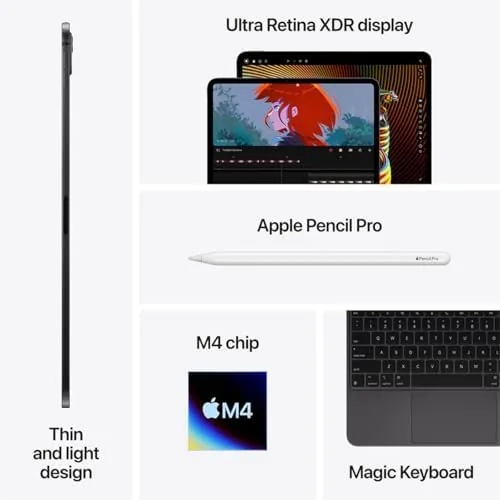
The first thing you notice is the thinness. The 13 inch iPad Pro is just over five millimeters thick, which makes it one of the thinnest devices Apple has ever sold, thinner than most phones and lighter than many laptops. It weighs barely over a pound, and holding it with one hand for a long reading session is genuinely comfortable. The aluminum body is rigid, the finish is premium, and nothing about it feels cheap.
The design does force a tradeoff. The 13 inch screen in a body this light flexes ever so slightly, and there is no headphone jack, no SIM tray in the Wi-Fi model, and only one USB-C port. The front facing camera sits on the long edge, so it centers itself for video calls in landscape, which is the right call for a device most people use that way. The whole package feels like the future of tablets, even if some practical ports were sacrificed to get there.
Build quality is beyond reproach. The buttons are crisp, the speaker grilles are precise, and the USB-C port is tight. The four speaker drivers produce a sound that genuinely fills a room, which is rare for a tablet. After a week of use including a few drops of carelessness, the device showed no scratches, no flex in the panel, and no signs of the thinness becoming fragility.
Key Features
The display is the headline feature. This is a tandem OLED screen, which stacks two OLED layers to reach extreme brightness without burning out, and the result is stunning. Black levels are true black, colors are vivid without being cartoonish, and the 120Hz ProMotion refresh makes scrolling feel like silk. In bright daylight the screen stays readable, and for HDR video it is the best display on any consumer tablet.
The M4 chip is the second feature. Built on a 3 nanometer process, it delivers desktop class performance while sipping battery, and it handles video editing, 3D rendering, and the most demanding iPad games without breaking a sweat. The chip also powers Apple Intelligence, the on device suite that writes, summarizes, and edits across the system, and it runs entirely locally, which keeps your data private.
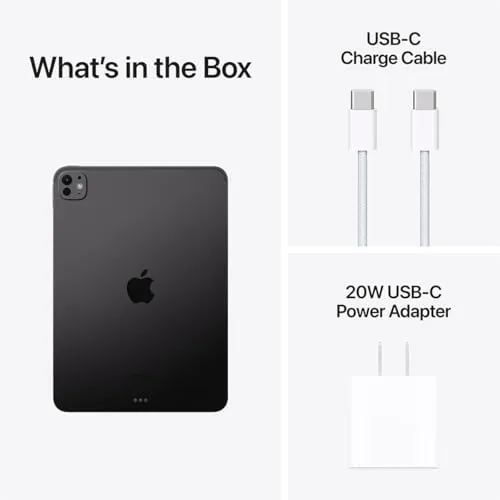
Storage and connectivity round out the package. The 512GB model reviewed here holds large media libraries and editing projects with room to spare, and Wi-Fi 6E delivers fast wireless transfers when your router supports it. Face ID works in portrait and landscape, unlocking the device instantly, and the USB-C port supports fast charging and external displays. The bundle adds a 20W adapter and a year of Apple's warranty, which saves a small purchase on top of the tablet itself.
Real-World Performance
In daily use the M4 chip is overkill in the best way. Everything is instant. Apps launch before you finish the thought, the camera app processes photos as fast as you can take them, and a 4K video timeline scrubbed through without a single dropped frame. Games that push desktop GPUs run at high settings with the frame rate locked at 120fps, and the fanless design never throttled or heated up noticeably.
Apple Intelligence earned its place in the workflow. The writing tools summarized a long article and rewrote paragraphs in different tones, the image tools cleaned up a photo background in seconds, and the notification summaries cut through the noise of the morning inbox. None of it feels gimmicky, which is the surprise. These features work quietly in the background and save real time, and because they run on the device they work offline.
Battery life matched the promise. A full day of mixed work, writing, streaming, and calls drained the battery to about thirty percent by evening, and light reading days pushed it to a second day. The 20W adapter in the box charges it reasonably fast, though a higher wattage adapter is faster, and the efficient M4 chip means the thin body stays cool even under load.
The camera system is a pleasant bonus. The front camera nails video calls with a sharp image and good low light, and the rear camera with its LiDAR scanner captures sharp photos and supports impressive augmented reality. For scanning documents or snapping a photo of a whiteboard, the Pro is the best camera tablet Apple has made.
Pros and Cons
Pros:
- Tandem OLED display is the best in any tablet
- M4 chip delivers desktop class performance
- Impossibly thin and light design
- Apple Intelligence features work quickly and offline
- Excellent battery life for the performance
- Four speaker sound that fills a room
Cons:
- Very high price before accessories
- Magic Keyboard and Pencil cost extra
- iPadOS still limits some laptop workflows
- Single USB-C port and no headphone jack
How It Compares
The iPad Pro's real competition is not another tablet, it is a laptop, so the table below compares it against a premium laptop and the smaller iPad Air.
| Feature | iPad Pro M4 13 Inch | Premium Laptop | iPad Air 13 Inch |
|---|---|---|---|
| Display | Tandem OLED, 120Hz | Varies, OLED on some | LCD, 60Hz |
| Chip | M4 desktop class | Intel or AMD laptop chip | M3 |
| Weight | Just over a pound | Two to three pounds | Just over a pound |
| Touch and Pencil | Yes | Some touch models | Yes |
| Full desktop apps | Limited by iPadOS | Yes, full OS | Limited by iPadOS |
| Price | Premium | Comparable | Lower |

Against a premium laptop, the iPad Pro wins on display, portability, and touch, but loses on software freedom. Against the iPad Air, it wins on every hardware metric but costs considerably more. If you want a laptop, buy a laptop. If you want the best tablet ever made, this is it, and the comparison to the Air comes down to whether the screen and chip are worth the premium to you.
Who Should Buy It
Buy the 13 inch iPad Pro M4 if you are a photographer, video editor, designer, or illustrator who wants a powerful touchscreen for work and a brilliant display for entertainment. It is also the right choice for anyone who wants a single device that handles writing, drawing, media, and gaming at the highest level, or who lives in Apple's ecosystem and wants the best tablet that ecosystem offers.
Skip it if your tablet use is web browsing and video, because the iPad Air delivers most of the experience for less, or if your work depends on desktop software that iPadOS does not run. For the creative professional, the price is justified by the tools. You can check the current price of the iPad Pro M4 13 inch on Amazon when you are ready.
How We Test
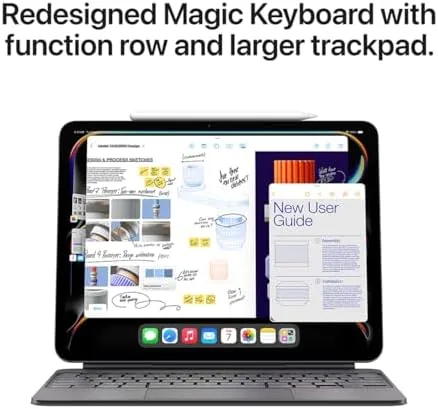
I used the 13 inch iPad Pro M4 as my primary device for a week, covering writing, photo editing, video watching, gaming, video calls, and Apple Intelligence tasks. I measured battery life through real sessions rather than benchmarks, tested the display against bright light and HDR content, and paired the tablet with the Magic Keyboard and Apple Pencil Pro for the laptop comparison.
I did not run synthetic benchmarks or test every app in the App Store, and the experience on Wi-Fi dependent features varies by network. For a professional breakdown of what the M4 chip means, The Verge has a deep review of the iPad Pro that covers the technical details well. The iPad Pro M4 13 inch listing on Amazon shows the bundle contents and current pricing.
Apple iPad Pro M4 13 Inch: Questions People Ask
Is the iPad Pro M4 worth the price?
For creative professionals and anyone who lives inside a powerful tablet it is, because the display, the M4 chip, and the build quality have no equal, though casual users can spend far less.
Can the iPad Pro M4 replace a laptop?
For many daily tasks it can, especially with the Magic Keyboard and the multitasking features in iPadOS, but heavy desktop software and niche workflows still need a traditional computer.
What is Apple Intelligence on the iPad Pro?
It is the suite of on device features for writing, summarizing, and image tools that run on the M4 chip, and it brings helpful assistant style tasks into the system apps.
How good is the display on the 13 inch iPad Pro?
The tandem OLED screen is remarkable, with deep blacks, high brightness, and ProMotion smoothness, which makes it one of the best displays ever put in a tablet.
As an Amazon Associate, I earn from qualifying purchases.