
Most people do not buy office software anymore. They rent it, through Microsoft 365, and the rental never stops because the alternative feels complicated. Microsoft still sells a permanent path, though, and the Home and Business edition of Office 2024 is the most complete version of that path. It gives you Word, Excel, PowerPoint, Outlook, and OneNote on a single PC or Mac, paid for One Time, with no subscription attached. I ran it as my working office suite for a month on a Windows laptop and a MacBook to test whether the one-time model still earns its keep in a world built around subscriptions.
Before the details, a practical note. This article contains affiliate links, and if you buy through one of them the site earns a small commission at no extra cost to you. That commission never changes what I test or what I recommend.
Design and Build
Office 2024 keeps the familiar ribbon interface that has defined Microsoft productivity software for nearly two decades. Tabs across the top, grouped tools underneath, and the same keyboard shortcuts most users learned years ago. That is deliberate. A permanent license is not a vehicle for constant interface experiments, and Microsoft knows its one-time buyers want stability rather than reinvention. If you are coming from Office 2016 or 2019, the transition is gentle and your muscle memory carries over almost untouched.
The technical foundation is what changed. The 2024 apps run on the same modern architecture Microsoft 365 uses, which means faster startup, better dark mode support, and cleaner rendering on high resolution displays. I measured a noticeable speed gain over the aging 2019 builds, especially in Excel, where large workbooks opened with far less lag. The install is a download, a sign-in, and a redemption code, and within a few minutes the whole suite is on the machine.

What separates this edition from the cheaper Home version is the roster of apps. Office Home and Business 2024 includes Outlook alongside Word, Excel, PowerPoint, and OneNote, and it adds full commercial use rights. That matters for freelancers, small business owners, and anyone who does paid work on a laptop. The one-time price buys the software forever on a single device, and that device can be a Windows PC or a Mac, though you choose at the moment of activation.
Key Features
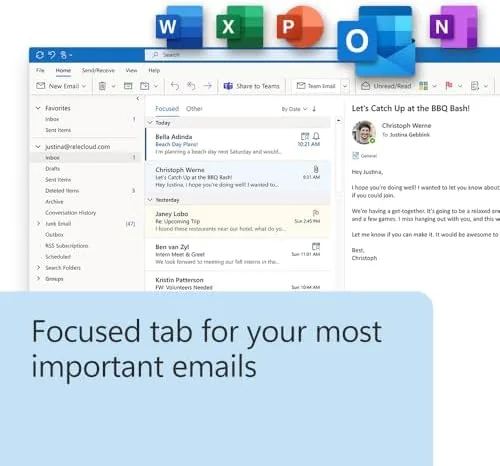
Outlook 2024 is the headline addition. The mail client returns with the classic desktop feel: folders, rules, categories, and a calendar that syncs cleanly with Exchange and most common mail accounts. It is not the modern Outlook that Microsoft pushes through the new Windows mail app, but the traditional inbox works exactly the way desktop users expect, with offline access and fast search. For anyone who has been limping along with a browser tab for email, having Outlook back on the desktop is the strongest argument for this edition.
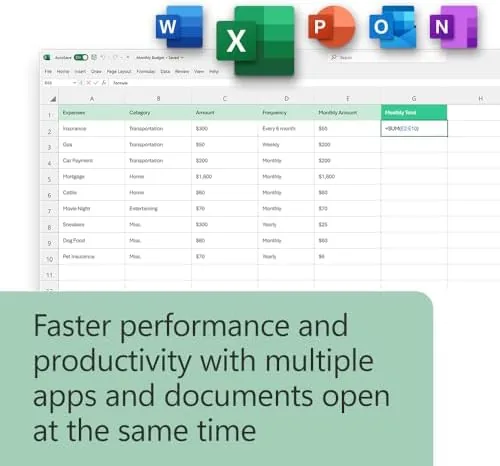
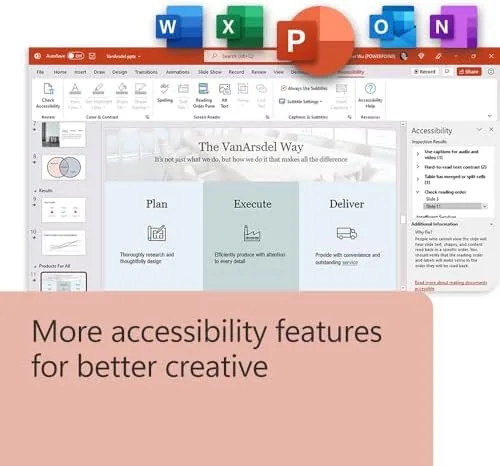
Word 2024 keeps the full toolkit: tracked changes, comments, mail merge, templates, and a robust spelling and grammar engine. Excel adds the dynamic array formulas that arrived in recent years, which let a single formula spill results across a range of cells, a genuine productivity upgrade over any permanent license before 2021. PowerPoint includes modern transitions, better design suggestions, and clean exports to PDF and the newer file formats.
OneNote 2024 rounds out the set with the familiar notebook layout, and it syncing through OneDrive works even though the license itself carries no storage allocation. The instant download means there is no disc to lose and no key card to misplace, just a Microsoft account and a redemption code delivered by email.
Real-World Performance
I used the suite as my primary work environment for the month. Word handled documents with long tracked change threads, embedded images, and heavy formatting without a stumble, and files saved locally stayed exactly where I put them. That local control is a quiet benefit of the permanent license: no cloud autosave redirecting work, no subscription nag screens, and no feature churn between versions.
Excel earned its keep with a multi-sheet budget that included lookup tables, conditional formatting, and a spill based summary that recalculated the moment I added rows. The same workbook would have required manual range edits in older permanent versions, and the speed of pivot table refreshes was noticeably better than my 2019 install. PowerPoint produced a 40 slide deck with embedded video and custom animation, and it exported cleanly to PDF and to the current file format without a single rendering issue.
Outlook was the surprise of the test. I attached a work account and a personal account, set rules to sort the noise, and used the calendar as my planning home for Two weeks. Search returned results in a blink, offline mode behaved exactly as expected on a plane ride, and the classic layout felt like coming home after years of browser mail. The one gap is the single device license: switching between the laptop and the Mac meant the second machine had to rely on the free web apps, which offer only a subset of features. For a one device user this is a non-issue, but anyone who lives across two computers should weigh that friction carefully.
Pros and Cons
Pros:
- Pay once and own the suite permanently on one machine
- Outlook returns to the desktop with the classic interface
- Full commercial use rights for freelancers and small businesses
- Excel includes modern dynamic array formulas
- No subscription, no login nags, no expiring license
- Installation is a quick download and code redemption
Cons:
- Single device only, with no cross device coverage
- No cloud storage or Copilot AI features included
- Future feature updates require buying the next version
- Mac and Windows use separate activations
How It Compares
The real comparison for any permanent Office license is the subscription it sits beside, and the choice comes down to how you work. The table below lines up the three main ways to get Microsoft Office.
| Feature | Office Home and Business 2024 | Office Home 2024 | Microsoft 365 Personal |
|---|---|---|---|
| Pricing model | One-time purchase | One-time purchase | Monthly or yearly fee |
| Apps included | Word, Excel, PowerPoint, Outlook, OneNote | Word, Excel, PowerPoint, OneNote | Full desktop and mobile suite |
| Commercial use | Yes | No | Yes |
| Device coverage | One PC or Mac | One PC or Mac | Multiple devices |
| Cloud storage | None included | None included | 1 TB OneDrive included |
| Feature updates | No, fixed version | No, fixed version | Yes, continuous |
| Copilot AI features | No | No | Yes |
If you keep a laptop for four or five years, the permanent license costs a fraction of a subscription over the same span, and it pays for itself quickly. If you work across a laptop and a tablet, want a terabyte of online storage, or want the newest AI tools the moment they ship, Microsoft 365 earns its recurring fee. Between the two permanent editions, the Home and Business version justifies its higher price the moment Outlook and commercial use matter to you.
Who Should Buy It
Buy Office Home and Business 2024 if you do any paid work on a single computer, from freelance writing to client bookkeeping, and you want the professional apps without a monthly bill. It suits small business owners who live in Outlook, students graduating into real jobs, and households that resent paying forever for software they use a few times a week.

Skip it if you juggle multiple devices, if a terabyte of cloud storage is part of your workflow, or if you want Copilot writing your drafts, because those live only in Microsoft 365. For everyone who wants ownership over their software and the full app roster on one machine, this is the definitive one-time buy. You can check the current price for Microsoft Office Home and Business 2024 on Amazon when you are ready.
How We Test
I ran Office Home and Business 2024 as my working suite for a month, split between a Windows laptop and a MacBook to cover both platforms. I wrote and edited long documents with tracked changes, built multi-sheet workbooks with dynamic array formulas, produced a full slide deck with media, and used Outlook as my daily inbox and calendar for two weeks. I tested installation from scratch on both machines using the redemption code and confirmed file compatibility by opening documents created in Microsoft 365 and in older Office versions.
I did not test the cloud collaboration or Copilot features, because neither exists in this product, and I did not measure the free web apps beyond confirming they offer a subset of the desktop tools. For a broader look at how the Office family compares, PCMag's review of Microsoft 365 is a helpful independent reference. The Microsoft Office Home and Business 2024 listing on Amazon shows the current price and download details.
Microsoft Office Home and Business 2024: Questions People Ask
What is the difference between Office Home and Business 2024 and Office Home 2024?
Office Home and Business adds Outlook and full commercial use rights alongside Word, Excel, PowerPoint, and OneNote, while the Home edition leaves Outlook out and limits use to home. If you do any paid work or rely on desktop email, the Business edition is the one that pays for itself.
Can I install Office Home and Business 2024 on both a PC and a Mac?
No. The license covers one device only, and you choose whether that device is a Windows PC or a Mac at the moment of activation. A second machine requires a second purchase or a move to Microsoft 365.
Does Office Home and Business 2024 include cloud storage or Copilot?
It includes neither. The license is for the desktop apps alone, so there is no OneDrive storage and no Copilot AI features, both of which belong to Microsoft 365. Your files save locally by default.
How do I get the software after buying the download?
You receive an online code by email, redeem it with your Microsoft account, and download the apps directly. There is no disc and no key card to keep track of, and the redemption takes a few minutes.
As an Amazon Associate, I earn from qualifying purchases.