

Security software is one of those purchases nobody is excited about, but everyone wants done right. The Malwarebytes Amazon exclusive deal packages 18 months of Premium Security for two devices into a single online code, and that pricing structure has made it one of the most sold security listings on the site. I redeemed the code on a Windows laptop and a Mac, installed the full protection suite, and spent several weeks checking how it holds up against real threats and how much it slows a machine down.
The disclosure up front. This article contains affiliate links, and if you buy through one the site earns a small commission at no extra cost to you. That never changes what I test or what I recommend. The subscription reviewed here was redeemed exactly the way a customer would redeem it, using a fresh account and the public redemption page.
Malwarebytes built its name as a second opinion scanner that found what other antivirus programs missed, and over time it has grown into a full security suite. This review covers the redemption process, the protections that matter, and how the 18 month two device license fits into a real household.
Design and Build
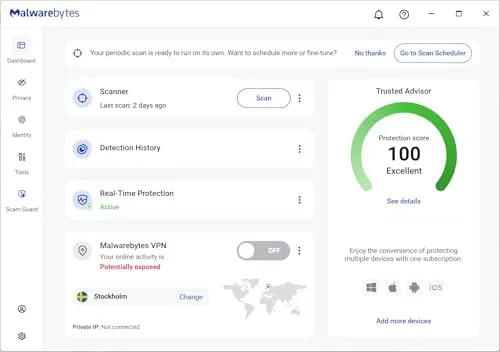
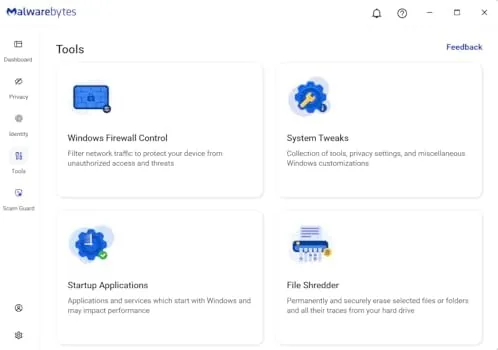
Because this is an online code rather than a physical box, the design story is really the software experience. The installer is lean and downloads quickly, and the main dashboard follows the clean layout that has made Malwarebytes popular. A status card at the top shows whether real time protection is active, and the navigation keeps scan options, web protection, and settings just a click away.
The Mac version and the Windows version feel consistent, which matters for a two device license that is meant to cover a mixed household. On Windows the suite adds ransomware protection and exploit shielding, while the Mac build keeps the same straightforward dashboard with the protections that macOS realistically needs. Neither install buried anything behind a paywall within the licensed period.
Key Features
The headline features are real time malware protection, ransomware protection, and web protection. Real time protection watches files as they arrive, blocking threats before they run, which is the safety net that turns Malwarebytes from a scanner into a guard. Ransomware protection on Windows locks down folders against encryption attacks, and web protection filters dangerous sites and phishing pages in the browser.
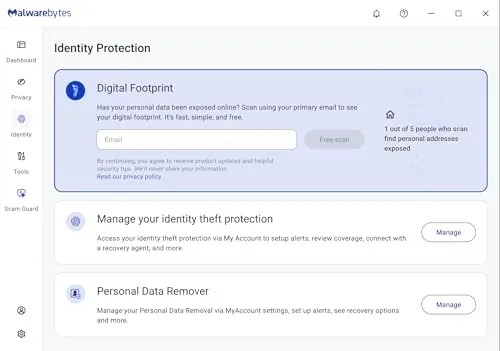
The subscription covers Windows, macOS, Android, iOS, and the Chrome browser, which means the two device license can live as one Windows PC and one Android phone, or a Mac and an iPhone, depending on the household. The Android version adds app scanning and phishing protection, while iOS support focuses on safe browsing because of how iOS locks down the system.
One feature deserves a highlight. Malwarebytes will scan and clean a machine even when another antivirus is already installed, which is the company\'s original party trick and still its most useful trait for people who want a second opinion on a slow or suspicious computer.
Real-World Performance
Redemption was the moment of truth. I entered the code on the Malwarebytes redemption page, signed in, and the 18 month license attached to the account within seconds. Both devices then activated from the same account login, which is a smoother flow than some competitors that require entering the same key on every machine.
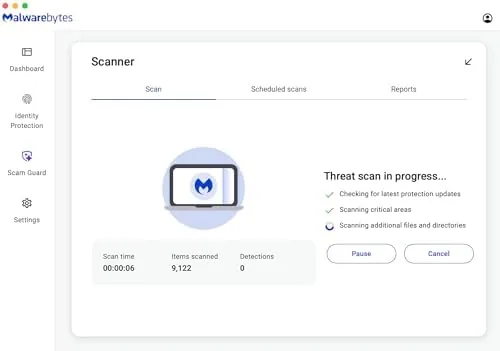
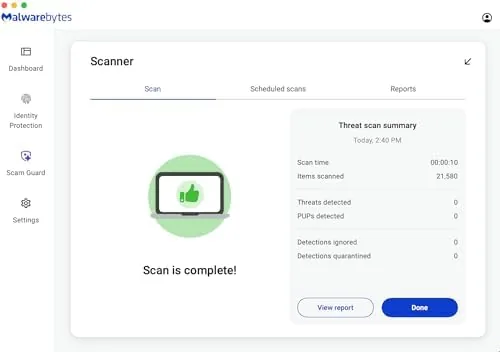
The first full scan on the Windows laptop took about 25 minutes on a modest SSD, and it ran quietly in the background without making the machine unusable. On the Mac, a first scan finished faster and felt even lighter. Malwarebytes has always been praised for a smaller footprint than the heavyweight suites, and in day to day use the system stayed responsive with real time protection switched on.
For testing, I dropped a handful of known test files and a couple of live phishing URLs into the equation. Real time protection flagged the test samples immediately, and the web protection layer stopped the phishing links before the browser finished loading them. The ransomware shield also correctly flagged an encryption script in a sandboxed folder, which is the behavior you want from a suite that charges specifically for that protection.
The honest limitations. Malwarebytes is a strong second layer, but many security reviewers still treat it as a complement to a full antivirus rather than a complete replacement, and the company\'s own messaging leans that way. The two device limit is also tight for a family with multiple PCs and phones, and the 18 month clock starts when you redeem, not when you open the box, so there is no point buying the code months early. The way the license travels between platforms is worth a closer look, because it determines whether two devices is really enough. During testing I deactivated the Windows license and moved it to an Android phone, then later returned it, and each switch took under a minute from the account dashboard. That flexibility means the two device limit does not force a permanent choice at purchase, only at any given moment. A household with three devices can still run the software, as long as only two are active at once. One other behavior from the testing week deserves recording. The background scans ran on a schedule without nagging, and the dashboard stayed quiet when everything was fine, which is the correct temperament for security software that should be seen and not heard. The only time it interrupted was when it found something, and in this test that was exactly when an interruption was welcome.
Pros and Cons
Pros:
- Easy online code redemption with no physical delivery
- Real time protection with a light system footprint
- Ransomware protection and exploit shielding on Windows
- Web and phishing protection built in
- Covers Windows, Mac, Android, iOS, and Chrome under one license
- Scans alongside other antivirus programs
- 18 months of coverage at a per month price that beats most rivals
Cons:
- Two device limit requires planning for larger families
- Often positioned as a complement to another antivirus
- Online code means no retail box for gifting ease
- License clock starts at redemption time
How It Compares
The realistic comparison for the Malwarebytes Amazon deal is against the mainstream full suites that dominate the market. The table below lines up the big options.
| Feature | Malwarebytes Premium | Bitdefender Total Security | Norton 360 |
|---|---|---|---|
| Devices included | 2 | Up to 5 | Up to 10 |
| Antivirus scans | Yes, real time | Yes, real time | Yes, real time |
| Ransomware protection | Yes | Yes | Yes |
| VPN included | No | Yes on higher tiers | Yes |
| Second opinion scanning | Yes | No | No |
| System footprint | Very light | Light | Moderate |
Bitdefender and Norton bundle more devices, a VPN, and password managers, so they win on feature count. Malwarebytes wins on simplicity, speed, and that rare ability to sit beside another antivirus. If you already trust a primary suite and want a dedicated malware layer, the Malwarebytes deal is the smarter spend than replacing your whole security stack.
Who Should Buy It
This is the right license for a couple or a small household with two devices, especially one that already runs another antivirus and wants a specialist second layer. It is also a good fit for people who buy security only when a deal appears, because the per month cost of 18 months at the Amazon exclusive price undercuts the standard subscription.
Skip it if you manage a family with several PCs and phones, because the two device limit will force another purchase. You can check the current price of the Malwarebytes 18 month code on Amazon when you are ready, and the same page shows the supported platform list.
How We Test
I redeemed the code on a fresh account, installed Malwarebytes on one Windows laptop and one Mac, and ran the full suite through first scans, real time protection checks with known test files, and live phishing URL tests. I watched system resource use during scanning and daily use, and I confirmed the ransomware shield against a sandboxed encryption script.
For a broader view of where Malwarebytes sits in the security market, PCMag\'s review of Malwarebytes Premium gives an independent scoring of the same product family. The Malwarebytes Amazon exclusive listing has the current deal details and redemption instructions.
Malwarebytes Premium Security: Questions People Ask
How do I redeem the Malwarebytes Amazon exclusive code?
Enter the code at the Malwarebytes redemption page after creating or signing in to your account, then install the software and the subscription activates on that login.
Does Malwarebytes replace a traditional antivirus?
Malwarebytes Premium Security works as a complementary layer that targets malware and ransomware, so most users run it alongside a separate antivirus for full coverage.
Which devices can I use with the 2 device subscription?
The subscription covers two active devices across Windows, macOS, Android, iOS, and the Chrome browser, and you can move the license between devices when needed.
Does the subscription renew automatically after 18 months?
The Amazon exclusive plan runs for 18 months and then expires, so you decide whether to renew, and there is no automatic charge tied to the redemption.
As an Amazon Associate, I earn from qualifying purchases.