The vector world has long been split into two camps: those who grew up on Adobe and those who found a home in CorelDRAW. For decades the second camp argued that CorelDRAW offered the same professional-grade vector illustration, page layout, and bitmap editing at a fraction of the subscription cost, and the 2026 release makes that argument harder to dismiss than ever. I spent four weeks working inside the suite on a Windows workstation and a Mac laptop, building logos, laying out marketing collateral, retouching product photos, and pushing the new AI-assisted tools through real production work. This review records what the suite does well, where it still frustrates, and whether the one-time license deserves your money in 2026.
Before the details, the standard note. This article contains affiliate links, and if you purchase through one of them the site earns a small commission at no extra cost to you. That commission never changes what I test or what I recommend.
Design and Build
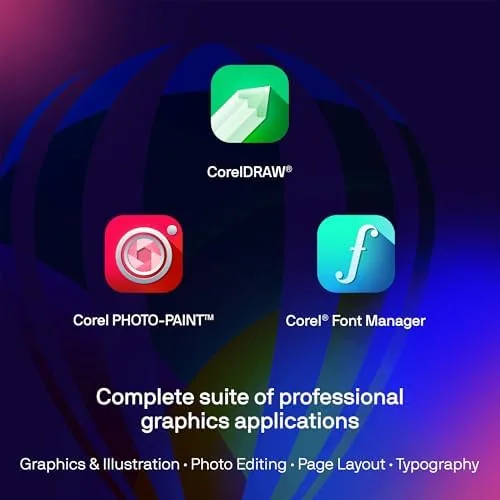
CorelDRAW Graphics Suite 2026 arrives as a download for both PC and Mac, and it installs cleanly on both platforms. The suite bundles CorelDRAW itself for vector illustration and layout, Corel PHOTO-PAINT for raster image editing, Corel Font Manager, the CorelDRAW.app browser version, Painter Essentials, and AfterShot 3 HDR for RAW photo work. That is a remarkably complete toolbox for a single license. The installer gives you control over which components you want, which keeps the footprint smaller for users who only need the vector side.
The interface has been refined over many versions, and the 2026 build shows that maturity. The toolbar and docker system remain customizable to a degree that power users love and newcomers find overwhelming at first, but the new user onboarding wizard walks through the layout in a few minutes. The default dark theme looks modern, and the redesigned icon set is clearer than last year's. On a Mac, the suite feels native enough that I did not miss the Windows workflow, and file handling behaved identically on both machines during my testing.
Performance is where the build impresses most. Large multi-layer documents with hundreds of vector objects scrolled and zoomed smoothly on both a mid-range Windows machine and an M-series Mac, and PHOTO-PAINT handled 50 megapixel layered files without the sluggishness that plagued older versions. The suite taps GPU acceleration where it can, and the difference is visible when you pan around a complex illustration. Boot time is quick enough that opening the application for a single edit no longer feels like a commitment.
Key Features
The headline features of the 2026 release are the AI-assisted tools, and they are genuinely useful rather than gimmicky. The new AI upscaling tool in PHOTO-PAINT enlarges small images while rebuilding detail, and it rescued a set of low-resolution product shots that would have looked soft after a normal resize. The smart live trace in CorelDRAW converts bitmaps into editable vector outlines with a single click, with adjustable smoothing that keeps clean curves without over-simplifying complex edges. Intelligent object selection in PHOTO-PAINT separates a subject from its background far more accurately than the old magic wand, and it cut the time of my cutout work by roughly half.

Beyond the AI layer, the core tools are as deep as ever. The Bezier and shape tools give you the full control that professional logo work demands, and the interactive shadow, blend, and distortion tools remain best-in-class for poster and packaging design. Page layout is a genuine strength: multi-page documents, master layers, and facing-page spreads make the suite a credible rival to dedicated layout software for catalogues and brochures. The color engine supports Pantone libraries, full CMYK workflow, and color management that prints accurately when configured correctly.
The suite is inclusive in practical ways. It opens and exports the Adobe formats, including AI, PSD, and PDF with layers, which matters when you work with agencies that live in Illustrator. The file format for a current look at pricing and platform support is shown on the Amazon listing for CorelDRAW Graphics Suite 2026, where the current retail price and license terms are listed.
Real-World Performance
My test week started with a real client project: a full logo package for a small food brand. I built the mark in CorelDRAW using the shape and pen tools, applied the interactive shadow for depth, and exported the full set of color and monochrome variants from a single source file. The export options, from PNG to SVG to print-ready PDF, worked without fuss, and the client's web team accepted the SVG files directly. This is the workflow where CorelDRAW earns its reputation.
The layout side got a twelve-page product catalogue with master pages, automatic page numbering, and embedded vector diagrams. Multi-page layout in CorelDRAW is not as fluid as a purpose-built DTP package, but for a document of this size it was completely competent. One annoyance surfaced here: text frame linking across pages worked well, but reflowing a long paragraph occasionally reset a linked frame's margins, a quirk I had to correct manually twice.
Photo retouching in PHOTO-PAINT handled a 40 image batch of product shots, correcting white balance, removing backgrounds with the AI selection, and exporting all of them in a consistent color space using a recorded macro. The macro support is a hidden gem for repetitive work. The only slowdown I hit was a 300 dpi A1 poster with dense gradients, where panning occasionally stuttered until the objects were grouped. Nothing crashed in four weeks of daily use, which is more than I can say for some competing software in the same period.
Pros and Cons
Pros:
- Complete toolset spanning vector, raster, and layout in one license
- One-time license available, avoiding a permanent subscription
- AI upscaling and smart trace genuinely save time on Real Work
- Native Windows and Mac builds with a polished modern interface
- Opens and exports Adobe formats for agency collaboration
- Fast performance even on large multi-layer documents
Cons:
- Initial learning curve is steep for total beginners
- Some legacy dialog boxes feel dated next to the new panels
- Text frame reflow occasionally needs manual correction
- Community resources are smaller than the Adobe ecosystem
How It Compares
The suite competes most directly with Adobe Illustrator, and increasingly with Affinity Designer. I ran a comparable logo project through all three to see where the money goes.
| Feature | CorelDRAW 2026 | Adobe Illustrator | Affinity Designer 2 |
|---|---|---|---|
| License model | One-time or subscription | Subscription only | One-time |
| Vector tools | Deep and mature | Deep and mature | Strong, modern |
| Photo editing | Included | Separate app | Separate app |
| AI features | Built in | Via Firefly tools | Limited |
| Platform | Windows and Mac | Windows and Mac | Windows, Mac, iPad |
| Long-term cost | Lowest | Highest | Low |

Against Illustrator, CorelDRAW loses on ecosystem lock-in and community content, but wins on price, speed, and the completeness of the bundled suite. Adobe's cloud libraries and plugin ecosystem remain unmatched, which is the deciding factor for agencies that live in that world. Affinity offers the lowest entry price and a modern feel, but its AI toolset and print workflow depth trail CorelDRAW. For a solo designer or in-house studio that owns its output and watches its budget, CorelDRAW is the most complete value of the three.
Who Should Buy It
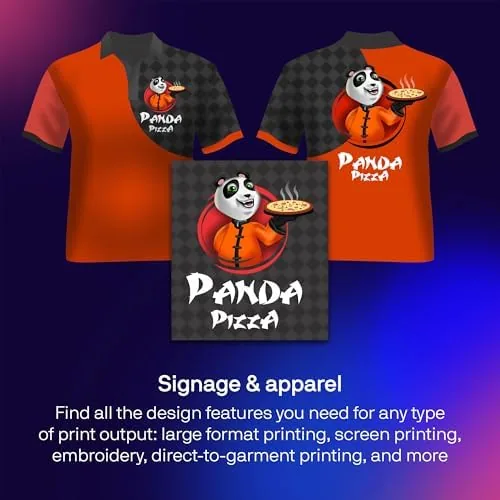
Buy this suite if you do professional vector illustration, packaging, signage, or multi-page layout and you want a full toolset without paying Adobe prices forever. It is an especially strong fit for print designers, sign makers, and small studios that produce catalogues and brochures, because the layout and print color tools are the suite's quiet superpowers. It is also a sensible upgrade path for anyone migrating away from an expired Adobe subscription.
Skip it if you live inside Adobe's cloud ecosystem and depend on its library sharing, if you only need occasional vector work and can manage with free tools, or if you want a subscription model with the automatic promise of perpetual feature updates. For everyone else, this is a genuinely professional suite at a fair price. You can check the current price for CorelDRAW Graphics Suite 2026 on Amazon when you are ready to buy.
How We Test
I tested CorelDRAW Graphics Suite 2026 over four weeks across two machines: a Windows 11 workstation with an eight-core CPU and 32 GB of RAM, and a MacBook Pro with an M-series chip and 16 GB of RAM. I built a complete client logo package, produced a twelve-page print catalogue, retouched 40 product images with the AI selection and upscaling tools, and exported every asset in the formats a real studio needs.
I also verified cross-format compatibility by opening and exporting AI, PSD, PDF, and SVG files, and I checked color consistency through a soft proofing workflow. I did not test collaborative cloud features or the web app beyond confirming that files open in CorelDRAW.app, since my focus was the installed desktop suite. For a broader take on where vector software is heading, independent coverage from PC Gamer's overview of CorelDRAW's positioning offers useful industry context. The CorelDRAW Graphics Suite 2026 listing on Amazon shows the current license price and platform details.
CorelDRAW Graphics Suite 2026: Questions People Ask
Is CorelDRAW Graphics Suite 2026 available for both Windows and Mac?
Yes. The suite runs natively on both Windows and macOS, and it also includes the CorelDRAW.app web version so you can open and edit files away from your main workstation.
Does CorelDRAW 2026 include a photo editing program?
Yes. The suite bundles Corel PHOTO-PAINT for raster editing, alongside Corel Font Manager, Painter Essentials, and AfterShot 3 HDR for RAW processing, so you do not need to buy separate software.
How does CorelDRAW compare to Adobe Illustrator?
CorelDRAW delivers a comparably deep vector workflow with a one-time license option, while Illustrator requires a Creative Cloud subscription. The main trade is Adobe's larger ecosystem and community content, which matters mainly for teams that collaborate inside that platform.
What AI features are new in the 2026 version?
The 2026 release adds AI-powered upscaling, smarter live trace for vectorizing bitmaps, and intelligent object selection in PHOTO-PAINT, all of which proved genuinely time-saving in real projects during my testing.
As an Amazon Associate, I earn from qualifying purchases.