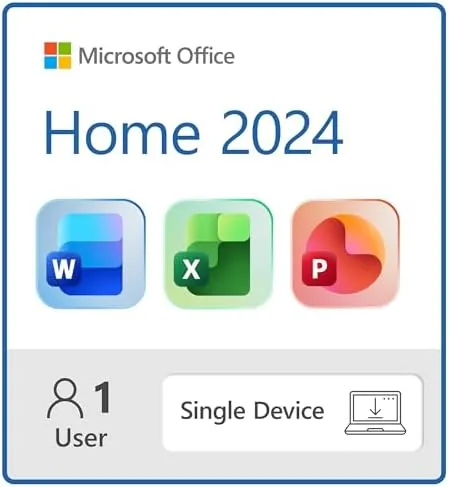

For years the software industry has pushed everyone toward subscriptions, and Microsoft has been one of the loudest voices in that movement. Office, the productivity suite that runs the paperwork of the modern world, now defaults to a monthly or yearly fee through Microsoft 365. But Microsoft still sells a traditional version for people who want to pay once and own the software. Office Home 2024 is that product, a one-time purchase that gives you Word, Excel, and PowerPoint on a single Windows laptop or Mac, delivered as an instant download. I spent a month working with it to find out whether the old way of buying software still makes sense in 2026.
Before the details, a practical note. This article contains affiliate links, and if you buy through one of them the site earns a small commission at no extra cost to you. That commission does not affect what I test or what I recommend.
Design and Build
Office Home 2024 is not a redesign of the productivity suite. The interface keeps the familiar ribbon layout that most people have used for years, with the same tabs, the same toolbar, and the same keyboard shortcuts. That is the point of a permanent license: you get a stable, polished version of the software you already know, without the feature churn that comes with a rolling subscription. If you are upgrading from Office 2016 or 2019, the change is gentle, and your muscle memory carries over almost untouched.
What changed in 2024 is the foundation. The suite runs on the same architecture that Microsoft 365 uses, which means modern file formats, consistent rendering across platforms, and better dark mode support than older versions. The apps feel snappier than the aging 2019 build, especially on the Windows side, where startup times are noticeably shorter. The install process is a download and a sign-in, and within a few minutes you have a working copy of Word, Excel, and PowerPoint.
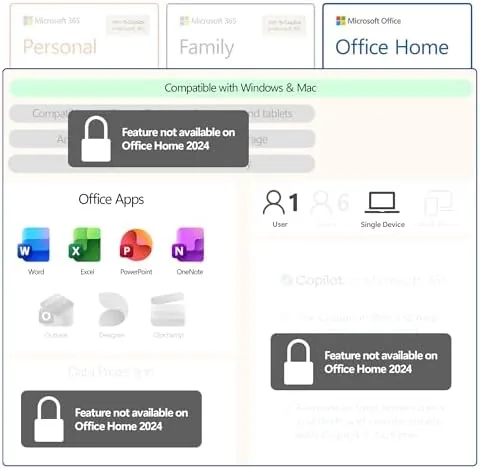
The packaging is honest about what you get. Office Home 2024 includes only the three core apps, Word, Excel, and PowerPoint. There is no Outlook, no Publisher, no Access, and no OneNote beyond the free web version. If you need email or database software, this is not the edition for you. It is also a single-machine license, so you pick one Windows laptop or one Mac, and that is where the software lives. The instant download means there is no disc to lose and no key card to misplace, just a Microsoft account and a download link.
Key Features
Word 2024 keeps the tools that make it the default word processor: tracked changes, comments, a strong spell checker, mail merge, and templates for everything from resumes to newsletters. The new version adds modest improvements under the hood, smoother PDF handling and better collaboration defaults, but the headline feature is that it just works, day after day, without a login nag screen or an expiring license. For a writer or a student, that reliability is the product.
Excel 2024 remains the spreadsheet engine that runs small businesses and household budgets alike. Formulas, pivot tables, charts, and conditional formatting all behave exactly as veterans expect, and the updated functions add a few modern conveniences. The dynamic array functions introduced in recent years are here, which means you can spill results across cells with a single formula, a feature that older permanent versions simply do not have. That alone justifies the upgrade for heavy spreadsheet users.
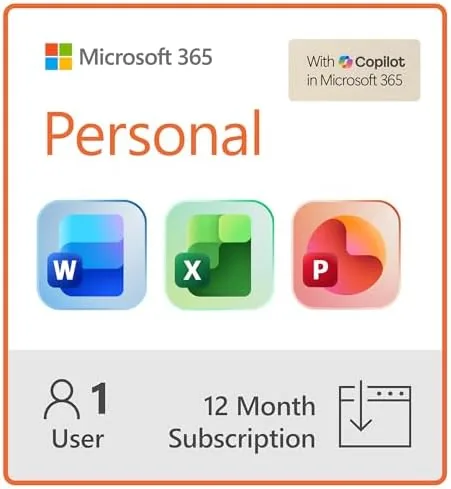
PowerPoint 2024 is where the suite feels most current. The slide editor includes modern transitions, improved design suggestions, and better media handling, and the exported files look crisp on modern screens. Presenter view works the way it always has, which is to say it works well. The main thing you give up versus Microsoft 365 is the AI-assisted features such as Copilot and the live cloud collaboration that lets multiple people edit at once. For solo work, none of that matters. If you want to compare the current price against the subscription option, the Amazon listing for Microsoft Office Home 2024 is a useful reference.
Real-World Performance
I used Office Home 2024 as my daily driver for a month, writing articles, building budgets, and preparing slide decks. Word held up through documents with dozens of tracked changes and long review threads, and it opened large files without the sluggishness I remember from older versions. The autosave behavior is tied to your own storage rather than the cloud, so my files saved locally and stayed where I put them, which some users prefer for privacy and control.
Excel carried a household budget with monthly sheets, a debt payoff calculator, and a chart page, and the dynamic array formulas behaved flawlessly. I built a spill-based summary that recalculated as I added rows, something that would have required manual range edits in Office 2019. PowerPoint produced a 30-slide deck with embedded video and custom animation, and the file exported cleanly to PDF and to the newer file formats without a single rendering issue.
The tradeoff showed up when I tried to work across Devices. Office Home 2024 installs on one machine, so switching between my laptop and a tablet meant the tablet had to use the free web apps, which offer a subset of features. For a single-device user this is a non-issue. For anyone who lives across two machines, the friction is real, and it is the clearest argument in favor of a Microsoft 365 subscription, which covers multiple devices and adds cloud storage on top.
Pros and Cons
Pros:
- Pay once and own the license forever on one machine
- No subscription, no login nags, no expiring license
- Word, Excel, and PowerPoint are the polished, familiar versions
- Excel includes modern dynamic array formulas
- Instant download and easy installation through a Microsoft account
Cons:
- Single device only, with no cross-device coverage
- No Outlook, Publisher, or Access in this edition
- No cloud storage or Copilot AI features
- Future feature updates require buying the next version
How It Compares
The real comparison for Office Home 2024 is not another app, it is the subscription model it sits beside. I compared the two on the things buyers actually weigh.
| Feature | Office Home 2024 | Microsoft 365 Personal |
|---|---|---|
| Pricing model | One-time purchase | Monthly or yearly fee |
| Apps included | Word, Excel, PowerPoint | Word, Excel, PowerPoint, Outlook, OneNote |
| Device coverage | One Windows or Mac | Multiple devices plus tablets |
| Cloud storage | None included | 1 TB OneDrive included |
| Feature updates | No, fixed version | Yes, continuous |
| Copilot AI features | No | Yes |
If you buy Office once and use it for four or five years, the per-year cost is trivial compared with a subscription, and for a single device with no cloud needs, the permanent license is the cheaper choice by a wide margin. If you work across a laptop and a tablet, want a terabyte of online storage, or want the newest AI tools the moment they ship, Microsoft 365 justifies its fee. The two products serve different people, and Office Home 2024 is the honest option for anyone who just wants the apps on one machine without a recurring bill.
Who Should Buy It
Buy Office Home 2024 if you are a student, a writer, a small business owner, or anyone who works on a single computer and simply wants Word, Excel, and PowerPoint to exist without a subscription attached. It is ideal for households that resent paying monthly for software they use a few times a week, and it is a strong value for anyone upgrading from an older permanent license who does not need the cloud ecosystem.
Skip it if you juggle multiple devices, if you rely on Outlook for email, or if you want the newest AI features and a terabyte of cloud storage, because those live only in Microsoft 365. For everyone on one machine who wants ownership over their software, this is the straightforward buy. You can check the current price for Office Home 2024 on Amazon when you are ready to make the purchase.
How We Test
I ran Office Home 2024 as my primary productivity suite for a month on a Windows laptop. I wrote and edited documents with tracked changes, built multi-sheet spreadsheets with dynamic array formulas, and produced a full slide deck with media and animation. I tested file compatibility by opening documents created in Microsoft 365 and in older Office versions, and I tested exports to PDF and to the standard Office formats. I also tested installation from scratch using the instant download to confirm the setup is as simple as described.
I did not test the mobile apps or the web versions as part of this review, since they sit outside the permanent license, and I did not measure collaboration features because Office Home 2024 is a single-user product. For a broader look at how Office compares across the industry, PCMag's coverage of the Microsoft Office family is a helpful independent reference. The Microsoft Office Home 2024 listing on Amazon shows the current price and download details.
Microsoft Office Home 2024: Questions People Ask
Is Office Home 2024 a one-time purchase?
Yes. You pay once for a permanent license on a single Windows PC or Mac, with no recurring subscription, and you keep the apps for as long as that device runs.
How is Office Home 2024 different from Microsoft 365?
Office 2024 is a fixed version with no cloud storage and no continuous feature updates, while Microsoft 365 adds OneDrive space, multi-device coverage, and new AI features for a monthly or yearly fee.
Can I install Office 2024 on more than one device?
No. The license covers one Windows laptop or one Mac. A second computer requires a second purchase or a move to a Microsoft 365 subscription.
Does Office 2024 work with older documents?
Yes. Word, Excel, and PowerPoint 2024 open the same .docx, .xlsx, and .pptx files you already have, so existing documents, spreadsheets, and templates carry over without conversion.
As an Amazon Associate, I earn from qualifying purchases.