
Every few years a segment of the office software market remembers that it does not want to rent the programs it uses to write, calculate, and present. The subscription model has become the default for office suites, and it is a fine deal for many people, but it leaves a permanent gap for those who prefer to pay once and own the software. Corel WordPerfect Office Home and Student 2021 sits squarely in that gap. It is a full office suite with a word processor, a spreadsheet program, and presentation software, sold as a PC download with a one time price and no ongoing fee. I installed it on a Windows desktop and used it for real document work to see whether the old workflow still holds up.
Before the details, the standard note. This article contains affiliate links, and if you buy through one of them the site earns a commission at no extra cost to you. That commission does not affect what I test or what I recommend, and the software reviewed here was installed and used exactly as a home user would use it.
This review covers the suite components, the installation experience, the everyday document workflow, the spreadsheet and presentation tools, and where the one time purchase model stands against the subscription competition in 2026.
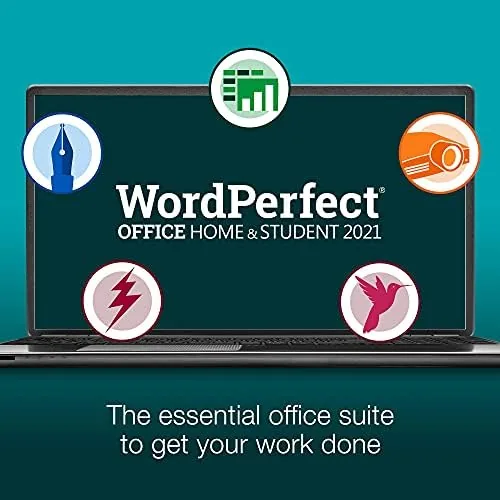
The suite arrives as a digital download with a product key, and the three main programs are WordPerfect for documents, Quattro Pro for spreadsheets, and Presentations for slideshows. The familiar WordPerfect personality comes through from the first launch, with the reveal codes feature that has defined the program for decades.
Design and Build
Installation is the kind of thing people worry about and then forget, because it mostly works without drama. The download is a single installer, and the product key activates the three programs under one license. The suite installed on a mid range Windows 11 desktop in a few minutes, with no surprise toolbars, no account creation demands, and no nag screens pushing a subscription. The license is tied to a single computer, which is worth knowing before you buy, because the Home and Student edition does not roam across multiple PCs.
The setup screen lets you pick a file format default, and this is where the suite makes its priorities clear. You can choose to save in WordPerfect format by default or in Microsoft formats, and the smart move for most people is to keep the Microsoft formats as the working default so files travel cleanly between family, school, and work. Once that is set, the suite behaves like any modern office program, with ribbons, menus, and keyboard shortcuts available. The overall interface is functional and familiar, though it carries a dated look that shows the age of the design language, with toolbar icons that belong to an earlier era of office software.
Key Features
The headline feature is the reveal codes panel, which shows the hidden formatting codes running through a document. Instead of guessing why a paragraph refuses to align, you can see the stray code and delete it with surgical precision, a capability that other office suites do not bother to match. WordPerfect also carries strong footnote handling, mail merge, and a deep macro system that long time users lean on heavily, and the program opens and edits Microsoft Word files with high fidelity while saving back to the .docx format without destroying layout.
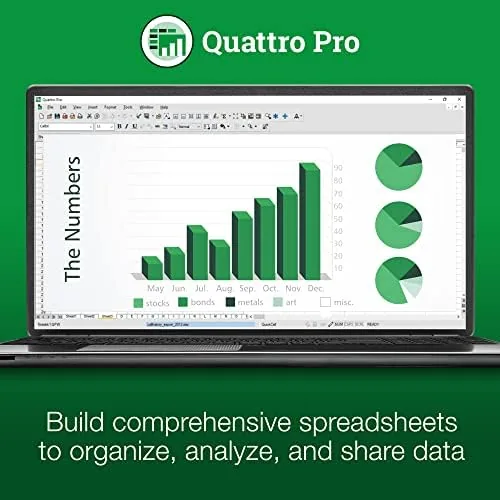
The PDF support is genuinely strong. WordPerfect can open a PDF, edit the text inside it, and resave the result, a feature that is rare even in paid suites. Quattro Pro, the spreadsheet companion, covers formulas, charts, data sorting, and the usual spreadsheet chores, and it opens and saves Excel files cleanly, while Presentations builds slides with layouts, themes, transitions, and speaker notes and imports PowerPoint files with reasonable fidelity. Between the three programs, the suite covers the core needs of a home office, with the word processor carrying the workload and the other two programs playing supporting roles.

Real-World Performance
In daily use the suite proved dependable. I wrote multi page documents with footnotes, headers, and tracked changes, and the word processor handled the heavy lifting beautifully. The reveal codes feature saved a genuine headache when a pasted paragraph refused to line up, because I could see the stray code instantly and delete it. I built a household budget in Quattro Pro with formulas and charts, and I assembled a slide deck in Presentations for a volunteer group meeting, and all three programs completed their work without complaint.
The file compatibility held up where it matters. Documents moved between WordPerfect and Word, spreadsheets moved between Quattro Pro and Excel, and the slides opened in PowerPoint, all without layout collapse or garbled characters. That portability is the whole point of a budget suite, because the people you send files to will almost certainly be using Microsoft Office, and the suite kept the exchange clean in both directions.
The performance on a modest PC was fine. The suite launches quickly, documents scroll smoothly, and there were no crashes or slowdowns during the test. The dated interface is the constant reminder of the price point, and power users who live inside advanced Excel features will feel the difference in polish, but functionally the suite did everything asked of it, which is the standard that matters for a home and student audience.

Pros and Cons
Pros:
- One time purchase with no subscription fee
- Reveal codes give precise control over formatting
- Strong Microsoft file compatibility
- Excellent PDF open, edit, and save support
- Fast and stable on modest hardware
- Includes word processor, spreadsheet, and slides
Cons:
- Interface looks dated next to modern rivals
- Spreadsheet and slideshow tools lack polish
- License tied to a single computer
- Learning curve for users coming from Word
How It Compares
The fair comparison is against the subscription office suites and the free options, because those are the real alternatives for a home buyer. The table below lines up the three approaches.
| Feature | WordPerfect Office 2021 | Subscription Office | Free Web Suites |
|---|---|---|---|
| Price model | One time purchase | Monthly or yearly fee | Free |
| Word processor | Excellent with reveal codes | Excellent | Good |
| Offline use | Full offline | Full offline | Limited |
| Cloud collaboration | Limited | Built in | Built in |
| File compatibility | Strong | Native | Good |
If you want to own your software and work offline, WordPerfect Office is the economical choice. If real time collaboration and cloud storage are central to your workflow, the subscription and free web suites win. PCMag has reviewed the 2021 release in depth if you want a second opinion on the suite before you commit, and the PCMag review of WordPerfect Office 2021 digs into the details.
Who Should Buy It
Buy WordPerfect Office Home and Student 2021 if you do not want to rent your office software, if you write long formatted documents and want the control of reveal codes, or if you are a student or home user who needs reliable Microsoft file compatibility without a recurring bill. It is also a strong pick for legal, government, and academic writers who grew up on the program and still prefer it.
Skip it if collaboration is the core of your work, if you live inside advanced Excel features, or if you simply prefer the modern look of the subscription suites. For The budget minded document writer, this is a durable and honest purchase. You can check the current price of WordPerfect Office 2021 on Amazon when you are ready.
How We Test
I installed WordPerfect Office Home and Student 2021 on a Windows 11 desktop and used the three programs for real projects over several weeks. I wrote formatted documents with footnotes and tracked changes, built a spreadsheet budget with formulas and charts, and assembled a presentation, then moved the files between the suite and Microsoft Office to test compatibility.
I did not stress test macros or mail merge at enterprise scale, and I did not test the suite on a Mac, because the download targets Windows PCs. My assessment reflects home and student workloads rather than corporate use. The WordPerfect Office 2021 download on Amazon shows the current price and system requirements.
WordPerfect Office 2021: Questions People Ask
Is WordPerfect Office a one time purchase?
Yes, the Home and Student 2021 edition is sold as a perpetual license with a single payment, so there is no subscription and no recurring fee.
Will WordPerfect open Word documents?
The suite opens, edits, and saves Microsoft Word, Excel, and PowerPoint formats, and WordPerfect handles PDF files well through its reveal codes engine.
Can I install WordPerfect on more than one PC?
The Home and Student edition allows installation on a single computer, so review the license terms if you need to run it on a second machine.
Is WordPerfect easier to learn than Word?
If you learned on Word, expect a short adjustment period, because WordPerfect relies on reveal codes and a different keyboard culture, though long term users find it faster.
As an Amazon Associate, I earn from qualifying purchases.