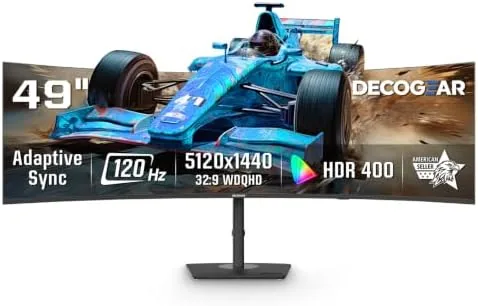

There is a moment when a 49 inch ultrawide monitor first lights up and your desk, your workflow, and your games all change at once. The Deco Gear 49 Inch Curved Monitor arrives with a 5K2K WDQHD panel running at 5120 by 1440 pixels, a 32:9 aspect ratio, a 120Hz refresh rate, and a laundry list of conveniences that includes USB-C power delivery, a built-in KVM switch, and picture in picture. I set this display up in a home office that doubles as a game room, and I have been living on the other side of that curve for weeks. This review is the honest account of whether one screen can really replace two, and whether the extras earn their place in the spec sheet.
Before the details, the standard note. This article contains affiliate links, and if you buy through one of them the site earns a small commission at no extra cost to you. That commission does not change what I test or what I recommend, and the monitor used here was installed with a standard VESA mount and a cable kit a buyer would actually use.
The 32:9 format is the story of this display, because it literally matches the width of two 27 inch monitors side by side with no bezel in the middle. The sections below cover the panel quality, the inputs, the everyday performance, and the tradeoffs that come with a screen this wide.
Design and Build
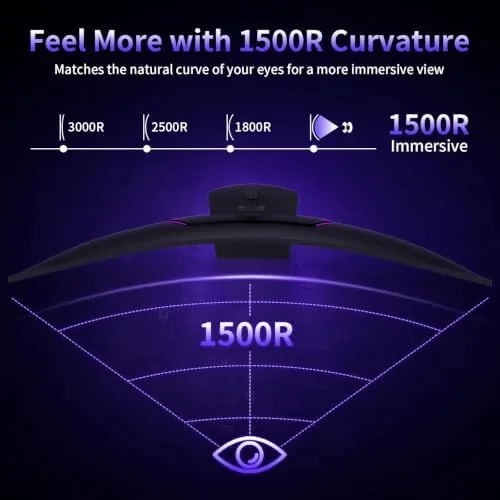
The monitor presents a 49 inch VA panel wrapped in a thin bezel and bent to a 1500R curve, a curvature that wraps the edges gently toward you without distorting the center. The stand is substantial, with a wide base and an ergonomic neck that allows height adjustment, tilt, and a small amount of swivel, and the build feels stable enough that a nudge at the corner does not set the panel rocking. VESA mounting is available for anyone who wants to free up desk space.
The back carries the ports you expect on a modern ultrawide, including HDMI, DisplayPort, and a USB-C input with 65 watt power delivery, which means one cable can carry video, data, and charge to a compatible laptop. Two speakers sit inside the frame, and while they are not a substitute for dedicated audio, they handle casual video and calls. The on screen menu is controlled by a small joystick on the underside, which is a relief after years of reaching for fiddly buttons.
Key Features
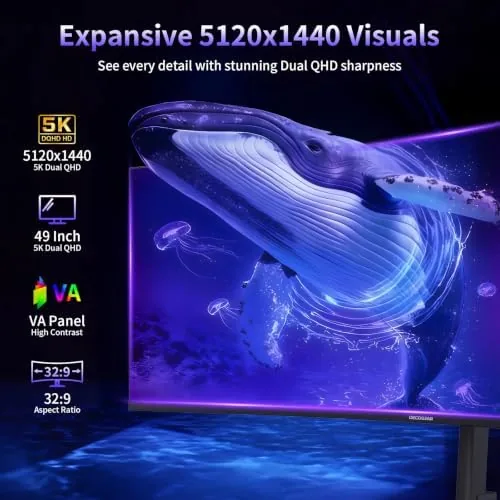
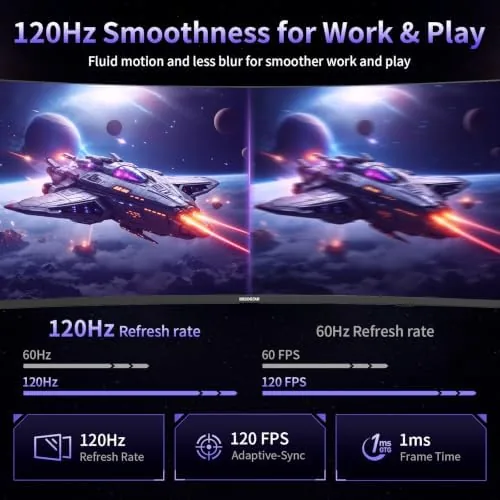
The resolution is the feature that defines everything else. At 5120 by 1440, the panel gives you the horizontal real estate of two 1440p monitors in one seamless surface, and the 32:9 ratio is the sweet spot for spreadsheets, timelines, and racing games. The 120Hz refresh rate keeps motion fluid, and Adaptive Sync reduces tearing for gamers whose graphics card supports it.
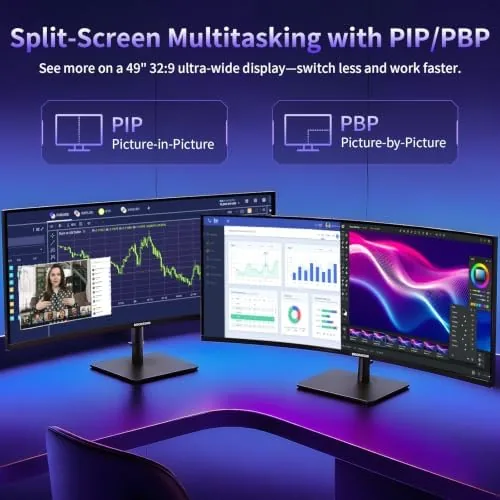
The connectivity is where the Deco Gear separates itself from simpler ultrawides. USB-C with 65 watts of power delivery handles a single cable laptop setup. A built-in KVM switch lets one set of keyboard and mouse control two connected computers with a button press. Picture by picture splits the screen into two sources at once, and picture in picture floats one over the other. For someone juggling a work laptop and a desktop, those features replace a pile of extra hardware.

Real-World Performance
The first week on a 49 inch ultrawide is a lesson in window management. Windows snap manager divides the 32:9 surface into tidy zones, and I ran three documents side by side with room to spare, a layout that would have felt cramped on two separate monitors. Spreadsheet work gained a full extra half of visible columns, and video timelines stretched across the whole width, which cut the time spent scrolling and hunting for clips.
Color and brightness hold up well for a VA panel in the mid range. Black levels are deep, which helps in dim scenes, and HDR400 adds a mild but real lift to highlights. The limitations show up in viewing angles, where colors wash out if you drift far off center, and in the peak brightness, which is enough for an office or a softly lit room but not a competitor for a sunny window seat. Text is crisp at the native resolution once the scaling is set, and the 120Hz refresh makes scrolling and cursor movement feel genuinely smooth.
Gaming is where the width shines or overwhelms, depending on the title. Racing and flight games wrap around you in a way no single 16:9 screen can match, and the smooth refresh keeps fast motion readable. Competitive shooters are a different story, because a 32:9 field of view can stretch your focus and the VA panel shows some ghosting in the most frantic scenes. For immersive play, this is wonderful. For ranked precision, a faster panel does better.
The KVM switch worked exactly as advertised. A single keyboard and mouse controlled my desktop and my laptop, and switching between them took a button press instead of a game of cable tug. The 65 watt USB-C connection kept a laptop charged through a full workday, and picture by picture let me watch a tutorial on one side while working on the other. Those are the features that make a big display feel worth it every day.
Pros and Cons
Pros:
- True 5120 by 1440 resolution replaces a dual monitor setup
- 120Hz refresh with Adaptive Sync for smooth motion
- USB-C with 65 watt power delivery for single cable laptops
- Built-in KVM switch and picture by picture for multiple computers
- Ergonomic stand with height, tilt, and swivel adjustment
- Deep blacks from the VA panel for dark scenes
Cons:
- Viewing angles shift color when you move far off center
- VA panel shows some ghosting in the fastest competitive games
- Built-in speakers are thin for serious listening
- Requires a deep desk and a capable graphics card to run games well
How It Compares
The obvious alternative to a 49 inch ultrawide is a pair of standard monitors, and the table below compares the two setups honestly.
| Feature | Deco Gear 49 Inch | Two 27 Inch Monitors |
|---|---|---|
| Usable width | Seamless 32:9 surface | Two screens with a bezel gap |
| Resolution | 5120 by 1440 | 2560 by 1440 each |
| Refresh rate | 120Hz | Usually 60 to 144Hz each |
| Cable clutter | One panel, one desk cable | Two panels, more cables |
| KVM and USB-C | Built in | Usually external hardware |
Two separate monitors give you physical separation and the freedom to position each panel independently, which some people genuinely prefer. The ultrawide gives you an unbroken surface, fewer cables, and the built-in conveniences. If your work benefits from a continuous workspace and you want the cleaner setup, the Deco Gear wins. If you need true physical separation for specific tasks, the two monitor route still makes sense.
Who Should Buy It
Buy the Deco Gear 49 inch monitor if you work in spreadsheets, video editing, trading, or any field where horizontal space is the real bottleneck, and if you want a single cable laptop setup with USB-C charging. It is also a strong pick for immersive game players who love racing, flight sims, and cinematic titles, and for anyone tired of the bezel gap running down the middle of their dual monitor desk.
Skip it if you play only competitive shooters at the highest level, if your desk is shallow, or if your graphics card cannot drive 5120 by 1440 in the games you love. For everyone in between, this is a lot of screen for the money. You can check the current price of the Deco Gear 49 inch ultrawide on Amazon when you are ready to compare.
How We Test
I used the Deco Gear 49 inch monitor as my primary display for several weeks, connecting a desktop over DisplayPort and a laptop over USB-C with power delivery. I ran spreadsheets and video timelines to test the working width, played racing and shooter games to test the refresh and motion handling, and used the built-in KVM switch with both computers over a full workday. I measured brightness and viewing angles by eye rather than with a calibration tool, and I did not modify the panel.
For a detailed guide to ultrawide monitors and what to look for, PCMag maintains a useful roundup of the best ultrawide monitors that is worth reading before you choose. The Deco Gear 49 inch listing on Amazon shows the current price and full spec sheet.
Deco Gear 49 Inch Monitor: Questions People Ask
Can one computer handle the full 5120 by 1440 resolution?
Yes, most modern laptops and desktops drive the full resolution over the included DisplayPort or USB-C, though an older GPU may need the resolution scaled down for gaming.
Does the USB-C port charge a laptop?
The USB-C connection delivers up to 65 watts of power delivery, so a compatible laptop stays charged through a single cable while it displays and carries data.
How does the KVM switch work on this monitor?
The built-in KVM lets two computers share the monitor, keyboard, and mouse, switching between them with a button on the monitor or through the on screen menu.
Is the 49 inch screen too big for a normal desk?
The curved 32:9 panel is wide, so plan for at least a deep desk and comfortable viewing distance of about three feet, and the included stand keeps it stable.
As an Amazon Associate, I earn from qualifying purchases.