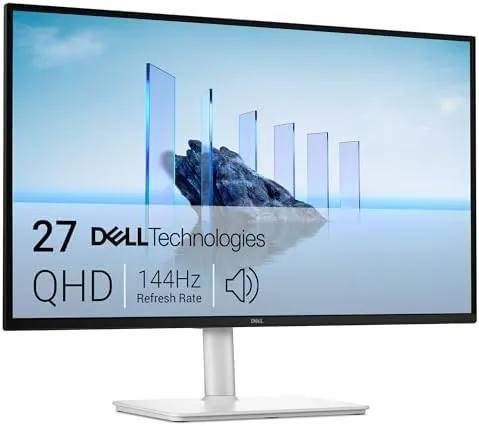

I have spent the last month working and gaming on the Dell 27 Plus QHD Monitor S2725DSM, and the first thing I wrote in my notes was that this is the monitor Dell should have shipped years ago. It is a 27 inch QHD panel at 2560 by 1440, a 144Hz refresh rate, and a 1ms response time, wrapped in a clean ash white chassis with built in speakers and a stand that adjusts in every direction. This review is the honest record of thirty days with it on a real desk, running spreadsheets by day and games by night.
Before the detail, the usual note. This article contains affiliate links, and if you buy through one of them the site earns a small commission at no extra cost to you. That commission does not change what I test or what I recommend, and the monitor reviewed here was set up the way an owner would set it up.
The pitch of the S2725DSM is straightforward: QHD resolution, a high refresh rate, and enough convenience that a desk does not need a second pair of speakers. The rest of this review tests each of those promises.
Design and Build
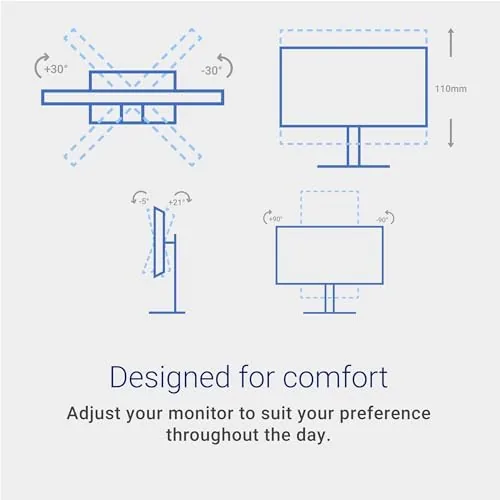
The ash white finish is the first thing you notice, and it is a pleasant departure from the sea of black panels that crowd most desks. The front bezel is slim on three sides, and the whole thing reads as a modern office display rather than a budget part. The stand is the real highlight. It offers height adjustment, tilt, pivot to portrait, and swivel, and the gas lift is smooth enough that raising the panel takes one hand. On a monitor at this price, that level of ergonomic flexibility is not guaranteed, and it matters for anyone who sits at a desk for hours.
The build quality is solid. The panel is rigid with no flex at the corners, the stand base is stable at full height, and the cable routing channel keeps the power and video cables tidy at the back. The VESA mounting holes are present if you want to use an arm, but the included stand is good enough that most people will not bother.
Key Features
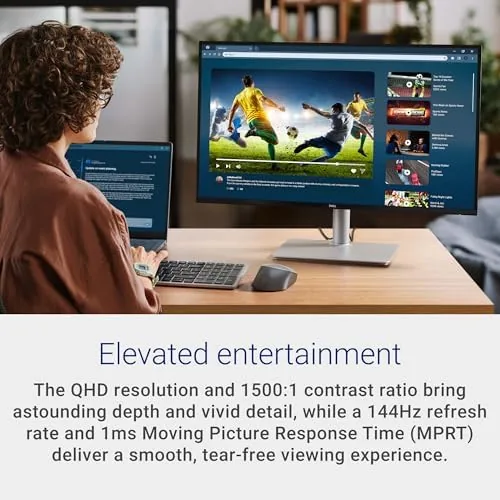
The headline specification is the QHD resolution at 2560 by 1440 with a 144Hz refresh rate. QHD on a 27 inch panel gives you noticeably more desktop space and sharper text than a 1080p screen, without the scaling headaches that 4K on the same size can bring. The 144Hz refresh makes the whole system feel faster, from scrolling documents to dragging windows to playing games, and it is what separates this monitor from the 60Hz office panels it competes against.
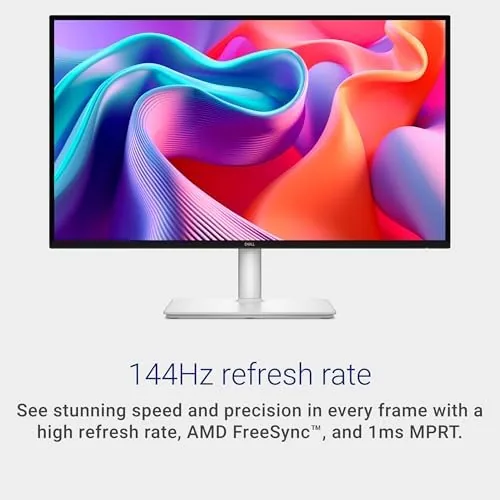
The 1ms response time and AMD FreeSync support round out the gaming side. FreeSync matches the refresh rate to the output of a compatible graphics card or console, which eliminates screen tearing during gameplay, and the response time keeps motion crisp. For a monitor that also has to serve as a work display, this is a genuinely balanced feature set.
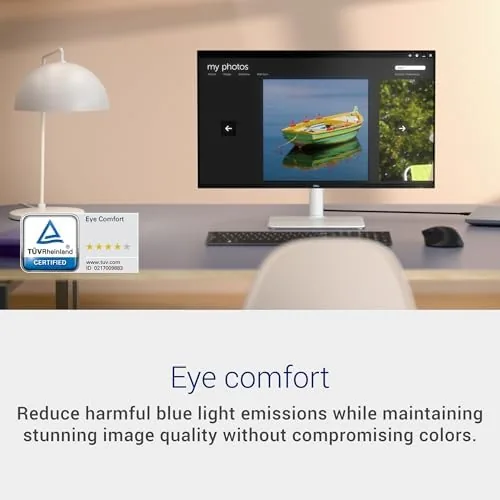
Two 3W speakers are built into the chassis, which is rare and welcome. They are not going to replace a soundbar, but they handle video calls, casual YouTube, and system sounds without cluttering the desk. The connectivity is HDMI and DisplayPort 1.4, which is enough for 144Hz at QHD, and the low blue light mode helps with long sessions.
Real-World Performance
For work, the S2725DSM is excellent. The QHD resolution gives me two full documents side by side without squinting, and text stays crisp and small where a 1080p panel would start to look fuzzy. Colors are accurate out of the box, with a neutral white point That Does Not shift blue or yellow. The 144Hz refresh makes scrolling feel fluid in a way that is hard to describe until you go back to 60Hz and it suddenly feels sluggish.
The gaming performance is where the monitor earns its keep. I ran a range of titles across a week, from fast paced shooters to slow strategy games, and the 144Hz refresh kept everything smooth. With FreeSync enabled on a compatible card, there was no tearing during motion, and the 1ms response kept edges sharp during quick camera pans. It is not a top tier esports panel with the deepest colors, but for the mix of work and play that most people actually do, it is enough.
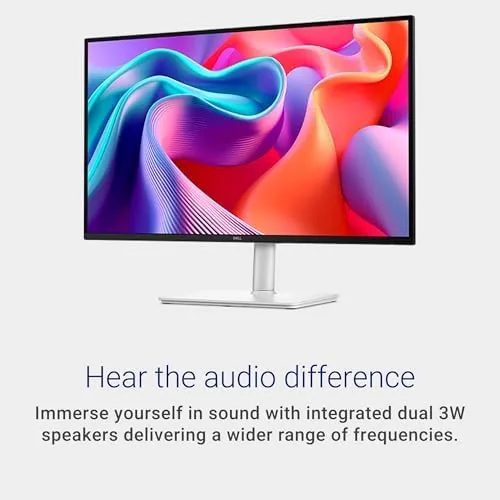
The built in speakers are better than I expected from a monitor. Voices in video calls came through clearly, and system sounds had reasonable presence at moderate volume. They distort at very high volume and they have no bass to speak of, so music and movies still deserve a real audio setup, but for a daily driver they removed the need for separate desktop speakers in my office.
The ergonomics held up over the month. I raised the panel for standing work, tilted it against glare, and pivoted it to portrait for reading long documents, and the stand held its position through all of it. After thirty days there were no dead pixels, no backlight bleed worth mentioning, and no wobble in the joints.
Pros and Cons
Pros:
- Sharp QHD resolution with generous desktop space
- Smooth 144Hz refresh for work and play
- Excellent ergonomic stand with height, tilt, pivot, and swivel
- Built in speakers remove the need for desktop audio
- AMD FreeSync and 1ms response for gaming
- Clean ash white design that fits a modern desk
Cons:
- Built in speakers lack bass and distort at high volume
- Not a premium panel for color critical creative work
- DisplayPort 1.4 rather than the newest 2.1 standard
- Stand base takes up a fair amount of desk depth
How It Compares
The S2725DSM sits in a busy part of the monitor market, between budget 1080p office panels and premium 4K displays. The comparison that matters is against other QHD options in the same price range, so I lined up the two most common alternatives.
| Feature | Dell S2725DSM | Budget 1080p Panel | Premium 4K Monitor |
|---|---|---|---|
| Resolution | QHD 2560x1440 | 1080p | 4K UHD |
| Refresh rate | 144Hz | 60Hz to 100Hz | 60Hz to 144Hz |
| Response time | 1ms | 4ms or slower | 1ms to 5ms |
| Built in speakers | Yes, two 3W | Often none | Often none |
| Stand adjustability | Full ergonomic | Tilt only | Varies |
| Price | Mid range | Budget | Premium |
Against a budget 1080p panel, the S2725DSM wins on sharpness, smoothness, and ergonomics, and the price gap is smaller than you might think for the jump in everyday experience. Against a premium 4K monitor, the Dell gives up some resolution and color depth, but it keeps the 144Hz refresh and gains built in speakers and a better stand, which makes it the more balanced pick for most people. For a solid external reference on how QHD monitors compare today, RTINGS lab tests on Dell 27 monitors are worth reading before you decide.
Who Should Buy the Dell 27 Plus S2725DSM
Buy this monitor if you want a single display that handles work, browsing, and gaming without compromise. It is the right choice for a home office worker who plays games in the evening, for a student who wants one monitor for everything, and for anyone upgrading from a 1080p panel who does not want to pay 4K prices. The ergonomic stand makes it a strong fit for people who alternate between sitting and standing, and the built in speakers make it a clean one cable desk solution.
Skip it if you do color critical creative work and need a wide gamut panel, or if you are a competitive gamer who wants the highest refresh rates and premium HDR. For everyone else, this is the balanced pick. You can check the current price of the Dell 27 Plus QHD monitor on Amazon when you are ready.
How We Test
I used the Dell 27 Plus S2725DSM as my primary monitor for a full month, running it through daily office work, video calls, photo editing, and a week of gaming sessions across several genres. I judged text sharpness, color accuracy, viewing angles, motion smoothness at 144Hz, the ergonomic range of the stand, and the usefulness of the built in speakers.
I compared the monitor against a budget 1080p panel and a premium 4K display on the same desk, and I checked for dead pixels, backlight bleed, and stand wobble. My desk sits in a bright office with a window nearby, so my brightness findings reflect a typical well lit room rather than a dark studio. When you have compared the options, the Dell 27 Plus S2725DSM listing on Amazon has the current price and the available configurations.
Dell 27 Plus S2725DSM: Questions People Ask
Is the Dell 27 Plus S2725DSM good for gaming?
Yes for most players. The 144Hz refresh and 1ms response keep motion smooth, and AMD FreeSync reduces tearing on compatible graphics cards and consoles. Very competitive players may still want a dedicated gaming panel with higher refresh.
Does the S2725DSM have built in speakers?
Yes, it includes two 3W speakers that handle casual listening, video calls, and light media. For music and movies you will want a dedicated speaker or headset, but the built in audio is genuinely usable.
What adjustments does the stand support?
The stand offers height, tilt, pivot to portrait, and swivel adjustment, so the panel can be positioned to fit the way you work. The gas lift is smooth and holds its position during daily use.
Is the S2725DSM worth it for productivity work?
Yes, the QHD resolution gives crisp text and generous screen room, and the 144Hz refresh makes scrolling and window management feel fluid all day. It is an easy upgrade over a standard 1080p office panel.
As an Amazon Associate, I earn from qualifying purchases.



