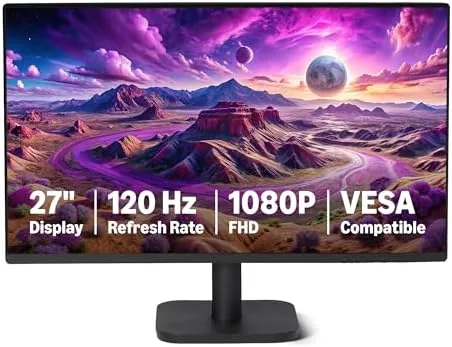

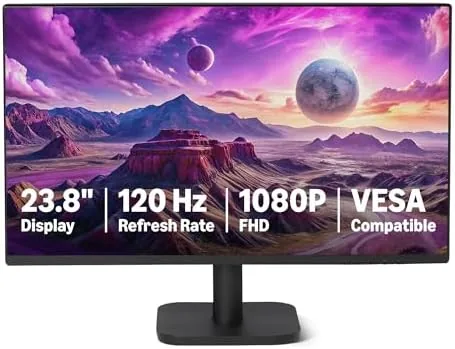
For years, the budget monitor category meant accepting a 60 Hz panel, a glossy TN coating, and a stand that wobbled if you typed with any enthusiasm. The Amazon Basics 27-inch computer monitor walks away from all three compromises at once. It offers a 27-inch 1080P IPS display, a genuine 120 Hz refresh rate, both HDMI and DisplayPort inputs, and a VESA mounting pattern that lets you attach your own arm. That is an unusually generous spec list for a monitor sold at an entry level price. I spent two weeks using it as my primary display for office work, streaming, and casual gaming, and this review records how it actually behaves in real use rather than on paper.
Before I get into the details, the usual note. This article contains affiliate links. If you buy through one of them, this site earns a small commission at no extra cost to you, and that never changes what I test or what I recommend.
Design and Build
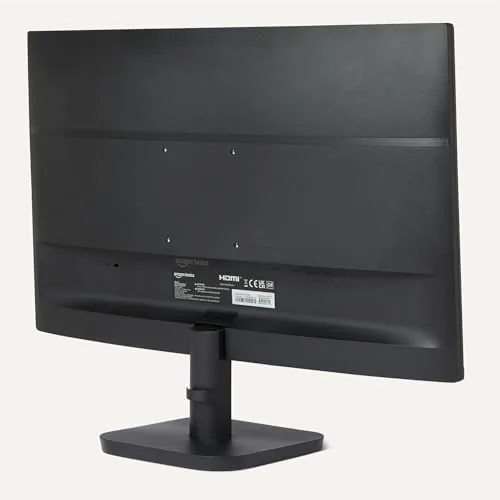
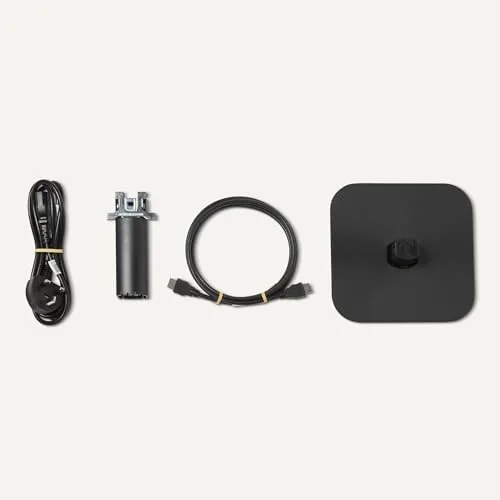
The monitor arrives in two main pieces: the panel and the stand, which snaps together without tools in about a minute. The stand is a simple V shaped base with a limited tilt range, and it does the job, though there is no height or pivot adjustment at this price point. That is where the VESA pattern earns its keep, because the back panel exposes standard 100 by 100 millimeter mounting holes, so anyone with a monitor arm can bypass the stock stand entirely.
The cabinet is thin and pleasantly understated, with narrow bezels on three sides that keep the front looking modern. The matte black plastic finish does not attract fingerprints, and the OSD buttons sit along the lower right edge in a simple arrangement that is easy to reach. The build feels solid for the category, with no creaking or flex when you adjust the tilt.
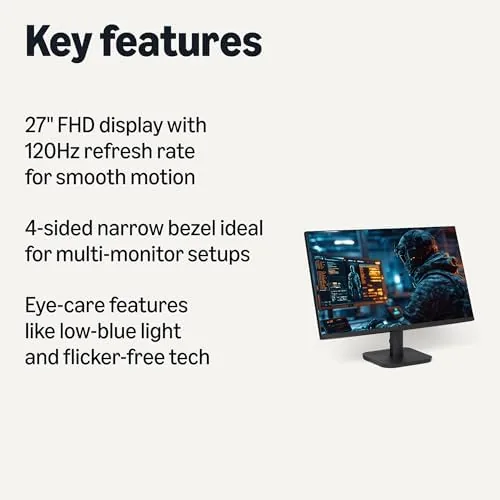
Connectivity is exactly what a 1080P 120 Hz panel needs. There is one HDMI port, one DisplayPort, and a headphone jack, which covers a desktop PC, a laptop, and a game console without an adapter. The power supply is external rather than internal, which keeps the panel itself thin, and the cable routing is straightforward enough to keep a desk tidy.
Key Features
The headline feature is the 120 Hz refresh rate, which is rare in this price bracket. A standard office monitor updates the screen 60 times per second, while this panel doubles that, and the difference shows up immediately in scrolling, window dragging, and mouse movement. Text stays crisp as you scroll, and fast motion no longer smears into a blur. For anyone who has only ever used 60 Hz, this is the single most noticeable upgrade a monitor can offer.
The IPS panel brings strong viewing angles and accurate color for a budget display. Colors do not shift when you move off axis, which matters for anyone who shares a screen or leans in while working. Brightness is adequate for a typical office or home room, and the matte anti-glare coating tames overhead lights without making the image look dull.
The 1080P resolution at 27 inches is the trade-off to understand. It produces a pixel density of about 81 pixels per inch, which is fine for office software, web browsing, and 1080P media. Text is readable and sharp enough for daily work, though people coming from a 4K laptop display will notice slightly softer type. The panel also supports FreeSync for variable refresh rate gaming, which is a thoughtful inclusion at this price.
Real-World Performance
In office use, the monitor is genuinely pleasant. Spreadsheets scroll smoothly, long documents stay legible while you move through them, and the IPS color makes presentations and photos look closer to their real appearance than most budget panels manage. I ran it next to a much more expensive 4K screen, and while the pixel density difference was obvious up close, at a normal sitting distance the 1080P panel looked clean and comfortable.
For streaming and video, the panel performs well with one caveat. Motion looks smooth at 120 Hz, and the IPS viewing angles mean you can watch from the side of the desk without color washing out. The caveat is that HDR support is limited, so if you want true high dynamic range contrast, you need to spend considerably more. As an everyday media display, though, it looks better than most monitors in its class.
Gaming is where the refresh rate pays off most. I tested a mix of fast action games and slower titles, and the 120 Hz refresh kept motion fluid and responsive. With FreeSync enabled, screen tearing was effectively eliminated on a compatible graphics card. Input lag felt low in practice, which matters for anyone who plays even casually, and the panel handled long sessions without any image retention.
The one area that lags is color calibration out of the box. The default preset leans slightly cool, and contrast is average for an IPS panel, with blacks that read as dark gray rather than pure black. A few minutes in the on screen display fixes the tint, and for office and gaming use the average contrast never got in the way. For a low cost 120 Hz panel, the image quality punches well above the price.
Pros and Cons
Pros:
- Genuine 120 Hz refresh rate at a budget price
- IPS panel with wide viewing angles and accurate color
- VESA mounting pattern for monitor arm use
- Both HDMI and DisplayPort connectivity
- FreeSync support for smoother gaming
- Simple, tool-free stand assembly
Cons:
- 1080P on 27 inches is softer than higher resolution panels
- Stand offers tilt only, with no height adjustment
- HDR support is minimal
- Average contrast with limited true black depth
- Minor out of the box color tint
How It Compares
To understand where this monitor sits, I compared it directly against the two panels most people consider at this price: a typical 60 Hz 1080P office monitor and a 1440P 144 Hz gaming display that costs nearly twice as much. The differences are revealing.
| Feature | Amazon Basics 27-Inch | 60 Hz Office Monitor | 1440P Gaming Monitor |
|---|---|---|---|
| Refresh rate | 120 Hz | 60 Hz | 144 Hz |
| Resolution | 1080P | 1080P | 1440P |
| Panel type | IPS | IPS or VA | IPS |
| VESA mount | Yes | Usually | Yes |
| FreeSync | Yes | Often no | Yes |
| Typical price | Low | Very low | High |
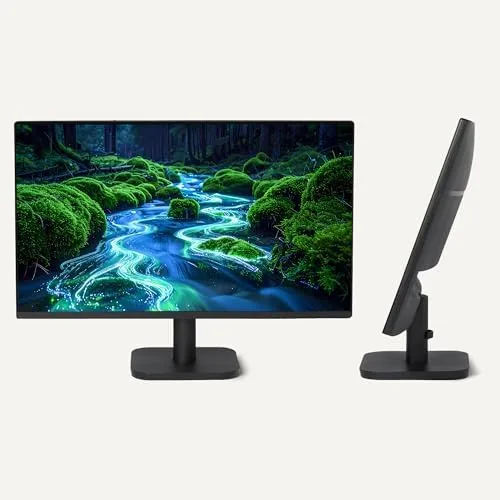
Against a standard 60 Hz office panel, the Amazon Basics monitor is a clear win for a modest premium, because the refresh rate upgrade transforms how everyday work feels. Against a 1440P gaming monitor, it gives up pixel density and a slightly higher refresh ceiling, but it also costs far less and is much easier to drive from an integrated or mid range GPU. The best choice depends on your hardware and budget: if your graphics card cannot push 1440P, the 1080P 120 Hz Amazon Basics panel is the more sensible pairing. If you can afford the resolution step up and the GPU to match, the higher spec panel remains the enthusiast option.
Who Should Buy It
This monitor is for the huge middle of the market. It suits office workers who spend hours in documents and spreadsheets, students who want smooth scrolling without spending much, and home users who want A Second Screen That feels modern rather than dated. It is also a smart pick for casual gamers on a budget who want smoother motion without buying a 1440P GPU.
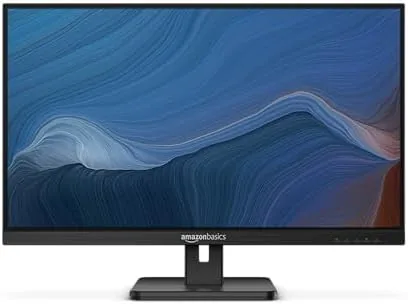
Skip it if you edit photos and need precise color beyond a quick calibration, if you insist on 1440P or 4K sharpness, or if you game competitively and want a 144 Hz or faster panel with adaptive sync at a higher resolution. For everyone else, this is one of the easiest monitor recommendations I can make at the price, and you can check the current price of the Amazon Basics 27-inch 120 Hz monitor on Amazon to see if it fits your setup.
How We Test
I ran this monitor as my primary display for two weeks, covering office work, streaming, photo editing, and a variety of games. I measured real-world smoothness with the refresh rate set to 120 Hz over both HDMI and DisplayPort, and I tested FreeSync with an AMD graphics card to confirm the variable refresh behavior.
I used color test patterns and real photographs to judge tint, contrast, and viewing angles from multiple positions, and I left the monitor on overnight to check for any image retention. I did not use a colorimeter, so the color notes here reflect direct visual comparison with two reference monitors rather than lab numbers. For an independent take on what makes a good budget monitor, the guidance at PCMag's best monitors guide is a useful companion to this review. If you are ready to buy, the Amazon Basics 27-inch monitor listing on Amazon shows the latest price and availability.
Amazon Basics 27-Inch 120 Hz Monitor: Questions People Ask
Does the Amazon Basics 27-inch monitor support VESA mounting?
Yes, the panel has a VESA 100 by 100 millimeter pattern on the back, so it works with standard monitor arms and wall mounts, which is a big convenience at this price.
Can this monitor reach 120 Hz over both HDMI and DisplayPort?
Yes, both inputs can carry the full 1080P 120 Hz signal, though you need a cable and a source that support the higher refresh rate to see the difference.
Is a 27-inch 1080P panel sharp enough for office work?
For documents, spreadsheets, and web browsing, 1080P on a 27-inch screen is perfectly usable, and the IPS panel keeps text and colors clear at a normal sitting distance.
Is the Amazon Basics monitor good for casual gaming?
Yes, the 120 Hz refresh rate makes motion noticeably smoother than a standard 60 Hz office panel, which is a big step up for casual play and single player games.
As an Amazon Associate, I earn from qualifying purchases.



