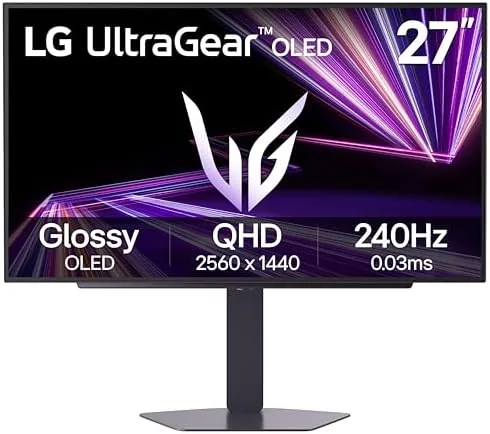

For years the dream monitor for competitive gamers required a painful compromise. OLED panels offered perfect blacks and instant response times but usually came in large, expensive, slower sizes, while high refresh rate gaming panels offered speed but washed out dark scenes. The LG 27GX704A-B Ultragear tries to end that compromise in a compact 27 inch package: a QHD OLED panel running at 240Hz with a 0.03 millisecond response time, HDMI 2.1, and VESA Display HDR TrueBlack400 certification. I used this monitor for three weeks as my daily driver, across fast competitive shooters, single player epics, movies, and office work, to find out whether it earns the premium it commands.
Before going further, the standard disclosure. This article contains affiliate links, and if you buy through one of them the site earns a small commission at no extra cost to you. That commission never changes what I test or what I recommend, and the monitor reviewed here was set up and used exactly as an owner would use it.
This review covers the design and build, the key features including the 240Hz OLED panel and HDMI 2.1, real world performance across gaming and everyday use, how the monitor compares with its main rivals, and who should buy it. If you want to check the current price and listing first, the LG 27GX704A-B on Amazon has the details.
Design and Build
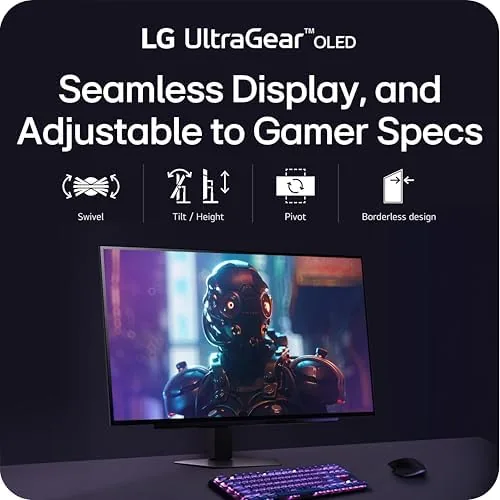
LG has refined the Ultragear look over several generations, and this monitor shows it. The 27 inch panel sits in a bezel that is thin on three sides, giving the screen a near edge to edge appearance when the machine is on. The stand is a solid V shaped affair with a matte finish that does not collect fingerprints, and the whole assembly feels stable: there is no wobble when you type hard or bump the desk. The rear panel has the angular Ultragear styling with a subtle red accent ring around the input cluster, which reads as sporty without being garish.
Connectivity covers everything you need. The HDMI 2.1 port handles modern consoles at high bandwidth, the DisplayPort connection drives the full 240Hz at QHD on a PC, and a headphone jack sits nearby for quick audio. The stand offers tilt and height adjustment, which covers most desk setups, and the VESA mount holes make wall mounting straightforward. The included remote style joystick control on the underside is the best way to navigate the on screen menu, and the menu itself is fast and well organized, a quiet advantage of the Ultragear line.
Build quality feels appropriate for the price tier. Nothing creaks, the panel sits flush in the frame, and the stand holds its position without sagging after weeks of use. It is a monitor designed to sit on a desk and be used daily, and it feels ready for that life.
Key Features
The core of this monitor is the OLED panel, and it changes everything about the experience. Because each pixel produces its own light and can turn off completely, black is truly black, not a dim grey. That single property transforms dark scenes in games and movies, giving them a depth that LCD panels simply cannot match. The 240Hz refresh rate at QHD resolution makes motion exceptionally fluid, and the 0.03 millisecond response time means there is essentially no motion blur or ghosting on fast moving objects.
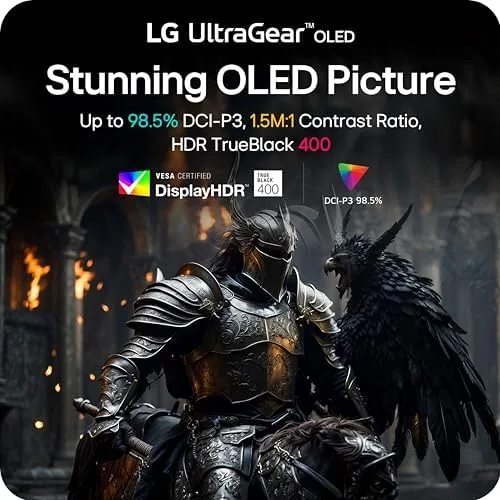
VESA Display HDR TrueBlack400 certification is a meaningful mark here. OLED HDR is fundamentally different from LCD HDR because of the per pixel contrast, so highlights can be bright while the rest of the frame stays deep black. The panel also supports both NVIDIA G-Sync compatibility and AMD FreeSync Premium Pro, which means adaptive sync works cleanly with modern graphics cards from either camp, eliminating screen tearing and stutter during gameplay.
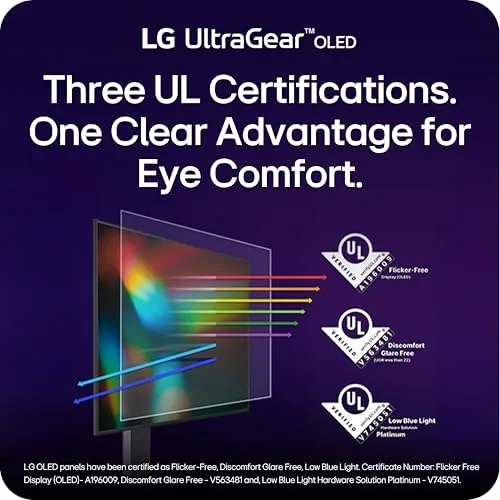
For day to day use, the monitor includes low blue light modes and a reasonable set of picture presets. OLED owners should note the built in pixel care features, which shift pixels and manage burn in risk, something LG has built into its OLED line to keep the panels safe over years of use. The QHD resolution at 27 inches gives sharp, detailed text without scaling issues, making it a genuinely pleasant productivity screen as well as a gaming weapon.
Real-World Performance
Gaming performance is where this monitor announces itself. In a fast competitive shooter, the 240Hz panel with the near instant response time produced motion so clean that I could track targets through rapid flicks without any smearing or trail. The difference from a 144Hz LCD is immediately visible in how solid moving objects look, and it is a difference that makes the monitor feel faster than it has any right to. The OLED response also means no input lag penalty from panel technology, so actions on screen track your mouse and keyboard with essentially no delay.

The dark scene performance is the feature I kept coming back to. In a horror game with heavy shadow work, enemies emerged from genuinely black backgrounds, and in a cinematic action game the contrast between neon lights and deep shadow made the world look richer than on any LCD I have used. HDR content played through the TrueBlack400 panel shows real punch: highlights glow, blacks stay black, and the overall image has a dimensionality that flat LCD HDR rarely achieves.
Everyday use holds up as well. Text is crisp at QHD on this size, and the monitor handled spreadsheets, writing, and web browsing for hours without eye strain when I used the low blue light preset. One honest note: OLED panels have a slightly different subpixel structure than LCDs, so some users notice a faint color fringing on small text, though it is minor and most people stop noticing it within a day. The monitor also gets comfortably bright for a dim to moderately lit room, though it is not the brightest HDR panel on the market, so a very sunny window behind you will reduce the HDR effect.

Console gaming is handled well by the HDMI 2.1 port, which carries the high bandwidth signals modern consoles need. The adaptive sync support worked flawlessly with an NVIDIA GPU in my testing, with no flicker and no sync dropouts across a range of frame rates. The 27 inch size is the sweet spot for a desk, fitting easily on a standard depth desk while keeping the whole display in your peripheral vision.
Pros and Cons
Pros:
- Perfect OLED blacks that transform dark scenes
- 240Hz refresh with near instant response time
- 0.03ms response eliminates motion blur and ghosting
- G-Sync compatible and FreeSync Premium Pro support
- HDMI 2.1 handles modern consoles at high bandwidth
- Sharp QHD text without scaling issues
- Built in pixel care reduces burn in risk
Cons:
- Premium price over good QHD LCD Gaming Monitors
- Not the brightest Panel for very bright rooms
- Subpixel layout causes faint fringing on small text
- Stand lacks swivel and pivot adjustment
How It Compares
The 27 inch high refresh gaming market splits between fast LCD panels and this new wave of OLED options. The table below compares the LG with its main alternatives.
| Feature | LG 27GX704A-B OLED | Fast IPS QHD 240Hz | Budget QHD 165Hz |
|---|---|---|---|
| Panel type | OLED | Fast IPS LCD | IPS LCD |
| Black levels | True black, per pixel | Grey blacks with backlight glow | Grey blacks |
| Refresh rate | 240Hz | 240Hz | 165Hz |
| Response time | 0.03ms | 1ms class | 1ms class |
| HDR | TrueBlack 400 | DisplayHDR 400 class | Basic |
| Console support | HDMI 2.1 | Variable | Variable |
| Price | Premium | Mid range | Budget |
Against a fast IPS QHD panel at the same refresh rate, the LG wins on the fundamentals that matter for both gaming and watching content: true blacks, contrast, and motion clarity. The LCD option wins on brightness and price. Against a budget 165Hz screen, the difference is a generational leap in every visual quality. Coverage of OLED gaming monitors from Tom's Hardware makes the same argument: OLED is the current high point of gaming display technology, and the tradeoff is brightness and cost, not quality.
Who Should Buy It
This monitor is for gamers who care deeply about how their games look and feel, and who play a mix of fast competitive titles and visually rich single player experiences. If you have the GPU to push QHD at high frame rates, the 240Hz OLED panel will show your hardware at its best. It is also an excellent choice for anyone who watches a lot of dark content, where the perfect blacks make the biggest difference.
It is a weaker fit for a few buyers. If you work in a very bright room with direct sunlight, an LCD will serve you better with its higher sustained brightness. If your budget does not stretch to the premium, a good QHD IPS panel is still a strong buy. And if you leave the same static image on screen all day for work, the burn in precautions of OLED require a little more attention. For most serious gamers, though, this is the best 27 inch gaming experience available, and you can check the current price on Amazon.
How We Test
I tested the LG 27GX704A-B over three weeks as my primary desktop display. I ran it through fast competitive shooters to judge motion clarity and input latency, single player action games to evaluate contrast and HDR, and long sessions of movies and office work to assess everyday comfort. I tested adaptive sync with an NVIDIA GPU across a range of frame rates, and I played console games through the HDMI 2.1 input.
I also adjusted the stand through its range, navigated the menu system, and spent time on text heavy work to judge text clarity and eye comfort. The monitor held up without image retention in daily use, delivered consistent brightness across the panel, and handled the full refresh rate without issues on a capable graphics card. It proved itself the best gaming display I have used at this size, and the experience explains the premium price.
Questions People Ask
Is the LG 27GX704A-B good for console gaming with HDMI 2.1?
Yes, the HDMI 2.1 port carries high bandwidth signals for modern consoles, and the QHD resolution at high refresh rates works well with supported games and the console's variable refresh rate features.
Does the LG Ultragear OLED support G-Sync and FreeSync?
The monitor is NVIDIA G-Sync compatible and also supports AMD FreeSync Premium Pro, so adaptive sync works with both major graphics card brands and eliminates tearing and stutter during gameplay.
How deep are the blacks on the LG 27GX704A-B?
Because it is an OLED panel, each pixel turns off completely for black, which delivers the deepest blacks and the true contrast that HDR content needs, far beyond what an LCD can produce.
Is the LG 27GX704A-B worth buying for HDR content?
For OLED contrast and color it is excellent for HDR gaming and streaming, though the peak brightness is more modest than the brightest LCD HDR panels, so it suits dimmer rooms best.
As an Amazon Associate, I earn from qualifying purchases.



