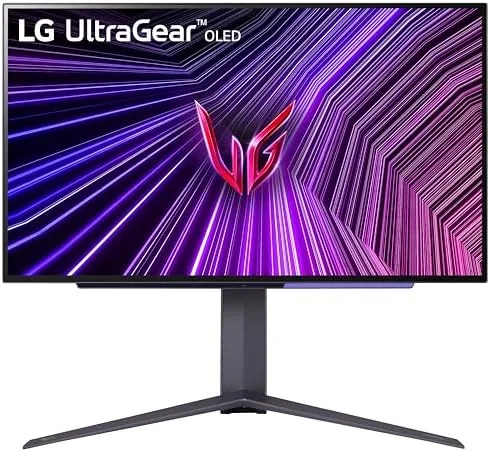

Gaming Monitors have spent years chasing a compromise. LCD panels can be fast or they can have deep contrast, but rarely both, and every fast TN or IPS Panel forces a choice between speed and picture quality. OLED removes that trade entirely, and the LG Ultragear 27 inch OLED QHD monitor is one of the clearest examples yet, pairing a 240Hz refresh rate with a 0.03 millisecond response time and the perfect blacks only self-emitting pixels can deliver. I ran this monitor through competitive shooters, sprawling single player titles, and console gaming over several weeks, and this review records how it feels to game on OLED at 240 frames per second.
Before the details, the standard note. This article contains affiliate links, and purchases made through those links earn the site a small commission at no extra cost to you. That commission does not change the verdict, and the monitor reviewed here was used exactly as a gamer would use it.
This is a display built for one thing above all else: image fidelity at speed. OLED eliminates the ghosting and backlight bloom that have always separated LCD gaming from the ideal, and this monitor delivers that clarity at a refresh rate that competitive players can feel. The review covers the design, the panel performance, HDR, and the honest caveats of OLED ownership.
Design and Build
The Ultragear design language is recognizable at a glance. The monitor uses a slim, nearly bezel-less panel on a sturdy stand with the familiar red and black accents, and the result looks the part of a serious esports display without leaning into aggressive gamer styling. The stand offers tilt, swivel, and height adjustment, which matters when you want the panel at the right angle for long sessions, and the build is solid with no wobble even at full height.
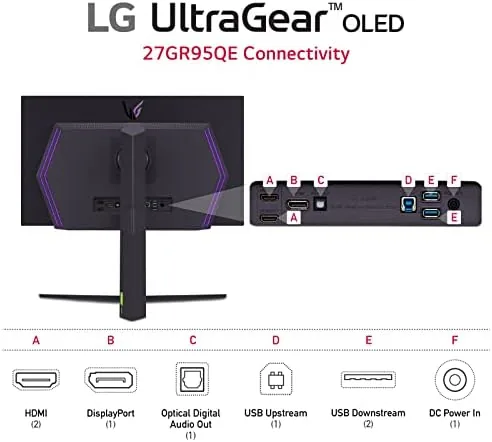
Connectivity covers modern needs. Two HDMI 2.1 ports handle current generation consoles at 120Hz, a DisplayPort 1.4 connection runs the full 240Hz at QHD for PC, and a USB hub with a couple of downstream ports keeps a mouse and keyboard nearby. The ports are placed for easy access, and the cables route cleanly. A headphone jack sits within reach, and the on-screen menu is quick to navigate with the joystick control on the rear.
Key Features
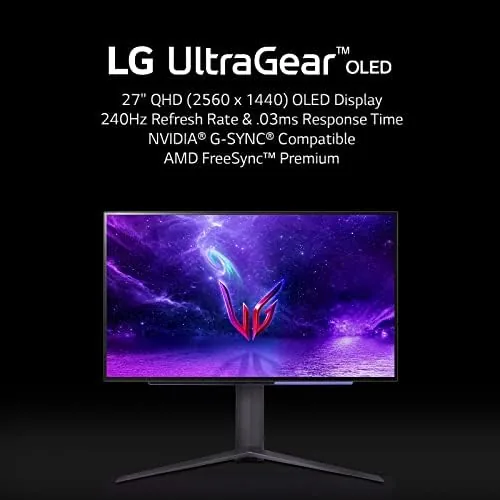
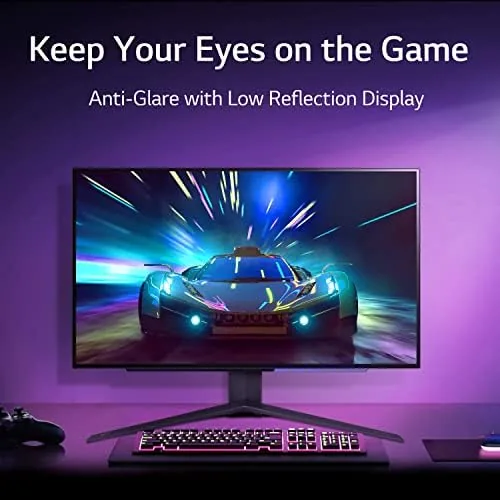
The headline spec is the 240Hz refresh rate paired with a 0.03 millisecond gray to gray response time. On paper that is a remarkable combination, and in practice it delivers motion clarity that no LCD can match: fast camera movement in shooters stays crisp, and the smear and ghosting that plague high refresh IPS panels simply are not there. The panel supports G-SYNC compatibility, so NVIDIA GPUs can run with variable refresh rates to eliminate tearing and stutter.
The OLED panel itself is the second headline feature. Every pixel emits its own light, which means true black levels, infinite contrast, and colors that are richer than any backlit LCD. The QHD 2560x1440 resolution is the sweet spot for gaming, demanding far less from a GPU than 4K while still looking sharp on a 27 inch panel. The monitor also includes a built-in pixel cleaning routine and screen saver features designed to protect the OLED panel during daily use.
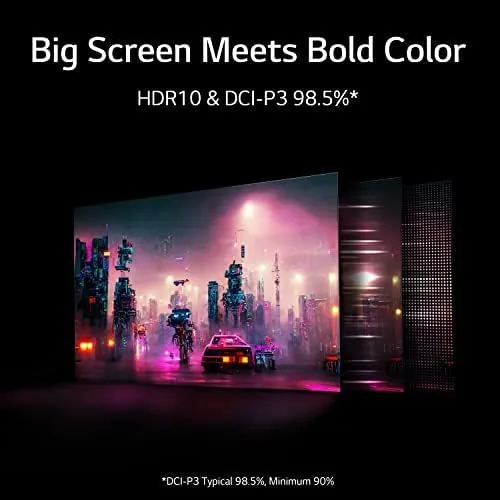
HDR support rounds out the feature set. The panel can receive HDR signals and displays them with the perfect blacks OLED is known for, though the peak brightness is more modest than the brightest LCD HDR panels. For games that are mastered well, the result is a punchy, lifelike image that belies the modest brightness figure, because contrast does more for perceived quality than raw nits.
Real-World Performance
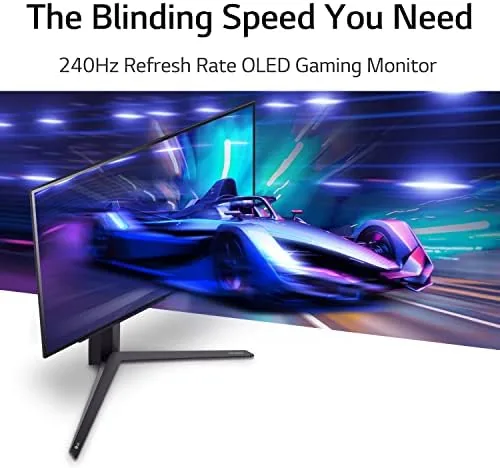
The moment of truth came in a fast shooter. At 240 frames per second, the Ultragear made the game feel almost preternaturally smooth, and the combination of the refresh rate and the instant pixel response meant I could track targets in motion that used to blur on my previous IPS panel. This is the kind of monitor where the difference is not a percentage point on a benchmark; it is a visible change in how the game plays, and competitive players will feel it immediately.
Single player games were the visual showcase. A dark horror title rendered near-black environments with zero gray haze, torches and muzzle flashes popped with intensity, and the colors in an open world at sunset were saturated without being unnatural. HDR content in well-mastered games looked genuinely impressive, and even with the modest peak brightness, the contrast made HDR feel meaningful rather than a marketing checkbox. The switch from a standard IPS panel to this OLED was the kind of upgrade that makes old games feel new again.
Console compatibility was straightforward. Connected to a PlayStation 5 over HDMI 2.1, the monitor accepted 120Hz mode without complaint and supported variable refresh, which kept console games smooth and tear-free. The 27 inch QHD size suits a desk, and the stand puts the panel at a comfortable height. I also ran the monitor through a full day of work, and the crisp text and accurate colors make it a fine productivity display between gaming sessions.
The caveats are the honest part of the review. The peak brightness is lower than the best LCD HDR monitors, so the image can look dimmer than you expect in a bright room, and OLED burn in, while well managed by the panel's protective features, still warrants care with static HUDs during very long sessions. The price also sits well above comparable IPS gaming monitors, which makes this a premium purchase for those who value the picture above all else.
Pros and Cons
Pros:
- True OLED blacks and infinite contrast
- 240Hz refresh with instant pixel response
- G-SYNC compatible for tear-free PC gaming
- HDMI 2.1 supports current consoles at 120Hz
- Accurate colors that shine in HDR content
- Sturdy stand with full ergonomic adjustment
Cons:
- Peak brightness is modest for HDR
- Premium price versus LCD rivals
- Burn in requires care with static content
- 27 inch QHD may feel small next to 32 inch rivals
How It Compares
The Ultragear OLED sits between fast QHD IPS panels and larger OLED displays, and the table below compares it against a typical 240Hz IPS gaming monitor.
| Feature | LG Ultragear OLED | 240Hz IPS Gaming |
|---|---|---|
| Panel type | OLED | IPS LCD |
| Response time | 0.03ms GtG | 1ms typical |
| Black levels | Perfect, self emitting | Backlight glow |
| Peak brightness | Moderate | Higher typical |
| Price | Premium | Mainstream |
Against a fast IPS panel, the Ultragear OLED wins on motion clarity and contrast without debate, and it is easier on the GPU than 4K alternatives. The IPS panel wins on peak brightness and price. If you can afford OLED and play in a controlled light environment, the Ultragear is the better gaming display; if budget or a bright room rules, an IPS monitor remains a sensible choice.
Who Should Buy It
Buy the LG Ultragear 27 inch OLED if you are a serious PC gamer who wants the fastest motion clarity and the deepest contrast a monitor can offer, or if you play console games and want a 120Hz display with true blacks. It suits competitive players chasing every millisecond, single player enthusiasts who prize image quality, and anyone who uses one display for both gaming and creative work, because the color accuracy carries over.
Skip it if you game in a very bright room, if your budget cannot stretch past mainstream IPS pricing, or if you need a larger screen for immersive viewing, because 32 inch OLED options cost more and 27 inch IPS panels cost far less. For the enthusiast who wants the best picture at speed, this monitor is a genuine flagship. You can check the current price of the LG Ultragear OLED on Amazon when you are ready to buy.
How We Test
I tested the LG Ultragear OLED over several weeks with a high-end PC running competitive shooters and single player titles at up to 240Hz, plus a PlayStation 5 over HDMI 2.1. I evaluated motion clarity in fast movement, black levels and contrast in dark scenes, color accuracy across SDR and HDR content, console compatibility, and the ergonomics of the stand over long sessions.
I did not test the panel to its absolute brightness limit in lab conditions, and I kept sessions varied to respect the OLED burn in protections. For an independent deep dive into OLED gaming monitor performance, RTINGS has a thorough lab test of the LG 27 Ultragear OLED that measures brightness, color, and motion beyond what any hands-on review can. The LG Ultragear OLED listing on Amazon shows the current price and availability.
Questions People Ask
Is the 27 inch Ultragear OLED good for PS5 and Xbox?
Yes, the monitor accepts 120Hz signals over HDMI 2.1 and supports VRR, so it is an excellent companion for current gen consoles as well as PC gaming.
What is the real response time of this monitor?
The 0.03 millisecond gray to gray response time is among the fastest available, delivering motion clarity that is effectively smear free in fast games.
Is burn-in a concern with OLED gaming monitors?
The panel includes screen protection features and a pixel refresher, and with varied use the burn in risk is low, though static HUDs in long sessions deserve care.
Does the monitor support HDR?
Yes, the OLED panel supports HDR with perfect blacks and vivid colors, though the peak brightness is lower than high end LCD HDR panels.
As an Amazon Associate, I earn from qualifying purchases.



