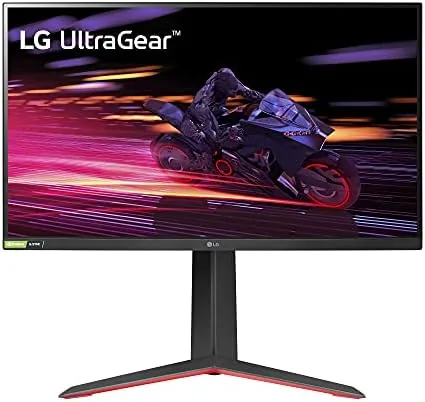

There is a school of thought that says Gaming Monitors are all the same panel with different logos. The LG 27GP750-B is a good argument against that cynicism. It is a 27 Inch 1080p IPS monitor with a 240Hz refresh, a 1 millisecond response, and support for both Nvidia G-Sync and AMD FreeSync, packed into a chassis with a genuinely good adjustable stand. I spent two weeks playing across fast shooters, racing games, and slower story titles to find out whether this monitor earns its place on a serious desk.
Before the details, the standard note. This article contains affiliate links, and if you buy through one of them the site earns a small commission at no extra cost to you. That commission does not change what I test or what I recommend.
Design and Build
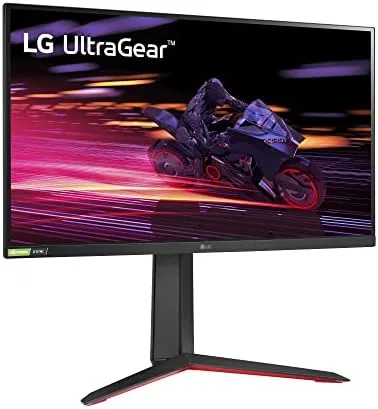
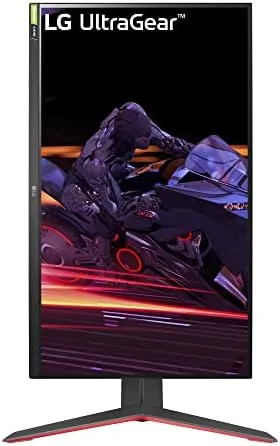
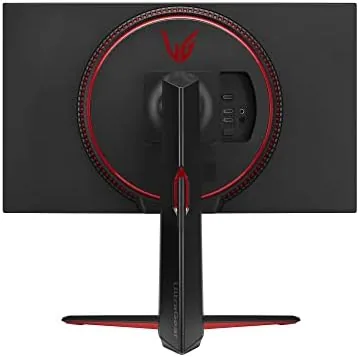
The Ultragear design language is familiar by now: a flat panel with thin bezels on three sides, a slightly wider chin, and a red accent line running along the back that marks this as a gaming product without shouting about it. The matte black finish keeps reflections down, and the overall look is clean enough to sit in a living room setup as comfortably as a dedicated battlestation.
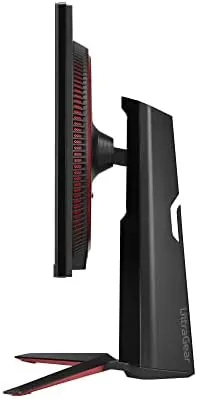
The stand is the surprise of the build. LG has often shipped budget monitors on flimsy stands, but the 27GP750-B gets a proper one: height adjustment over a good range, tilt, swivel, and a 90 degree pivot to portrait mode, all with a solid, wobble-free base. That level of ergonomics is rare at this price point, and it means the monitor works for a desk that gets used for work as well as play.
Behind the panel, the connectivity covers the essentials: two HDMI 2.0 ports and one DisplayPort 1.4, plus a headphone jack. The absence of a USB hub is fine for a dedicated gaming display, and the rear cable routing keeps the desk tidy. A standard 100 by 100 millimeter VESA mount sits behind the stand if you prefer a monitor arm.
Key Features
The headline is the 240Hz refresh rate. At this speed, frames change every four milliseconds, and the practical result is motion so smooth that your eye stops noticing individual frames and just follows the action. Combined with the 1 millisecond grey-to-grey response time, the 27GP750-B delivers the kind of clarity in fast panning shots that TN panels used to promise and IPS panels now deliver.
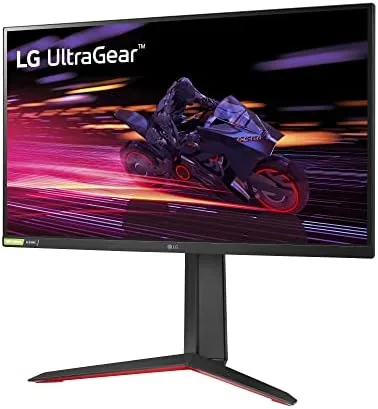
Adaptive sync is covered from both sides. The monitor is certified G-Sync compatible, which means it plays nicely with Nvidia GPUs over DisplayPort, and it carries AMD FreeSync Premium for the other half of the market. Either way, screen tearing disappears and the frame pacing stays smooth across the whole refresh range, which is the feature that matters most at high frame rates.
The panel itself is a 27 inch IPS unit at 1920 by 1080, with a claimed 99 percent sRGB coverage and HDR10 support on paper. The 1080p resolution is the deliberate trade this monitor makes: it keeps the GPU demands low enough that a mid-range card can actually feed 240 frames per second, which is precisely what competitive players want. The refresh is the priority, and everything else is in service of that.
Real-World Performance
I started with a fast-paced shooter, the natural habitat of a 240Hz panel. The difference from a 144Hz screen is subtle at first and obvious the moment you go back: corners turn smoother, crosshair tracking feels tighter, and the smear that lingers on slower panels is simply absent. The 1 millisecond response holds up in practice, with no ghosting trails behind fast-moving targets, which is the whole point of a monitor like this.
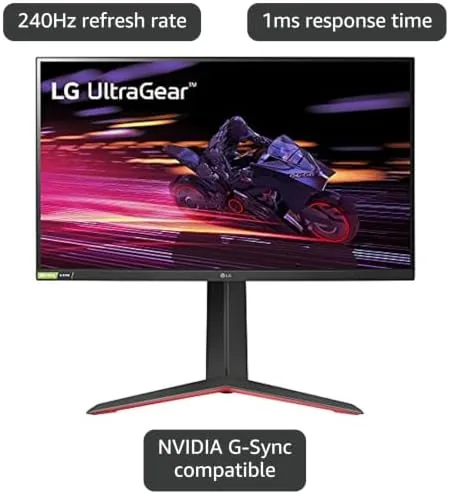
Racing games showed off the refresh in a different way. The fence posts and track-side objects in a cockpit view stream past with none of the stutter that makes lower-refresh displays feel cinematic rather than competitive, and the G-Sync Compatible certification kept the image perfectly smooth with an Nvidia card in the rig. I also ran the monitor with an AMD GPU for a stretch, and FreeSync Premium behaved identically.
Color and viewing angles are where the IPS panel earns its keep. The 27GP750-B covers the sRGB gamut well out of the box, colors look natural rather than oversaturated, and the panel stays stable when you watch from an angle, which matters when two people are watching a game or a movie from the sofa. Brightness is fine for a normal room, and the matte finish handles a window behind you.
About the 1080p resolution: at 27 inches it is usable and sharp in games, but it is not pixel-dense. Text is noticeably softer than on a 1440p or 4K panel of the same size, and anyone who splits the monitor between work and play will notice the difference. For a pure gaming setup fed by a mid-range GPU, that trade is exactly right; for a do-everything monitor, it is the one compromise to weigh.
Pros and Cons
Pros:
- 240Hz refresh with clean motion, no visible ghosting
- 1 millisecond response on a true IPS panel
- G-Sync Compatible and FreeSync Premium both supported
- Proper stand with height, tilt, swivel, and pivot
- Good sRGB color and wide viewing angles
- 1080p keeps GPU demands low for high frame rates
Cons:
- 1080p looks soft for text work at 27 inches
- HDR10 support is nominal rather than transformative
- No USB hub or built in speakers
How It Compares
The 240Hz 1080p IPS class is small but competitive, and the 27GP750-B faces the Asus TUF Gaming VG279QM, the ViewSonic XG2431, and LG's own cheaper 27GN750. Each offers the same core recipe, so the differences land on stand quality, brightness, and price.
| Feature | LG 27GP750-B | Asus TUF VG279QM | ViewSonic XG2431 |
|---|---|---|---|
| Panel | 27 inch IPS | 27 inch IPS | 24 inch IPS |
| Refresh rate | 240Hz | 280Hz overclocked | 240Hz |
| Response | 1 millisecond | 1 millisecond | 1 millisecond |
| Adaptive sync | G-Sync and FreeSync Premium | G-Sync and FreeSync Premium | FreeSync Premium |
| Stand | Height, tilt, swivel, pivot | Height, tilt, swivel | Height, tilt, pivot |
| Price | Mid | Mid to high | Lower |
The Asus counters with a slightly higher overclocked refresh and its own excellent stand, usually at a higher price, while the ViewSonic is the value pick but smaller at 24 inches. The LG sits in the middle with the most complete stand and support for both adaptive sync standards, which makes it the most balanced of the three for most buyers.
Who Should Buy It
Buy the 27GP750-B if you play competitive shooters and want every frame to be as clear as the hardware can make it, if you own a mid-range GPU and want a refresh rate that matches what it can actually drive, or if you want a gaming monitor that is equally happy on a work desk thanks to the adjustable stand.
Skip it if you need the pixel density of 1440p for mixed work and play, if your games are slow story titles where 240Hz is wasted, or if you want a larger 32 inch screen. For the player who chases smoothness first, this is one of the best values in high-refresh gaming today. You can check the current LG 27GP750-B price on Amazon when you are ready.
How We Test
I tested the 27GP750-B over two weeks with a desktop PC driving it with both Nvidia and AMD graphics cards, playing fast-paced shooters, racing games, and slower titles to judge motion clarity, ghosting, and color across genres. I ran the adaptive sync on both platforms to confirm the G-Sync Compatible and FreeSync Premium claims held in real use.
I used the stand through its full range including the pivot to portrait, checked the sRGB coverage against a reference display, and used the monitor for everyday work to gauge how the 1080p resolution holds up for text. I did not run a hardware colorimeter for this review, so the color notes are subjective. Independent coverage such as Tom's Hardware roundups of the best gaming monitors is a useful second opinion on where the 27GP750-B ranks.
The LG 27GP750-B listing on Amazon shows the current price and what is included in the box.
LG 27GP750-B: Questions People Ask
Is 240Hz worth it for gaming?
For fast shooters and any game where motion clarity matters, yes: the jump from 144Hz to 240Hz tightens motion perception noticeably, and the 27GP750-B delivers it cleanly.
Is 1080p sharp enough on a 27 inch screen?
It is perfectly usable and matches how this monitor is marketed, but the pixel density is lower than a 1440p panel, so text looks a little softer up close.
Does this monitor work with both Nvidia and AMD graphics cards?
Yes, it is G-Sync compatible and carries FreeSync Premium, so adaptive sync works through DisplayPort with either brand of GPU.
Can the stand be adjusted?
The stand offers height adjustment, tilt, and a 90 degree pivot to portrait, and the panel also carries a standard VESA mount for a monitor arm.
As an Amazon Associate, I earn from qualifying purchases.



