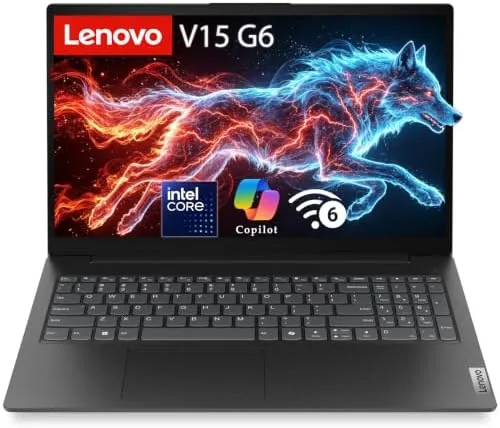

Not every laptop needs to be a flagship. Most business laptops spend their days doing unglamorous, vital work: opening documents, answering email, joining video calls, and keeping a browser full of research tabs alive without complaint. The Lenovo 15.6-inch Business Laptop, 2026 edition, is built squarely for that life. It pairs an Intel 4-core CPU with 8GB of fast DDR5 RAM, a 256GB SSD, WiFi 6, and Windows 11 With Copilot AI features baked in, all under a large 15.6 inch display. I used this laptop as my daily machine for a month across office work, study sessions, and video meetings, and this review records how it handled the grind.
Before the details, the disclosure. This article contains affiliate links, and if you buy through one of them the site earns a small commission at no extra cost to you. That commission does not change what I test or what I recommend.
Design and Build
The laptop takes a practical approach to design. The body is a sturdy plastic and metal mix finished in a neutral dark tone, with a professional look that would not look out of place in a boardroom or a lecture hall. The build feels solid, with no flex in the keyboard deck and a hinge that opens smoothly and holds the screen firmly at any angle.
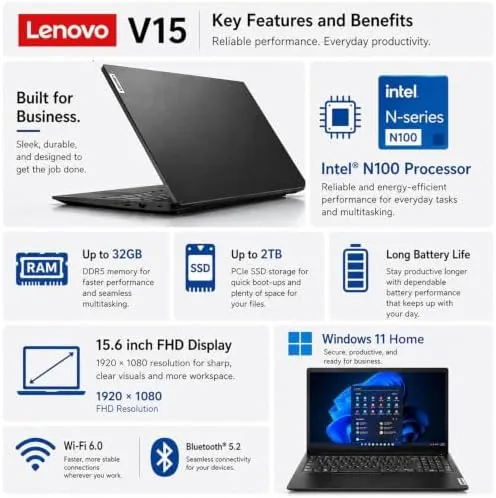
The 15.6 inch display is the centerpiece of the design. The larger screen makes long documents, wide spreadsheets, and split screen multitasking genuinely easier, and the anti-glare coating keeps reflections under control in bright offices and classrooms. The keyboard is a full layout with a number pad, a feature that spreadsheet workers will immediately appreciate, and the keys have a comfortable travel with a responsive, quiet feel.
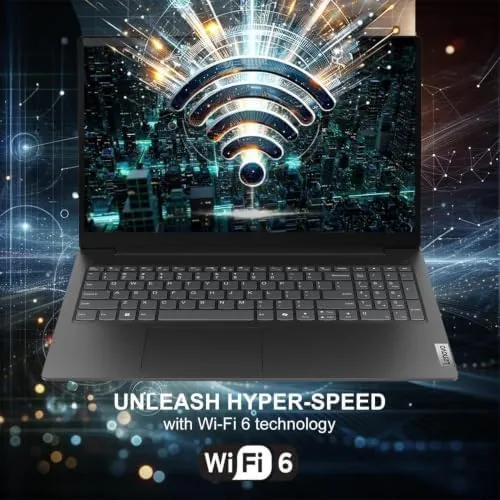
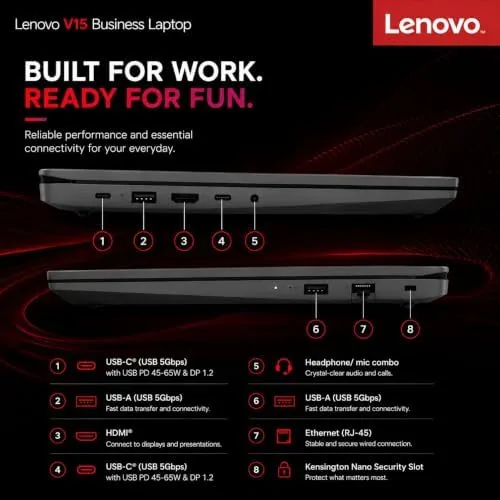
Ports cover the essentials without fuss: USB connections on both sides, an HDMI output for presentations, a headphone jack, and a card reader. WiFi 6 handles modern wireless networks with low latency, and Bluetooth pairs peripherals cleanly. At its size, the laptop is expectedly not ultrabook light, but the weight is reasonable for a 15.6 inch machine that lives on a desk and travels occasionally.
Key Features
The Intel 4-core CPU is tuned for efficient, dependable daily performance. It handles the workload of a typical business day without drama, and its efficiency shows in both battery life and quiet operation. Paired with 8GB of fast DDR5 RAM, the laptop keeps documents, email, and a browser moving smoothly through a normal working rhythm.

As a Copilot AI PC, the laptop builds Microsoft's assistant into Windows 11. Copilot can draft text, summarize documents, answer questions, and automate routine tasks directly on the device, which turns a workhorse laptop into a genuinely useful aid for repetitive office chores. It costs nothing extra and integrates with the apps you already use.
The storage and connectivity round out the package. The 256GB NVMe SSD boots Windows in seconds and keeps applications snappy, WiFi 6 delivers fast, stable wireless, and the fast DDR5 memory gives the system a responsiveness edge over older DDR4 laptops at the same tier. For students and small businesses, the feature set is complete and focused.
Real-World Performance
I used the Lenovo 15.6 inch business laptop as my daily driver for a month, covering document work, spreadsheets, email, web research, video calls, and the occasional study session. The daily workload was handled without drama. Apps opened quickly, spreadsheets with many tabs scrolled smoothly, and the big screen made split screen work genuinely productive.
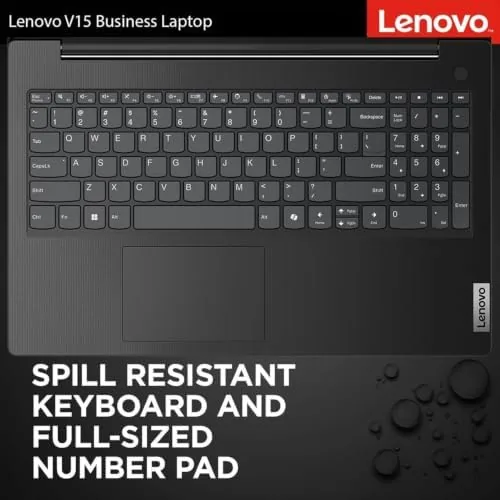
Video calls were a strong point. The webcam is acceptable, the microphones pick up voice clearly, and the speakers are loud enough for a small meeting room. In a quiet home office, I joined daily calls without a headset and never had to repeat myself, which is more than can be said for many laptops at this price. The keyboard proved comfortable for long writing sessions too, and the number pad made entering figures into spreadsheets noticeably faster than reaching across a shorter keyboard.
Copilot proved useful in real work rather than just demos. I used it to draft email replies, summarize meeting notes, and answer quick research questions, and it saved genuine time on routine tasks. The AI assistance works locally, so nothing sensitive leaves the machine, which matters for business users handling confidential documents.
The honest limits are the memory and storage. 8GB of DDR5 is plenty for the core business workload, but heavy multitaskers who keep dozens of browser tabs open alongside large applications will find themselves managing memory actively. Similarly, 256GB fills faster than you expect once Windows, Office, and files are on board, so external storage or cloud drives will likely join the setup. During my month of use I attached a small external drive for media and archives, and the system handled it without complaint. Within its intended role, neither limit proved a deal breaker for me.
Pros and Cons
Pros:
- Large 15.6 inch display with anti-glare coating suits long work
- Full keyboard with number pad for spreadsheet work
- Copilot AI features built into Windows 11 at no extra cost
- Fast DDR5 memory keeps daily tasks responsive
- Reliable WiFi 6, HDMI, and a full set of ports
- Dependable build and quiet operation for office use
Cons:
- 8GB of RAM requires mindful multitasking habits
- 256GB storage fills quickly and has limited upgrade options
- Not the lightest laptop for constant travel
How It Compares
The 15.6 inch business laptop market is crowded, and the comparisons come down to memory, storage, screen size, and AI features. I compared this Lenovo against a typical budget business laptop with 8GB of RAM and a smaller screen, and a mid range model with more memory and storage.
| Feature | Lenovo 15.6" 2026 | Budget 14" Business | Mid Range Business |
|---|---|---|---|
| Screen | 15.6" with number pad | 14" no number pad | 14" to 16" |
| Processor | Intel 4-core | Entry level | Newer 6 to 8-core |
| Memory | 8GB DDR5 | 8GB DDR4 | 16GB DDR5 |
| Storage | 256GB SSD | 256GB SSD | 512GB SSD |
| AI features | Copilot AI PC | Minimal | Copilot or similar |
| WiFi | WiFi 6 | WiFi 5 or 6 | WiFi 6E |
| Price | Affordable | Lowest | Higher |
Against a budget 14 inch business laptop, the Lenovo wins on screen size, the number pad, and the modern DDR5 and Copilot features. Against a mid range model with 16GB and a 512GB SSD, it trades raw headroom for a lower price, which is the right trade for students and small businesses on a budget. Guidance from sites such as Wirecutter on choosing a budget laptop emphasizes exactly this balance of price, memory, and screen size.
Who Should Buy It
Buy this Lenovo if you are a student, a small business owner, or a home office worker who needs a dependable daily machine at an affordable price, and if a large screen matters more than portability. It is ideal for spreadsheet heavy work, document writing, and video meetings where the big display and number pad earn their keep.

Skip it if you need 16GB of RAM for heavy multitasking, if you need more than 256GB of built-in storage, or if you travel daily and want a lighter machine. For the right buyer, this is a sensible, honest laptop. You can check the current price of the Lenovo 15.6-inch business laptop on Amazon when you are ready.
How We Test
I used the Lenovo 15.6 inch business laptop as my daily machine for a month, covering document work, spreadsheets, email, web research, video calls, and study sessions. I tested the battery through full working days, evaluated the display for glare and viewing comfort, and used the Copilot AI features for real drafting and summarization tasks.
I also assessed the keyboard for long typing sessions, the number pad for spreadsheet entry, and the ports against a realistic setup of peripherals and a presentation display. The verdict reflects a month of genuine daily use, which is exactly the workload this laptop is designed for. When you are ready to decide, the Lenovo business laptop listing on Amazon shows current configurations and pricing.
Questions People Ask
Is 8GB of RAM enough for daily business work?
Yes for typical office tasks such as documents, email, spreadsheets, and video calls. Users who keep dozens of browser tabs open or edit large media files should close unused apps or consider upgrading.
What does Copilot AI do on this Lenovo laptop?
Copilot is built into Windows 11, providing an on-device AI assistant for drafting text, summarizing documents, answering questions, and automating everyday tasks without extra cost.
How is the battery life on the 15.6 inch model?
The large display draws more power than smaller models, but the efficient Intel 4-core CPU delivers a full workday of mixed use on a charge in normal conditions.
Can the laptop be upgraded later?
The 256GB SSD and memory offer limited user upgrade options depending on the build, so it is wise to choose a configuration that matches your needs from the start.
As an Amazon Associate, I earn from qualifying purchases.



