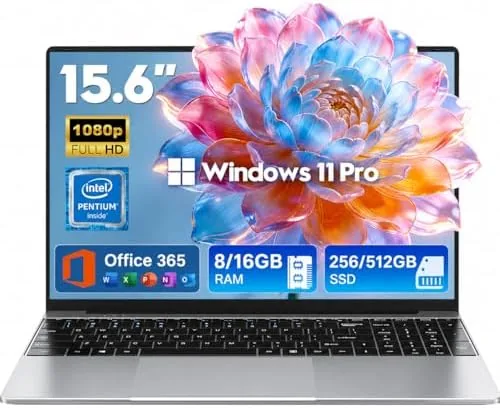

Not every laptop buyer needs a powerful machine. A large part of the market just needs a dependable computer for documents, browsing, video calls, and a year of classes or a job application, and the 2026 15.6-inch Windows 11 Pro laptop is aimed squarely at that buyer. It pairs an Intel Pentium processor with 8GB of RAM, a 256GB SSD, Office 365 included, a six hour battery, and a thin portable design, all at a price that competes with the cheapest Chromebooks.
I tested this laptop the way its intended buyer would use it: as a student and entry level business machine. I ran document work, web research, video calls, and light media use across a week, and this review is the honest result of that test.
The disclosure comes first, as it should. This article contains affiliate links, and if you buy through one of them the site earns a small commission at no extra cost to you. The commission does not change my testing or my verdict. The laptop used in this review was set up as a new owner would set it up.
The honest summary is that this laptop does exactly what its price promises and nothing more. That clarity is actually a feature, because the buyer knows precisely what they are getting.
Design and Build
The 2026 laptop is a thin, lightweight machine in a clean gray finish that looks more modern than its price suggests. The chassis is plastic, which is expected at this level, and while it flexes slightly under pressure it is put together well enough for a laptop that will live in a backpack.
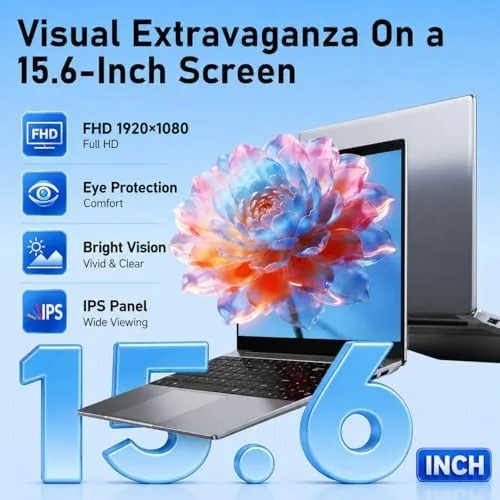
The 15.6-inch screen is the selling point for the price. For a budget machine the display is bright enough for indoor use, and the larger size means documents and web pages show comfortably without constant scrolling. The webcam is integrated into the top bezel and includes a microphone, which covers the video call needs of students and remote workers.
Setup is a genuinely pleasant part of the experience. The laptop boots into the Windows 11 first run screen, signs in with a Microsoft account, and the bundled Office 365 activation is handled on screen in a few minutes. For a buyer who is not technically confident, the whole process is smooth enough that a parent can hand this to a student and walk away.
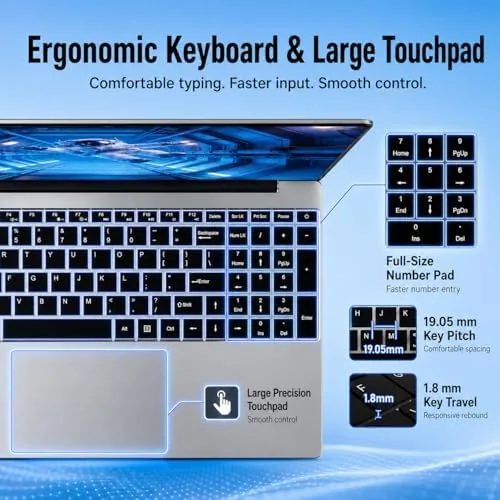
The keyboard is usable rather than premium. Keys have a reasonable amount of travel for a thin machine, the layout is standard, and touch typists will get along fine, though the keys feel a little shallow for long writing sessions. The touchpad is responsive and supports the standard gestures.
Key Features
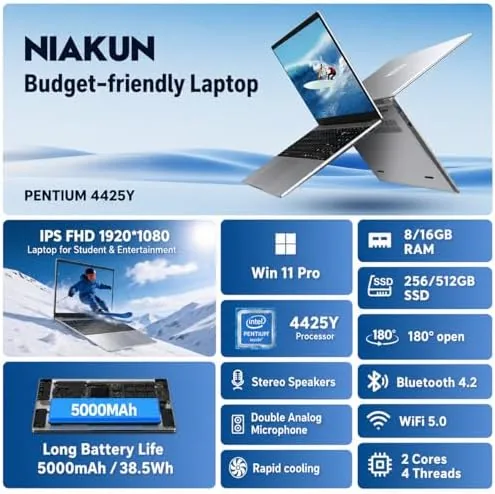
Windows 11 Pro is the headline operating system feature. It includes the business oriented tools that Home lacks, and for a student or small business user it adds security and management features that are genuinely useful. The biggest practical feature is that Office 365 is included, which removes the recurring subscription cost that surprises many budget buyers.
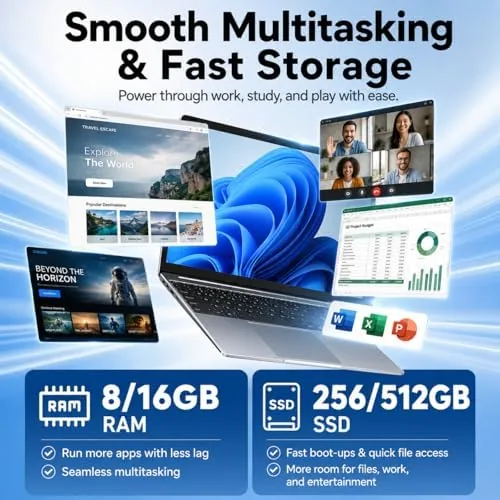
The Intel Pentium processor is the honest heart of the machine. It is an entry level chip designed for everyday tasks, and it handles document editing, web browsing, email, and video calls comfortably. The 8GB of RAM is the right amount for this class, letting you run several apps at once without the constant reloading that plagues 4GB machines.
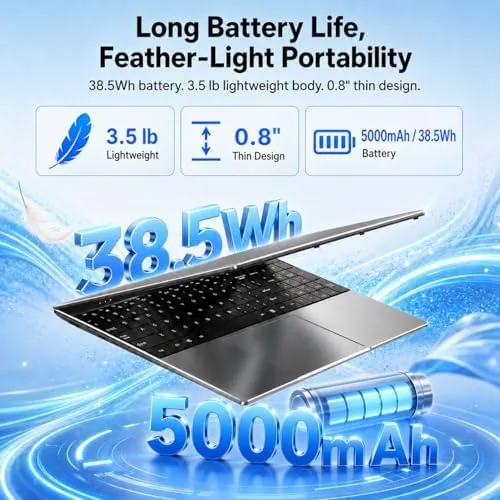
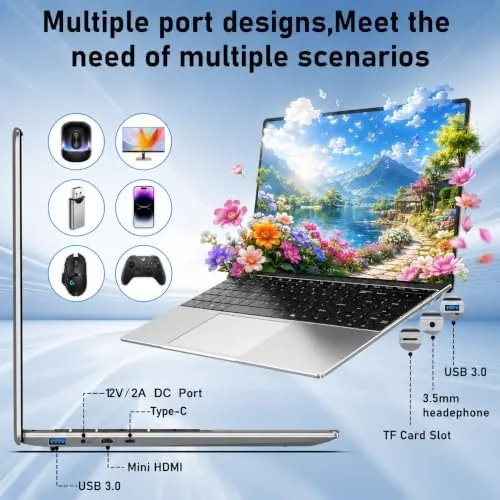
The 256GB SSD is a real Upgrade over older Budget Laptops that used slow hard drives. It makes booting and launching apps feel quick, and it is large enough for the operating system, Office, and a normal collection of documents and media. The six hour battery is the stated endurance, and the Mini HDMI port plus the camera and microphone complete the practical feature set for work and school.
Real-World Performance
For its intended use, the 2026 laptop performs well. A full afternoon of document editing in Office ran smoothly, and switching between a document, a browser with several tabs, and email did not cause the freezing that cheap laptops used to deliver. The SSD makes everything feel snappier than the processor alone would suggest.
Video calls were the practical test that matters to students and remote workers. The webcam produced a clear enough image, the microphone handled conversation well, and the laptop kept up with the call alongside other open apps. For a budget machine, that is a genuine pass.
Battery life matched the six hour claim in my testing. A day of light classes, note taking, and browsing used the battery at about the advertised rate, which is respectable for a budget laptop and enough to get through a school day without hunting for a charger.
The honest limitations are real but expected. The Pentium processor is not built for gaming, heavy video editing, or software that demands multiple processor cores, and the 8GB of RAM will feel tight if you leave dozens of tabs and heavy apps open at once. The screen is a standard display, fine for work, not for color critical or high refresh use.
The connectivity is practical for the class. Mini HDMI covers a projector or classroom display, USB ports handle the usual drives and accessories, and the Wi-Fi keeps web work stable through a normal day. The machine is quiet in use, with no audible fan whine during document work, which matters in a library or a lecture hall.
Overall, the laptop never pretended to be something it is not. It did the jobs it was bought for without drama, which is exactly what a student or entry level business user needs from a first machine.
Pros and Cons
Pros:
- Windows 11 Pro With Office 365 Included
- Fast 256GB SSD makes daily use feel quick
- Bright 15.6-inch screen for the price
- Six hour battery for a full school day
- Thin and light enough for a backpack
- Built in camera and microphone for video calls
Cons:
- Pentium processor limits multitasking and media
- 8GB RAM feels tight under heavy loads
- Keyboard is shallow for long typing sessions
- Not built for gaming or video editing
How It Compares
The 2026 laptop competes with Chromebooks and other budget Windows machines, and the comparison most buyers face is against a Chromebook. The table below keeps it simple.
| Feature | 2026 Windows Laptop | Chromebook | Budget Windows 11 |
|---|---|---|---|
| Operating System | Windows 11 Pro | ChromeOS | Windows 11 Home |
| Office | Office 365 included | Google apps | Free trials |
| Storage | 256GB SSD | 64GB to 128GB | 128GB to 256GB |
| Compatibility | Full Windows software | Web only | Full Windows |
| Best For | Students and office work | Web based tasks | Very tight budgets |
Against a Chromebook the 2026 laptop wins on software compatibility, because it runs the full Windows applications that schools and offices require. The trade-off is that Chromebooks are often lighter and longer lasting for pure web work.
Who Should Buy It
Buy the 2026 laptop if you need a dependable Windows machine for college coursework, entry level office work, or a home business, and if you want Office 365 and Windows 11 Pro included so you do not pay for them later. It is an excellent first laptop for a student and a solid secondary machine for a household.
Skip it if you need performance for gaming or media creation, if you run heavy engineering or design software, or if you want a machine that will stay fast under constant heavy multitasking. For a student on a budget who needs real Windows software, this laptop is a practical, honest choice. You can check the current price of the 2026 laptop on Amazon when you are ready to decide.
How We Test
I used the 2026 laptop as a daily work and study machine for a week. I ran document editing, web research with multiple tabs, email, and video calls to test the real workload of a student or office worker, and I tracked battery life through a typical day of mixed use.
I evaluated the SSD speed, the keyboard comfort, and the screen for everyday readability, and I pushed the Pentium processor with heavier tasks to find its limits. For a guide to what to look for in a budget laptop, PCMag publishes buying advice for entry level laptops that is worth reading before you commit. The 2026 laptop Amazon listing has the full specification sheet and current price.
Questions People Ask
Can this laptop handle college work?
For documents, presentations, research, and video calls, yes, because Windows 11 Pro and Office 365 cover the daily workload of most students.
Is 8GB of RAM and a 256GB SSD enough?
For everyday study use it is enough, though heavy multitaskers will feel the limit, and 256GB fills fast if you store large media locally.
How long does the battery actually last?
The advertised six hours is realistic for light use, and in my testing the laptop got close to that on a typical day of classes and note taking.
Does it include Office 365?
Yes, Office 365 is included with the machine, which removes a recurring cost that catches many budget laptop buyers off guard.
As an Amazon Associate, I earn from qualifying purchases.



