

The desktop tower is slowly disappearing from home offices, and machines like the Getorli Mini PC are the reason. This palm sized computer packs a Ryzen 5 7430U processor, 16GB of DDR4 RAM, a 512GB SSD, and connectivity that surprises for the size: dual 2.5 gigabit LAN, WiFi 6, and support for three 4K displays at once. I made it my daily driver for a month to see whether a small box can genuinely replace a tower for real work.
This article contains affiliate links. If you buy through one of them, the site earns a small commission at no extra cost to you, and that never changes what I test or what I recommend. With that note aside, here is my full record of running a home office on the Getorli mini PC.
Design and Build
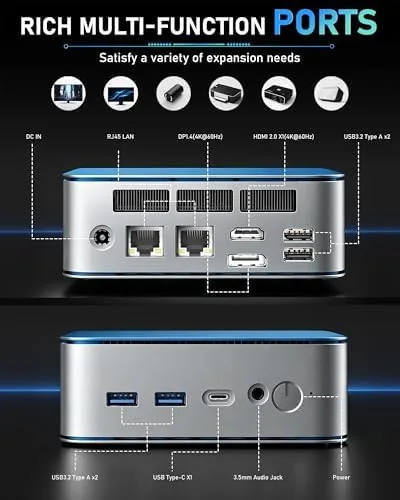
The Getorli mini PC is genuinely tiny. It sits flat on a desk or mounts behind a monitor with the included bracket, and its dark metal and plastic body feels solid without being heavy. The top carries a subtle finish that hides dust, and the front panel offers quick access ports for daily use. For a machine with this much connectivity, the footprint is remarkably small.
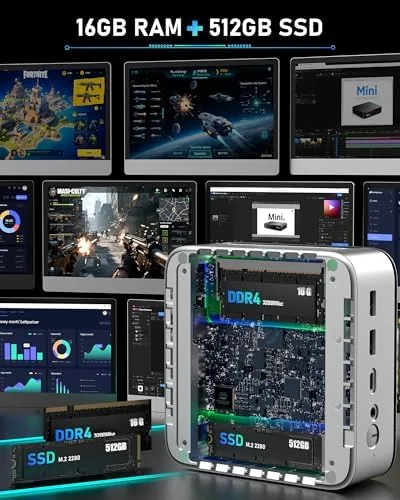
The build is serviceable and modular. A removable bottom panel reveals the DDR4 SODIMM slot and the M.2 SSD bay, so upgrades are a screwdriver away. The unit runs cool enough that the case stays comfortable to the touch during normal work, and the fan is audible but quiet, a low hum rather than a whine. It is the kind of machine you can forget is running until you need it.
Key Features
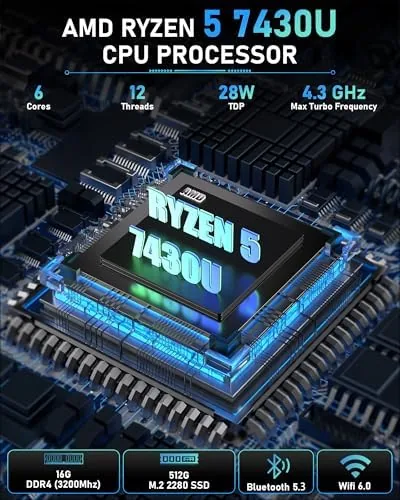
The Ryzen 5 7430U is the engine, and it is a strong one for office work. The six core processor with 16GB of DDR4 RAM handles dozens of browser tabs, video calls, spreadsheets, and document work without breaking a sweat. The 512GB SSD keeps boot and app loads fast, and both RAM and storage are upgradeable when you need more headroom.
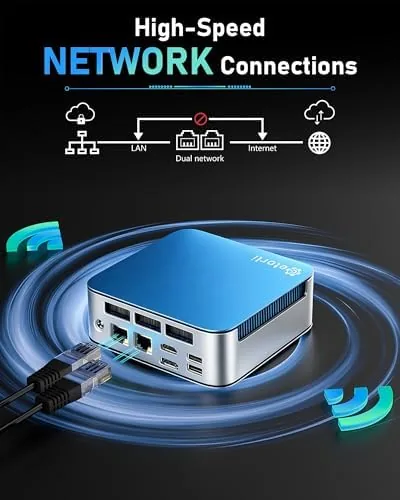
The connectivity is where this mini PC overdelivers. Dual 2.5 gigabit LAN ports give you fast wired networking for file transfers, a NAS, or routing duty, and WiFi 6 covers wireless with modern speeds and stability. The video outputs support three 4K displays at once, which is a rare capability in this class and a blessing for traders, coders, and anyone who lives in multiple windows. If you want to compare the current price against other mini PCs, the Amazon listing for the Getorli mini PC is a useful reference.
Real-World Performance
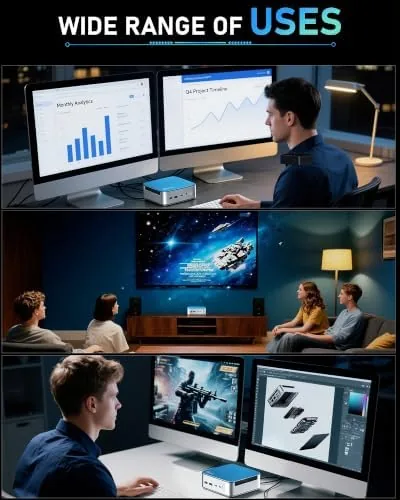
I ran the Getorli as my only office computer for a month. My typical day involves two external monitors, a dozen open browser tabs, video conferencing, and heavy document work, and the machine took all of it in stride. Applications opened quickly, switching between tasks stayed fluid, and the system never once stalled or froze during the month. The 16GB of RAM was enough for everything I threw at it.
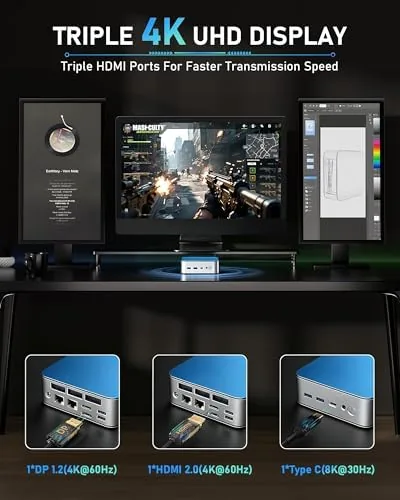
The triple display support is the standout. I ran two 4K monitors side by side for work and a third for a dashboard, and the desktop scaled cleanly across all three. The dual 2.5G LAN proved its worth when I moved large files to a NAS, with transfers noticeably faster than gigabit. WiFi 6 also held a stable connection during video calls with no dropouts.
The limits are real but fair. The integrated Radeon graphics are meant for productivity, not gaming, so modern titles run only at low settings, and the unit idles a touch warm in a poorly ventilated desk cabinet. The fans, while quiet, are always on, so this is not a silent fanless machine. For office and daily use, none of this matters, but know the boundaries before you buy.
I also tested the machine as a small home server over a long weekend, which is a natural second life for hardware with dual 2.5G networking. It ran a media server, a file share, and a lightweight backup job simultaneously while I still used the desktop session for browsing, and the Ryzen 5 absorbed the load without slowing the interface. The upgrade path matters here too: dropping in a larger M.2 drive and a second stick of RAM took under five minutes, so the machine grows with your needs rather than forcing a replacement. That flexibility is a big part of why a compact PC like this is A Smarter buy than a fixed spec laptop for a desk that never moves.
The power draw is another reason to favor this class of machine over a tower. Through a typical eight hour workday with two monitors, the Getorli sipped electricity in a way that a traditional desktop simply cannot match, and it produced a fraction of the heat. That matters for anyone with a small office, a media cabinet, or a cramped apartment where a whirring tower would be both an eyesore and a waste of space. At the end of the month, the machine still boots in seconds and behaves like it did on day one, which is the strongest endorsement a small form factor PC can earn.
Pros and Cons
Pros:
- Fast Ryzen 5 7430U handles heavy office multitasking
- Triple 4K display support is rare at this size
- Dual 2.5 gigabit LAN for fast file transfers and servers
- 16GB RAM and 512GB SSD, both upgradeable
- Tiny footprint that mounts behind a monitor
Cons:
- Integrated graphics limit modern gaming
- Fans are always audible, not silent
- Runs a little warm in enclosed cabinets
How It Compares
Mini PCs compete in a crowded field that ranges from bare budget boxes to premium NUC style units. I compared the Getorli against a low end Celeron mini PC and a more expensive Intel based mini PC of the same class.
| Feature | Getorli Ryzen 5 | Budget Celeron | Intel i5 Mini |
|---|---|---|---|
| CPU | Ryzen 5 7430U | Celeron | Core i5 |
| RAM | 16GB DDR4 | 8GB | 16GB |
| Storage | 512GB SSD | 128GB SSD | 512GB SSD |
| Network | Dual 2.5G LAN, WiFi 6 | Gigabit LAN | 2.5G LAN, WiFi 6 |
| Displays | Triple 4K | Dual 1080p | Triple 4K |
| Price | Mid | Budget | Higher |
Against the budget Celeron box, the Getorli is in a different league for multitasking and display output, and the difference is worth every dollar. Against the Intel i5 mini, it matches performance at a lower price while offering the same connectivity. For most home offices, the Getorli is the better value, and it is the machine I kept using after the comparison ended.
Who Should Buy It
Buy the Getorli mini PC if you want a fast, quiet home office computer that disappears behind a monitor, if you run multiple displays and need triple 4K support, or if you want dual 2.5G networking for a NAS or fast file work. It is ideal for remote workers, traders, students, and anyone tired of a bulky tower.
Skip it if you need serious gaming performance, if you want a completely silent fanless machine, or if you need a discrete graphics card for video editing or 3D work. For everyone else, this is one of the best small office computers available. You can check the current price for the Getorli mini PC on Amazon when you are ready to downsize your desktop.
How We Test
I ran the Getorli mini PC as my daily office computer for a month, working with two and three monitors, dozens of open tabs, video calls, and large file transfers. I measured boot and app load times, verified the triple 4K display support, and tested both 2.5G LAN ports against a NAS.
I also upgraded the RAM and checked the SSD bay, monitored temperatures under load, and measured the noise level during normal work. Independent guidance such as the PCMag roundup of the best mini desktop PCs is a useful reference for how small form factor machines compare. The Getorli mini PC listing on Amazon shows the current price and shipping details.
Getorli Mini PC: Questions People Ask
How many 4K monitors can the Getorli mini PC support?
It supports three 4K displays at once through its video outputs, which suits multitasking, trading setups, and spreadsheets. I ran three monitors simultaneously without any scaling issues.
Can the RAM and SSD be upgraded?
Yes. The 16GB DDR4 RAM and 512GB SSD are user upgradable, so you can expand both with standard components. The bottom panel comes off with a few screws to reach the slots.
What is the advantage of dual 2.5G LAN?
Two 2.5 gigabit ports allow faster file transfers, router or NAS duty, and setting up the machine as a compact server. I saw noticeably quicker NAS transfers than a single gigabit port.
Is this mini PC good for gaming?
It handles light and older titles at modest settings, but the integrated graphics are meant for office work rather than modern AAA gaming. Pair it with a cloud gaming service if that is your goal.
As an Amazon Associate, I earn from qualifying purchases.



