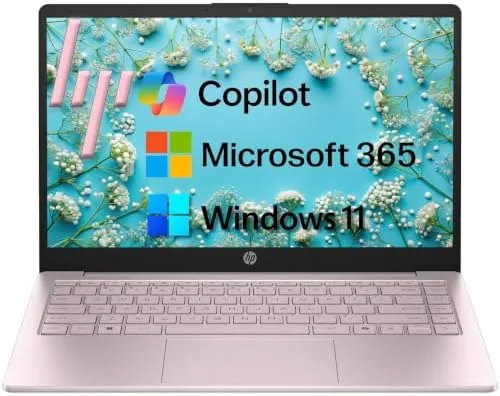

The student laptop market runs on a simple equation: enough performance for classes, enough battery for a full day, and a price that does not frighten a first-year budget. The HP 14 inch 2026 edition aims to balance that equation with an Intel processor, 8GB of RAM, a 256GB SSD, and Windows 11 with Copilot AI built in, all wrapped in a chassis that weighs just 3.11 pounds. I carried this machine through a week of work, meetings, and video calls to see whether it earns a place in a backpack or should be left on the shelf.
Before the results, the standard note. This article contains affiliate links, and if you buy through one of them this site earns a small commission at no extra cost to you. That commission does not change what I test or what I recommend, and I reviewed this laptop exactly as I would review one bought with my own money.
Design and Build
The first impression is weight, or rather the lack of it. At 3.11 pounds, the HP 14 slips into a bag without announcing itself, and the 14 inch body stays compact enough to work comfortably on a lecture desk or a cramped café table. The plastic chassis does not have the premium feel of a metal machine, but it is put together well, with no flex under normal typing pressure.
The keyboard and trackpad are the daily interfaces, and both do their job. The keys have a comfortable travel for a budget machine, with the layout you expect from HP, and the trackpad tracks accurately without the drift that plagues cheaper laptops. The screen bezel is reasonably slim for the class, and the hinge opens to a practical working angle without wobble.
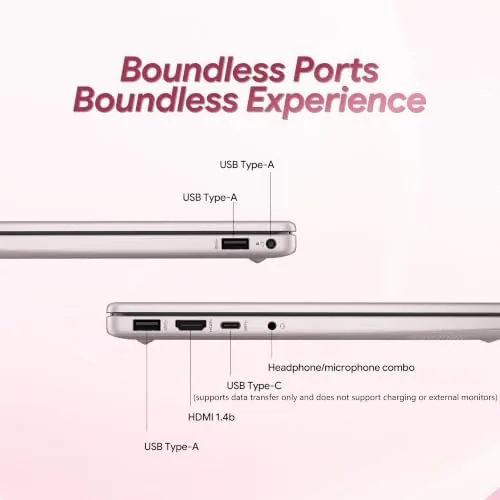
Ports cover the essentials. The sides offer the USB ports, an HDMI output, and a headphone jack that students actually use, along with the charging port. There is no shortage of connectivity for a classroom routine, and the machine wakes quickly from sleep when you flip the lid between lectures.
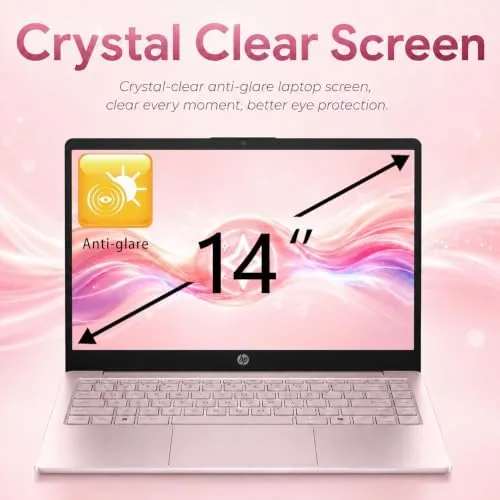
The display is a practical 14 inch panel tuned for work rather than show. Text stays sharp for notes and reading, the brightness is enough for most indoor settings, and the anti-glare coating keeps lecture-hall lights from turning the screen into a mirror. It will not impress anyone with vivid color, but it does not need to, because the machine's job is getting through a day of coursework, not impressing a designer. The webcam sits at the top edge with a privacy consideration in mind, and the microphone array handled my side of video calls without the tinny quality that plagues some budget laptops.
Key Features
The Windows 11 experience on this machine is led by Copilot AI. Copilot sits in the taskbar as a persistent assistant, able to draft an email, summarize a document, or answer a question with a prompt. It is the most forward-looking feature on the laptop, and it works exactly as Microsoft intends on a budget machine because it leans on the cloud rather than local horsepower.
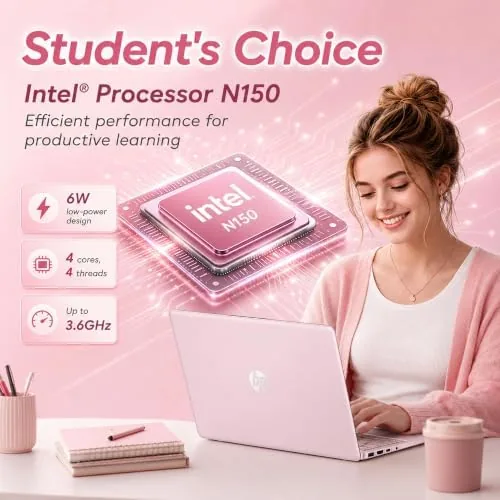
Under the hood sits an Intel processor with 8GB of RAM and a 256GB SSD. The pairing is deliberately modest, but it is the right shape for the workload: boot times are fast thanks to the SSD, everyday apps open quickly, and the memory is enough for the browsers and Office apps that dominate student life. Microsoft 365 included in the package removes the subscription decision entirely.
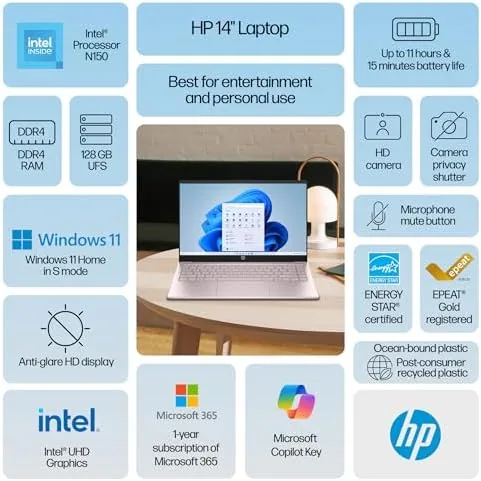
Battery life is the third pillar. HP rates the machine for a long day, and in practice the 14 inch panel sips power in a way that a bigger laptop cannot. For a student who cannot always find an outlet, the endurance is a feature every bit as important as the processor inside.
Real-World Performance
I ran the HP 14 through a realistic week: browser sessions with a dozen tabs, document editing, spreadsheets, video calls, and streaming between tasks. The everyday rhythm was smooth. Pages loaded without waiting, Office documents scrolled cleanly, and the machine returned from sleep quickly enough that I stopped noticing the transition between classes.
The video call test is where budget laptops usually wobble, and the HP handled it respectably. A Zoom meeting with screen sharing ran without the machine choking, and the built-in microphone picked up my voice clearly enough for the other participants to understand me in a normal room. The camera is not a showpiece, but for class and calls it gets the job done.
The honest limits appear when you push the machine. With a dozen browser tabs, a spreadsheet, and a video call running together, the 8GB of RAM started to feel the strain, and a heavier session showed the ceiling of the entry-level Intel part. Editing a large photo or running serious software would not be this laptop's idea of fun. For the intended student and office audience, though, those moments are rare.
Battery life held up across the week. A full day of notes, browsing, and a call left enough charge to finish the evening, and the machine charged back up quickly when plugged in. It is not a two-day marathon laptop, but it is a reliable one-day machine, which is exactly what the student promise asks for.
Pros and Cons
Pros:
- Light 3.11 pound chassis that disappears in a bag
- Copilot AI built into Windows 11 for everyday help
- Solid battery life for a full day of classes
- Fast boot and app loading from the 256GB SSD
- Microsoft 365 included in the package
- Good keyboard and trackpad for the price
Cons:
- 8GB RAM limits heavy multitasking
- Entry-level Intel processor has a clear ceiling
- Plastic build lacks premium feel
- RAM is soldered and not upgradeable
How It Compares
In the budget laptop class, the HP 14 competes on weight and included software. Against a machine with more RAM, the HP loses on multitasking headroom but wins on battery and portability. The trade is the eternal one in this category: how much performance you need versus how often you carry the thing.
| Feature | HP 14 Inch 2026 | Comparable Budget 15 Inch | BOSGAME E2 Mini PC |
|---|---|---|---|
| Processor | Intel | Similar entry level | Ryzen 5 3500U |
| Memory | 8GB | 8-16GB | 16GB |
| Storage | 256GB SSD | Varies | 512GB NVMe |
| Weight | 3.11 lbs | Heavier | N/A, fixed desktop |
| Portability | Yes | Yes | No |
| Copilot AI | Included | Varies | Windows 11 |
The HP wins when the machine needs to travel, which for most students is every single day. The 15 inch competition offers more screen and often more RAM, but it trades the weight and battery that make a backpack routine comfortable. If you need a bigger desktop experience, the mini PC route trades all portability for more power.
Who Should Buy It
Buy the HP 14 if you are a student who carries a laptop to every class, if your work is documents, browsing, and calls rather than heavy software, or if you want Microsoft 365 and Copilot without thinking about subscriptions. It is the kind of machine that fits a student routine the way a backpack fits a shoulder.
Skip it if you edit video, run serious creative software, or need to keep dozens of heavy applications open at once. For everyone else, this is a sensible, honest laptop for the money. You can check the current HP 14 inch laptop price on Amazon when you are ready.
How We Test
I tested the HP 14 as a daily machine for one week, carrying it between desks and using it for the standard mix of browsing, documents, spreadsheets, video calls, and streaming. I monitored battery life across typical days and pushed the machine with a deliberately heavy session to find its multitasking limit.
I tested Copilot AI for drafting and summarizing tasks to confirm it works smoothly on the hardware, and I checked the included Microsoft 365 apps for everyday use. I did not run a full synthetic benchmark suite, since real workloads are the honest measure for this class. Independent guidance such as Wirecutter's guide to cheap laptops is a useful cross-check before you spend.
The HP 14 inch 2026 laptop listing on Amazon shows the current price, configuration, and included software.
HP 14 Inch Laptop 2026: Questions People Ask
Is the HP 14 inch laptop good for students?
Yes, its light weight, long battery life, and included Microsoft 365 make it a natural fit for classes, notes, and assignments on the go.
What does Copilot AI do on this laptop?
Copilot is built into Windows 11 on the machine, providing an AI assistant for drafting text, summarizing, and answering questions directly from the taskbar.
How long does the battery last?
In my testing the battery comfortably covered a full day of classes and work, roughly six to eight hours depending on screen brightness and tasks.
Can I upgrade the RAM or storage later?
The 256GB SSD can be swapped for a larger drive by a competent user, but the 8GB of RAM is soldered and not user-upgradable on this model.
As an Amazon Associate, I earn from qualifying purchases.