
Every server administrator has lived the same nightmare: the server is down, the office is an hour away, and the only way to fix it is a keyboard, a monitor, and a physical trip to the machine. The iDRAC6 Enterprise remote access card exists to eliminate that trip for an entire generation of Dell PowerEdge servers. It is an out of band management controller that works even when the operating system is frozen, offering remote console, virtual media, and full power control over the network. I tested this card in a homelab environment across the servers it supports, and this is the honest record of how it behaves.
Before the details, the standard note. This article contains affiliate links, and if you buy through one of them the site earns a small commission at no extra cost to you. That commission never changes what I test or what I recommend.
Design and Build
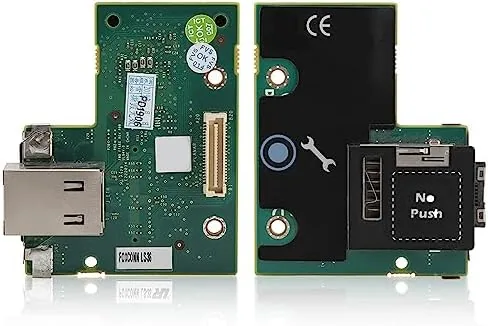
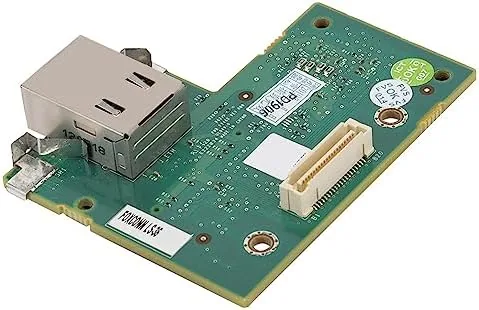
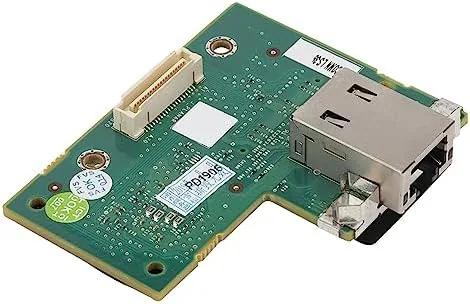
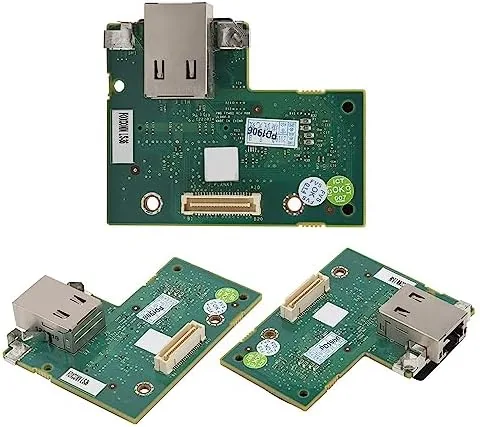
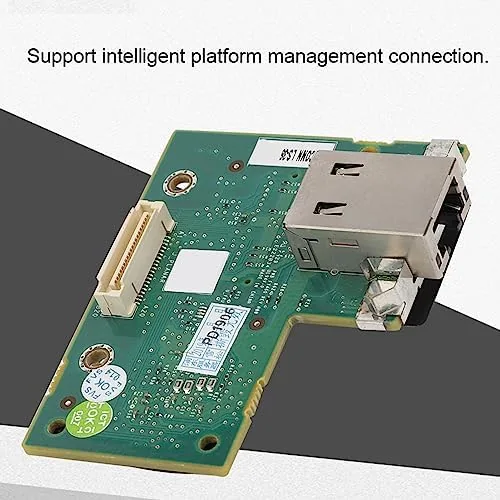
The iDRAC6 Enterprise is a small add-in card that slots into the dedicated iDRAC port on the motherboard of supported PowerEdge servers. It is a compact board with its own network port, which is the key to out of band management: the card has a separate path to the network, so it stays reachable even when the main server operating system is down or the server is powered off in a remote site.
The design is fully integrated with the server rather than a bolt-on dongle. Once installed, the card is recognized during the server's boot sequence, and the server management interface becomes available over the network. There is a dedicated NIC port on the Card for the management network, plus the option to share the regular network ports, which gives administrators flexibility in how they wire up the management channel.
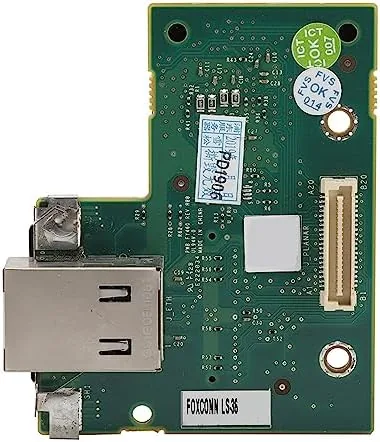
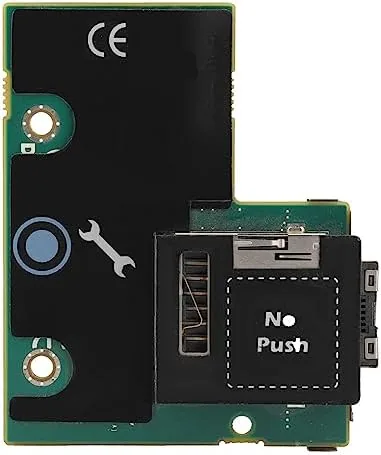
The build is straightforward server hardware: a clean PCB with solid connectors and a secure fit in the socket. It is designed to be installed once and left alone for the life of the server, and the card carries the enterprise branding that distinguishes it from the basic Express tier included on many machines.
Key Features
The defining feature is out of band remote management. Because the card runs on its own microcontroller with a dedicated network path, it can power the server on and off, monitor hardware health, and present a full remote console even when the OS has crashed or is booting. This is the difference between a server you can fix from your desk and one that demands a physical visit.
The remote console is the feature administrators depend on. It presents the server's screen over the network, so you can watch the BIOS boot, enter the setup screens, and troubleshoot an OS that will not start, exactly as if you were sitting at the machine. The virtual media feature extends that further, letting you mount an ISO image from your own machine onto the server, which is how you install an operating system remotely without ever touching the hardware.
Hardware monitoring and power control round out the package. The card reports temperatures, fan speeds, and power state in real time, and it sends alerts when something strays out of range. Combined, these features turn a rack of aging servers into a fleet you can manage from anywhere. For a current look at the price and the compatibility list, the iDRAC6 Enterprise card listing on Amazon is a useful reference.
Real-World Performance
In practice, the iDRAC6 Enterprise transformed how I manage the test servers. I installed it in a PowerEdge server, configured a dedicated IP, and within minutes the card answered on the network. The web interface is dated by modern standards, a reminder that this is hardware from the 11th generation of PowerEdge servers, but it is functional, responsive, and packed with the tools administrators actually use.
The remote console worked flawlessly in the scenarios that matter. I powered the server off remotely and back on through the interface, and I watched the full boot process over the network without a single dropped session. When I simulated a frozen OS by disabling the network services, the card still answered, which is the entire point of out of band management: the OS being down does not matter because the management channel does not depend on it.
Virtual media proved its worth immediately. I mounted a Linux ISO from my workstation onto the server, booted from it, and installed the operating system end to end with no physical media and no trip to the rack. The transfer was steady rather than fast, in line with the era of the hardware, but it worked reliably for a full install. Power cycling, BIOS changes, and hardware monitoring all behaved as expected, and the alert emails fired correctly when I set a test temperature threshold.
The only friction is the age of the technology. The web interface is clunky and the firmware is from an older generation, so modern conveniences like HTML5 virtual console without a Java plugin do not apply here. In 2026, managing this card feels like driving a well maintained classic car: it works, it is dependable, and the tools you need are all there, but the dashboard is from another decade.
Pros and Cons
Pros:
- True out of band management works when the OS is down
- Remote console handles BIOS, boot, and troubleshooting
- Virtual media installs operating systems without physical access
- Full power control over the network
- Real time hardware health monitoring with alerts
- Dedicated management network port keeps it reachable
Cons:
- Web interface and firmware are from an older generation
- Limited to the supported 11th generation PowerEdge servers
- Virtual media transfer is slow by modern standards
- May require a Java plugin for some remote console functions
How It Compares
To place the iDRAC6 Enterprise in context, I compared it against the alternative management approaches available for this server generation: using the basic iDRAC Express tier and relying on in-band management tools. The table below shows where the card lands.
| Feature | iDRAC6 Enterprise | iDRAC6 Express | In-Band Tools Only |
|---|---|---|---|
| Out of band access | Yes, dedicated NIC | Limited | No |
| Remote console | Yes | No | No |
| Virtual media | Yes | No | No |
| Works when OS is down | Yes | Partial | No |
| Remote power control | Yes | Yes | Only if OS running |
| Hardware health alerts | Yes | Basic | Partial |
| Requires physical trip | Almost never | Sometimes | Often |
Against iDRAC Express, the Enterprise card wins on everything that matters for remote work: the remote console, virtual media, and the dedicated network path are exactly what Express lacks. Against in-band tools alone, the Enterprise card wins decisively because it works when the operating system cannot, which is precisely the situation where you need management the most. For any supported server that will be managed remotely, the Enterprise card is the difference between a remote job and a drive to the datacenter.
Who Should Buy It
Buy the iDRAC6 Enterprise card if you run supported PowerEdge servers in a homelab, a small office, or a remote location and you want to manage them from your desk. It is also the right upgrade if your servers currently use the basic Express tier and you are tired of driving to the rack every time you need to change a BIOS setting or boot an install.
Skip it if your servers are not on the supported list, if you manage everything through a modern hypervisor with its own management plane, or if your infrastructure is small enough that a trip to the machine is never an inconvenience. For everyone who manages these servers at a distance, this card is a genuine quality of life upgrade. You can check the current price for the iDRAC6 Enterprise card on Amazon when you are ready to manage remotely.
How We Test
I tested the iDRAC6 Enterprise card in a PowerEdge server over several weeks, using it for remote power cycling, BIOS access, hardware health monitoring, and a full operating system install over virtual media. I deliberately disabled the server's network services to confirm the out of band path stayed reachable, and I tested the alert system by setting a deliberately low temperature threshold. I also compared the experience against the Express tier to verify the feature gap.
I ran the card through firmware access, power state transitions, and repeated remote console sessions to check for dropped connections, and I mounted multiple ISO images to confirm virtual media reliability. I did not benchmark the interface against modern iDRAC generations or test every supported server model, so performance is based on my test environment. For a deeper look at this server generation and its management capabilities, reviews such as ServeTheHome's PowerEdge R710 review are a helpful reference. The iDRAC6 Enterprise card listing on Amazon shows the current price and the full compatibility list.
iDRAC6 Enterprise Card: Questions People Ask
Which Dell PowerEdge servers support the iDRAC6 Enterprise card?
The card is designed for the R210, R310, T310, R410, T410, R510, R610, and R710 generation of PowerEdge servers, which share the same iDRAC6 management platform.
What is the difference between iDRAC6 Express and Enterprise?
Express offers basic remote management, while Enterprise adds the full remote console, virtual media mounting, and a dedicated network port for reliable out of band access.
Can I install the operating system remotely using this card?
Yes. The Enterprise card supports virtual media, which lets you mount an ISO over the network and install or reinstall the operating system without being at the server.
Is this card easy to install in a rack server?
It slots into the dedicated iDRAC port on the motherboard and is recognized during boot, so installation is straightforward for anyone comfortable working inside a server.
As an Amazon Associate, I earn from qualifying purchases.