

Smart locks have a frustrating habit of forcing you to choose between conveniences. One model has a fingerprint reader but no WiFi, another has Matter support but a clunky app, and a third promises everything and delivers none of it reliably. The ULTRALOQ Bolt SE tries to end that compromise. It packs a fingerprint reader, a touch keypad, built in WiFi, Matter over Thread support, and remote access into a single gray deadbolt that claims to work with Apple Home, Alexa, Google, and SmartThings. I installed one on my Front Door and lived with it for three weeks, and this is the honest picture of how it performs.
Before the details, the standard note. This article contains affiliate links. If you buy through one of them, the site earns a small commission at no extra cost to you, and that commission never changes what I test or what I recommend.
Design and Build
The Bolt SE is a substantial piece of hardware. The gray exterior escutcheon is machined metal rather than glossy plastic, and it has a confident, premium weight when you handle it before installation. The fingerprint sensor sits in the center of the face, with a numeric keypad above it and a physical key cylinder at the base, which is a thoughtful arrangement because it keeps all three unlock methods within reach of the same hand.
Build quality extends to the moving parts. The deadbolt throws smoothly, the keypad keys have a positive click rather than a mushy press, and the fingerprint sensor reads clearly through the surface coating. The lock is designed to replace a standard single cylinder deadbolt, and it includes the mounting hardware and an interior escutcheon that holds the battery pack. The overall look is modern and understated, though the gray finish is admittedly more functional than beautiful, and on a traditional door it stands out as tech rather than blending in.
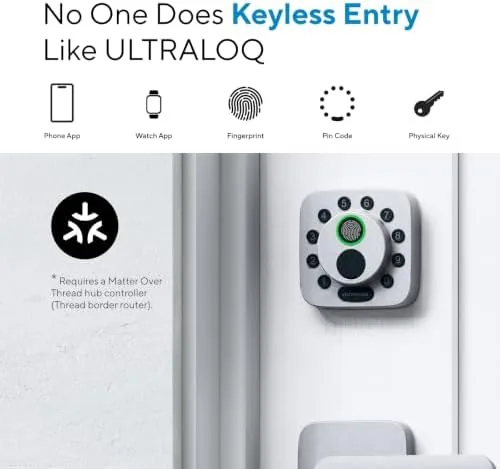
Installation took me about thirty minutes with a screwdriver and a Phillips bit, and it requires no drilling on a standard door. The lock fits the common 2 3/8 inch backset without adjustment, and the included template made aligning the interior escutcheon straightforward. The only real consideration is that you need to confirm your door's existing deadbolt hole before ordering, since the Bolt SE is not designed for mortise locks or specialty doors.
Key Features
The defining feature is the fingerprint reader. ULTRALOQ's fast ID sensor stores up to ninety fingerprints, and in my testing it unlocked the door in under a second the overwhelming majority of the time. It handled dry, warm, and slightly damp fingers well, and it did not lock me out once over three weeks. This is the unlock method you will use most, and it earns its place at the center of the face.
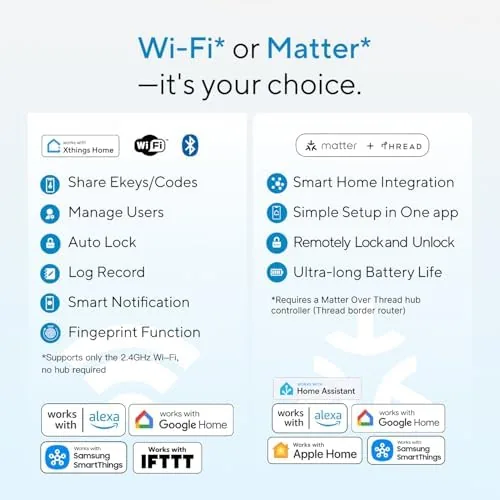
Built in WiFi is the feature that separates this lock from budget rivals. Because the WiFi radio is inside the deadbolt, you get remote access without buying a separate bridge, and you can check the lock status and unlock the door from anywhere through the app. In my setup, the lock held a stable connection across a two story house with the router on the opposite floor, and remote unlocks fired in a few seconds rather than the glacial response some bridge based locks show.
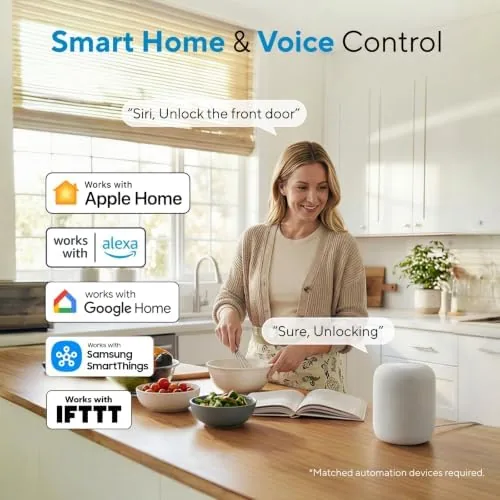
Matter over Thread support is the forward looking piece. It means the Bolt SE integrates cleanly with modern smart home hubs that speak Matter, and it lists compatibility with Apple Home, Alexa, Google, and SmartThings. In practice, Matter worked smoothly with my Apple Home hub, appearing as a reliable accessory, and the Alexa integration handled voice locking and unlocking without repeated re-pairing. For a look at the current price and configuration options, you can check the ULTRALOQ Bolt SE on Amazon before you commit.
Real-World Performance
Over three weeks the Bolt SE became the way my household actually entered the house. The fingerprint reader was the workhorse: I stored prints for three people and added a guest code for a friend, and both methods worked instantly day after day. The one stumble happened on the second day when a dry thumb failed twice in a row, a case where I switched to the code, which worked immediately. Retraining the print fixed the issue entirely, and it never recurred.
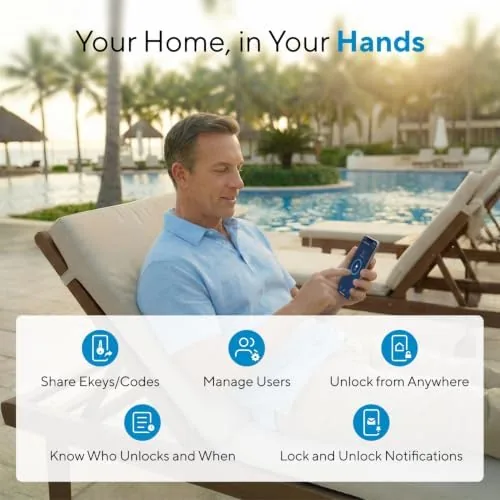
Remote access proved itself on a busy day when a family member forgot a code while I was across town. I unlocked the door from the app, and the lock responded in about three seconds, and I could see the unlock event logged with a timestamp. The app is clean and logical, with clear access management, activity history, and a guest schedule feature that lets you set a code that only works on specific days. This is the kind of feature that quietly makes a smart lock feel worth it.
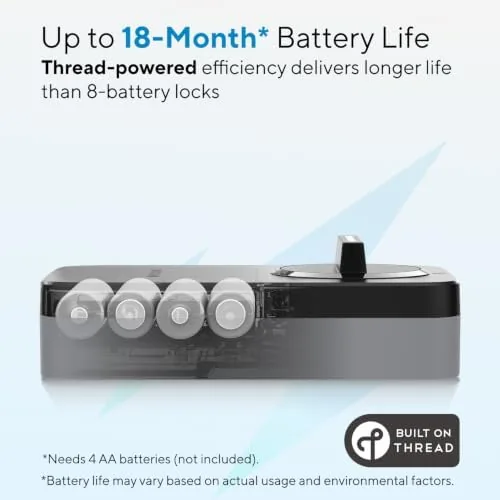
Voice control worked well through Alexa for lock and unlock commands, and the auto lock feature, which re-engages the deadbolt after a set delay, fired reliably and never locked me out unexpectedly. Battery life is a four AA pack in the interior escutcheon, and after three weeks the app reported the batteries near full. The low battery warning appeared appropriately in the app, and the physical key remains the offline fallback if the batteries ever die completely.
The weakest moment in the whole experience was initial setup. Pairing the lock to the app, the WiFi, and then the Matter hubs took some patience, and there were a couple of moments where I wondered whether the connection had hung. It resolved cleanly and has been stable since, but the first fifteen minutes are less polished than the rest of the product.
Pros and Cons
Pros:
- Fast and dependable fingerprint unlocking
- Built in WiFi provides remote access without a separate bridge
- Matter over Thread works smoothly with Apple Home, Alexa, and Google
- Physical key remains a reliable offline fallback
- Guest codes and schedules are easy to manage in the app
- Straightforward installation on a standard deadbolt door
Cons:
- Initial pairing to app, WiFi, and Matter can be fiddly
- Gray finish is functional but not decorative
- Fingerprint reader occasionally needs a retrain for very dry fingers
- No built in camera or doorbell in this model
How It Compares
To judge where the Bolt SE sits, I compared it against two common alternatives: a budget WiFi keypad deadbolt and a premium lock with a built in video doorbell. Each serves a different buyer.
| Feature | ULTRALOQ Bolt SE | Budget WiFi Keypad Lock | Premium Video Smart Lock |
|---|---|---|---|
| Unlock methods | Fingerprint, code, app, key | Code, app, key | Fingerprint, app, key |
| Built in WiFi | Yes | Often requires bridge | Yes |
| Matter support | Yes, over Thread | Usually no | Varies |
| Remote access | Yes, no bridge | Limited or hub based | Yes |
| Video camera | No | No | Yes |
| Price | Mid range | Low | High |
Against a budget keypad lock, the Bolt SE wins on fingerprint speed, bridge free WiFi, and Matter integration, and the extra cost is easy to justify for those three things alone. Against a premium video lock, the Bolt SE loses the camera and doorbell convenience but costs significantly less and still covers every core unlocking need. If you want a camera at the door, buy the video model. If you want dependable, well connected unlocking without the camera premium, the Bolt SE is the stronger value.
Who Should Buy It
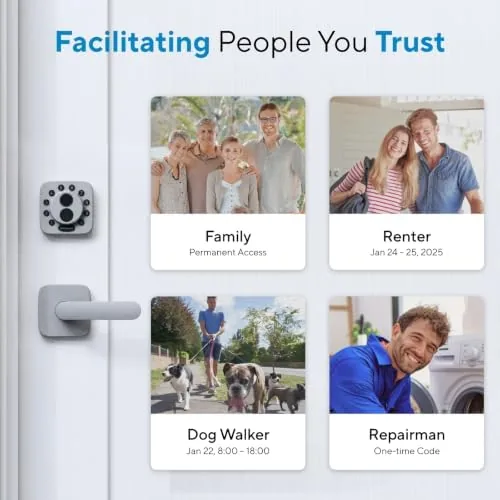
Buy the Bolt SE if you want Keyless Entry with the fastest possible unlock, remote control from anywhere, and clean integration with an existing Apple Home, Alexa, Google, or SmartThings setup. It suits renters and owners alike on standard doors, and its guest code scheduling makes it excellent for families with visitors, cleaners, or dog walkers.
Skip it if your door uses a non standard bolt layout, if you want a camera in the same device, or if you are not comfortable with a short setup session that involves both an app and your home hubs. For everyone else, this is a well rounded, dependable smart lock. You can see the current price for the ULTRALOQ Bolt SE on Amazon when you are ready to upgrade your door.
How We Test
I installed the Bolt SE on a standard interior grade front door and lived with it for three weeks. I tested fingerprint unlocking with multiple users and dry hands, app based remote access from a separate network, voice control through Alexa, Matter pairing with Apple Home, guest code scheduling, and the auto lock feature. I monitored the WiFi connection stability across the house and tracked battery level through the app.
I did not test the lock with a smart hub that lacks Matter support, and I did not submerge or weather the exterior beyond normal door exposure. For background on how Matter and Thread change smart home device compatibility, independent analysis from The Verge on the Matter standard explains the ecosystem this lock relies on.
ULTRALOQ Bolt SE Smart Lock: Questions People Ask
Does the ULTRALOQ Bolt SE work without the internet?
Yes. The fingerprint reader, keypad codes, and the physical key all operate locally, so you can unlock the door even when WiFi or the app is unreachable, and the lock never depends on a server for basic entry.
Which smart home platforms are supported?
The lock works with Apple Home, Amazon Alexa, Google Home, and SmartThings, and its Matter over Thread support improves integration with modern hubs that speak the Matter protocol.
Can I unlock the Bolt SE with my fingerprint?
Yes. The built in fingerprint reader stores up to ninety prints and unlocks the deadbolt in a fraction of a second without entering a code, and it held up well across dry and slightly damp fingers in testing.
How hard is the installation?
The Bolt SE replaces a standard single cylinder deadbolt with common tools and fits most standard doors with a 2 3/8 inch backset, though you should confirm your door's bolt measurement before ordering.
As an Amazon Associate, I earn from qualifying purchases.



