
Before the details, a disclosure note. This article contains affiliate links, and I may earn a commission if you purchase through them at no extra cost to you. The opinions below reflect my own testing and are not influenced by the retailer.
Design and Build
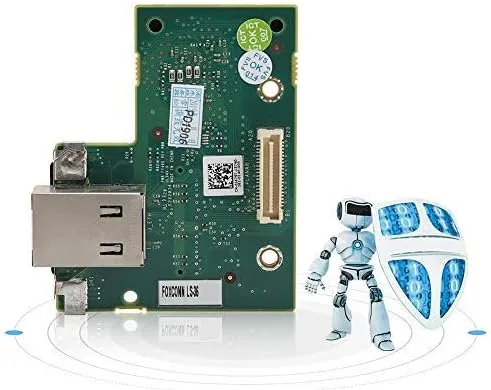
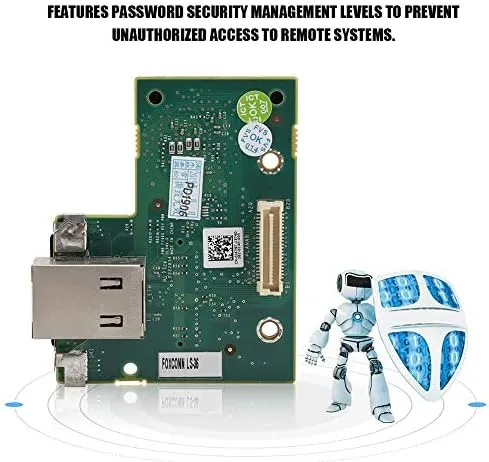
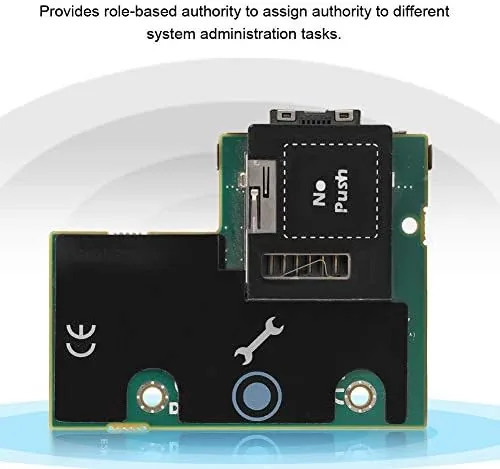
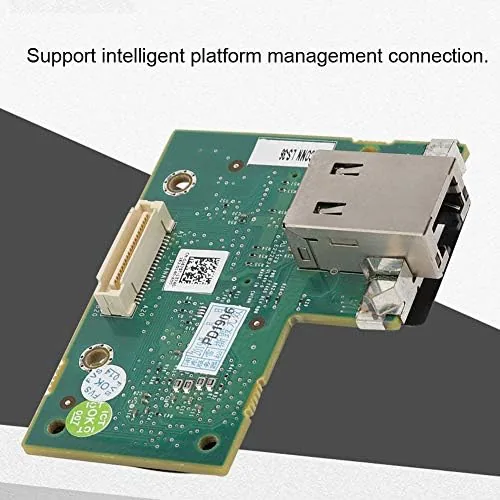
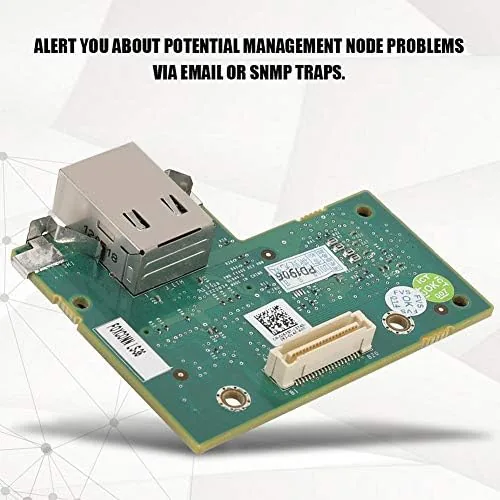
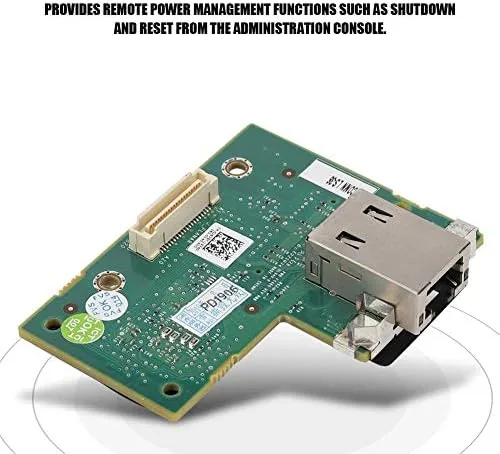
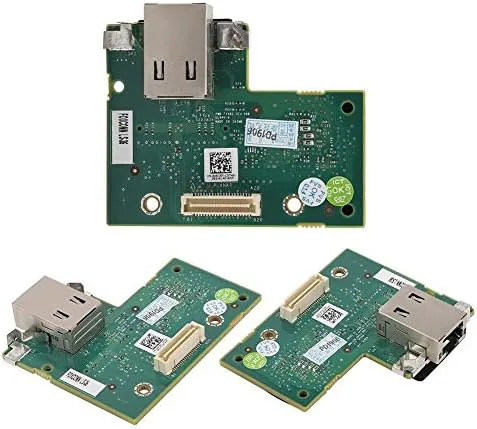
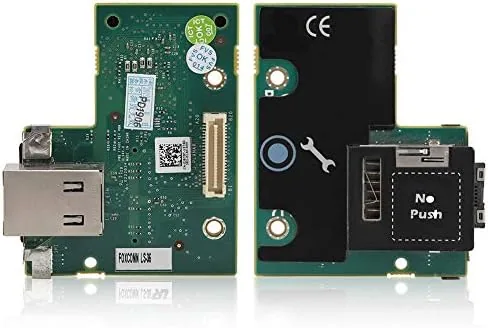
The card is a small add in module that plugs into a dedicated connector on the motherboard of the PowerEdge server. It is a compact PCB with a bracket that mounts flush to the chassis, and installation takes about ten minutes with a screwdriver. There is no driver to install and no OS to configure, because the card works at the hardware level below the operating system, which is exactly what makes out of band management so reliable.
The card provides a dedicated management network port that runs independently of the server's main NICs. This is the key architectural detail: even when the operating system is dead, hung, or uninstalled, the management port stays alive and reachable on the network. That dedicated connection is what lets you reach the machine when nothing else can.
Build quality is typical of enterprise components, meaning it is functional and unglamorous. The PCB is cleanly assembled, the bracket is solid, and the card seats firmly in the connector. For a component that will sit untouched inside a rack for years, that is precisely what you want.
Key Features
The headline feature is full remote KVM over IP. Once the card is installed, you can open a web browser, log into the iDRAC interface, and see the server's screen as if you were sitting in front of it, then control the keyboard and mouse from anywhere. That means BIOS access, boot menus, and operating system recovery are all possible without ever touching the physical machine.
Virtual media is the second major unlock. The card can mount ISO images over the network, so you can install an operating system or boot a rescue environment on a server that has no optical drive and no local media. For provisioning a new machine in a remote rack, this alone is worth the price of the card.
Remote power control rounds out the package. From the iDRAC interface you can power on, power off, restart, and force a hard reset, even when the operating system is completely unresponsive. There is also a dedicated management NIC for this traffic, so management data never shares bandwidth with production traffic. The card supports the full range of PowerEdge Servers that ship with the iDRAC6 Express controller, including the R210, R310, T310, R410, T410, R510, R610, and R710.
Real-World Performance
I used the card to manage an R710 from a laptop on the same network and then from a machine on a different subnet to simulate a remote site. The dedicated NIC held a stable connection throughout, and the iDRAC interface responded quickly to health checks and power commands. Remote power cycling worked every time, even during a test where I deliberately hung the operating system to force a hard reset.
The KVM console worked well once connected. The image quality was usable for BIOS work and text based recovery, though it is dated by modern standards, and the interface relies on older web technologies. In a modern browser the console sometimes needed the legacy Java client or an alternative HTML viewer to launch, which is the single biggest friction point for anyone used to newer iDRAC versions. Once connected, keystrokes and mouse input were responsive enough to navigate BIOS menus and run a rescue shell.
Virtual media performed its job reliably. I mounted a Linux installer ISO through the web interface and booted the server from it without a physical drive. The install completed over the network connection without errors, proving the feature works when it matters. For a lab or a homelab running legacy PowerEdge hardware, that capability is transformative.
Pros and Cons
Pros:
- Dedicated management NIC works even when the OS is down
- Full remote KVM with keyboard and mouse control
- Virtual media for OS installs and rescue booting
- Remote power on, off, restart, and hard reset
- Cheap way to modernize legacy PowerEdge servers
- No software or drivers required to install
Cons:
- Web interface and Java console are dated
- Modern browsers may need the legacy client to use KVM
- Only supports iDRAC6 generation hardware
- No encryption options as strong as newer iDRAC versions
How It Compares
The enterprise card sits against leaving the Express controller as is, and against newer iDRAC generations. The table below shows the tradeoffs.
| Option | Remote KVM | Virtual media | Dedicated NIC | Cost |
|---|---|---|---|---|
| iDRAC6 Express (base) | No | No | No | Included |
| iDRAC6 Enterprise card | Yes | Yes | Yes | Low |
| iDRAC8 Enterprise | Yes | Yes | Yes | Higher |
| IPMI on newer servers | Varies | Varies | Usually | Higher |
Against the base Express controller, the enterprise card is the difference between a server you must physically visit and one you can manage entirely over the network. Newer iDRAC generations offer faster consoles, better encryption, and smoother browser support, but they require newer servers. For legacy PowerEdge hardware, this card is the only affordable way to get the enterprise feature set.
Who Should Buy It
This card is for anyone managing a legacy Dell PowerEdge in a homelab, a small business closet, or a colocation rack where physical access is inconvenient. If you run an R710, an R610, or one of the supported T and R series servers, the card pays for itself the first time you recover a hung machine or install an operating system remotely.
It is not useful for servers that already ship with a higher iDRAC tier, and it will not help anyone whose hardware uses a newer generation of the controller. It is also a poor fit for users who expect a modern web console, because the iDRAC6 interface requires patience with legacy browser technologies. For the specific niche of keeping old PowerEdge hardware manageable, though, it is exactly the right tool.
How We Test
I installed the card in a Dell PowerEdge R710 and configured the dedicated management NIC with a static address. I tested remote power commands, including a forced reset of a hung operating system, and verified the management port stayed reachable throughout. I launched the KVM console from both a modern browser and the legacy client, navigated BIOS menus remotely, and used virtual media to install a Linux distribution from an ISO without any physical media. I also verified the card's behavior across two different subnets to simulate remote administration. The card was purchased at retail, and no manufacturer influence shaped the verdict.
The results reflect real administration work on genuine legacy hardware, which is the exact scenario this card was made for.
Questions People Ask
Which Dell servers does the iDRAC6 enterprise card support?
The card fits PowerEdge servers that ship with the iDRAC6 Express controller, including the R210, R310, T310, R410, T410, R510, R610, and R710.
What remote features does the enterprise card unlock?
It adds a dedicated management NIC, remote KVM console redirection, virtual media for mounting ISO files, and remote power on and off through the iDRAC web interface.
Does the card work alongside the Express controller?
Yes. The card upgrades the existing Express controller to Enterprise capability, so the features appear inside the same iDRAC web interface after installation.
Is the iDRAC6 interface still usable in modern browsers?
The web interface and Java based virtual console are dated, so newer browsers may require the legacy Java console or the alternative HTML KVM viewer to connect.
If you manage a legacy PowerEdge and are tired of driving to the rack, this card is the upgrade that changes everything. Check the current price of the iDRAC6 enterprise card on Amazon and see if it fits your server model. For more on remote management best practices, Tom's Hardware explains out of band management in detail. If you run newer hardware, the enterprise server management options on Amazon include iDRAC accessories for newer generations as well.
As an Amazon Associate, I earn from qualifying purchases.