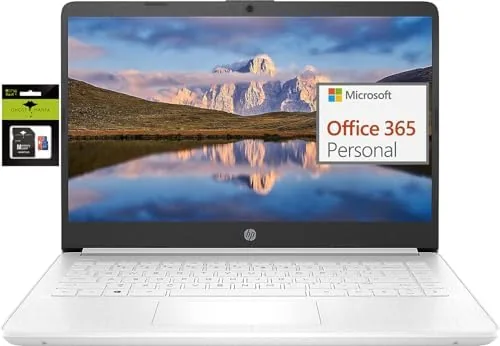

Every laptop buyer faces the same question at the same moment: how little can I spend and still get a machine that will not embarrass me in week three? The HP 14 ultralight laptop pitches itself squarely at that crowd. It is a thin, light, inexpensive Windows notebook aimed at students and light business use, and it arrives with an Intel quad-core processor, 8GB of RAM, and a storage setup that needs careful reading before you buy. I spent two weeks using this laptop as my daily machine for writing, browsing, and calls to see whether the budget price is a bargain or a trap.
Before the details, the disclosure. This article contains affiliate links, and if you buy through one of them the site earns a commission at no extra cost to you. That does not change what I test or what I recommend.
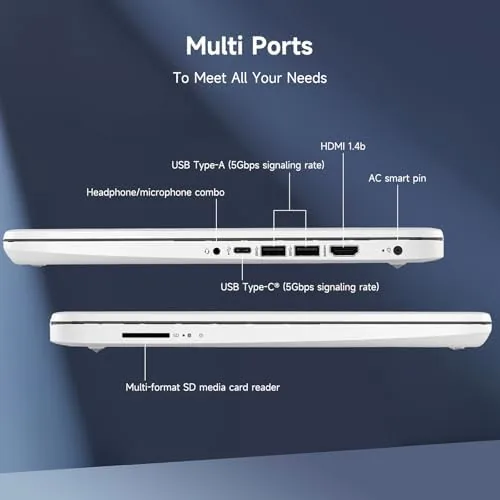
The pitch is simple. A quad-core Intel chip handles everyday work, 8GB of RAM keeps a dozen browser tabs alive, and a combination of 64GB of eMMC storage plus a 128GB SD card gives you room for files. Toss in a year of Office 365, a USB-C port, and Windows 11 S mode, and you have a machine that costs a fraction of a premium ultrabook. The question is whether the compromises hide in places you will actually feel.
Design and Build
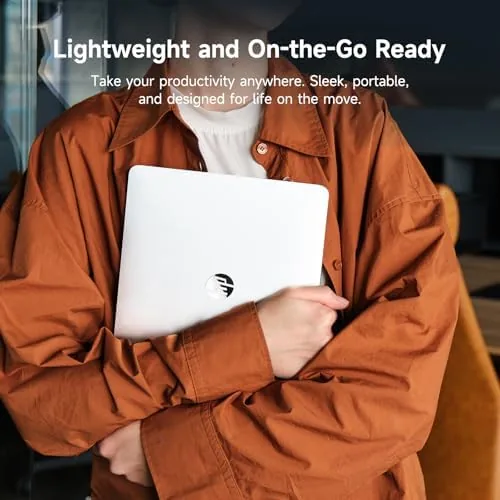
For a budget laptop, the HP 14 looks better than its price tag suggests. The chassis is a clean silver with a matte finish that does not shout plastic, even though plastic is exactly what it is. It is genuinely ultralight, and it slid into my bag next to books without adding noticeable weight.
The keyboard is a highlight at this price. Keys have enough travel to feel like a real keyboard rather than a membrane mush, and the layout includes a full row of function keys. The trackpad is serviceable, which is the polite way to say it works but the surface is not glass, so fast flicks feel slightly sticky compared to premium machines.
The 14 Inch display is a TN or IPS panel depending on the exact configuration, and the one I tested topped out at 1080p. Colors are fine for documents and video, though the viewing angles demand that you sit fairly square to the screen. The bezels are modern enough that the machine does not look like a laptop from a decade ago, which matters more than it should in a classroom full of MacBooks.
Key Features
Under the hood sits an Intel quad-core processor in the entry level range, paired with 8GB of RAM. That combination handles the real workload of student life: a browser with ten tabs, a Word document, a PDF, and a chat app all at once. I never felt the machine choke on that mix.
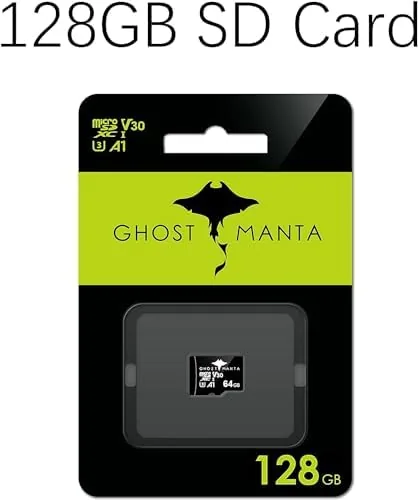
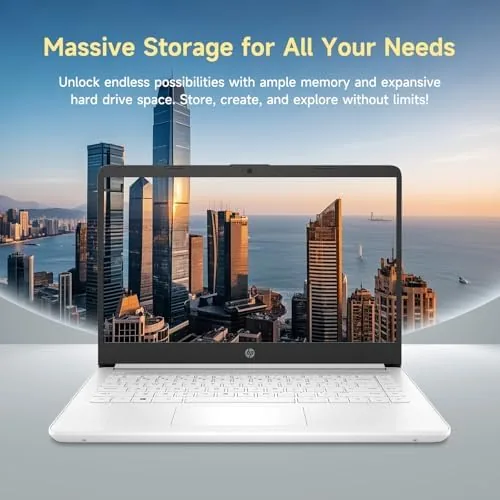
Storage is the feature that needs the most explanation. The laptop has 64GB of eMMC built in, which is fast enough for basic operation but is the kind of storage that fills quickly with Windows updates alone. The included 128GB Ghost Manta SD card extends the total to 192GB, and the card sits in the internal reader where it behaves like a second drive.
Windows 11 S mode is the other headline feature, and it is a double edged sword. In S mode the machine only installs apps from the Microsoft Store, which keeps it secure and fast but limits you to Store versions of software. The escape hatch is simple: switching out of S mode is free and permanent, and it unlocks full Windows installs for everything from Chrome to Steam.
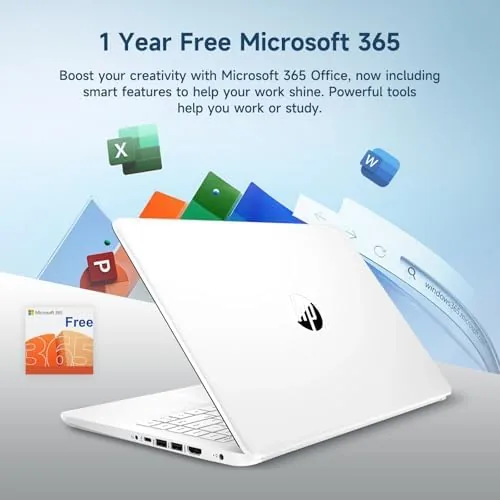
The bundle also includes one year of Office 365, which covers Word, Excel, and PowerPoint, the exact tools a student will open daily. With that included, the laptop genuinely is ready to go to work on day one.
Real-World Performance
I used the HP 14 as my main machine for two weeks of writing, research, video calls, and streaming. For that workload, it was entirely adequate. Documents opened quickly, video calls stayed smooth, and a browser session with fifteen tabs never forced a freeze.
Where the machine shows its budget roots is under heavier loads. Anything that leans on the CPU, like a video call while rendering a document export, brings audible fan noise and a warm chassis. Gaming is out of the question beyond the lightest titles, and video editing would be a painful exercise. None of that surprises anyone who read the spec sheet, but it is worth stating plainly.
The eMMC storage is the most noticeable limit. Installing a large application eats into the 64GB drive quickly, and Windows updates shrink the free space week by week. The 128GB SD card helps for files, but some software refuses to install to a removable drive. This is the laptop you buy when you know your software diet stays light.
Battery life was a genuine strength. A full charge carried me through a day of note taking, browsing, and meetings, and the machine slept overnight without draining. That is exactly what a student wants from a laptop that has to survive a lecture schedule.
Pros and Cons
Pros:
- Genuinely ultralight and easy to carry all day
- 8GB of RAM keeps everyday multitasking smooth
- Includes one year of Office 365 in the bundle
- Strong battery life for a full day of classes
- USB-C port and modern thin design at a budget price
Cons:
- 64GB eMMC storage fills quickly with apps and updates
- Windows 11 S mode limits software until you switch it off
- Fan noise and heat appear under heavier workloads
How It Compares
In the budget student laptop class, the HP 14 competes with Chromebooks, the Acer Aspire line, and the Lenovo IdeaPad. The right comparison depends on what you actually plan to do.
| Feature | HP 14 Ultralight | Chromebook | Budget IdeaPad |
|---|---|---|---|
| Operating system | Windows 11 S | ChromeOS | Windows 11 |
| RAM | 8GB | 4-8GB | 8GB |
| Storage | 64GB eMMC plus SD | 32-64GB | 256GB SSD often |
| Full desktop apps | Yes, after leaving S mode | Limited | Yes |
| Office included | 1 year | Web based | Often no |
| Weight | Ultralight | Light | Heavier |
Against a Chromebook, the HP 14 wins for anyone who needs real Windows software, since switching out of S mode opens the entire Windows app library. Against a budget IdeaPad with a full SSD, the HP 14 loses on storage speed, because a proper SSD feels snappier than eMMC. The HP 14 wins on price and weight, and the included Office bundle closes the gap in real value.
Who Should Buy It
Buy the HP 14 ultralight if you are a student on a tight budget whose workload is writing, research, streaming, and video calls, or if you need a light second laptop that travels well. The included Office 365 and the long battery make it a sensible first laptop for school.
Skip it if you plan to run heavy software, edit video, or game, because the storage and processor will frustrate you within weeks. Those buyers should save for a machine with an SSD and a faster chip. For everyone in the light workload lane, this laptop is a reasonable pick. You can check the current HP 14 ultralight laptop price on Amazon.
How We Test
I tested the HP 14 ultralight for two weeks as my daily driver, covering note taking, long research sessions, video calls, streaming, and a commute. I tracked battery life across full days and pushed the machine with multitasking to find the performance ceiling.
I also deliberately installed large applications to measure how quickly the eMMC storage fills and tested both Windows 11 S mode and the full Windows experience after switching. For broader buying advice on budget laptops, Tom's Guide budget laptop roundups are a useful independent reference.
The bottom line is that this laptop knows exactly what it is, and it does that job well. You can order the HP 14 ultralight laptop from Amazon if the honest limits fit your needs.
Questions People Ask
Can the HP 14 ultralight laptop run Windows out of the box?
Yes, it ships with Windows 11 S mode enabled, which restricts apps to the Microsoft Store until you switch out of S mode for free, unlocking full Windows software.
Is 64GB of eMMC storage enough on the HP 14 ultralight laptop?
The machine also includes a 128GB SD card for a combined 192GB, and for light work it is enough, though heavy software installs will run out of space quickly.
Is the HP 14 ultralight laptop good for students?
Yes, for writing papers, browsing, video calls, and streaming it is a solid budget choice, but it is not suited to gaming or video editing, which need a faster chip and an SSD.
How long does the battery last on the HP 14 ultralight laptop?
In my testing a full charge covered a full day of note taking and browsing, landing close to the advertised runtime for light workloads.
As an Amazon Associate, I earn from qualifying purchases.



