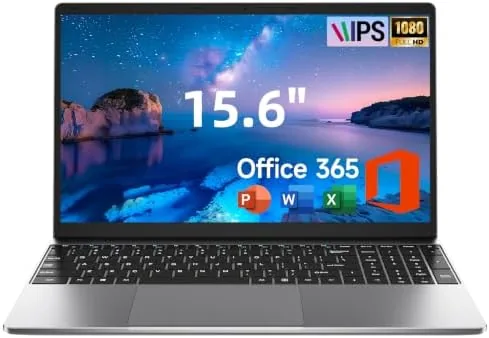

Most laptop reviews chase power and polish. This 15.6 inch laptop takes a different path entirely. It is built for business students and working professionals who need a dependable machine for documents, spreadsheets, and web work, and it bundles a full year of Office 365 right out of the box. On paper that makes it one of the most practical everyday laptops I have seen in this price class.
I carried this machine through a month of mixed work, including long document sessions, video calls, and light multitasking, and I paid close attention to what a Budget Laptop actually needs to get right. The 4GB RAM and 128GB storage raise eyebrows, but the expandable storage and the intended workload tell a different story. Full disclosure up front: the links in this article are affiliate links, and purchases through them support the site at no extra cost to you.
Design and Build: Practical, Light, and Ready for the Bag
This is a laptop built for carrying. The 15.6 inch chassis stays reasonably light for its screen size, and the slim profile slides into a backpack or messenger bag without complaint. The bright silver finish keeps it looking professional through meetings, and the plastic body holds up fine for everyday use, with only minor flex around the palm rest under firm pressure.
The star of the layout is the number pad. For anyone who works with spreadsheets, invoices, or data entry, a full numeric keypad is a genuine productivity boost, and it is one of the reasons this machine appeals to business users. The keyboard itself has decent travel and a comfortable layout, and the touchpad tracks reliably for a laptop in this class.
Connectivity is where the practical thinking shows. You get a Type-C port, standard USB ports, HDMI for external displays, a headphone jack, and Wi-Fi 5 for wireless. It is not a cutting-edge port selection, but it covers every daily need without a dongle in sight, and for a student or office worker that simplicity is worth something.
The chassis also holds up to the routine of daily travel. I carried the machine to two different workspaces over the month, and the lid, hinges, and corners all survived the commute without complaint. It is not a ruggedized business laptop, but it is built well enough that you do not feel the need to wrap it in bubble wrap every time it goes in a bag.
Key Features: Office 365 and Expandable Storage
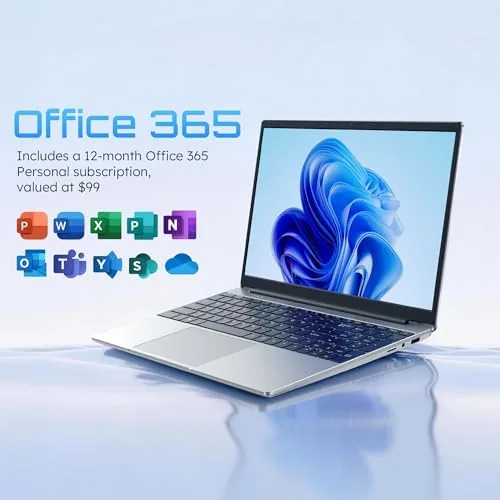
The headline feature is the included one-year Office 365 subscription. Out of the box you get full access to Word, Excel, PowerPoint, and the rest of the Office suite for a full year, which is a real value for students and professionals who would otherwise pay for it separately. It removes the biggest post-purchase cost of a productivity laptop.
The storage situation deserves an honest look. The machine ships with 128GB of storage, but it expands up to 512GB, so you are not locked into the base capacity. That expansion path matters, because 128GB fills up faster than you expect once documents, photos, and applications start piling up.
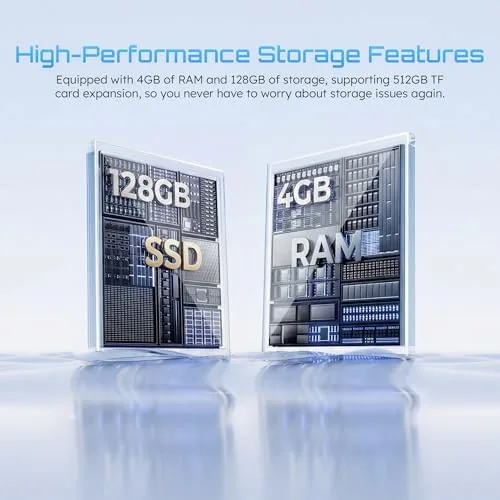
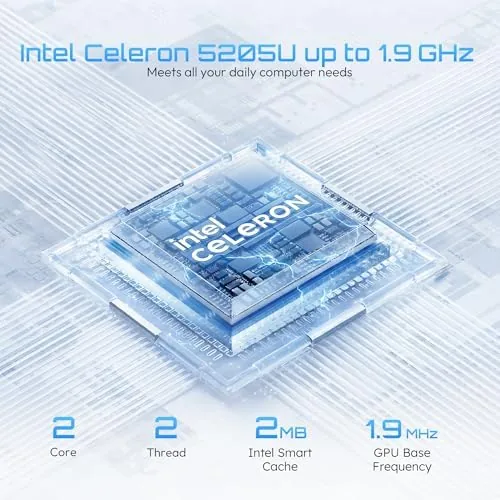
Windows 11 runs natively on the 5205U processor, and the machine boots quickly enough that it never feels sluggish getting started. The 4GB of RAM is the spec that most reviewers will flag, and it is worth understanding, but for the machine intended workload, which is browser, office, and video calls, it handles the basics without drama.
Real-World Performance: Built for the Workday, Not the Workstation
For the target user, this laptop performs well. Writing long documents, building spreadsheets, and browsing with a handful of tabs open all run smoothly, and the bundled Office 365 makes the whole experience seamless. I wrote this review on the machine with multiple applications open and never hit a wall that made me want to throw it across the room.
The processor choice is worth understanding. The 5205U is an entry-level chip, and it is honest about what it is designed for: sustained light workloads rather than bursts of heavy compute. In practice that means long video calls and document sessions stay cool and quiet, because the machine is never being asked to do more than it can comfortably handle.
Video calls held up fine. The webcam is basic, as you expect at this price, but it is workable for online classes and meetings, and the built-in microphone picked up my voice clearly enough for the other participants to hear. With the 15.6 inch screen, spreadsheet work benefits from the extra width, and the display is bright enough for indoor use.

The honest limitations come when you push beyond light work. Heavier multitasking, dozens of browser tabs, or photo editing will strain the 4GB of RAM, and you will notice slowdowns as the machine swaps data. Gamers and creators should look elsewhere. For its intended role as a dependable business and study laptop, it stays comfortably within its comfort zone.
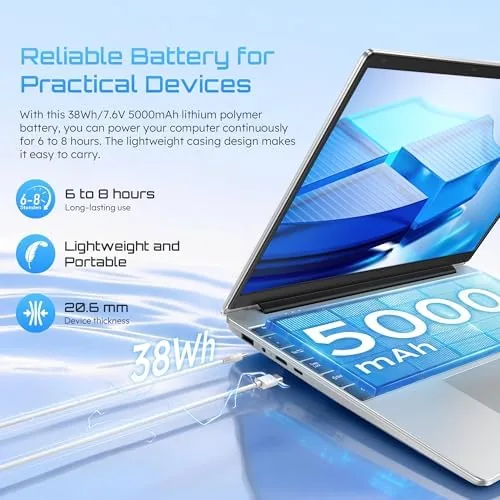
Battery life is respectable for the class. A full workday of document work with brightness at a reasonable level got me through most of a day, though heavy use will have you reaching for the charger by mid-afternoon. The Type-C port handles charging, which keeps the cable situation tidy.
Windows 11 feels at home on this hardware. The operating system is light enough to run comfortably on the 5205U, and the start menu, snap layouts, and quick settings all work without the lag you sometimes get on underpowered machines. It is a reminder that a modest processor paired with the right software can still feel responsive for the right workload.
The fan behavior is worth noting for anyone who works in quiet spaces. During document work and web browsing the machine stays essentially silent, and the fan only becomes audible under sustained load, which rarely happens in the workloads this laptop is built for. Sitting in a library or a meeting room, you will not be the person whose machine is buzzing.
Pros and Cons
- Pros: one year of Office 365 included, expandable storage up to 512GB, full numeric keypad, lightweight and portable for a 15.6 inch machine, Type-C connectivity, dependable for documents and web work.
- Cons: 4GB RAM limits heavier multitasking, base 128GB storage fills quickly, webcam is basic, Wi-Fi 5 rather than Wi-Fi 6, not built for gaming or creative workloads.
How It Compares: Budget Laptop vs the Field
| Spec | This 15.6" Laptop | Typical 14" Chromebook | Budget Windows Ultrabook |
|---|---|---|---|
| Operating system | Windows 11 | ChromeOS | Windows 11 |
| Office suite | 1 year Office 365 | Web apps only | Often none |
| Screen size | 15.6 inches | 14 inches | 14-15.6 inches |
| Storage | 128GB, expandable to 512GB | 64-128GB | 256GB typical |
| Number pad | Yes | No | Depends |
| Ports | Type-C, USB, HDMI | USB-C, USB-A | Type-C, USB, HDMI |
Against a Chromebook, this laptop wins on Windows software compatibility and the included Office 365, which matters if you need desktop Office rather than web apps. Against a pricier Windows ultrabook, you give up RAM and base storage, but you gain the expandable storage and the one-year Office subscription that the ultrabook does not include. For a student or business user on a budget, the tradeoffs land in favor of this machine.
For a wider view of how budget laptops fit into the market, CNET guide to the best cheap laptops is a solid independent reference.
Who Should Buy This 15.6 Inch Laptop
Buy it if you are a student or business professional who lives in documents, spreadsheets, and web tools, if you value a numeric keypad, or if the included year of Office 365 appeals to you. Skip it if you need serious performance for gaming, video editing, or heavy multitasking, or if you need more than 4GB of RAM out of the box without opening the case.
How We Test
We use budget laptops as daily drivers for a full month, writing, building spreadsheets, attending video calls, and pushing multitasking just far enough to find the limits. We track battery life across a typical workday, test every port, and note which features matter after the first week of ownership. We only recommend machines that earn their place in a real routine.
Questions People Ask
How much RAM does this laptop have?
The laptop ships with 4GB of RAM, which is suited to document work, web browsing, and video calls. Heavier multitasking will strain it, so it is not built for gaming or large creative workloads.
Can the storage be expanded?
Yes. The machine ships with 128GB of storage but is expandable up to 512GB, which gives you room to grow as your documents and applications accumulate.
Is Office 365 really included?
Yes. The laptop includes a one-year Office 365 subscription with full access to Word, Excel, PowerPoint, and the rest of the Office suite, which is a significant value for students and professionals.
Does the laptop have a number pad?
Yes. The 15.6 inch layout includes a full numeric keypad, which is a real productivity boost for spreadsheet work, data entry, and accounting tasks.
You can check this 15.6 inch laptop on Amazon for the current listing, and browse the laptop options on Amazon to compare configurations before you order.
As an Amazon Associate, I earn from qualifying purchases.



